I reviewed a bunch of mobile controllers from GameSir some time ago. From massive console-like gamepads with peltier coolers to budget-friendly, basic gamepads, GameSir seems to have a variant for everyone. One of its latest models, the G8+ MFi, is a more advanced take on mobile gaming, which offers more serious features, better build quality and, accordingly, a higher price tag. Here is my review.
Disclaimer: GameSir provided the review sample without any editorial input or pre-approvals.
The G8+ MFi is a "Made for iPhone" variant of the G8+ controller. It means it is officially certified to work with Apple devices, particularly with iPhones equipped with a USB Type-C port and the iPad mini 6 and newer. Larger tablets are not supported, sadly. Despite carrying "Made for iPhone" in its name, the G8+ MFi is also fully compatible with Android devices, and it is even smart enough to recognize the platform and switch its mode accordingly, so that you are not limited to just one operating system. Neat.
The GameSir G8+ MFi is available on Amazon for $79.99.
In the box
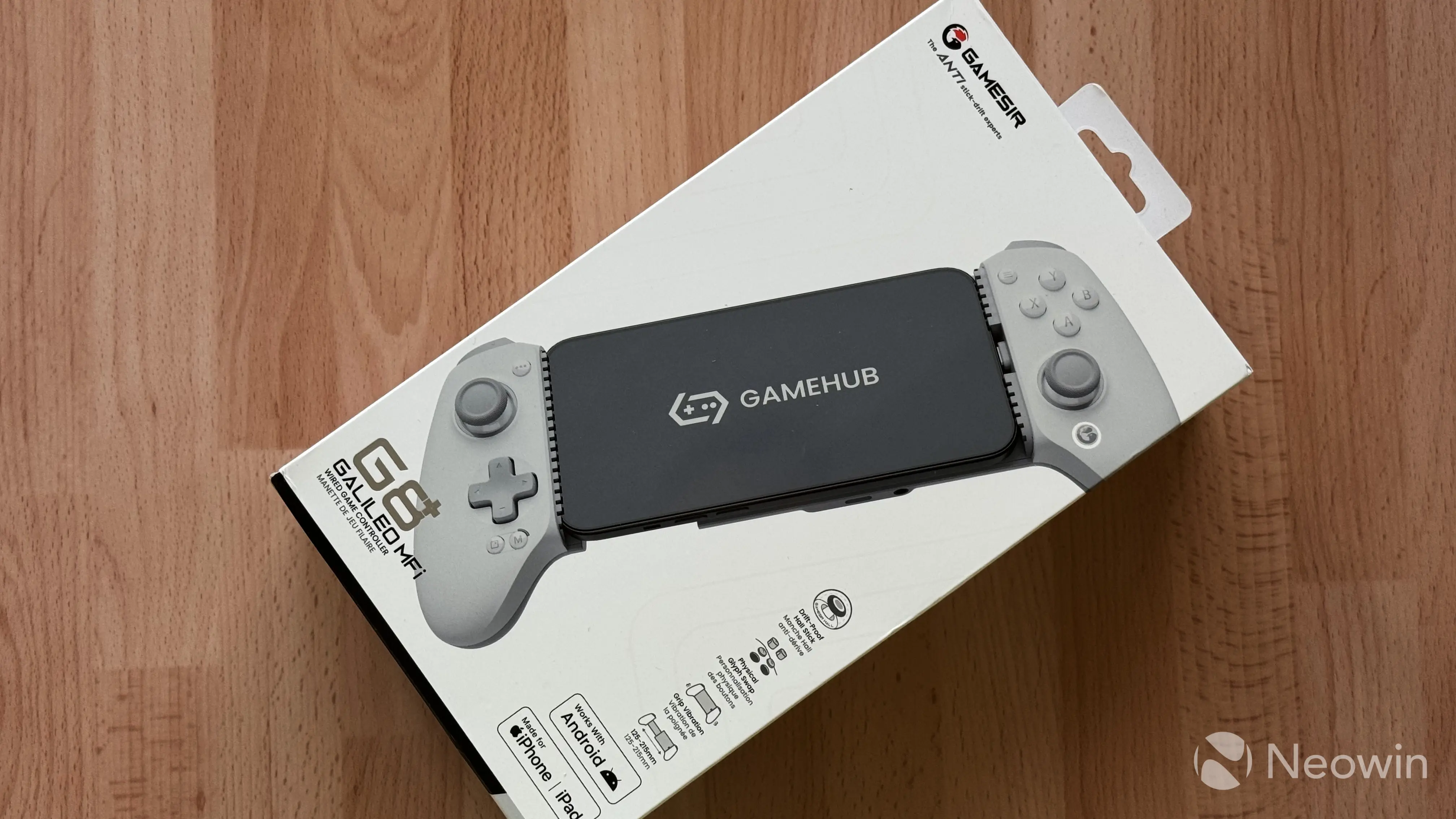
The GameSir G8+ MFi comes with a pretty big box. Inside, you will find the controller itself, additional sticks, extra pads, and some papers. The lack of a carrying case is a big disappointment, given that you are supposed to carry the gamepad with you and your smartphone, not to mention the $79.99 price tag. However, I will jump ahead and say that the non-existing case is probably my only complaint about the G8+.
The controller is only available in a single pale gray color. If you ask me, I think it looks great, but I wish there were more lively color options. The Wasabi variant of the G5 Lite I reviewed in 2025 remains my favorite color combination of all the controllers I ever owned.
The G8+ MFi
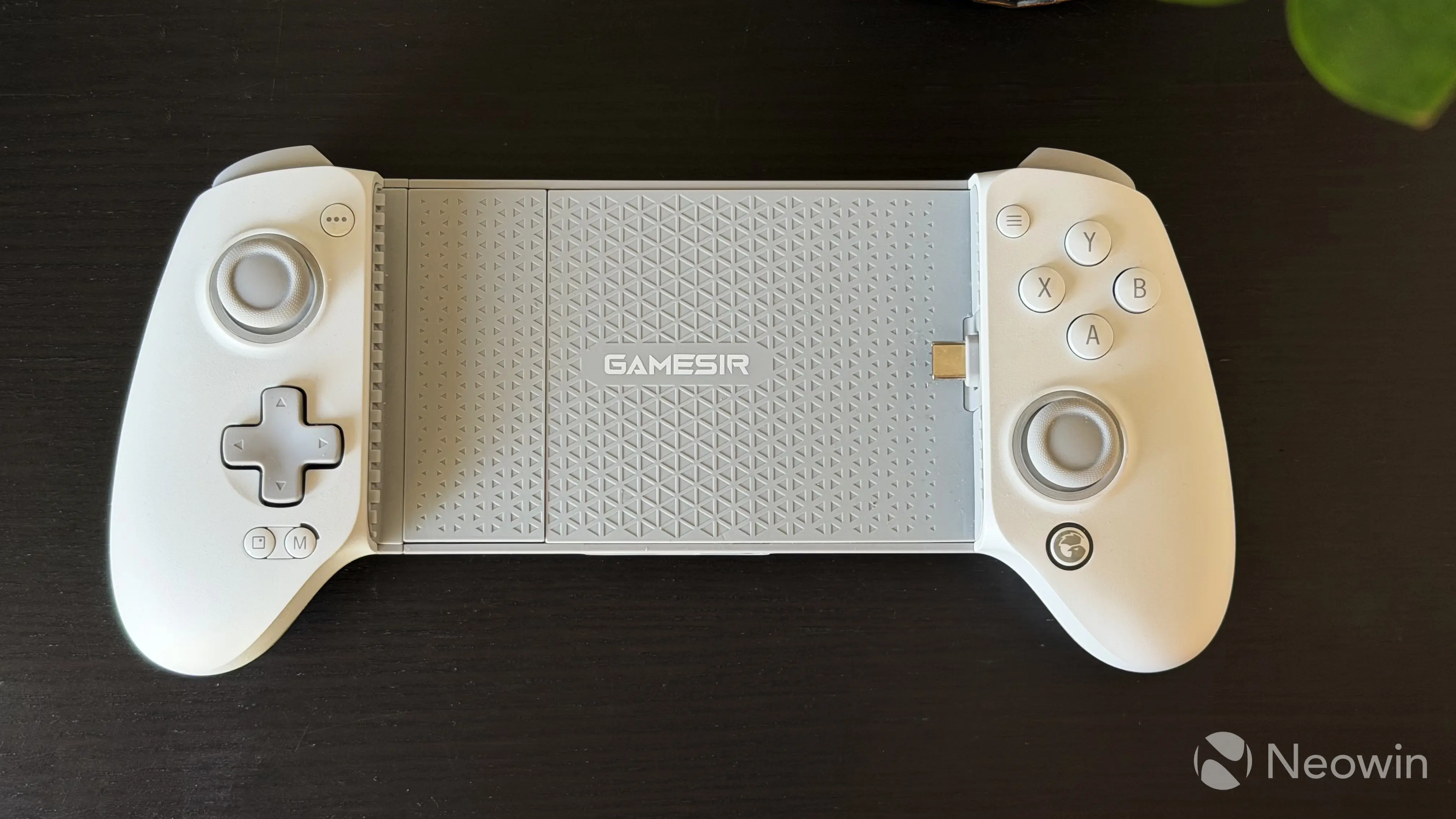
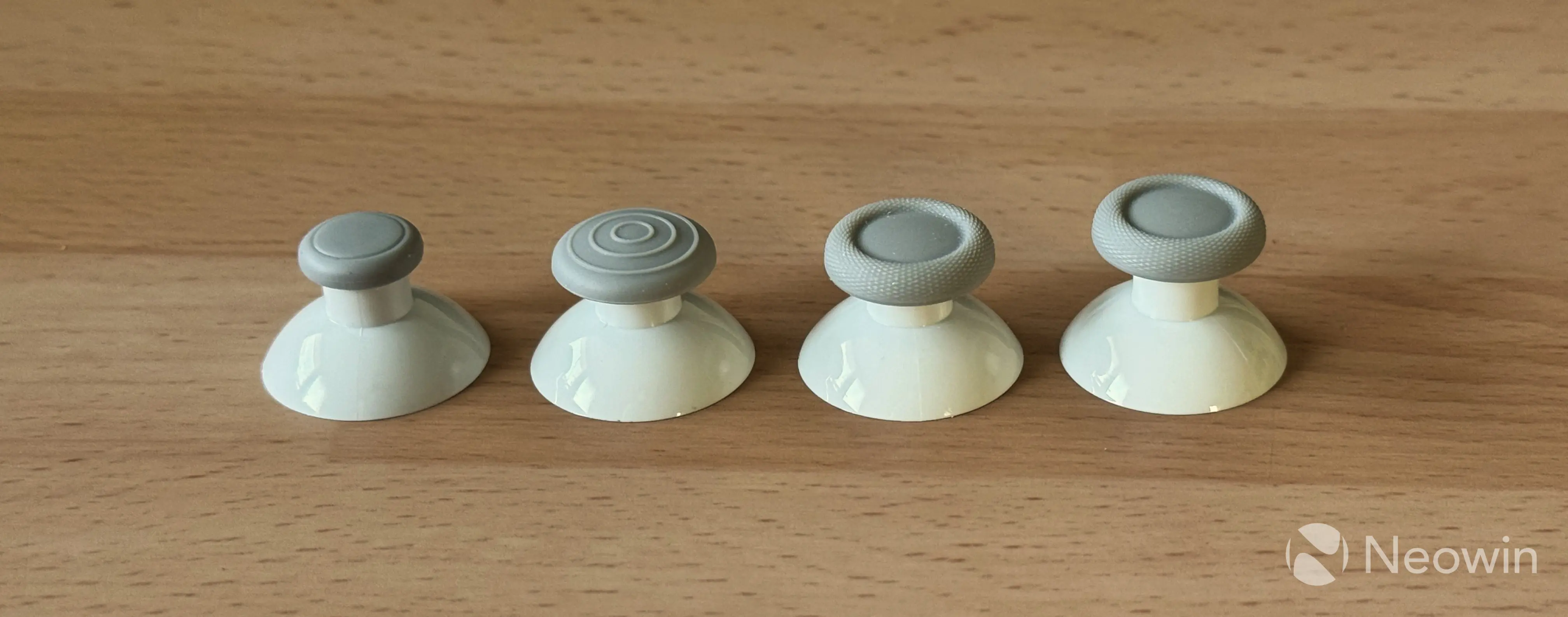
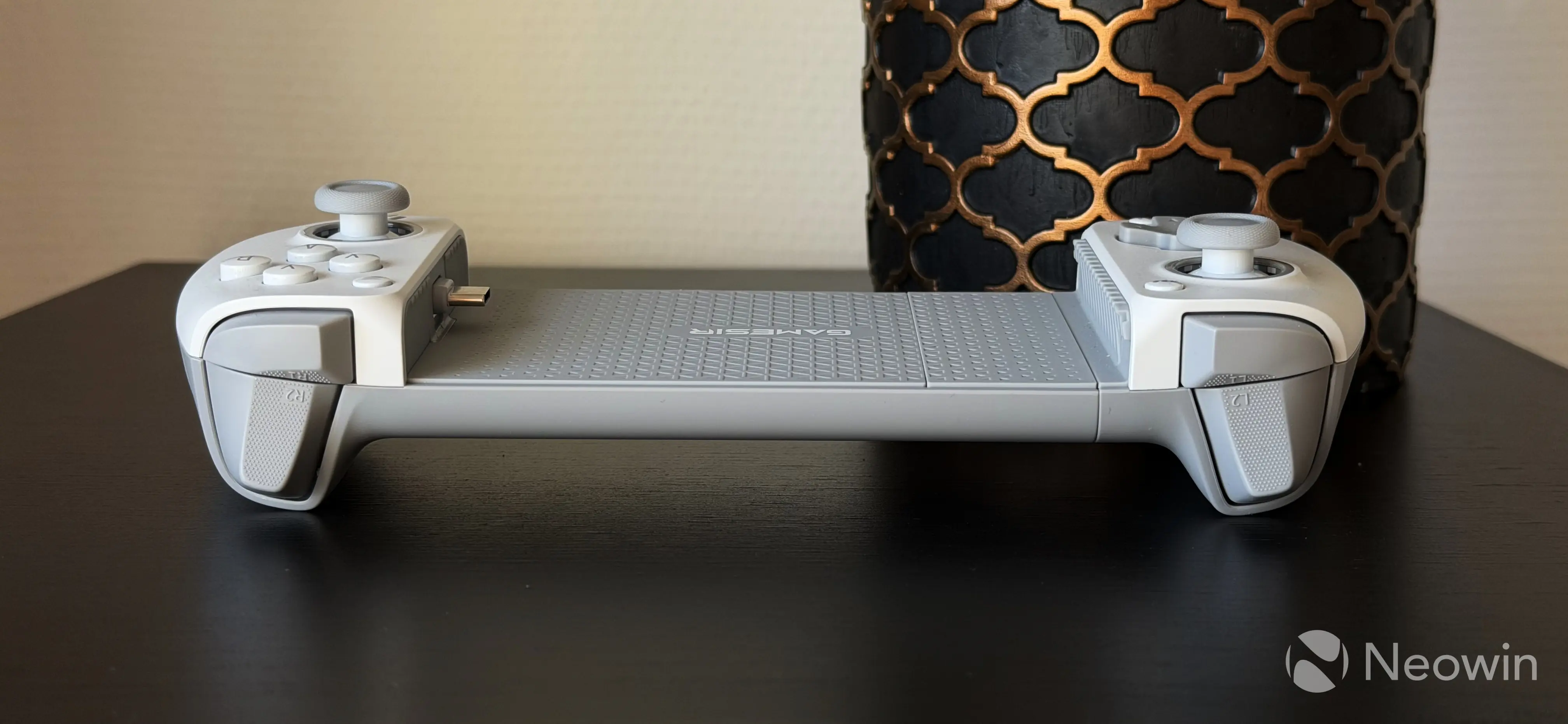
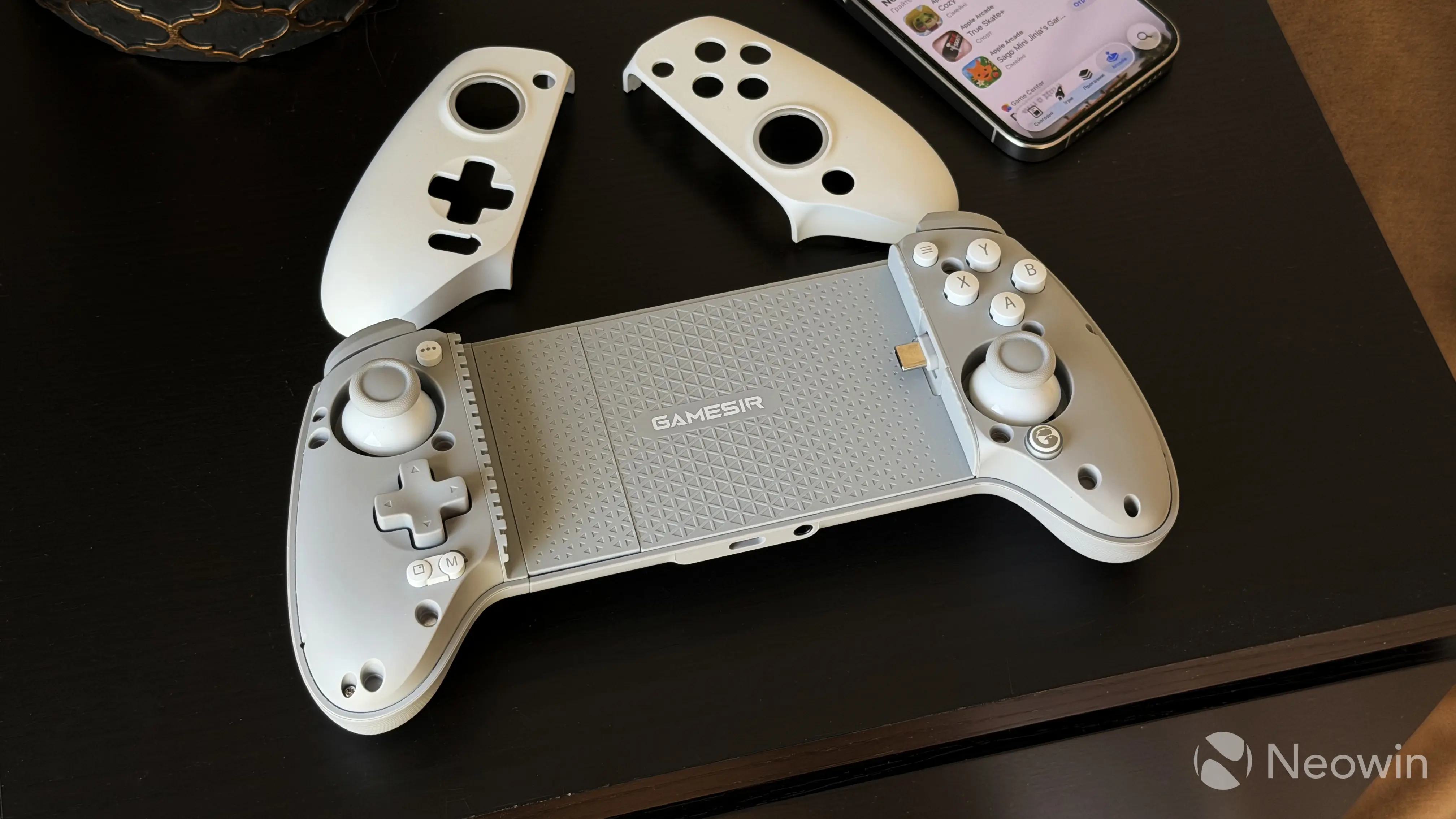
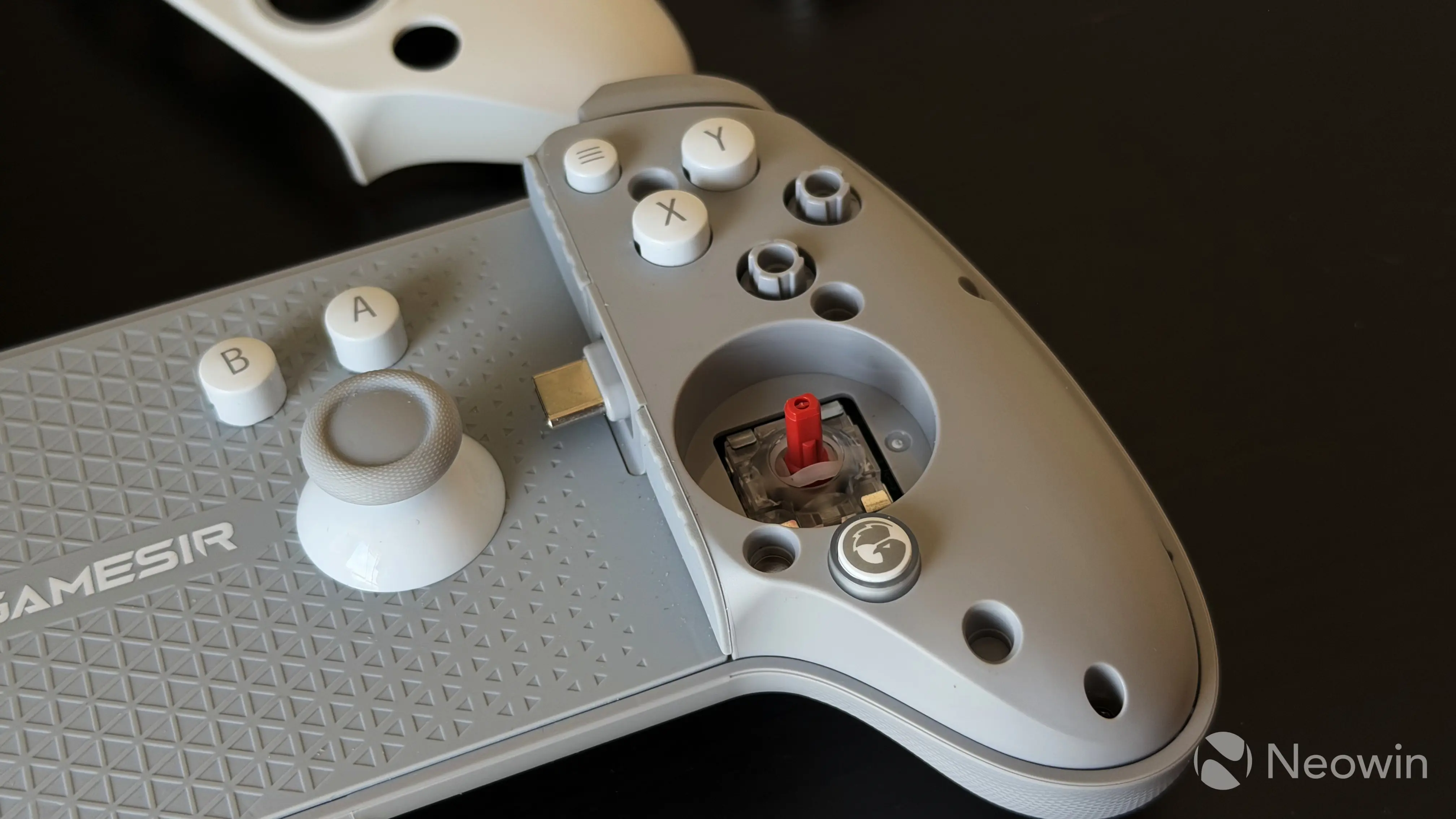
The GameSir G8+ MFi is made of good-quality plastic. It is not the lightest controller, and you can definitely feel some heft, but it does not get uncomfortable after one hour of playing and even longer. Like many other GameSir controllers, this one has removable front grips that secure themselves with strong magnets. They are easy to remove, and they do not rattle or creak. You can remove the grips to swap sticks (there are three big sticks with different shapes and texture and one small stick) and ABXY buttons. The back of the gamepad has a diamond-shaped texture, which gives the G8+ MFi a more premium feel.
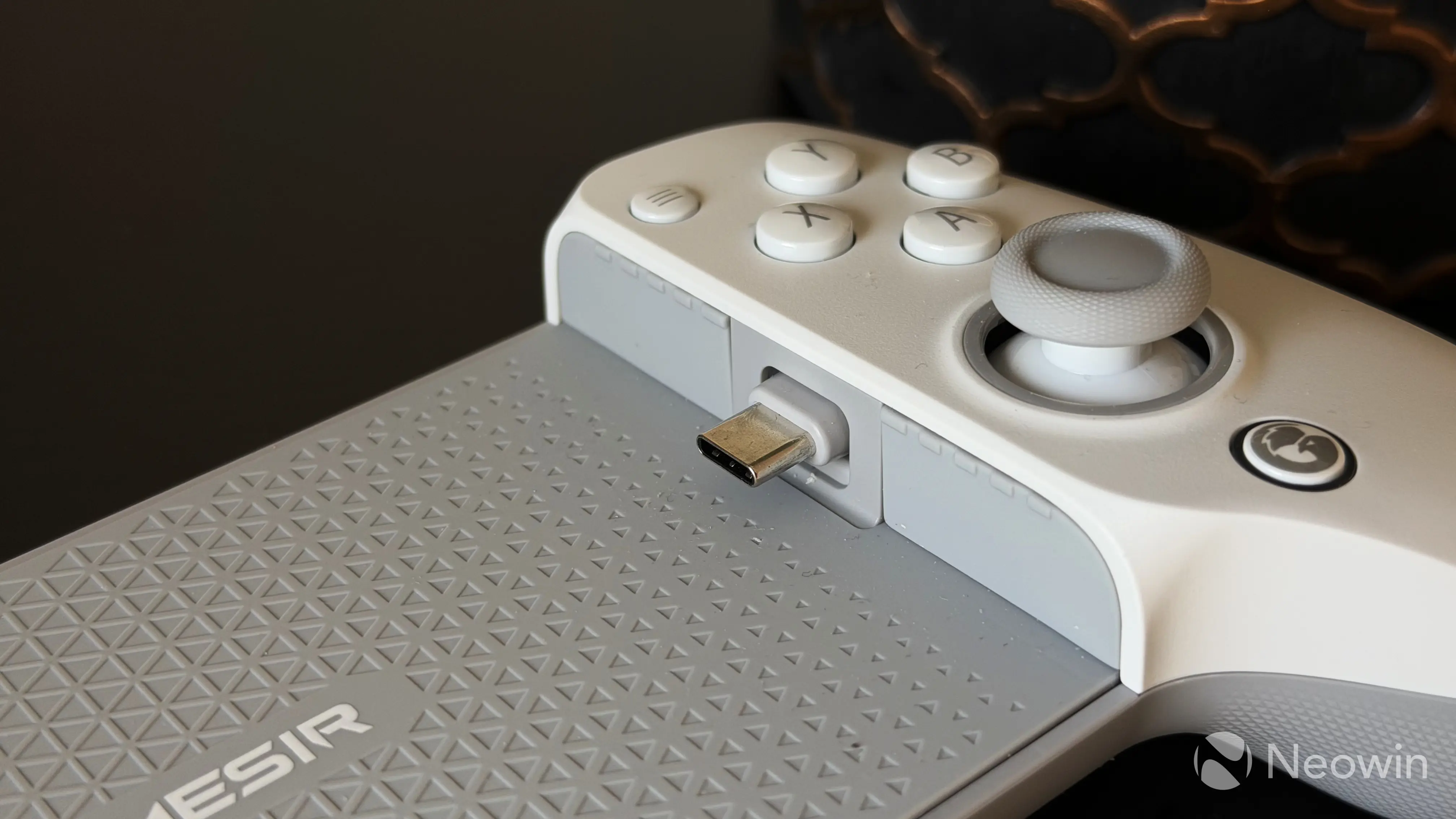
The controller is "wired," and you can connect it to your phone or tablet with a built-in flexible USB Type-C port. I have mixed feelings about this, as frequent gaming often gives me this anxiety about wearing out my phone"s USB port. In all honesty, I would prefer wireless connectivity, but I understand that it would bump the price and make the gamepad heavier by having a built-in battery. Regardless, the USB connector is very flexible, and it has a lot of vertical travel for you to safely insert or remove your phone. If you are still unsure about the USB connection, GameSir would gladly sell you the G8+ Bluetooth version for the same price.
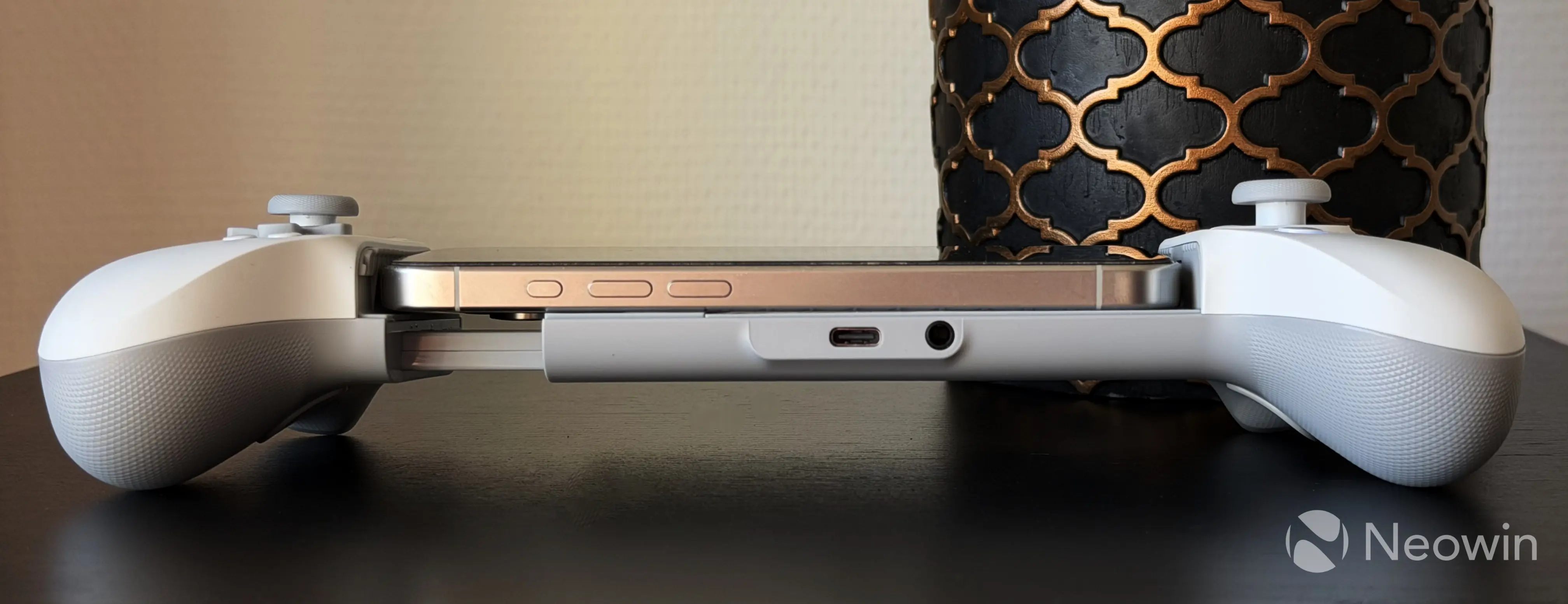
The G8+ MFi works well with cases. I tested it with my iPhone 15 Pro without a case, with a transparent MagSafe case, and with an iPhone 17 Pro in one of Apple"s TechWoven cases. Unless you have a very rugged and extremely thick case, you should be good. To ensure better compatibility, GameSir equipped the controller with magnetic pads of different thicknesses. If you use your phone without a case, use thick pads, and for phones with cases, there are thin pads. Pretty straightforward.
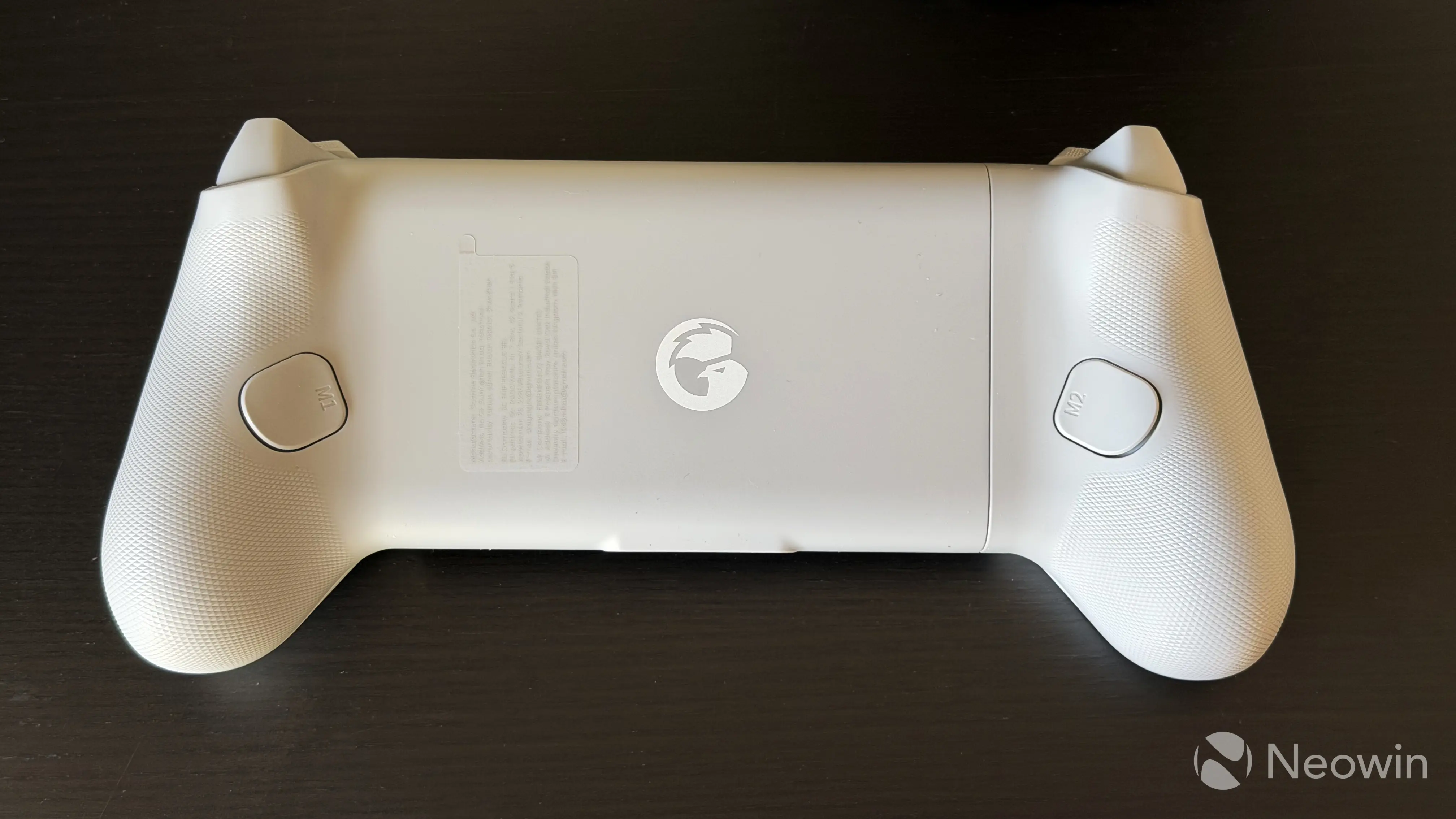
As for the camera bump, the controller"s construction has some room for large camera humps, but you can definitely see that a big rear camera will make the phone sit at a small angle, so consider this fact if you have a device with a big camera bump. If you need a bit of extra space for the camera, you can remove a big magnetic pad to the left of the GameSir logo.
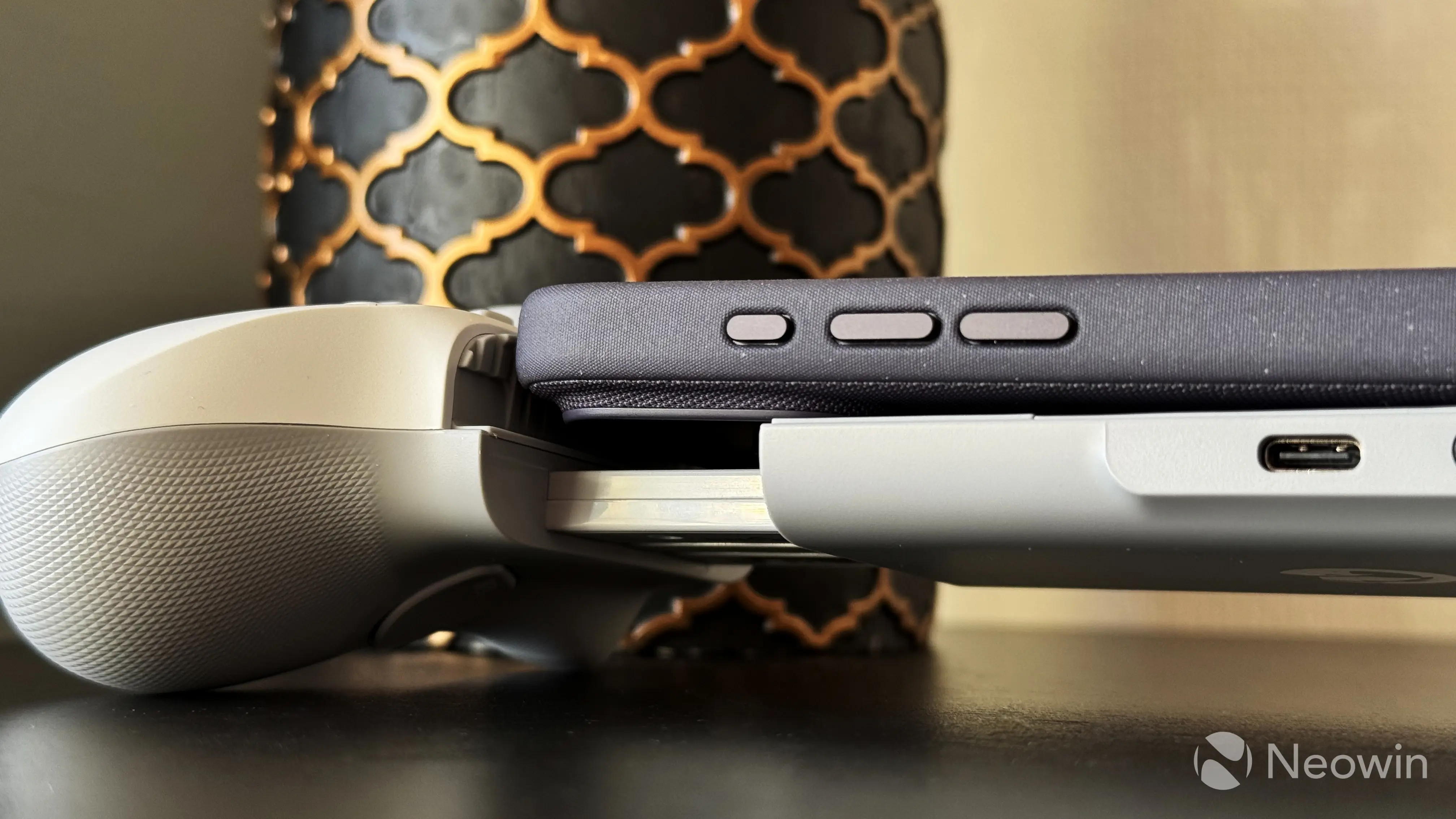
The controller supports pass-through charging, and for this feature, it has a USB Type-C port. It is placed in the right spot, right in the middle of the controller, next to a headphone jack, in order not to interfere with your hands while playing. Just keep in mind that the port is limited to 5V 3A—no quick charging here.
Buttons and sticks
The GameSir G8+ MFi has Hall Effect sticks and analog triggers, and GameSir says that they offer better accuracy, longevity, and no drifting. Given the lack of a built-in battery, this should make the gamepad last for many years without issues.
I love every control element on this gamepad. Every element feels premium, especially the buttons. Besides being made of high-quality plastic, they have this satisfying heft and pleasant clack when you press them.
On the back of the G8+ MFi, you can find two additional M buttons that you can remap to something else. They are placed just in the right spot, and with my big hands, my middle fingers rest precisely on them. It got to the point that I remapped M1 and M2 buttons to R1 and R2 because it was easier for me to hold triggers with my index fingers instead of my typical two-finger grip (index fingers on shoulder buttons, middle fingers on triggers).
The G8+ MFi has good ergonomics, and in the hands, it feels like just a slightly wider regular controller. Its dimensions are very similar to the GameSir Super Nova, except for the width, naturally. Unlike the X5 Lite, which felt like someone cut off parts of its grips, the G8+ MFi does not feel awkward, especially in big hands, and you can grip it firmly and comfortably, just like a typical controller.
When testing the G8+ MFi, I played Wreckfest (it blew my mind how well-optimized this game was), Art of Rally, Minecraft, Grand Theft Auto: San Andreas, and a few more games. If the game you want to play says in its store listing that controllers are supported, the G8+ MFi will work with it. That is the magic of the official "Made for iPhone" certification, and another reason for the more expensive price tag, as Apple gets a cut from such accessories. The G8+ MFi also works great with cloud streaming like Xbox Cloud Gaming or GeForce NOW.
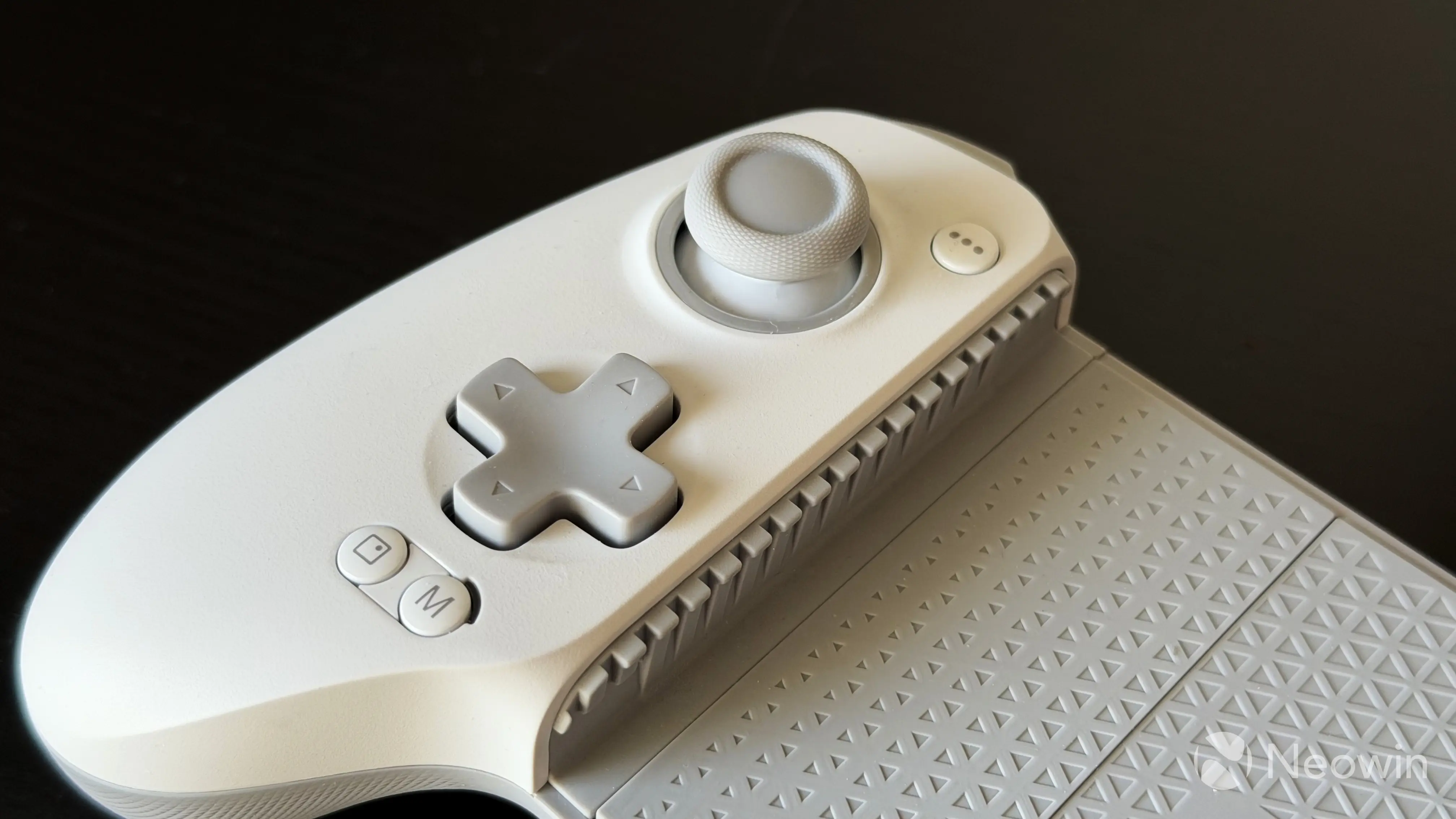
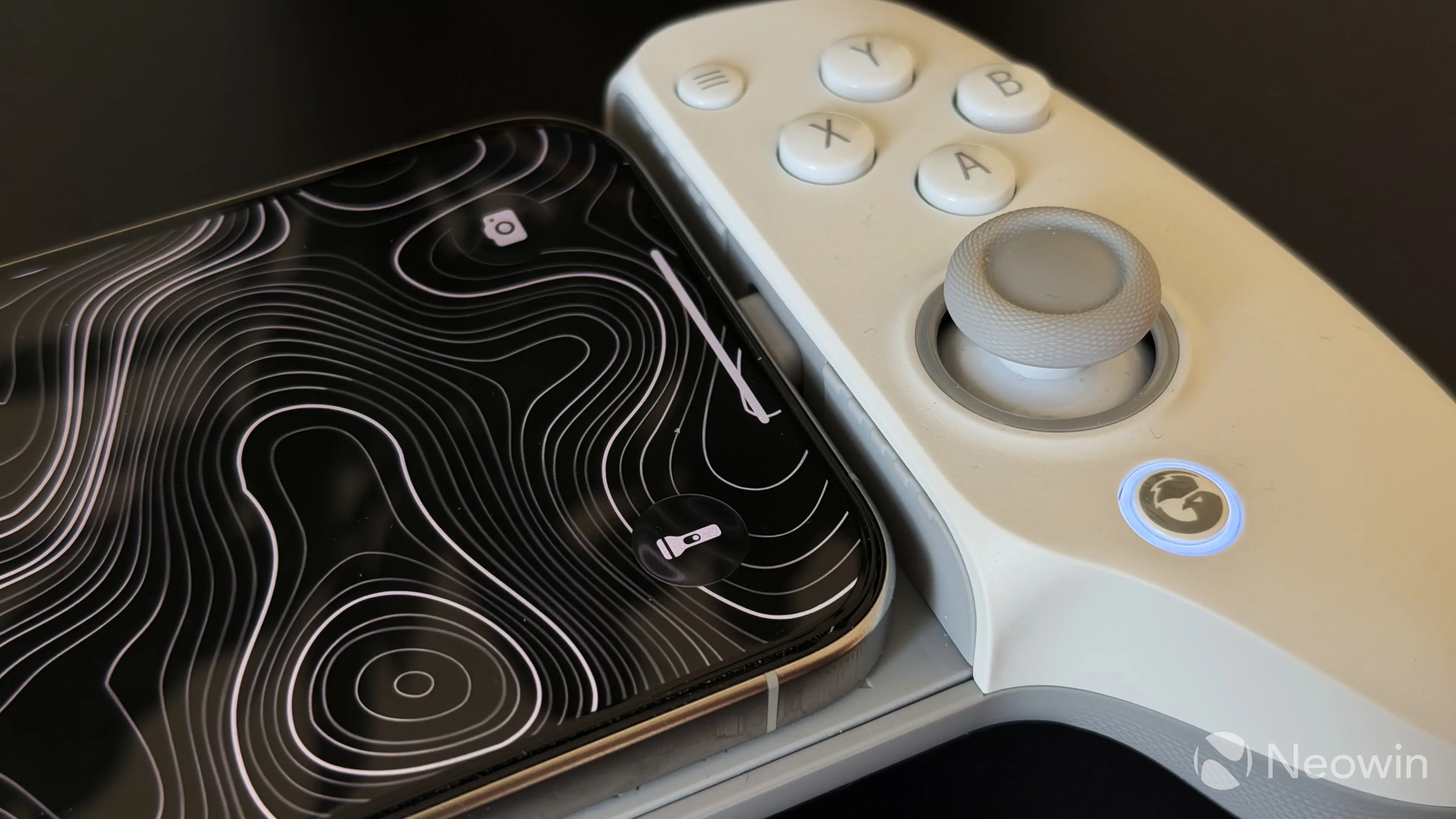
Besides traditional buttons, the GameSir G8+ MFi has a few extra buttons. One is a screenshot button (to the left of the M button), one M button, and one GameSir button with an LED ring around it, which indicates the current mode. White is iOS, and Blue/Light Blue is Android. The M button also has a small LED, which turns on when pass-through charging is enabled. You can use the GameSir and M buttons for different shortcuts like changing volume, vibration intensity, and more. Additionally, there are button shortcuts for stick calibration, mode switching, layout switching, back button remapping, and hair trigger mode, but I found these features easier to configure within the app. The latter is finally available on iOS.
The GameSir app
The GameSir app on iOS (also available on Android) is pretty straightforward. You can use it for the following:
- Test the controller and its buttons, sticks, and triggers.
- Change the button layout from Xbox to Switch.
- Remap the back buttons.
- Adjust stick dead zones and even swap the left stick with the D-Pad. Note: Do not reduce the dead zone below the default 5, as this could cause unwanted stick drift on rest.
- Adjust trigger dead zones and switch between analog and hair trigger modes.
- Adjust vibration intensity. Each grip has a vibration motor, and you can customize them separately or together from 0 to 4. Vibration is good; it is not rattly, but it was hard to find a game that properly supports controller vibration.
- View tutorials and manuals.
- Browse the GameSir store.
- Update firmware.
Speaking of firmware...
Firmware quirks
Writing this review took me longer than I expected because I encountered quite a major issue with the controller"s firmware. When connected to my iPhone 15 Pro or the iPhone 17 Pro I snatched from my fiancée, the gamepad would drop connection every few minutes. These intermittent disconnections were super-annoying, borderline deal-breaking. In addition to that, pass-through charging would only start working after a few minutes.
I scavenged some Amazon reviews and found two people having the same issue, but it did not look super widespread. Also, only iPhones appeared to be affected, as the connection remained stable with my spare Android phone. Fortunately, GameSir managed to resolve the problem.
After keeping the gamepad in my drawer for a few weeks, I checked for firmware updates, and after installing the latest updates, I was delighted to discover that the connection issues were fully resolved, at least on my unit. I never experienced any dropouts since. I am mentioning this for transparency"s sake and to provide a solution for those who have the same problem. Just go to the GameSir app (it is available on Android and iOS) and get the latest firmware.
Conclusion
I do not consider myself a big gamer, especially on my phone, but the GameSir G8+ MFi made me want to play mobile games (real games, not some brain-rotting clickers or something). The App Store has quite a lot of "console-level" games, and playing them on my iPhone felt great, especially when traveling, sitting in a long line, or just killing some time before bedtime.
The controller is well-made and has good ergonomics, even for my big hands. It is not what I would call "an affordable gamepad," and the lack of a carrying case is disappointing, but if you have something to play on your mobile device to justify a $79.99 gamepad, I highly recommend considering the G8+ MFi. GameSir nailed this one, just make sure to update its firmware first.
As an Amazon Associate, we earn from qualifying purchases.