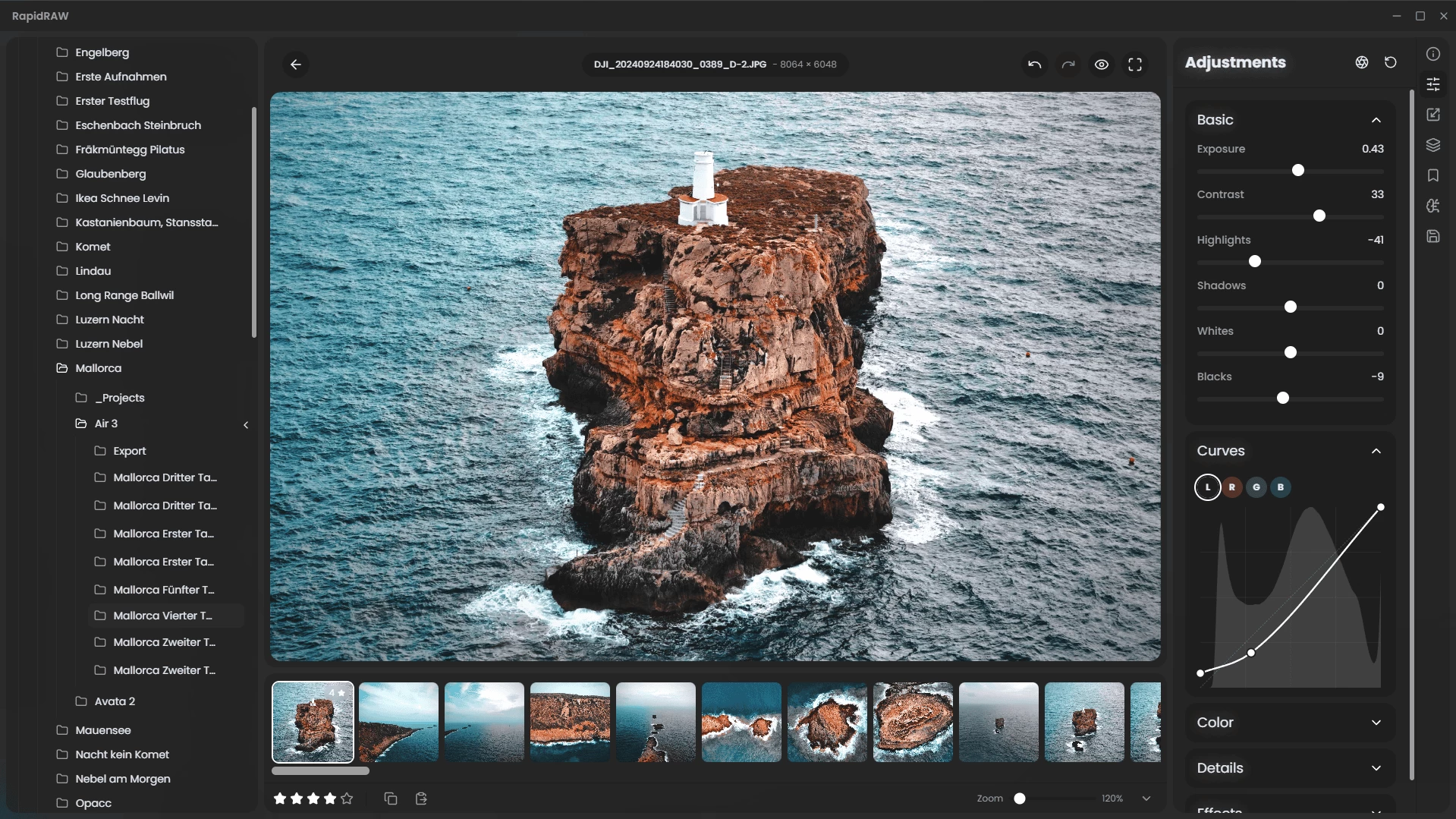
RapidRAW is a beautiful, non-destructive, GPU‑accelerated RAW image editor designed for speed and simplicity. It uses a lightweight (~30 MB), efficient code base built with Rust, React and Tauri. Ideal for Lightroom workflows, it offers rich editing tools—exposure, contrast, highlights, shadows, whites/blacks, tone curves, HSL mixer, dehaze, vignetting, film grain, sharpening, clarity and noise reduction—processed in real-time on the GPU.
Features include intuitive masking (brush, linear, radial, AI-powered subject and foreground detection), generative edit layers (via ComfyUI), 32‑bit precision, and full RAW format support through rawler. RapidRAW also provides library management (folder navigation, ratings, metadata, EXIF viewer), batch operations, export presets (JPEG/PNG/TIFF), sidecar editing (.rrdata), undo/redo history, customizable UI themes, smooth animations, resizable panels, and preset copy/paste.
A modern high-performance Lightroom alternative with polished UX and creative tools, RapidRAW brings powerful photo editing to photographers seeking speed, responsive GPU feedback, and streamlined workflows.
RapidRAW 1.4.12 changelog:
This update enhances creative possibilities and usability in RapidRAW. It introduces a suite of new atmospheric effects for a more cinematic photo aesthetic, implements a global tooltip system to improve accessibility, and resolves a critical logic error in the sharpness processing pipeline.
New Features
- Creative Effects: Glow, Halation & Lens Flare
- Three new adjustment tools have been added to elevate the editing workflow. Users can apply Glow to soften and bloom light sources, Halation to replicate the red-orange bleeding characteristic of analog film, or Lens Flare to simulate light scattering through camera lenses.
Global Tooltips
- RapidRAW now features a native tooltip system. Hovering over buttons in context menus displays explanations for each control, improving both accessibility and feature discovery.
Sharpness & Clarity Logic
- A rendering bug in the GPU processor has been fixed where the Structure effect was mistakenly applied to both the Clarity and Sharpness sliders simultaneously. These controls now operate independently. Users who previously adjusted Clarity and Sharpness may need to revisit those edits.
Core Improvements
- UI Polish: Interface elements have been refined for a cleaner, more seamless experience.
- Rawler Sync: Expanded camera support and added the ability to load LinearRAW DNG images.
Download: RapidRAW 1.4.12 | ARM64 | ~20.0 MB (Open Source)
View: RapidRAW Home Page | Screenshot | Other operating systems