
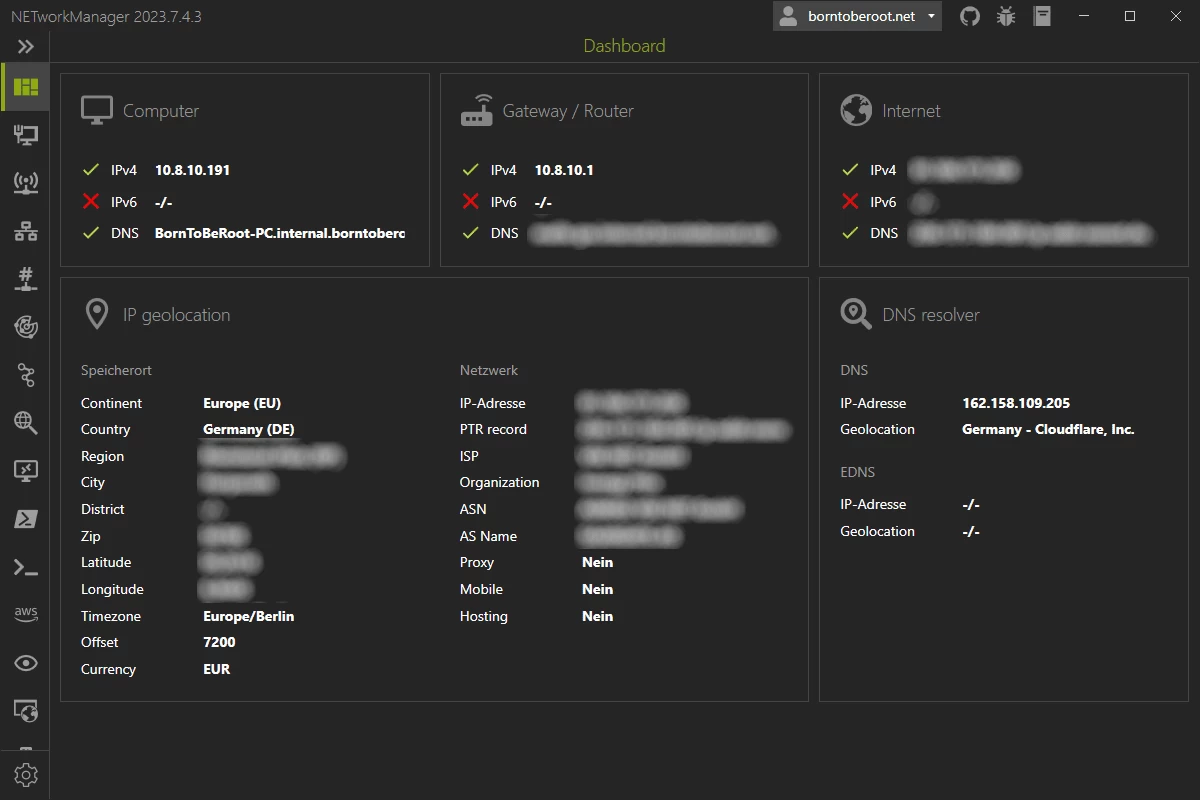
NETworkManager is a powerful tool for managing networks and troubleshoot network problems! It includes a variety of tools such as an IP scanner, Port Scanner, Ping Monitor, WiFi analyzer, PuTTY/RemoteDesktop with tabs or an LLDP/CDP capture (and many more) in a unified user interface. NETworkManager is available in 16 languages.
NETworkManager features:
- Dashboard
- Network Interface - Information, Bandwidth, Configure
- WiFi - Networks, Channels
- IP Scanner
- Port Scanner
- Ping Monitor
- Traceroute
- DNS Lookup
- Remote Desktop
- PowerShell
- PuTTY (requires PuTTY)
- TigerVNC (requires TigerVNC)
- Web Console (requires Microsoft Edge - WebView2 Runtime)
- SNMP - Get, Walk, Set
- Discovery Protocol - LLDP, CDP
- Wake on LAN
- Whois
- Subnet Calculator - Calculator, Subnetting, Supernetting
- Lookup - OUI, Port
- Connections
- Listeners
- ARP Table
NETworkManager 2025.8.10.0 changelog:
- Language Japanese (ja-JP) added
- New tool Hosts File Editor added
- You can view / add / edit / delete / enable / disable entries
- Dialogs redesigned (e.g. groups, profile, messages, etc.)
- Many bugs were fixed and improvements were made.
DNS Lookup
- Support for DNSKEY, SRV and CAA added
Web Console
- Credentials can now be stored in the WebView2 browser, similar to Microsoft Edge.
Download: NETworkManager 2025.8.10.0 | 23.6 MB (Open Source)
Download: NETworkManager Portable | 29.4 MB
Links: NETworkManager Home Page | Screenshot
 Get alerted to all of our Software updates on Twitter at @NeowinSoftware

















0 Comments
Load the comments and join the conversation!
Read the comments, ask the editors questions, show respect and join the conversation.