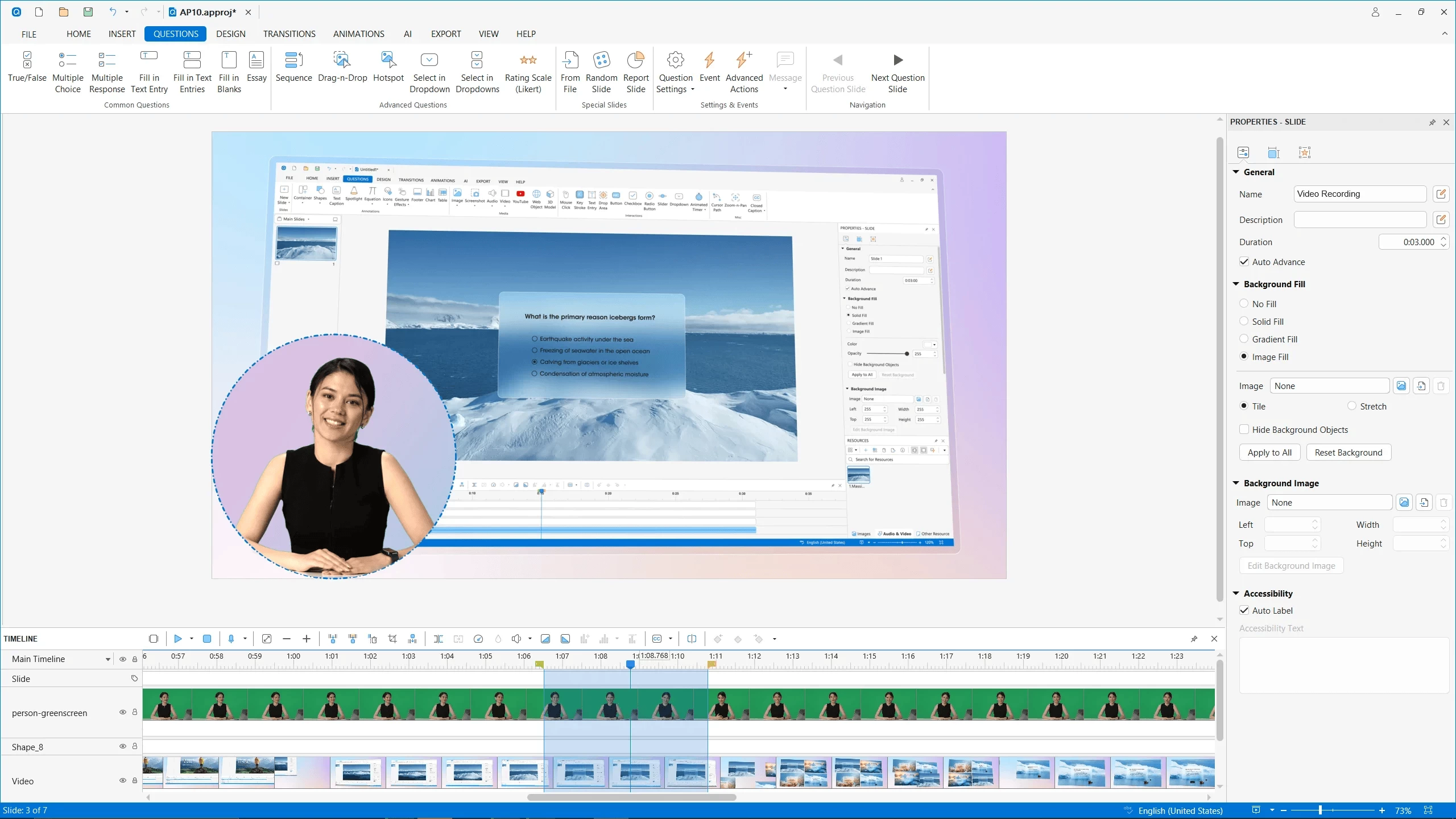
ActivePresenter is a screen recording, video editing, and eLearning authoring tool with a range variety of powerful features, helping you to capture screen and edit captured videos in a matter of minutes.
Create professional screencasts that contain stunning annotations and effects, high-resolution graphics, videos, and voiceovers. You can capture any application on your computer, customize it easily by adding background music, closed caption, zoom-n-pan, etc., and finally export it to popular outputs (video, document) that can run on any device or platform. ActivePresenter allows you to generate the presentations in many different output forms such as image, videos (MP4, MKV, and AVI), HTML SlideShows, HTML5 simulations, and documents.
More importantly, ActivePresenter free version provides full access to all video editing features, and you can edit and export videos without time limit, watermarks, or ads.
ActivePresenter Free Edition features:
- Advanced recording features: Full Motion Recording, Smart Capture
- Video editing: Cut, Crop, Join, Change Volume, Speed Up, Slow Down, Blur
- Multiple Audio/Video Layers
- Rich annotations: Shapes, Image, Zoom-n-Pan, Closed Caption, Cursor Path, Audio/Video Overlays
- Automatic Smart Annotation
- Export to: MP4, FLV, AVI, WMV, WebM, MKV
- No Watermark and No Time Limit
-
Clean & Safe: No adware, No Annoying Ads
ActivePresenter 10.1.1 changelog:
Enhancements
- macOS 26 is officially supported.
- Add admin control to enable or disable AI features.
Bugs Fixed
- Slide background images are rounded when opening projects created in version 9 or earlier.
- Drag-n-Drop connectors remain visible when the question is hidden.
- Cannot set group style for empty flex boxes and grid boxes.
- Cannot get preview image of a YouTube video.
- Changing slide layout doesn't completely remove placeholders of the old layout in some cases.
- Resetting slide layout works incorrectly for some layouts.
- [Timeline]: Tooltip is not dismissed when moving the cursor from slide to ruler.
- [macOS]: The program becomes unresponsive when opening a project while the Variable Format dialog is displayed.
- [HTML5]: Audio and video on the first slide may not play when restarting the presentation from the resume feedback.
- [HTML5]: Drag-n-Drop questions may show incorrect feedback checkmarks in some cases.
- [Publish uPresenter]: The resume feedback is displayed twice when users revisit the presentation.
Download: ActivePresenter 10.1.1 | 154.0 MB (Free, paid upgrade available)
Download: ActivePresenter 10.1.1 for macOS | 210.0 MB
Links: ActivePresenter Website | Demos | Tutorials | Screenshot
 Get alerted to all of our Software updates on Twitter at @NeowinSoftware


















0 Comments
Load the comments and join the conversation!
Read the comments, ask the editors questions, show respect and join the conversation.