
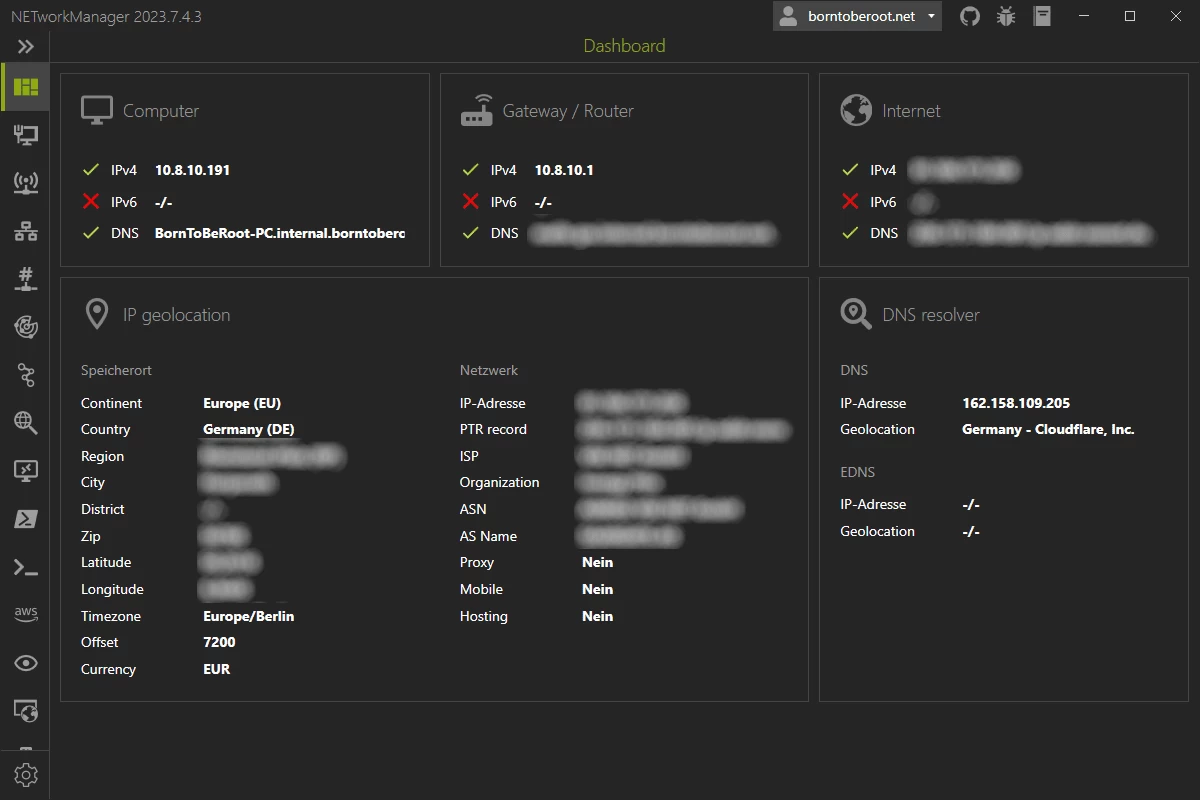
NETworkManager is a powerful tool for managing networks and troubleshoot network problems! It includes a variety of tools such as an IP scanner, Port Scanner, Ping Monitor, WiFi analyzer, PuTTY/RemoteDesktop with tabs or an LLDP/CDP capture (and many more) in a unified user interface. NETworkManager is available in 16 languages.
NETworkManager features:
- Dashboard
- Network Interface - Information, Bandwidth, Configure
- WiFi - Networks, Channels
- IP Scanner
- Port Scanner
- Ping Monitor
- Traceroute
- DNS Lookup
- Remote Desktop
- PowerShell
- PuTTY (requires PuTTY)
- TigerVNC (requires TigerVNC)
- Web Console (requires Microsoft Edge - WebView2 Runtime)
- SNMP - Get, Walk, Set
- Discovery Protocol - LLDP, CDP
- Wake on LAN
- Whois
- Subnet Calculator - Calculator, Subnetting, Supernetting
- Lookup - OUI, Port
- Connections
- Listeners
- ARP Table
NETworkManager 2026.2.22.0 changelog:
Breaking Changes
- Migrated from .NET 8.0 (LTS) to .NET 10.0 (LTS).
- Upgrade your .NET Desktop Runtime to version 10.0 (LTS) - x64 before you install this version.
- AWS Session Manager feature has been removed.
- Profile and settings files have been migrated from XML to JSON. Existing files will be automatically converted to JSON on first load after the update.
- You should back up your settings and profile file before installing.
New Features
- System-Wide Policies for enterprise deployment and management. Administrators can now configure system-wide policies via a config.json file in the application directory to control specific settings for all users.
- DNS Lookup now allows direct input for dns server ip|host:port (port - is optional)
- Remote Desktop connect admin (console) session
- Migrated Dialogs to ChildWindows
Download: NETworkManager 2026.2.22.0 | 21.6 MB (Open Source)
Download: NETworkManager Portable | 27.2 MB
Links: NETworkManager Home Page | Screenshot
 Get alerted to all of our Software updates on Twitter at @NeowinSoftware
















0 Comments
Load the comments and join the conversation!
Read the comments, ask the editors questions, show respect and join the conversation.