Microsoft Teams is Redmond's premier online communication and collaboration tool, primarily used in work, government, and school environments. Although it's not perfect, Microsoft continually makes refinements to it in order to retain and appease its existing customers, while attracting new ones. To that end, it has now announced a major revamp for Teams.
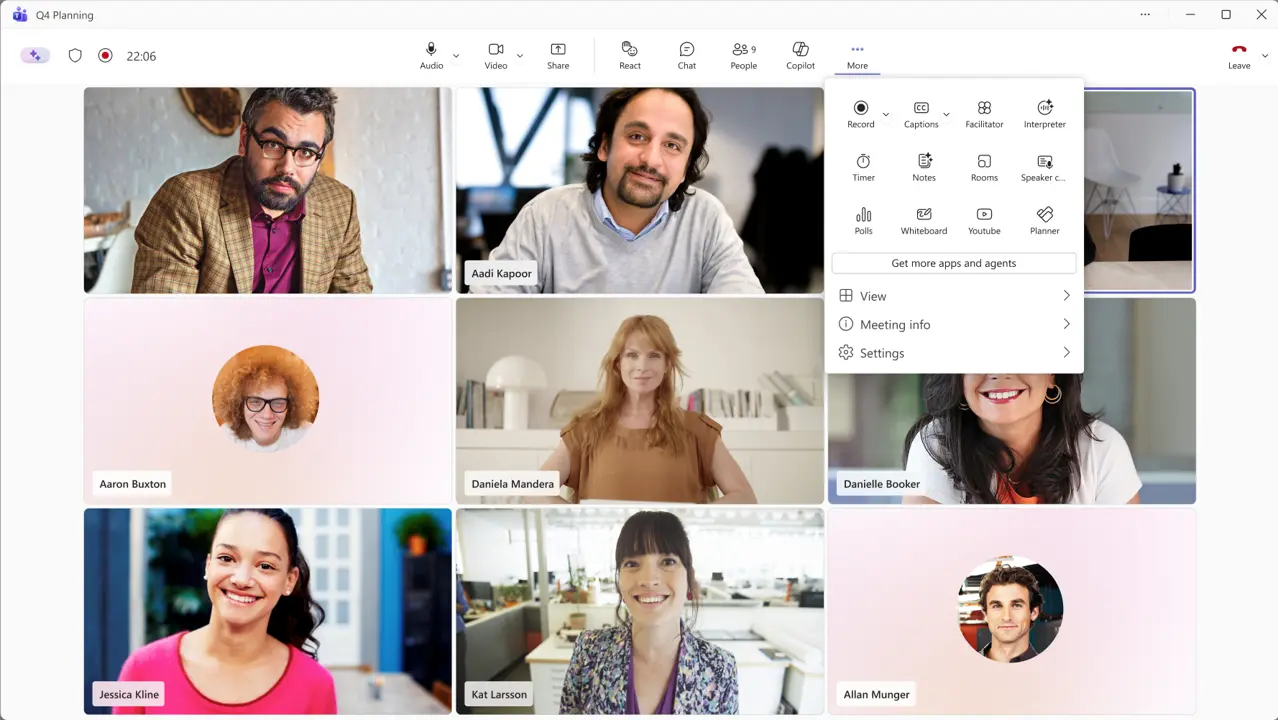
In a message on its Admin Center, Microsoft has informed IT admins that Teams is getting a redesign which will simplify the overall UX. It has acknowledged that since Teams regularly gets new features, the meeting control toolbar and the share panel have become too cluttered, which overwhelms users and leads to accidental clicks. It already talked about this a bit last month, when it mentioned that it would be regrouping the button used to raise hands in order to prevent misclicks.
However, the upcoming Teams redesign is much bigger than just that. Once it lands, meeting controls will be center-aligned, while the leave button will be placed on the far-right, so you only click on it intentionally. Microphone, camera, and share buttons will be grouped together, while other items like record, captions, polls, and more, will be grouped under a "More" overflow menu accessible via the three-dot icon. Customers will also be able to customize this toolbar to drag-and-drop and pin items according to their preferences. You can check out the first look below:
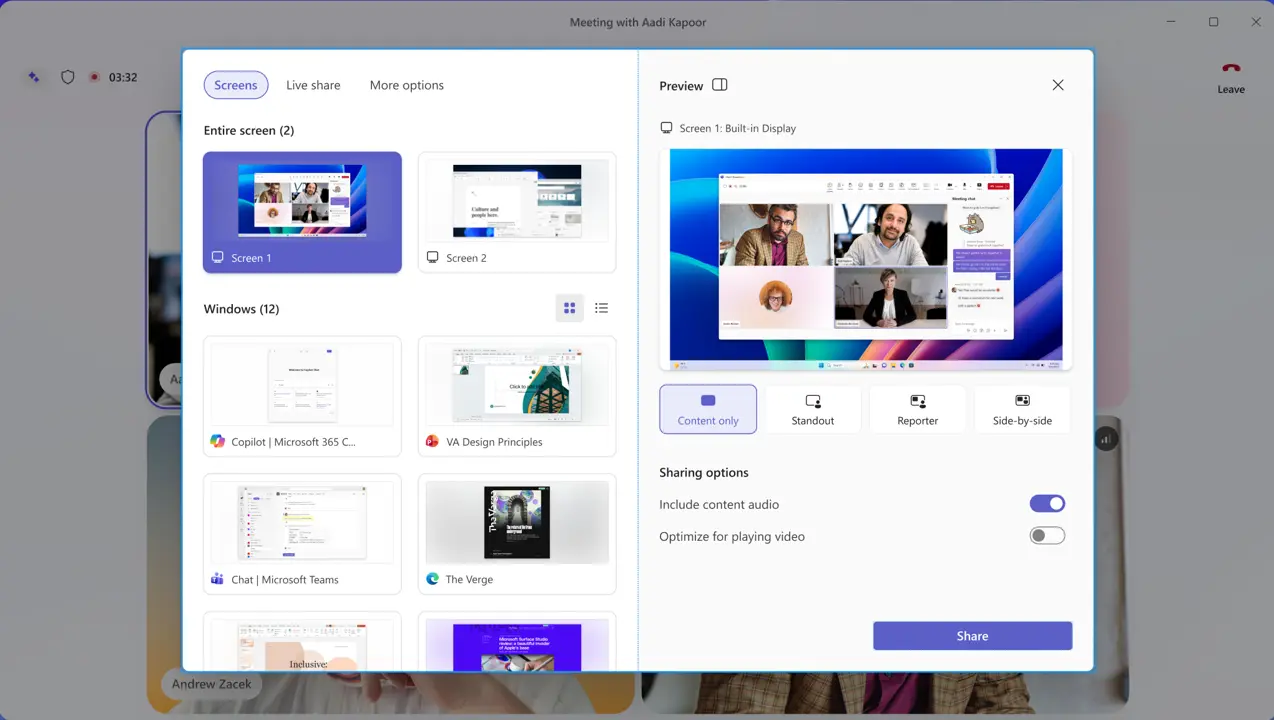
Moreover, the share panel is getting a major makeover too. It will show live previews of screens and windows on the right, and a tabbed layout differentiating between Screens and Apps, Interactive Files, and More options on the left. Additionally, the sharing option will follow a two-step confirmation process in order to prevent accidental sharing. All of this may seem overwhelming right now, but people will likely get accustomed to it eventually, check it out below:
The rollout schedule for this revamp is as follows:
- Targeted Release: We will begin rolling out in early July 2026 and expect to complete by late July 2026.
- General Availability (Worldwide): We will begin rolling out in early August 2026 and expect to complete by late August 2026.
- General Availability (GCC, GCC High): We will begin rolling out in early September 2026 and expect to complete by late October 2026.
- General Availability (DoD): We will begin rolling out in early October 2026 and expect to complete by late November 2026.
There are a few things to consider, though. Users who opt in this UX early during preview will be able to toggle back to the old view, but once rollout completes, this will be the default view that cannot be disabled at the tenant-level. Moreover, existing app pinning policies for the toolbar will continue to be honored, but new policies will support the pinning of only two apps, with other apps being moved to the "More" overflow menu.
Once the redesign launches, there will be a few known limitations as well. Customization of the toolbar will persist across all meetings only on the current device, cross-device sync is planned for a later date. Additionally, the opt-out toggle won't be available at the tenant-level, only for individual users. It will ultimately be removed in a future release of Teams.
It's certainly an interesting update, which will likely receive both appreciation and criticism. For its part, Microsoft has emphasized that its redesign is based on customer feedback and telemetry signals. We'll be able to gauge public sentiment more accurately once the revamp starts becoming available in July 2026 for Windows, Mac, and the web. It's important to note that the mobile, Linux, and consumer version of Teams are not in scope at this point.

















19 Comments
Load the comments and join the conversation!
Read the comments, ask the editors questions, show respect and join the conversation.