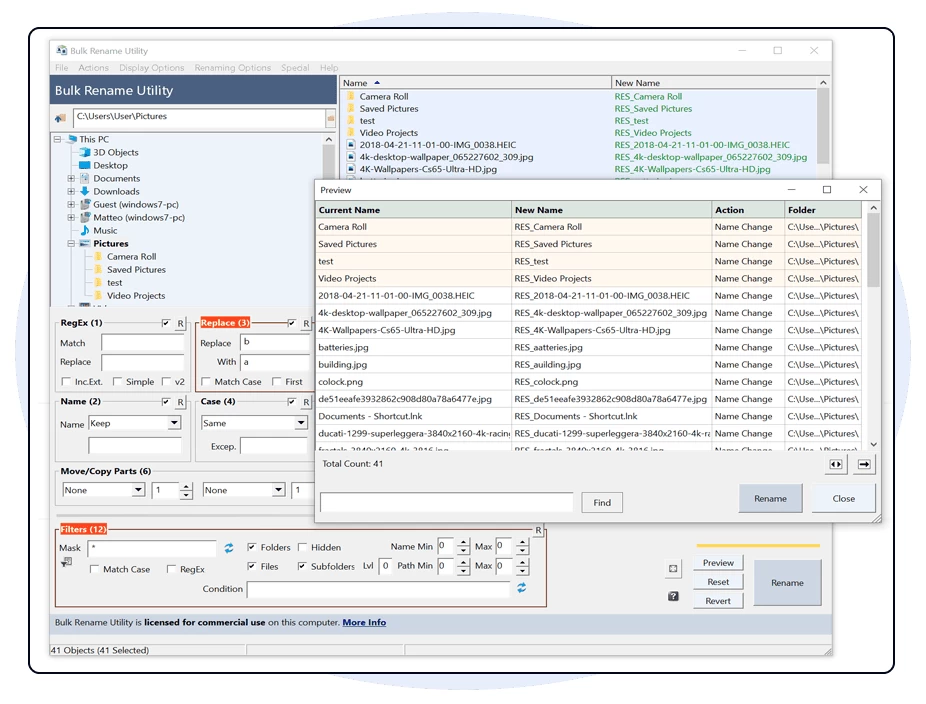
Bulk Rename Utility is an easy to use file rename program (a.k.a. file renamer). Renaming multiple files and/or multiple folders has never been easier. It has a small memory footprint so it can be left running all the time without consuming all your memory. Add date/time stamps, replace numbers, insert text, convert case, add auto-numbers, process folders and sub-folders... plus a whole lot more!
Bulk Rename Utility allows you to easily rename files and entire folders based upon extremely flexible criteria.
Bulk Rename Utility is free of charge for personal, private use, at home. To use Bulk Rename Utility within a business entity, company or for commercial purposes, a commercial license is required.
Bulk Rename Utility key features:
- Rename multiple files quickly, according to many flexible criteria.
- Rename files in many ways: add, replace, insert text into file names. Convert case, add numbers. Remove or change file extensions.
- Check the detailed preview before renaming.
- Add "Bulk Rename Here" to the Windows Explorer for quick access (optional).
- Directory recursion - process files/folders in all sub-directories too.
- Use Regular Expressions to rename files / folders.
- Use Javascript to rename files / folders.
- Rename files from an input text-file list (CSV).
- Create an Undo batch file.
- Log all renaming activity to a log file.
- Change file and folder date/timestamps (created, modified, accessed).
- Change file/folder attributes (hidden, read-only, archived).
- Rename photos using EXIF metadata (i.e. "Date Picture Taken", "Resolution" and other information embedded in all JPG photo files).
- Rename MP3 files using ID3 tags (a.k.a. MP3 ID3 tag renaming).
- Rename files using Windows File Properties (e.g. length, width, height, rate, publisher, title, etc). More than a hundred attributes for different file types.
- Change EXIF date taken information.
Download: Bulk Rename Utility 4.1.0.0 | 12.2 MB (Free for personal use)
Download: Bulk Rename Utility Portable | 21.5 MB
View: Bulk Rename Utility Home Page | Screenshot | Changelog