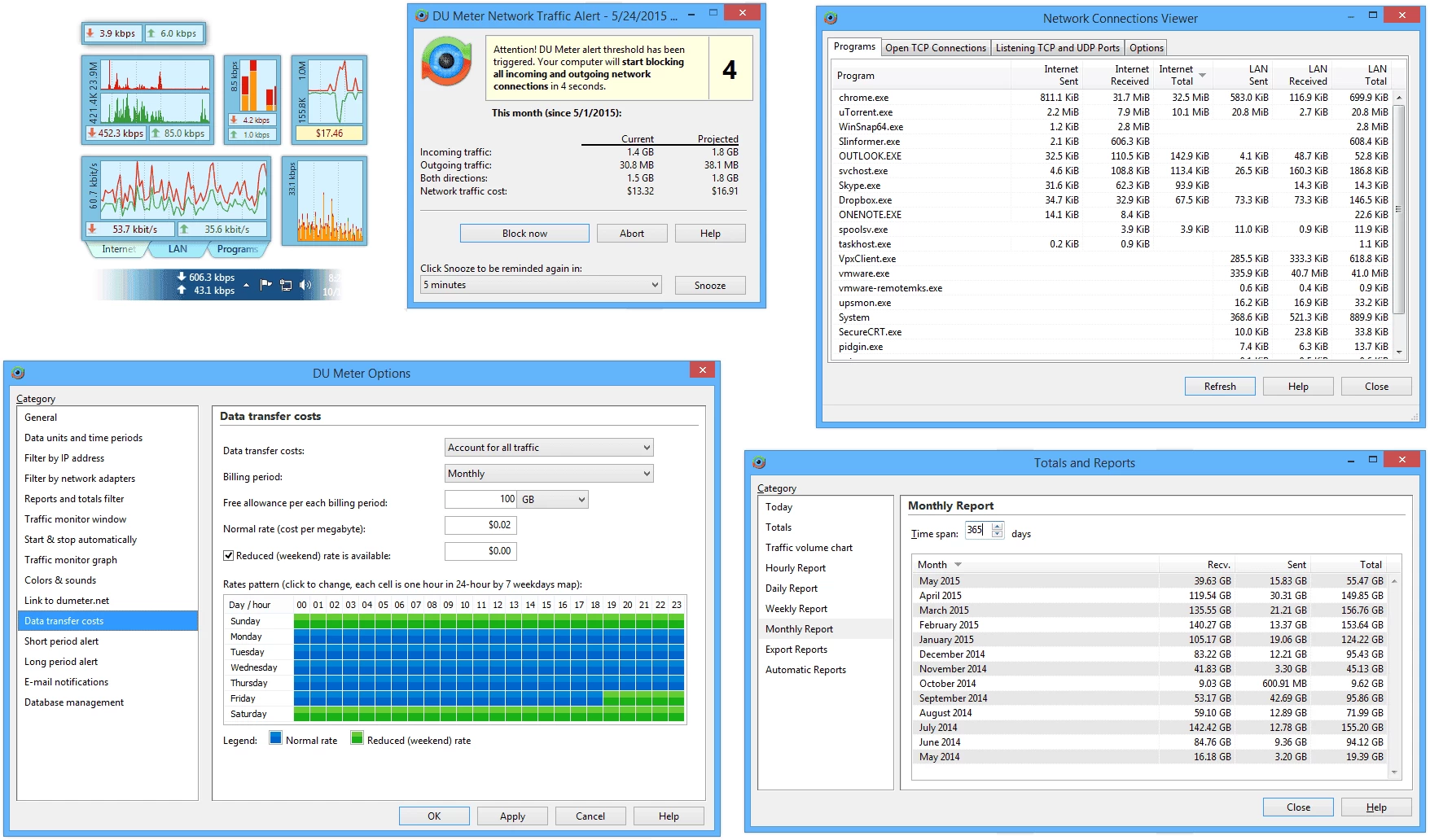
DU Meter is a powerful network monitoring software that tracks real-time internet usage and bandwidth consumption. Ideal for both home and business users, DU Meter provides detailed data transfer reports, connection speed analysis, and traffic statistics by application. With custom alerts for data limits, it helps avoid unexpected overage charges on metered internet plans. DU Meter’s intuitive interface displays graphs, historical usage charts, and performance metrics, enabling efficient network monitoring and troubleshooting. Compatible with broadband, Wi-Fi, and mobile connections, DU Meter ensures accurate tracking of download and upload speeds, helping users optimize network performance and manage internet data effectively.
DU Meter runs on Windows 7–11 and Server 2012–2022 (32/64-bit) with minimal system impact.
DU Meter standard features include:
- Optional reporting to dumeter.net to track combined bandwidth usage from multiple computers on your network.
- Provides clear graphical and/or numerical display
- Available in English, French, Spanish, German and Russian...etc.
- Permits close supervision of uploads and downloads
- If your networking traffic is not free (or it starts to cost you over a certain monthly limit), DU Meter can calculate and display total cost of traffic during this billing period. Peak/off-peak rates are supported too.
- Logging facility with export to many different file formats, including Excel and HTML
- Provides alerts either onscreen or via email for configurable limits
- Charting capability: reports module includes a customizable network traffic volume chart
- Option to select specific network interface
- Requires minimal screen real estate and system resources
- DU Meter mini mode allows you to quickly switch to mini mode to maximize screen real estate.
- New taskbar band also provides readout visibl;e in the system tray area
- Simple installation - Involves no changes to your Windows system files
- Configurable to load with Windows
- Auto-hide feature minimizes the meter to the system tray in the absence of network activity
- Readout in either kB/sec (kilobytes per second) or kbps (kilobits per second)
- Scalable to your own modem download capabilities
- Option to view readout in moment-to-moment or average values
- Option to notify user or disconnect from the Internet automatically when network activity drops
- below a certain level
- Useful stopwatch to accurately time downloads and report the average transfer rates
DU Meter 9.01 changelog:
- Enhanced support for Windows 11 25H2 and Windows Server 2025.
- A refreshed color palette for improved harmony with Windows 11.
- Smoother font and chart rendering.
- Improved hi-DPI scaling when multiple monitors have different DPI settings.
- Enhanced support for ultra-high definition monitors (6K and above).
- Updated dependencies for enhanced security.
- Improved installer process: installation now aborts on unsupported CPU architectures.
- Miscellaneous bug fixes and minor improvements.
Download: DU Meter 9.01 | 11.2 MB (Shareware)
View: DU Meter Home Page | Screenshot