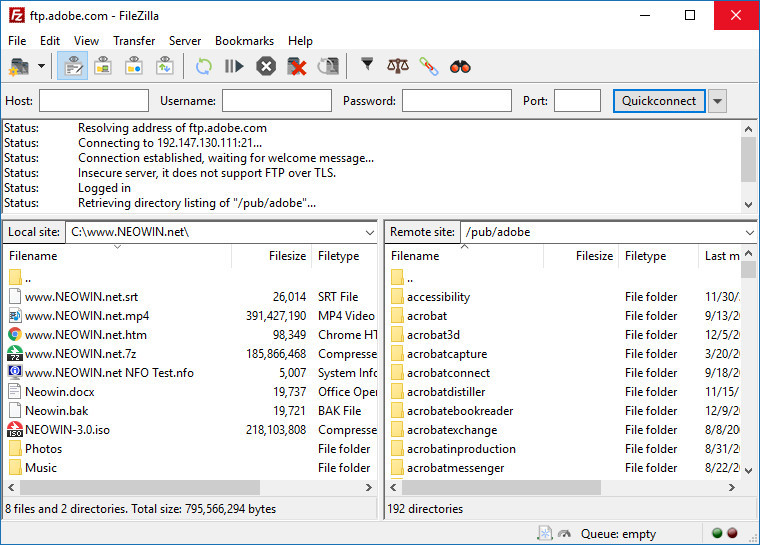
FileZilla is powerful Open Source FTP/SFTP client with many features. It includes a site manager to store all your connection details and logins as well as an Explorer style interface that shows the local and remote folders and can be customized independently. The program offers support for firewalls and proxy connections as well as SSL and Kerberos GSS security. Additional features include keep alive, auto ascii/binary transfer, download queue, manual transfers, raw FTP commands and more.
FileZilla key features:
- Cross-platform support – Available for Windows, macOS, and Linux.
- FTP, FTPS, and SFTP support – Handles standard and secure file transfer protocols.
- Tabbed user interface – Easily manage multiple connections at once.
- Site Manager – Save and organize server connection details.
- Drag & drop support – Quickly transfer files by dragging them.
- Filename filtering – Include or exclude specific files using filters.
- Directory comparison – Compare local and remote directories.
- Synchronized browsing – Navigate in sync between local and remote folders.
- Transfer queue – View, manage, and prioritize file transfers.
- Speed limits – Control upload/download speed to manage bandwidth usage.
- Keep-alive system – Prevents timeouts during long transfers.
- Remote file editing – Open and edit remote files using local editors.
- IPv6 support – Compatible with modern networking standards.
FileZilla 3.69.4 changes:
-
Fixed an issue whith the certificate verification dialog not becoming scrollable on certificates with many subject alternative names
-
Updated to libfilezilla 0.52.0
FileZilla 3.69.5 fixes:
- macOS: Fixed issue with toolbar size
Download page: FileZilla 3.69.5 | ~10.0 MB (Free, paid upgrade available)
Links: FileZilla Home page | Documentation | FileZilla Screenshot