Firefox 144.0 is now publicly available. The major update delivers some long-awaited new features and improvements for existing ones, such as tab groups, focus, profile manager, and more.
Starting with tab groups, you can now drag a tab into an existing group, even if the group is collapsed. Mozilla says this has been "a top request" from the community, and Firefox 144.0 finally brings it. Speaking of groups, the tab strip now only displays your current tab in a group, keeping things less cluttered.

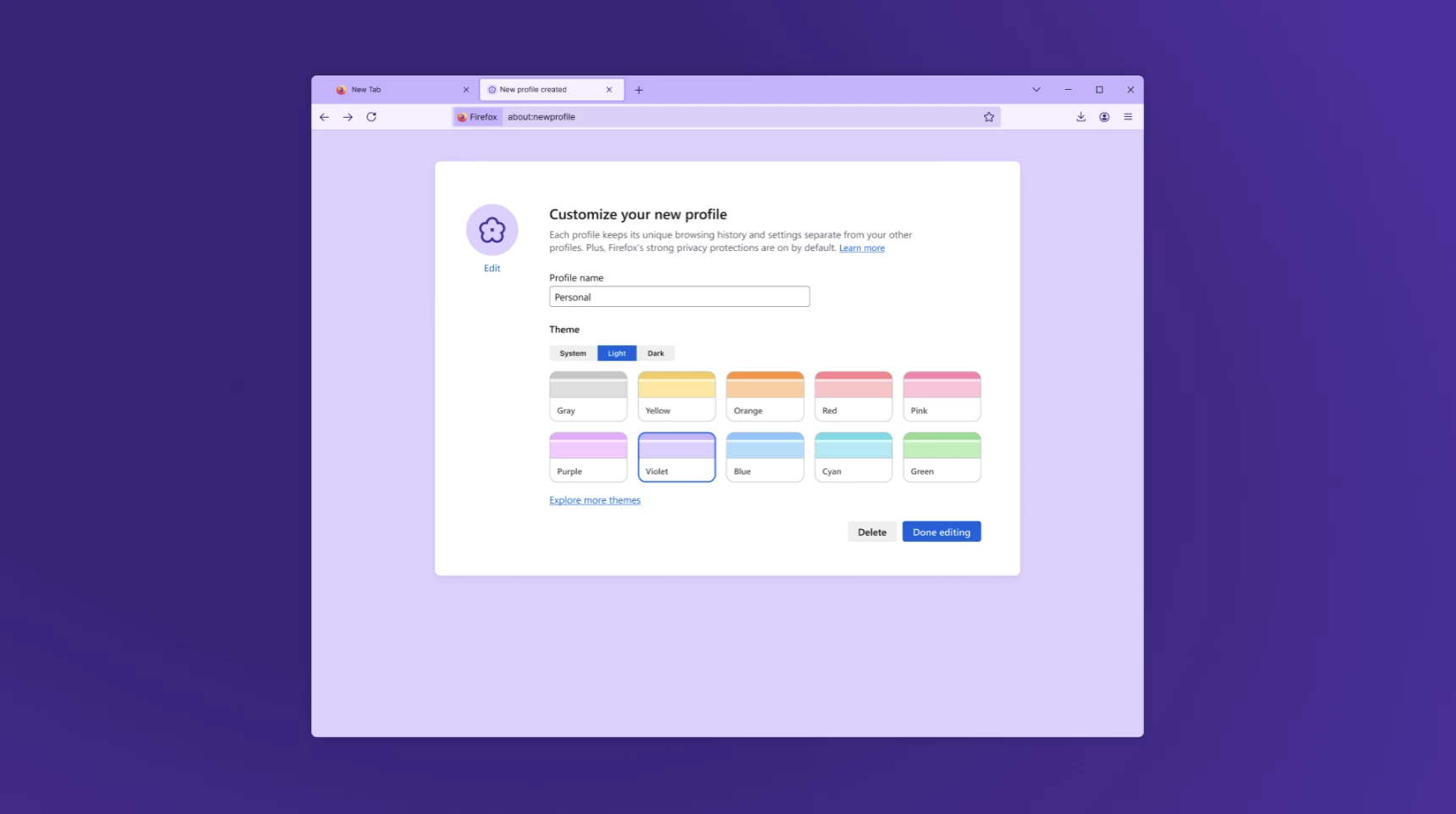
The next major change is profile management. At long last, Mozilla users can create profiles to keep browsing data separate. School, work, entertainment, vacation, you name it. You can customize each profile with an avatar and a color theme for easier recognition. As for data, tabs, browsing history, bookmarks, and the rest will be separate in each profile.
Firefox 144 also introduces Visual Search powered by Google Lens. You can right-click a picture and select "Search Image with Google Lens" to quickly find similar products, places, or objects and copy, translate, or search text from images. Note that this feature is only available on desktop, and it requires setting Google as your default search engine.
Speaking of search engines, Firefox now includes Perplexity, an AI-powered search engine that answers your search requests in a conversational manner.
Other changes in Firefox 144 include three more languages for translation (Azerbaijani, Bangla, and Icelandic) and improvements in the quality of translation in a bunch of already supported languages. Also, on Windows, when opening a link from another application, Firefox will only use a window on the current virtual desktop or open a new window if needed. Picture-in-Picture can now be closed without pausing the video (Shift + Click on the close button or Shift + Esc), and logins stored in the Firefox Password Manager are now encrypted with AES-256-CBC instead of the old 3DES-CBC.
You can update to Firefox 144 by heading to Menu > Help > About Firefox. Alternatively, download it from the official website, Microsoft Store (Windows 10 or 11), or Neowin"s Software page. Full release notes are available here.