Firefox 142 recently shipped with features like link previews with a long click, tab group improvements, and some extension improvements. Now, the Firefox team has announced a new experimental feature for Windows users on version 142: Progressive Web Apps. This is a feature that Chrome on Desktop has had since Chrome 70, way back in 2018.
This whole PWA thing has quite the rocky history in Firefox. Back in the olden days of Firefox 73 (Nightly), there was an experimental implementation of PWAs called Site-Specific Browsers (SSB), though it was never fully developed and was removed by Mozilla in January 2021. At the time, Mozilla"s Dave Townsend justified the removal, stating the feature had "multiple known bugs" and that keeping it around was costing the Firefox team time in bug triage.
This March, Mozilla released Firefox Nightly version 141, which re-added the functionality under a new name, "Taskbar Tabs". David Rubino, a product manager for Firefox, explained that this new implementation is different by design. Web apps will retain the main Firefox toolbar, which includes the address bar, extensions, and bookmarks, to ensure users still feel like they are in the browser.
Before you enable the experimental feature, first make sure your Firefox installation is not an MSIX/Windows Store build. If you want, you can grab the proper build from our Software Stories page. Now that that is out of the way, follow these steps:
- In Firefox, type
about:preferences#experimentalinto the address bar. This will take you to Labs. - Once you are on the Labs page, check the box next to "Add sites to your taskbar" to turn it on.
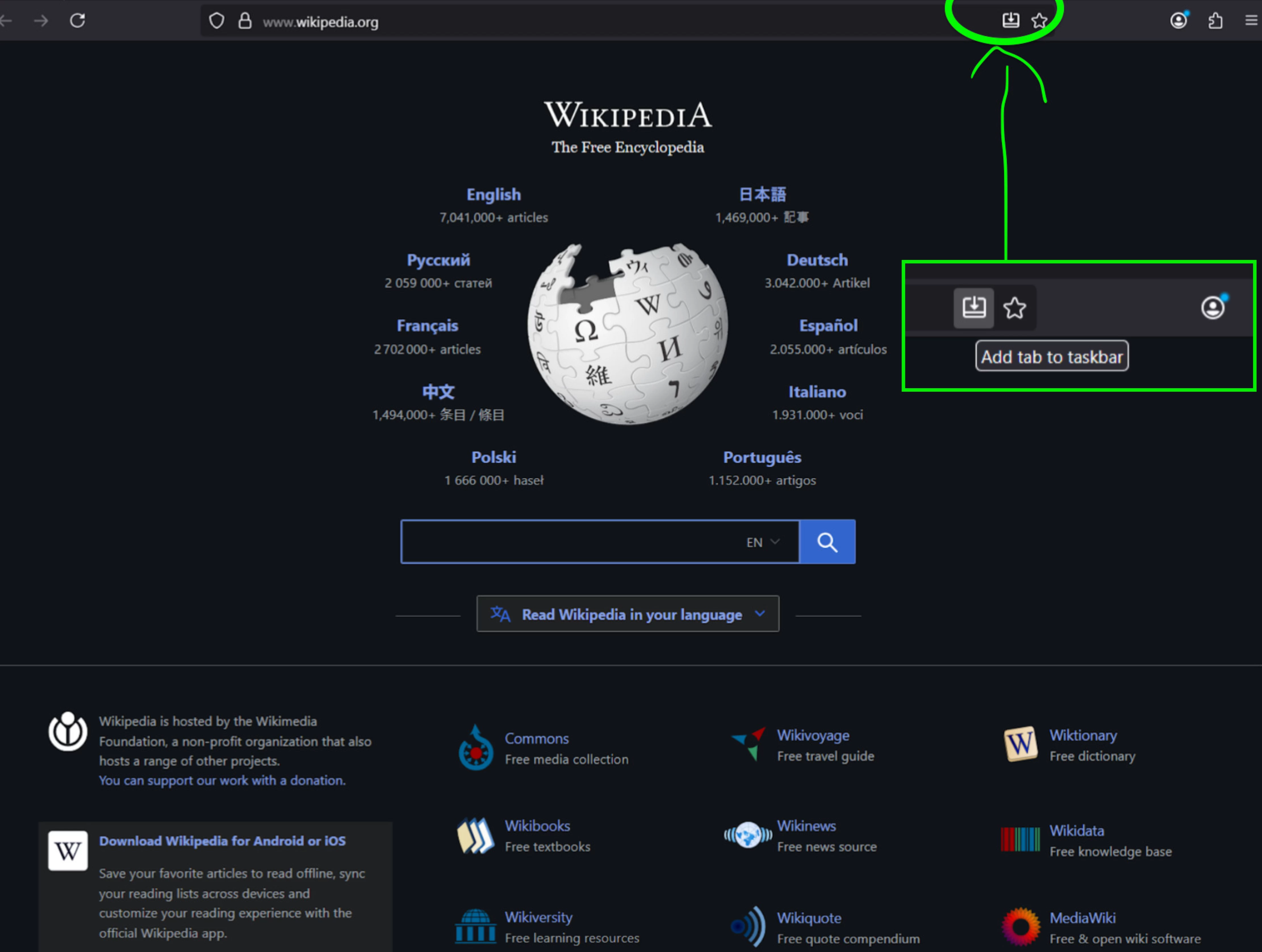
- Open a new tab, and look for the "Add to taskbar" icon to the right of the address bar.
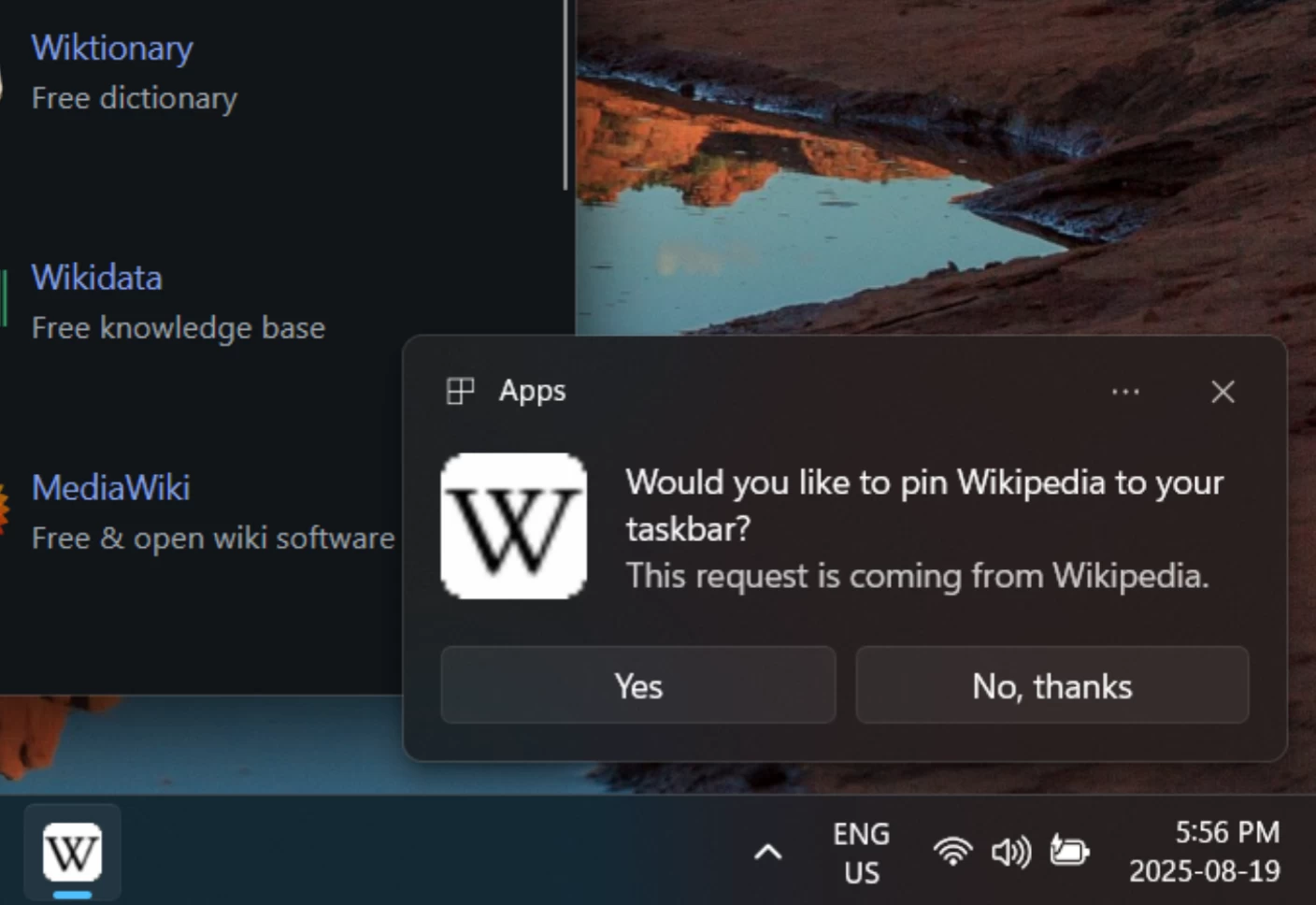
Image via Mozilla - Once you are prompted to pin a site to your taskbar, select "Yes."
Image via Mozilla - Launch that site in a "streamlined" window with all of Firefox’s protections.
If you are on 142 and cannot find the Labs option in your settings, you probably opted out of sending technical and interaction data to Mozilla, or disabled the "Install and run studies" feature. You"ll have to head to Privacy & Security, scroll to Firefox Data Collection and Use, and turn on both options.
If you are not comfortable with sending that data to Mozilla, you can try these steps instead:
- Navigate to the
about:configpage. - Search for the preference
browser.taskbarTabs.enabled. - Double-click the preference to set its value to
true.
Keep in mind that private browsing is not supported for this feature at the moment.
In case you missed it, Firefox recently gained WebGPU support, another feature that browsers like Chrome have had for years. This API allows web developers to tap directly into your computer"s graphics card for high-performance games and 3D applications.
The feature landed with the release of Firefox 141 for Windows, with support for other OSes expected to follow in the coming months.