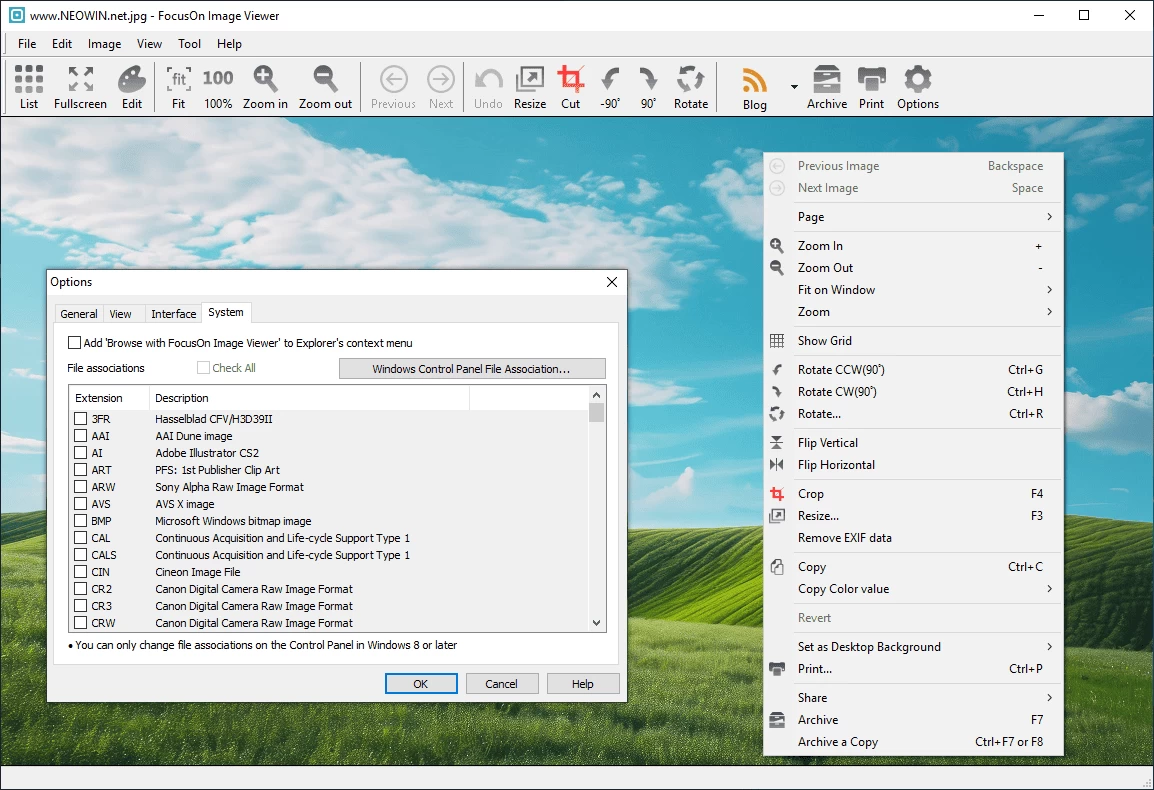
FocusOn Image Viewer is a fast, lightweight, and user-friendly photo viewer for Windows. It supports various image formats, offers basic editing tools, EXIF data display, and batch renaming. With a clean interface, slideshow mode, and easy navigation, it’s ideal for quickly viewing and organizing photos without unnecessary complexity or system resource usage.
FocusOn Image Viewer key features:
- Auto Organize: Automatically sorts photos by date using your chosen template.
- Explorer View: Browse and manage images with thumbnails; includes basic edits like resize and rotate.
- Photo Editing: Crop, apply filters, correct colors, add borders or text.
- Non-Destructive Edits: Original images remain untouched.
- Photo Sharing: Post directly to blogs, Twitter, and Facebook.
- Email Support: Send selected images via email.
- Print Options: Print to fit paper size, preserve aspect ratio, or fit multiple images per page.
- Slideshow: View selected photos in a slideshow.
- EXIF Tools: View or remove EXIF data.
- Scanning: Import from TWAIN or WIA-compatible scanners.
- Set as Background: Quickly set any image as desktop wallpaper.
- Batch Rename: Rename images in bulk using templates.
- Resize Images: Resize with optimized or custom resampling methods, including multi-step resizing.
- Thumbnail Sizes: Choose from thumbnail sizes between 32–256 pixels.
- Format Support: Compatible with over 100 image formats.
FocusOn Image Viewer 1.32 changelog:
- Added Ghostscript(AI, PDF) DPI option
- Fixed transparency issue when saving PDF document as image
- Other improvements and bug fixes
Download: FocusOn Image Viewer 64-bit | Portable 64-bit | ~7.0 MB (Freeware)
Download: FocusOn Image Viewer 32-bit | Portable 32-bit
View: FocusOn Image Viewer Website | Screenshot