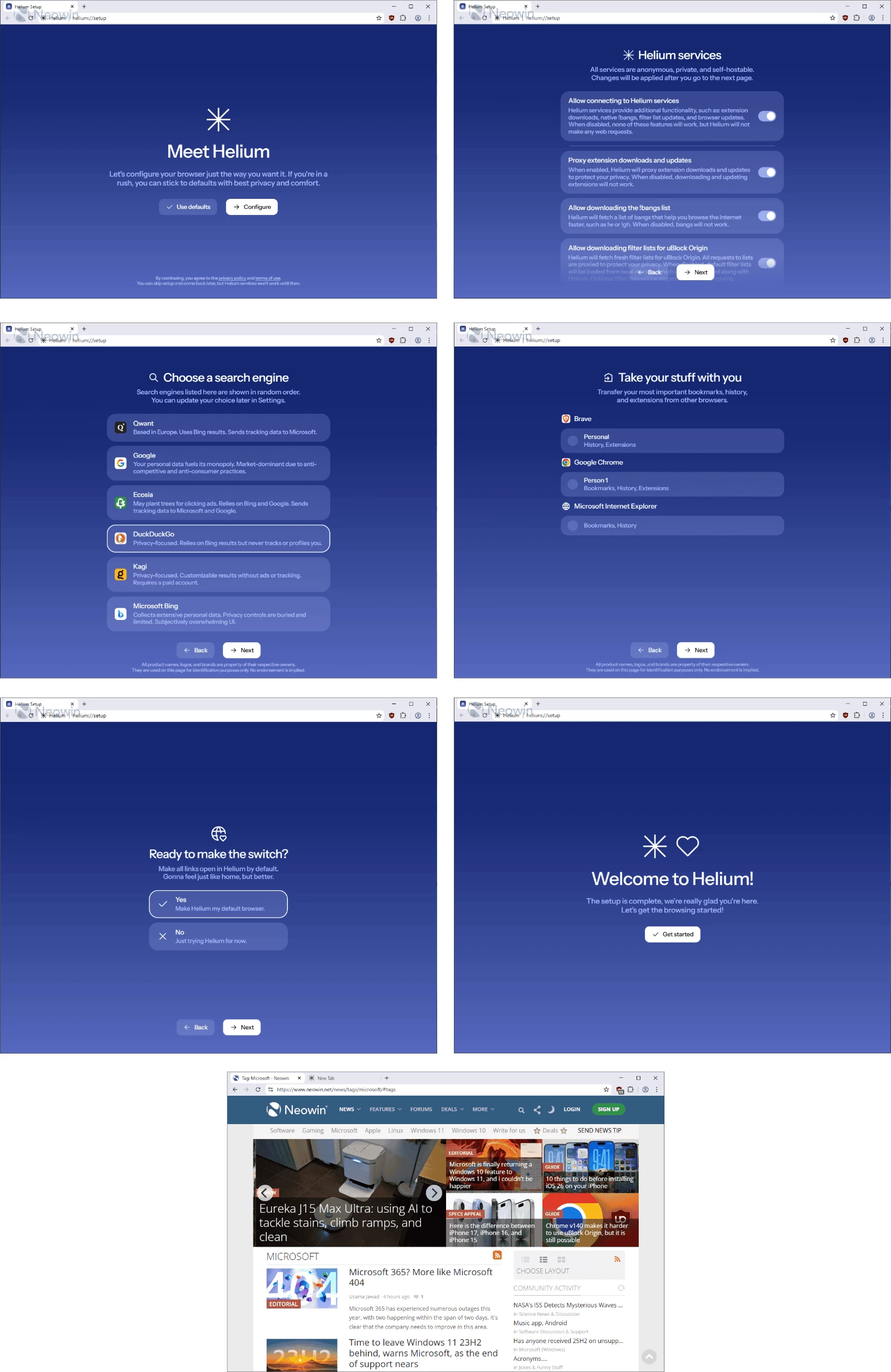
Helium is a private, fast, and honest Chromium-based web browser — built for people, with love. It offers the best privacy by default, unbiased ad-blocking, and a clean experience free from bloat and noise. Proudly based on Ungoogled-Chromium, Helium removes Google’s clutter while keeping a fast, efficient development pipeline. With thoughtful touches like native !bangs and split view, Helium is a people-first, fully open-source browser that puts control back in your hands.
Privacy, security, and control come first. Ads, trackers, and third-party cookies are blocked automatically, HTTPS is enforced everywhere, and all Chromium extensions work seamlessly — while Google can’t track your activity. Helium’s 13,000+ offline-ready !bangs let you jump straight to sites or AI tools like ChatGPT instantly. Open-source, people-first, and unbiased, Helium delivers a browsing experience that’s fast, secure, and free from noise, ads, and compromises.
Helium Browser key features:
Performance
- Fast, efficient, and lightweight — built on Chromium’s optimized engine.
- Energy-saving and consistent — stays fast over time without slowing down.
- No bloat — stripped of unnecessary components for maximum speed.
- Minimalist interface — compact, clean, and distraction-free.
- Customizable toolbar — hide elements you don’t need.
- Smooth and stable — no flicker, lag, or animation glitches.
- Comfort-focused experience — intuitive and unobtrusive.
Privacy & Security
- Best privacy by default — blocks ads, trackers, phishing, and third-party cookies.
- Unbiased ad-blocking — powered by community filters and uBlock Origin.
- No telemetry or analytics — zero background web requests on first launch.
- Strict HTTPS enforcement — warns for insecure sites.
- Passkeys supported — modern authentication made simple.
- No built-in password manager or cloud sync — your data stays yours.
Extension Compatibility
- Full Chromium extension support — including MV2 extensions.
- Anonymized Chrome Web Store requests — Google can’t track extension installs.
- Extended MV2 support — maintained for as long as possible.
Smart Features
- Native !bangs — browse faster using 13,000+ offline-ready shortcuts.
- AI integration — use !chatgpt and others directly from the address bar.
- Offline functionality — bangs work without an Internet connection.
Philosophy
- People-first design — open source, transparent, and community-driven.
- No ads, no noise, no bias — privacy and honesty over profit.
Helium Browser 0.10.9.1 changelog:
Helium Windows
- 05ec261 update: helium 0.10.9.1 (#197)
Helium Chromium
- b8dd21a0 revision: bump to 9 (#1212)
- b0aeb4e2 patches/helium: fix build warnings caused by helium patches (#1177)
- 07851e4f helium/ui/experiments: zen mode (#1158)
- 1dc7d3de helium/core: fix opening tabgroups when focused in a tabgroup (#1180)
- 1a13e62f helium/layout: fix for dynamic tab strip in gtk mode (#1194)
- 1495af69 helium/core/tab-cycling-mru, helium/ui/layout: format (#1189)
- 2c244e15 helium/ui/layout: dynamic layout, minimal location bar, refactor (#1164)
- e2abb5fb helium/layout/dynamic: set correct top area height
- 072a95d7 helium/layout/vertical: position under toolbar, remove top container
- 4419d8f3 helium/layout: add vertical toggle & new tab button to toolbar
- e6405c42 helium/layout/core: add IsVerticalLayout() and IsDynamicLayout()
- ae89e381 helium/layout: reduce max centered location bar width to 700
- 1d34cd53 helium/ui/layout: dynamic layout, minimal location bar, refactor
- 20715be7 lists: move onboarding to PRUNING_EXCLUDE_PATTERNS (#1178)
- e1a3c2d8 ci: check that domsub/pruning lists are up-to-date (#1173)
Download: Helium 64-bit | Portable 64-bit |~100.0 MB (Open Source)
Download: Helium ARM64 | Portable ARM64 | Android
Links: Helium Home Page | macOS | Linux | Screenshot