
Back in May, Microsoft began setting up new accounts to be passwordless by default. In place of passwords, the company pushed users towards options like passkeys and Windows Hello.
Now, German researchers Tillmann Osswald and Dr. Baptiste David have revealed at this year"s Black Hat conference in Las Vegas how the business version of Windows Hello can be cracked.
During their live demonstration, Osswald and David showed just how bad it is. After David logged into his machine using his own face, Osswald, acting as the attacker with local admin access, simply ran a few lines of code. He then injected his own facial scan, captured on a different computer, into the target machine"s biometric database. Seconds later, He leaned in, and the computer put up no resistance and unlocked for him instantly, accepting his face as if it were David"s all along.
To understand how this works, you have to look at the internals. The way Windows Hello works in a business setting is that when it is first provisioned, a public/private key pair is generated. That public key is then registered with the organization"s ID provider, like Entra ID.
The biometric data itself, however, is stored in a database managed by the Windows Biometric Service (WBS), and this database is encrypted. Then, upon authentication, the system matches the live scan to the stored template.
The problem is that in some implementations, the encryption protecting that database cannot stop an attacker who has already gained local admin privileges, allowing them to decrypt the biometric data.
Enter Enhanced Sign-in Security (ESS), Microsoft"s answer to the problem that works by isolating the entire biometric authentication process inside a secure environment managed by the system"s hypervisor.
But, there"s a catch, of course. For ESS to work, a machine needs a very specific set of hardware: a modern 64-bit CPU that supports hardware virtualization (since ESS is built on Virtualization-Based Security), a TPM 2.0 chip, Secure Boot enabled in the firmware, and specially certified biometric sensors. Side note: Microsoft mandates this level of protection for its new line of Copilot+ PCs, but as Osswald notes, many existing computers fall short.
ESS is very effective at blocking this attack, but not everyone can use it. For example, we bought ThinkPads around one and a half years ago, but sadly they do not have a secure sensor for the camera because they use AMD chips and not Intel"s.
Okay, so we have a problem. How do we fix it? According to Osswald and David, a proper patch is very "difficult" or even impossible to implement without a massive redesign, because it hits the fundamental architecture of how non-ESS systems store that biometric data.
For now, if you are on a business machine using Windows Hello without ESS, they recommend that you disable the biometrics entirely and use something like a PIN instead.
The easiest way to check if your machine supports ESS is to go to your system settings. In your account"s "Sign-in options", you may find a toggle labeled "Sign in with an external camera or fingerprint reader".
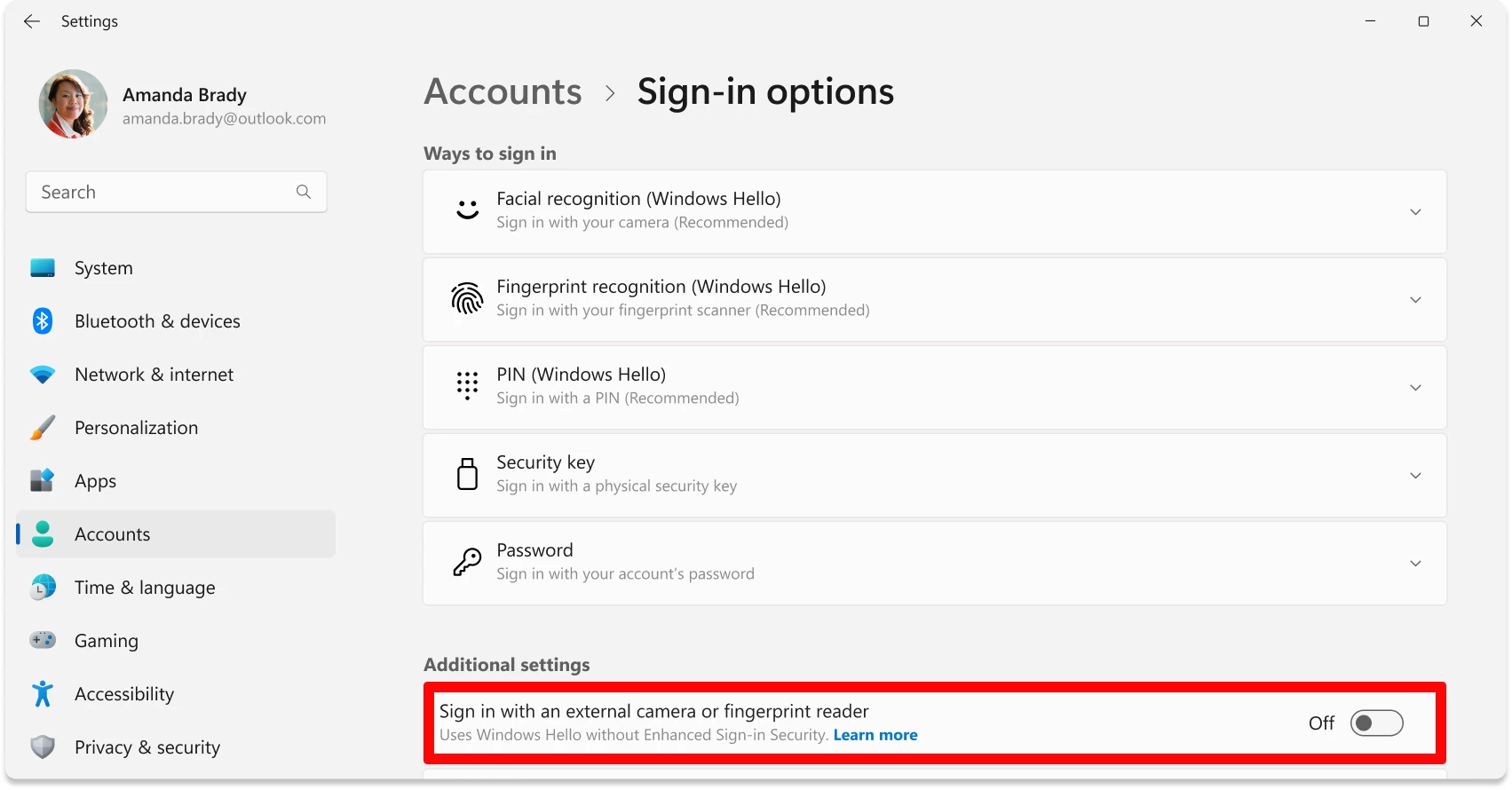
When that switch is off, ESS is active, which also means that the USB fingerprint reader you bought will not work for logging into Windows. Flip it on, and you disable the feature, letting your external peripherals work at the cost of that extra security.
Microsoft says that some "Windows Hello compatible" peripherals can enable ESS on your device. While this does not pose a security risk, it puts you in a bind. The company suggests that if you must use one, you should plug it in before the first boot and basically never unplug it. Full, proper support for external devices with ESS is not even expected until late 2025.