It"s another weekend, and the KDE team has posted their usual "This Week in Plasma" update which provides a quick overview of the various changes made to different components of the KDE ecosystem.
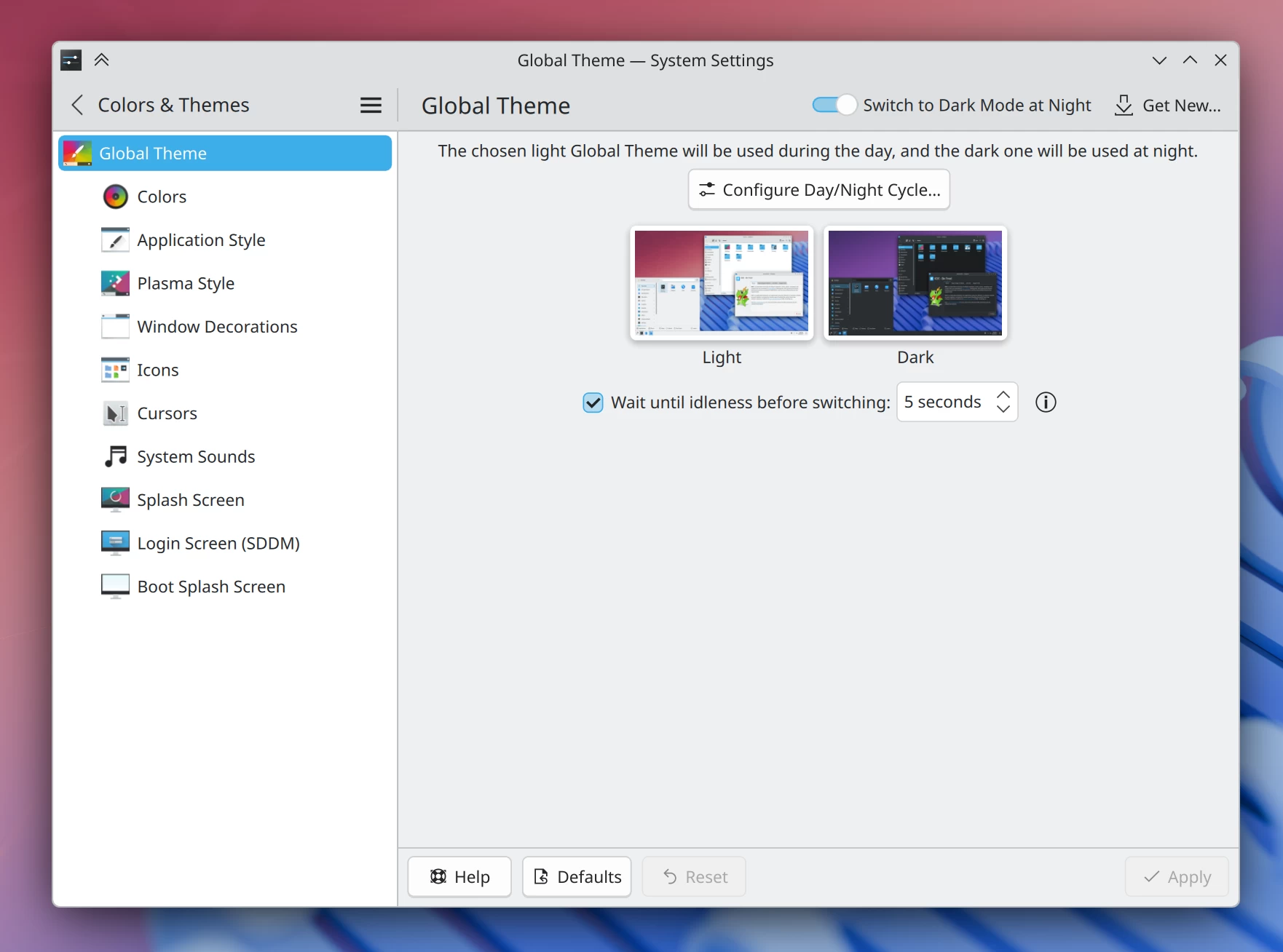
Starting off with Plasma 6.5, this upcoming version is finally getting automatic day/night theme switching, something the KDE team says people have been wanting "for a long time." You can now have Plasma automatically switch to a different Global Theme at night.
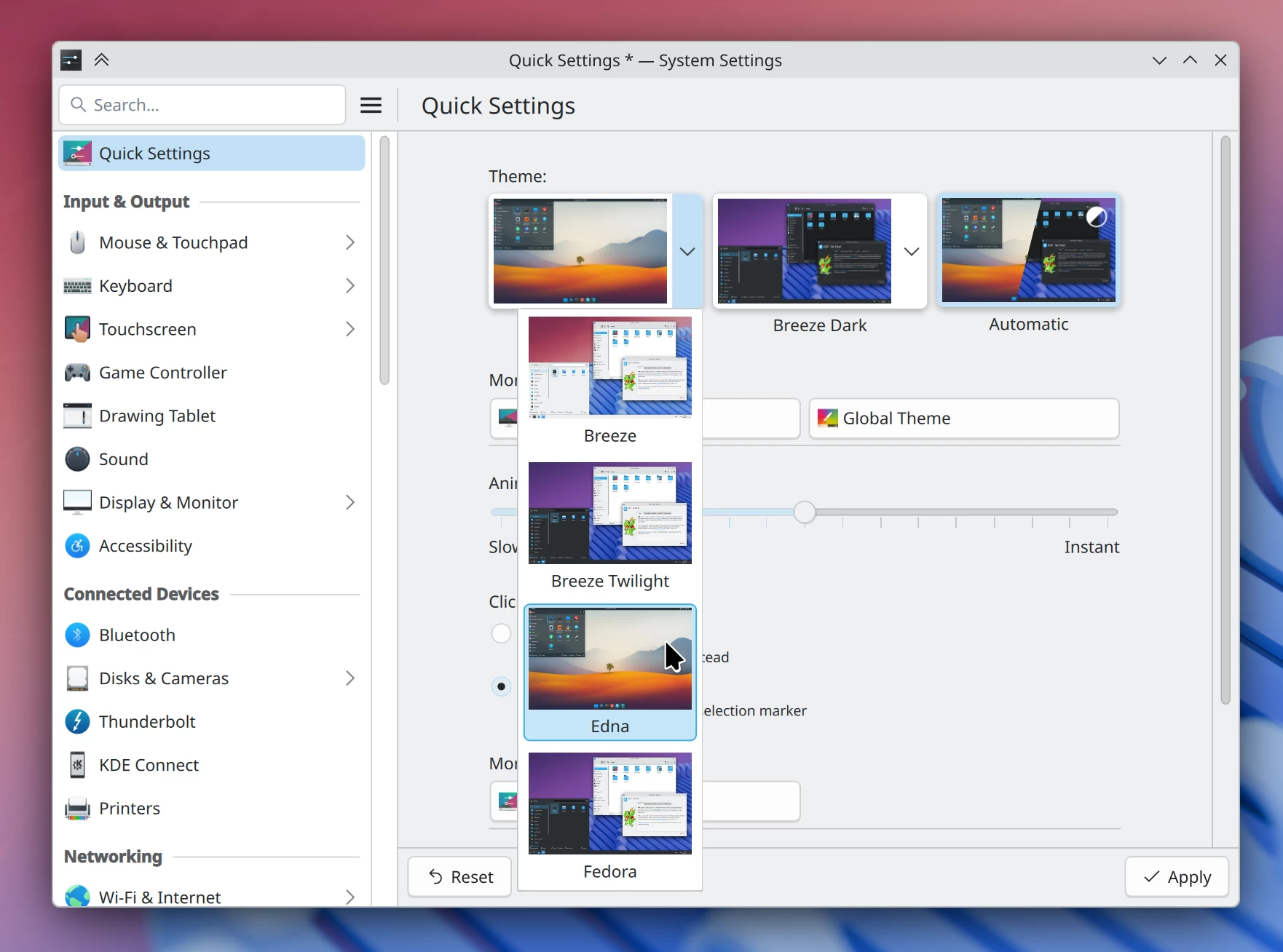
Still on wallpapers, 6.5 will also get an update that lets you manage theme switching from the Quick Setting page.
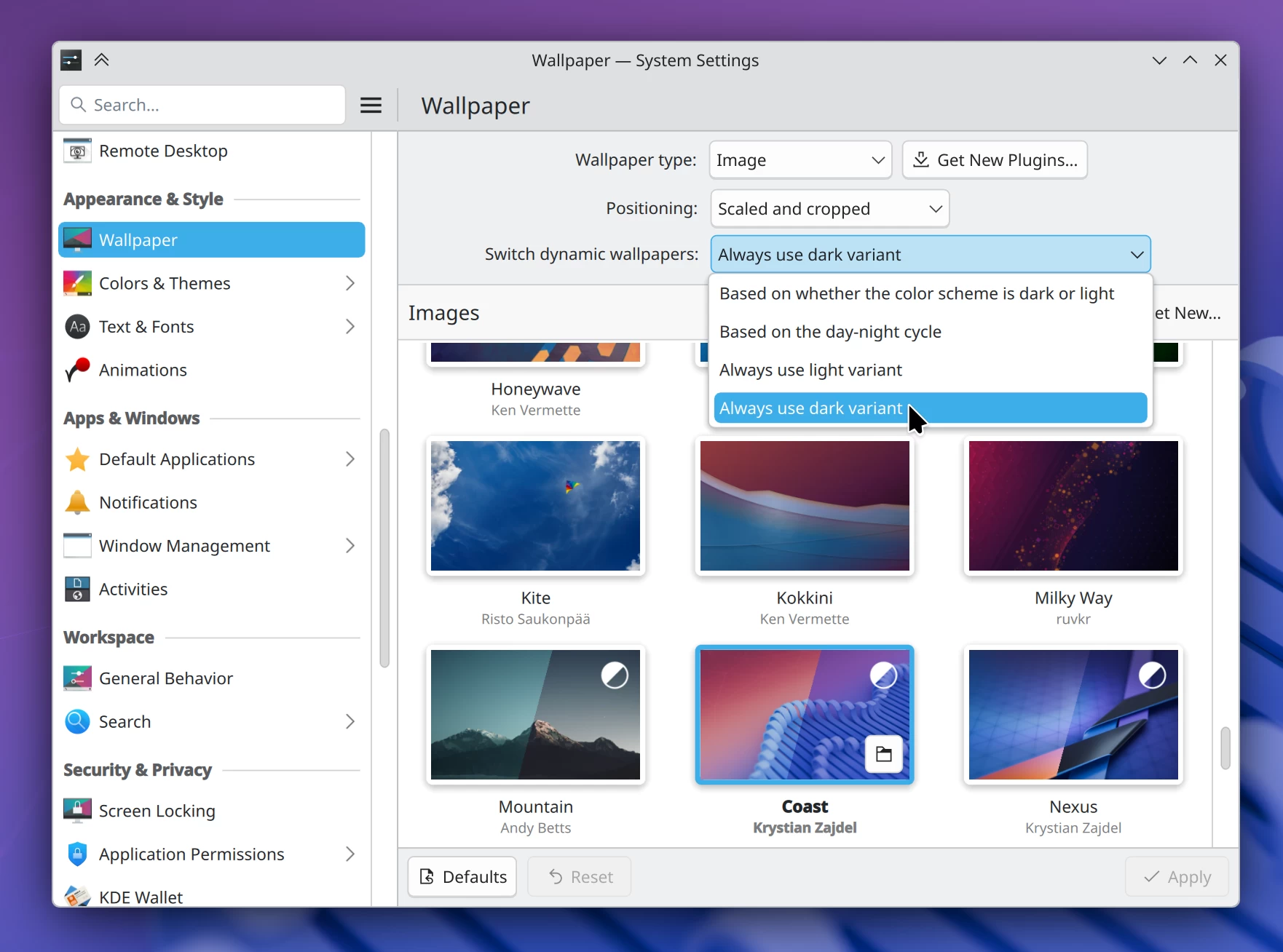
Another UI improvement 6.5 is getting is the ability to choose how your dynamic wallpaper coloration works. You can now base it on the active color scheme, the time of day, or just force it to always be light or dark.
Other UI improvements 6.5 will bring include:
- Files opened from KRunner will now properly raise the window of an already running application on Wayland.
- The Orca screen reader now correctly announces Caps Lock state changes on Wayland.
- You can now hibernate your system directly from the SDDM login screen if you have it configured.
- The desktop icon configuration window options have been rephrased to make it clearer what they do.
And as for bug fixes, the developers fixed two bugs that could cause Plasma to crash when using the Activities feature. This was due to some unstable code handling background tasks, which has now been swapped out for a more reliable implementation.
The free space checker will also no longer try to mount network shares defined in /etc/fstab, preventing system hangs when you are offline, and finally, a visual glitch affecting RTL languages on the Region & Language page has been corrected.
Moving on to Plasma 6.4.4, this point release builds on top of Plasma 6.4 with a collection of important fixes. If you"re experiencing an issue where Discover could not correctly identify unstable or outdated Flatpak versions from multiple remotes, that should be resolved.
Problems with drag and drop inside desktop folders have been fixed, the Colors page in System Settings now shows copied color schemes immediately after you create them, and a situation where you could not rename desktop files that were symlinks has also been fixed.
You can learn more from the official KDE blog post.