It"s the weekend, and you know what that means: a new update from the KDE team on the happenings around the KDE ecosystem. This Week, as with the past few weeks, saw bug fixes, UI improvements, and more across different versions of Plasma, specifically 6.4.3 and 6.5. Let"s get into it.
Starting with Plasma 6.5, scheduled to drop sometime in October, digital artists will gain the ability to configure what rotatable dials on their drawing tablets do. Another feature is that when you share the current Wi-Fi network, its password will now be shown, so the person you are sharing it with can connect without hassle.
On the UI side, the day/night wallpaper feature that was introduced in Plasma 6.4 is getting a logical update in 6.5.0. Since more than one feature now uses the day/night cycle, the location configuration is being moved from the Night Light page to its own dedicated page in System Settings.
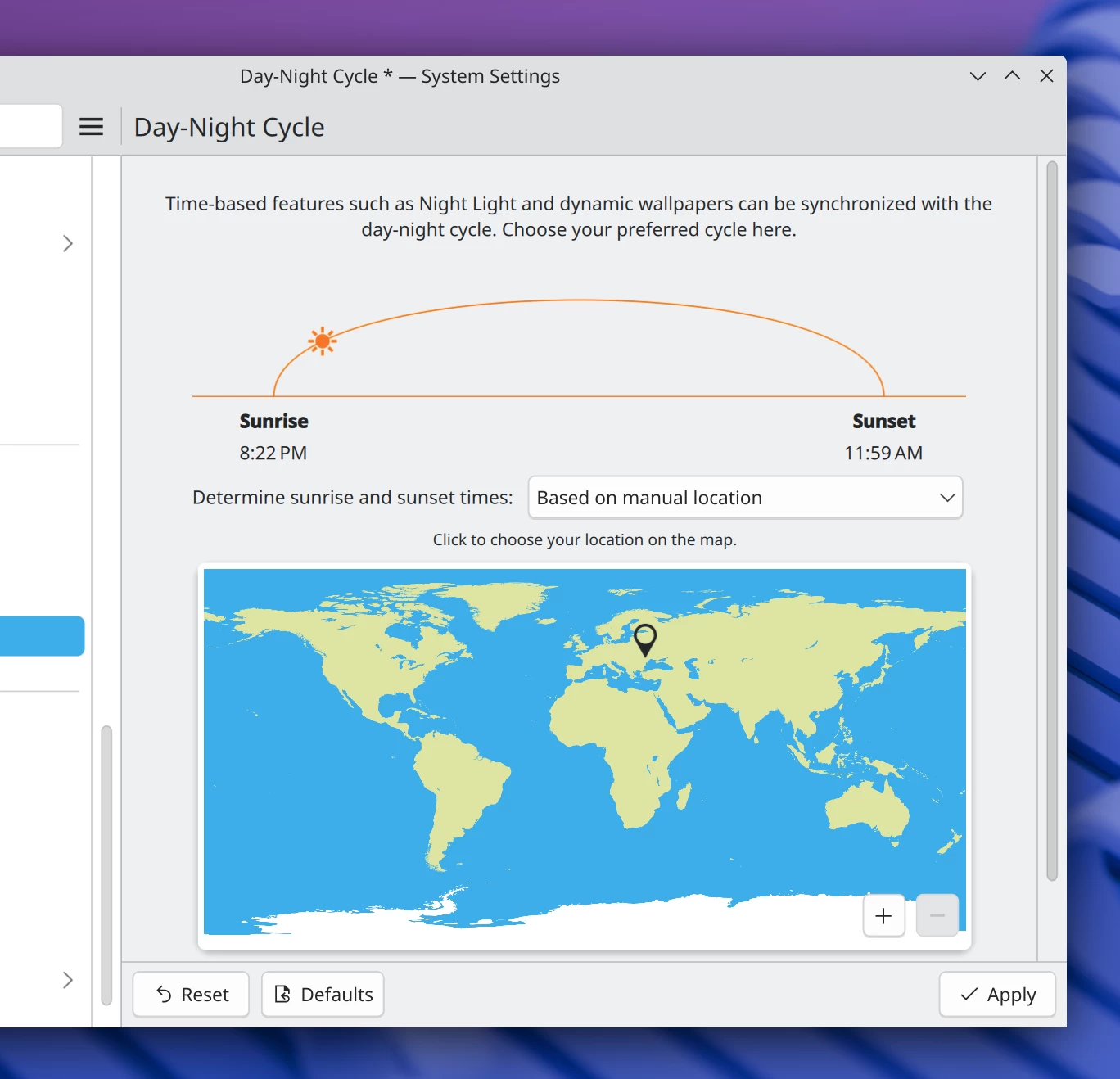
This single setting will control the timings for both Night Light and automatic wallpaper switching. Screencasts of specific windows will now also properly include their titlebars, borders, and shadows.
Several bug fixes will land with 6.5, like one for an issue that made it impossible to change the SDDM login screen background to a new image if it had the same filename as the old one. There is also a fix for authentication prompts that would reject already entered text if the underlying PAM system was taking a long time to respond.
On the performance side, developers can now use the kioclient mkdir command to create a directory through the KIO system in 6.5.0. For regular users, an update to Frameworks 6.17 will slightly improve performance for all QtQuick-based KDE apps, including System Settings and Discover.
Now, unto 6.4.3, this minor release landing next Tuesday, addresses bugs like KWin crashing when you Alt+Tab out of certain games, a separate crash involving a drawing tablet pen, a memory leak in KWin, as well as a strange issue where apps launched from Spectacle would be completely broken. Here"s the full list:
- Fixed a crash in KWin when Alt+Tabbing out of some games.
- Fixed a KWin crash when using a drawing tablet pen.
- Fixed a regression that caused the wrong window focus after switching activities.
- Fixed apps launched from Spectacle being broken.
- Fixed an issue where Plasma pop-ups were not focusable if a GTK 4 pop-up was open.
- The "Activate and Raise" click setting on Wayland no longer eats clicks when a tooltip is visible.
- Fixed chaotic-looking window resizing with fractional scaling.
- Fixed an issue with the Orca screen reader and repeated navigation key presses.
- The Minimize All Windows widget works on X11 again.
- The "Dim Inactive" KWin effect no longer dims Alt+Tab switchers.
- Adapted to a Qt change that caused the lock screen to sometimes show the password prompt immediately.
There are also UI improvements like enhanced accessibility for the Welcome Center application. KWin"s Magnifier effect now has a maximum magnification level to avoid duplicating the Zoom effect, and the display of raw bytes in file transfer notifications has been improved for better clarity.