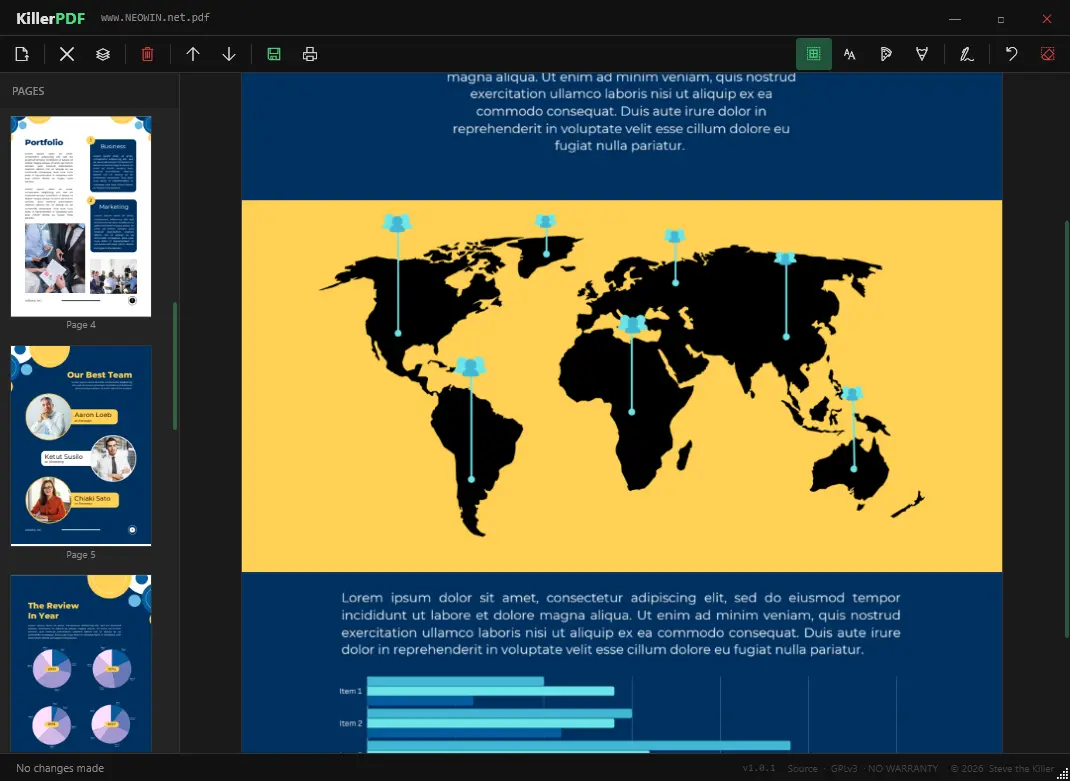
KillerPDF is a lightweight, portable PDF editor for Windows built for users who want full control without subscriptions, installers, or telemetry. It runs as a single executable, making it ideal for USB use and field work. You can view PDFs with smooth PDFium rendering, navigate quickly with thumbnails, zoom, and shortcuts, and reorganize pages using drag-and-drop. It supports merging multiple PDFs, splitting documents, and extracting selected pages.
KillerPDF also allows inline text editing with font matching to preserve the original layout, plus annotations like text boxes, freehand drawing, highlights, and reusable signatures. You can search full text, copy content easily, and print documents with flattened annotations.
Designed as a free and open alternative to bloated PDF tools, it works fully offline on Windows 10/11 x64. No runtimes install. Everything needed is inside the EXE (targets .NET Framework 4.8, which ships with every supported Windows release).
KillerPDF key features:
- High-quality PDF rendering via PDFium
- Edit PDF text inline (double-click to modify text)
- Page thumbnails and fast navigation with zoom and shortcuts
- Merge multiple PDFs into one
- Split PDFs and extract selected pages
- Drag-and-drop page reordering
- Font matching to preserve original document appearance
- Text boxes for notes
- Freehand drawing tools
- Highlight overlays with adjustable color, size, opacity
- Undo actions and clear per-page annotations
- Create, draw, and save reusable signatures
- Click-to-place signatures anywhere
- Full-text search with highlighted results
- Drag-select or Ctrl+A to copy text
- Print with annotations flattened
- Portable single-file app (~15 MB)
- No installer, no admin rights required
- No account, no telemetry
KillerPDF 1.6.1 changelog:
Added
- Right-clicking the Open, Save, and OCR toolbar buttons opens their dropdown menu (#109, thanks @Ryokoxx)
- Copies and custom Scale in the print dialog are proper numeric fields with an up/down spinner, arrow-key and wheel stepping (#109, thanks @Ryokoxx)
- The print dialog remembers your last printer, orientation, color, and two-sided choice (#109)
- On quit with documents open, KillerPDF asks whether to reopen them next launch, with a "remember my choice" option (#105)
- Enter and Esc now confirm and cancel dialogs (#111)
- Improved German translation (#114, thanks @Mr-Update)
Changed
- Mouse wheel scrolling is faster in all view modes and the page sidebar
Fixed
- Continuous view stays sharp when zooming in and on high-DPI displays (#85)
- Extra copy when printing multiple copies on some printers (#83, #107, thanks @Ryokoxx)
- Startup crash on older Windows 10 / .NET Framework builds (#101)
- Toolbar dropdown carets (Recent files, Save, OCR) missing on Windows 10 (#104, #108, thanks @Ryokoxx)
- Crash when saving a freshly merged or imported PDF (#112)
- Save failing with "Cannot retrieve stream length"; the file is now recovered automatically (#106)
- Open menu: the remove (X) button on recent-files entries was clipped off the dropdown edge
Download: KillerPDF 1.6.1 | 14.6 MB (Open Source)
Link: KillerPDF Home Page | Github | Screenshot