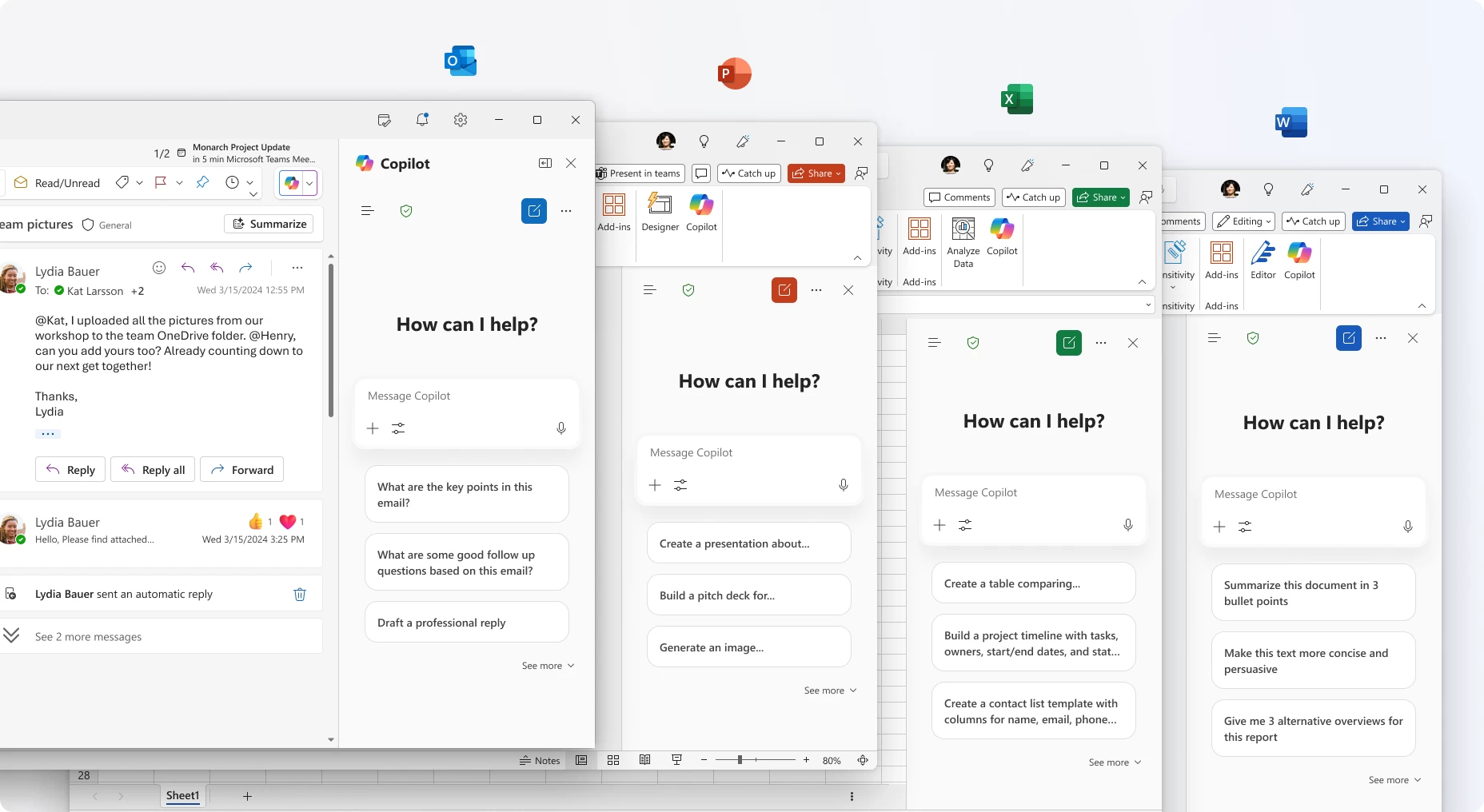
No Microsoft product is safe from Copilot and AI these days, and the company"s productivity app suite, Microsoft 365, is getting improved integration with Copilot. Today, Microsoft announced that Copilot Chat is now integrated into Microsoft 365 apps, namely Word, Excel, PowerPoint, Outlook, and OneNote:
These updates help make Copilot your true personal AI assistant for work: Whether you’re drafting a document, analyzing a spreadsheet, or catching up on email, Copilot is right there, ready to answer questions, create content, spark ideas, and automate tasks. Here’s what’s new.
Copilot Chat is not just about talking to a large-language model like ChatGPT. The new feature is content-aware, which means it can understand what you are working on and tailor its answers accordingly. For example, when working on a PowerPoint presentation, you can bring Copilot Chat and ask it what kind of questions users could ask when viewing your presentations, and Copilot will answer you to help you prepare.
Additionally, Copilot Chat lets you reference other files without uploading them by typing "/". You will also see some file recommendations, such as the most recently used documents. Copilot Chat also lets you upload multiple images, and the expanded composer box gives more room to view, edit, and format your prompts.
Those with Microsoft 365 Copilot licenses can access more data in Copilot Chat, with the latter being capable of tapping into all your work data. Researcher and Analyst agents are also rolling out to Microsoft 365 users with Copilot licenses.
In addition to announcing new features, Microsoft revealed that user feedback enabled the company to make "significant investments in the core fundametals of Copilot." These investments allowed for 30% longer answers with clearer structure, better visuals, and more citations. You can read more about Copilot Chat in Microsoft 365 in the announcement post on the official Tech Community website.
Other Copilot improvements in Microsoft 365 include improved spellchecking capabilities in Word. You can learn about them here.