
Back in June, Microsoft announced it was testing native passkey support for third-party managers. The company partnered with 1Password, Bitwarden, among others, making the integration available in Windows 11 Insider Preview builds for the Dev (26200.5670) and Beta (26120.4520) channels.
Now, Microsoft is making the feature generally available to everyone with the Windows November 2025 security update, bringing native support not just for 1Password but also Bitwarden.
Your passkeys automatically sync across your devices if you use 1Password. To set things up, you need the latest MSIX version of the 1Password app, which the company is rolling out to all users.
Once installed, a new onboarding prompt will guide you, or you can go into the app"s settings. You then enable 1Password as the system authenticator by navigating to Windows Settings, then Accounts > Passkeys > Advanced Options, and flipping the toggle for 1Password.
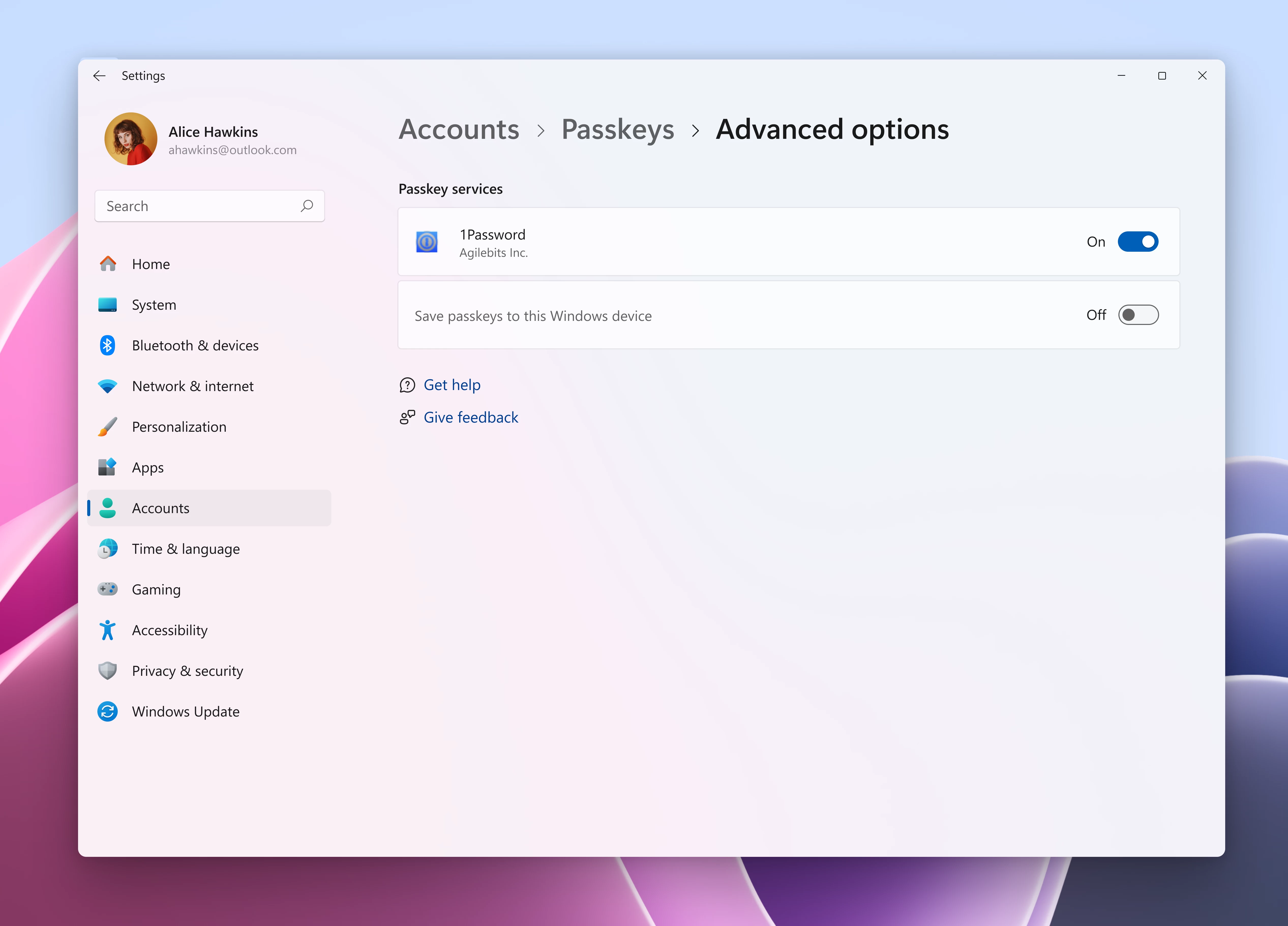
As for Bitwarden, its integration is currently available in Beta. For the time being, you must install the desktop application from its GitHub repository to get the functionality. The company says it will be available through the standard desktop application install later.
Once enabled, it works just like the 1Password integration, allowing you to use passkeys from your Bitwarden vault for apps and browsers, even without the browser extension installed.
Microsoft"s very own Password Manager, which many know from its integration in Edge, is also now a native plugin for Windows. The company is promising that your passkeys are securely synced across devices using your Microsoft account. Operations are protected by your Password Manager PIN and backed by Azure"s Hardware Security Modules and Confidential Compute for extra security.
Microsoft has been aggressively pushing passkeys as an alternative to traditional passwords for a while now. Unlike passwords, passkeys offer phishing resistance and are impossible to guess since they are machine-generated and much longer than passwords.