Earlier this year, Microsoft announced its big plan to fix Windows 11 and bring some of the most-requested features, including a movable taskbar, better Windows Update controls, and more. Another thing that users keep asking Microsoft about is a more careful approach to AI features and Copilot across the operating system. Microsoft promises to do that as well, and the first signs of the company sticking to its promise are now here.
The latest Notepad update in the Windows Insider program removes the Copilot button. Instead, there is now a dedicated icon for writing tools, helping users better understand its purpose. Upon clicking the new button, Notepad presents you with a list of available experiences, including rewriting, summarizing, tone changing, and more.
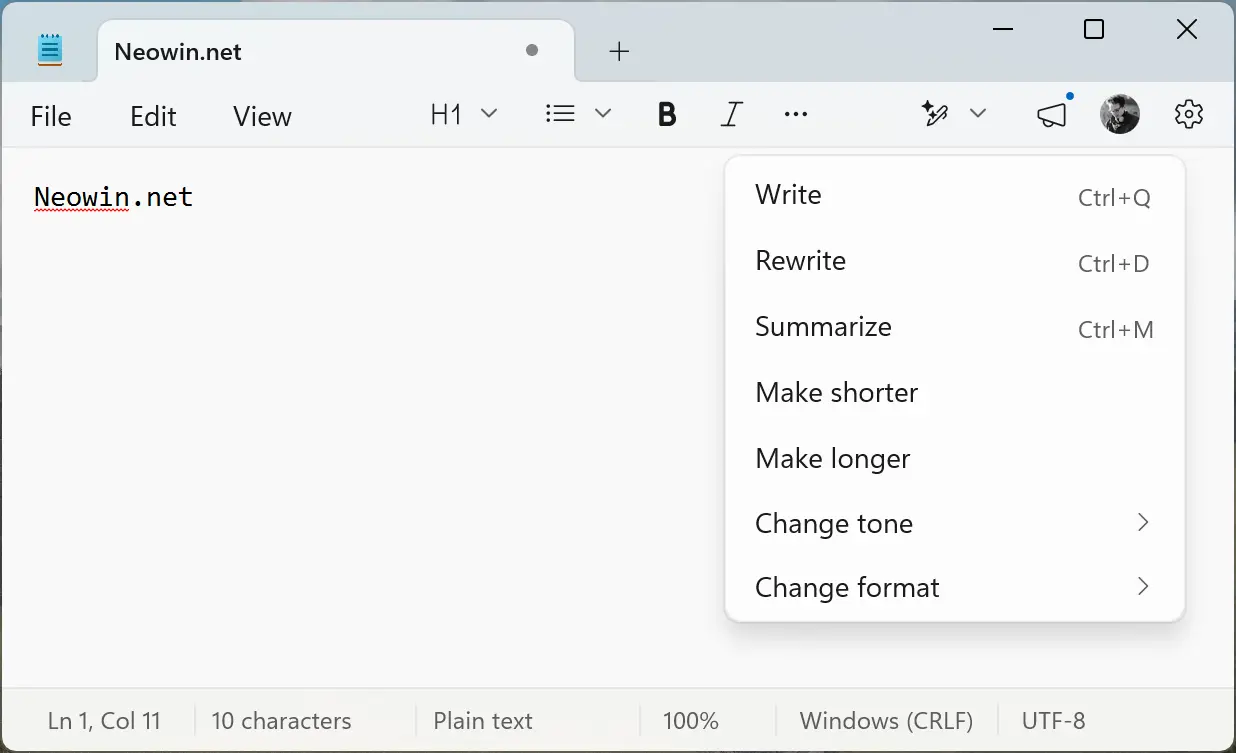
Changes are not just on the toolbar. In the Settings section, Microsoft renamed "AI features" to "Advanced features." A single toggle in the section lets you turn off AI-powered experiences if you do not want them. The update was spotted by @phantomofearth on X:
Latest Notepad app update for Insiders (11.2512.28.0) removes Copilot branding from the write/rewrite/summarize tools. They"re now simply called "Writing Tools" and the icon is now a sparkly pen. pic.twitter.com/kD0Dw9GdvB
— phantomofearth 🌳 (@phantomofearth) April 9, 2026
Microsoft has not announced the update yet, but you can expect it shortly, most likely with the next Windows Insider preview builds, which usually come out each Friday. However, if you do not want to wait, you can get the latest Notepad version even without enrolling in the Insider program. Here is how to do it:
- Go to store.rg-adguard.net and select Product ID from the first drop-down menu.
- Paste 9msmlrh6lzf3 into the search box and select Fast from the next drop-down menu.
- Click the checkmark button to find the app.
- Download the Microsoft.WindowsNotepad_11.2512.28.0_neutral_~_8wekyb3d8bbwe.msixbundle file.
- Open the downloaded file. If Notepad is already installed, Windows 11 will ask you to update it.
After updating Notepad, you will see the new button in the toolbar area and the updated Settings section.