I still remember writing an article about scheduling dark mode in Windows 10 using Task Scheduler and some whacky commands when dark mode was in its inception ten years ago. While dark mode was the default for Windows Phone all the way back in 2011, it took Microsoft years to give it the attention it deserveson the desktop versions of Windows.
Many years have passed since Microsoft introduced the ability to change modes in Windows 10 without resorting to Linux-like practices. The OS that debuted it is now six feet under, but Microsoft has only now started treating dark mode in Windows seriously. True, we have dark mode support in File Explorer, but it always felt half-assed. It is a surface-level implementation, and any step into a menu or dialog results in Windows throwing a stun grenade at you. And do not let me get started ranting about File Explorer flashing a white screen whenever you open a new tab. Ugh.
Now, however, we finally have some movement in the right direction.
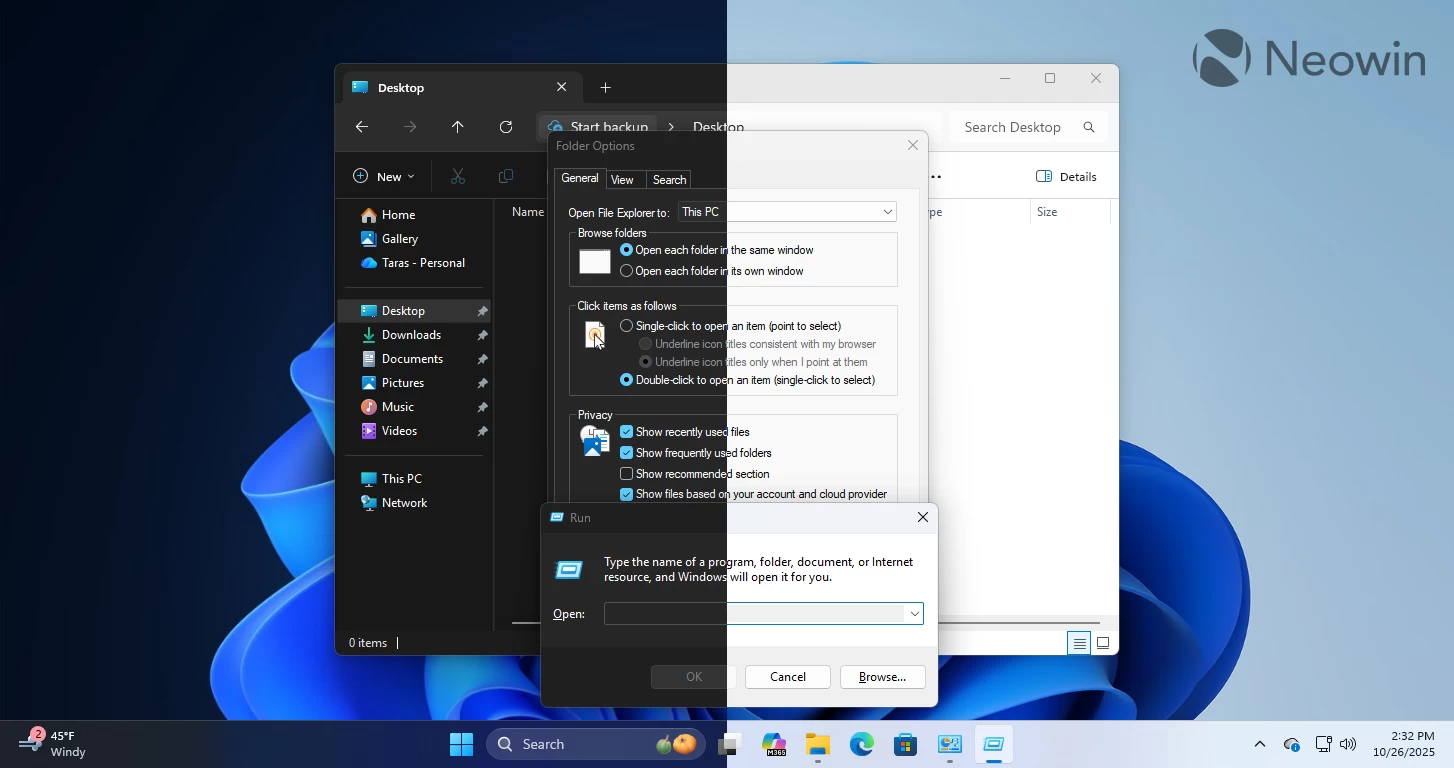
Windows 11 is finally getting dark mode support for many more parts of the user interface, particularly for the "old" classic interfaces. The Run dialog, Folder options, and common file actions (copy/move) all now have proper dark mode variants, making the operating system much easier to use during nighttime and visually consistent.
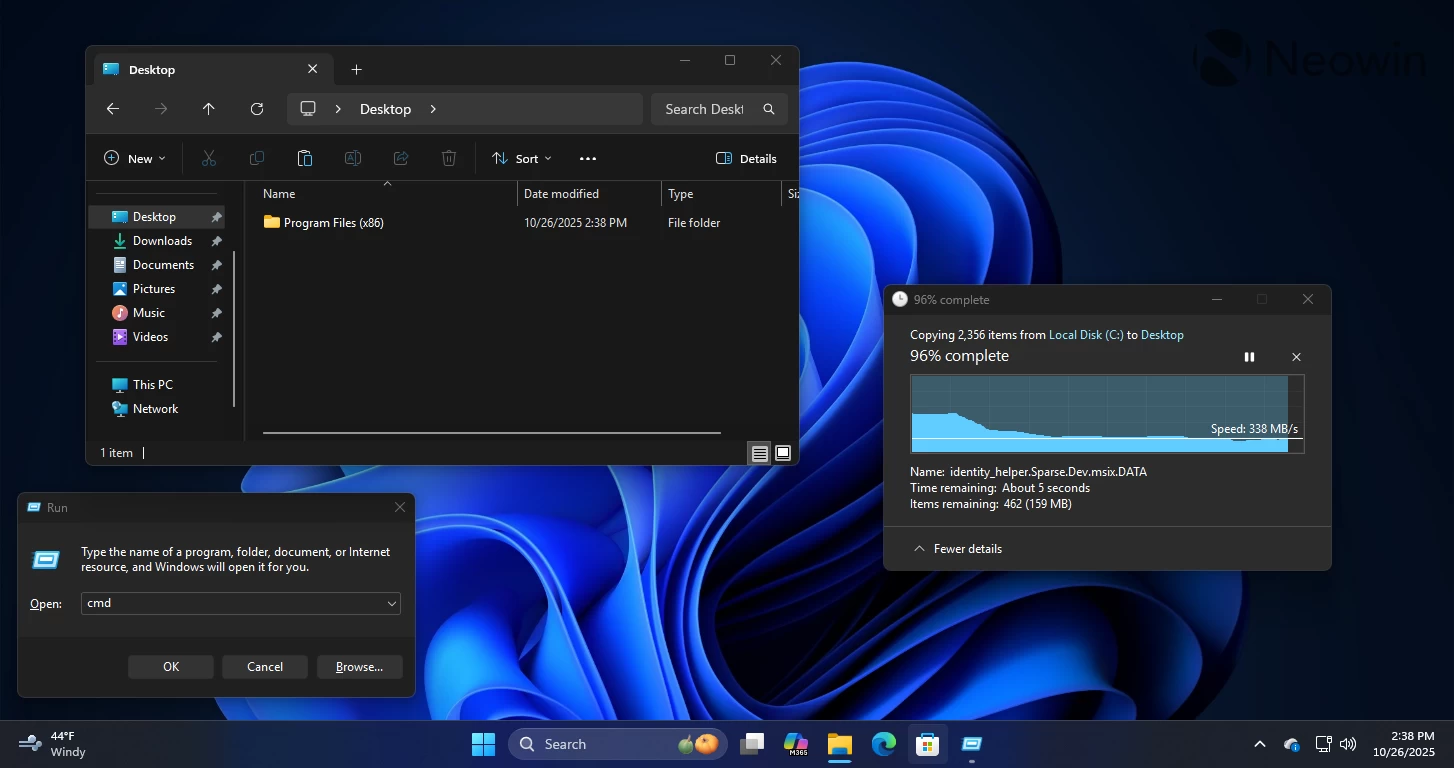
These dark mode improvements are available for Windows Insiders in the Dev and Beta Channels. Microsoft is still rolling them out gradually, even among insiders, so it might be a little while before we get them in the stable channel.
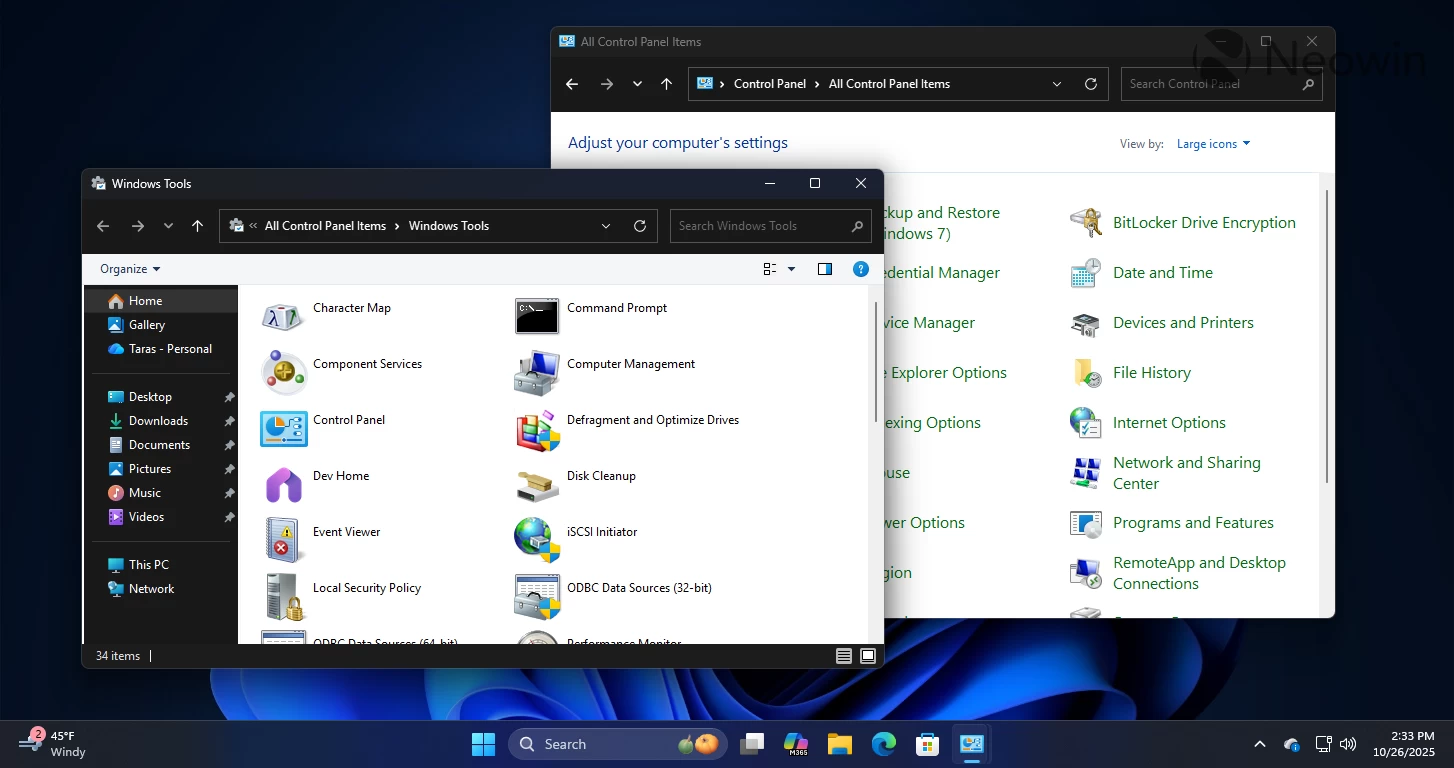
Of course, it is still far, far from perfect. Tons of sections and dialogs still do not support dark mode, and we have abominations like Windows Tools, where dark mode and light mode blend into one revolting UI that looks like a failed attempt to make Windows XP look like Windows Vista back in the day. Control Panel, a critical element that we need to use to this day (because Microsoft still has not moved everything to the Settings app), is also half-baked. There is still a lot of work to do, but we finally have some noticeable progress, which is nice.
Another important thing that Microsoft is finally considering is automatic theme switching. I keep ranting about this whenever I have a chance, but Windows 11 still cannot switch themes on schedule. While Microsoft is waiting for AGI or some extraterrestrial knowledge to implement a feature that literally every other operating system has had for years, the PowerToys team has brought automatic theme switching with the Light Switch module. True, this is still not as good as having it in the Settings app, but it is something nonetheless.
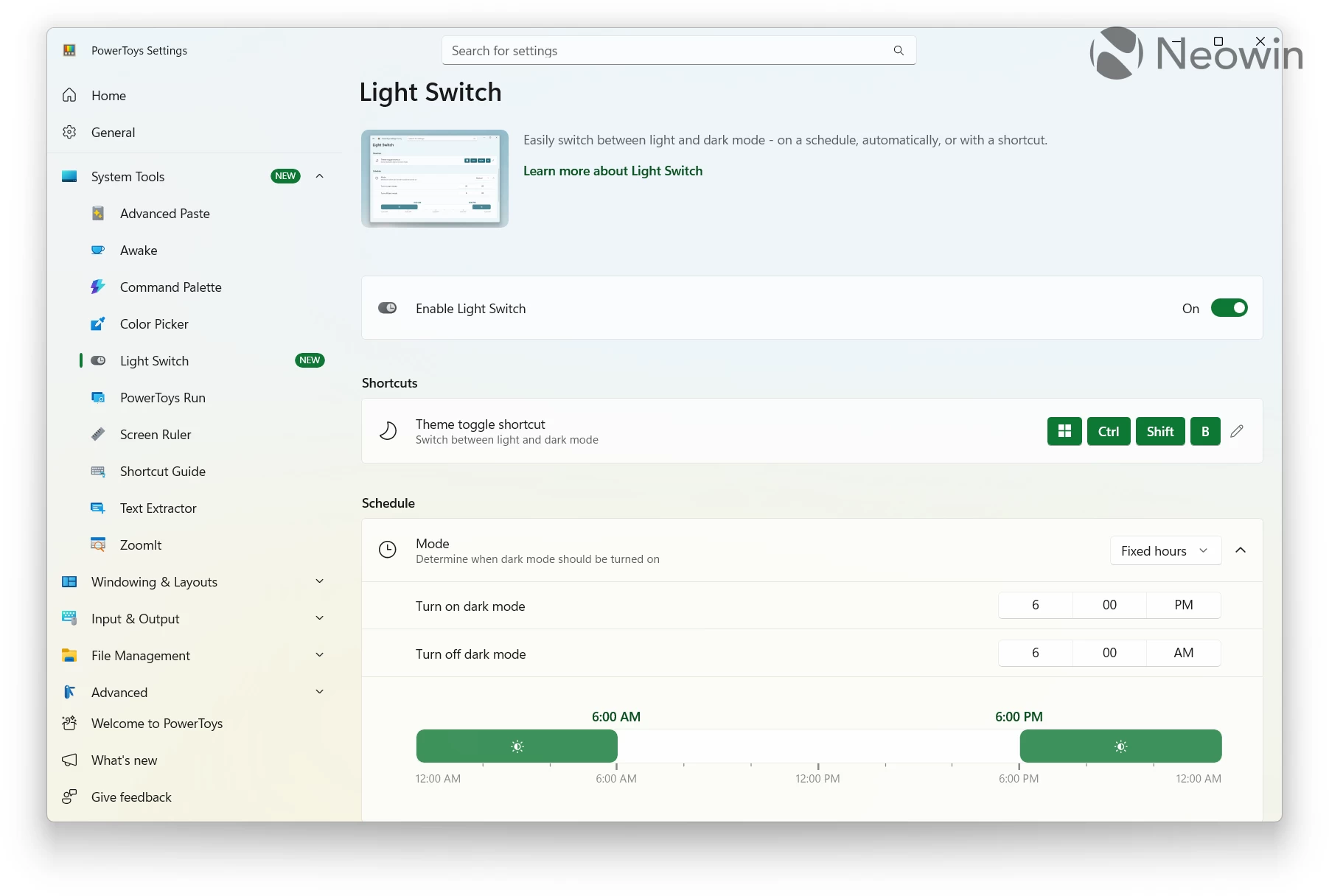
Changing screen resolution without a system restart used to be a PowerToys feature, which eventually made its way to the system level. I hope Microsoft will do the same with the Light Switch module, given that we already have some PowerToys tools implemented natively. Just do not stop, Microsoft, and do not leave Windows 11 with its half-baked dark mode rotting for another decade. With people becoming increasingly jaded over the influx of AI slop, making the operating system more consistent and better looking in dark mode would be a welcome change for many.