Microsoft is adding a new setting in Outlook Mobile that will allow you to filter out declined meetings from the calendar view. The update will reduce clutter and provide a more streamlined scheduling experience for mobile users. The feature should have already started rolling out since the start of February, but it won’t have fully rolled out until mid-February. There are just days left until everyone will get it.
The Redmond giant recently updated its schedule for this rollout. It was expected to have fully rolled out by the end of January.
The update is coming to all commercial environments, including Worldwide, GCC, GCCH, and DoD tenants. Once you get the feature, you will find a new toggle within the Outlook Mobile settings menu that allows you to manually show or hide declined events.
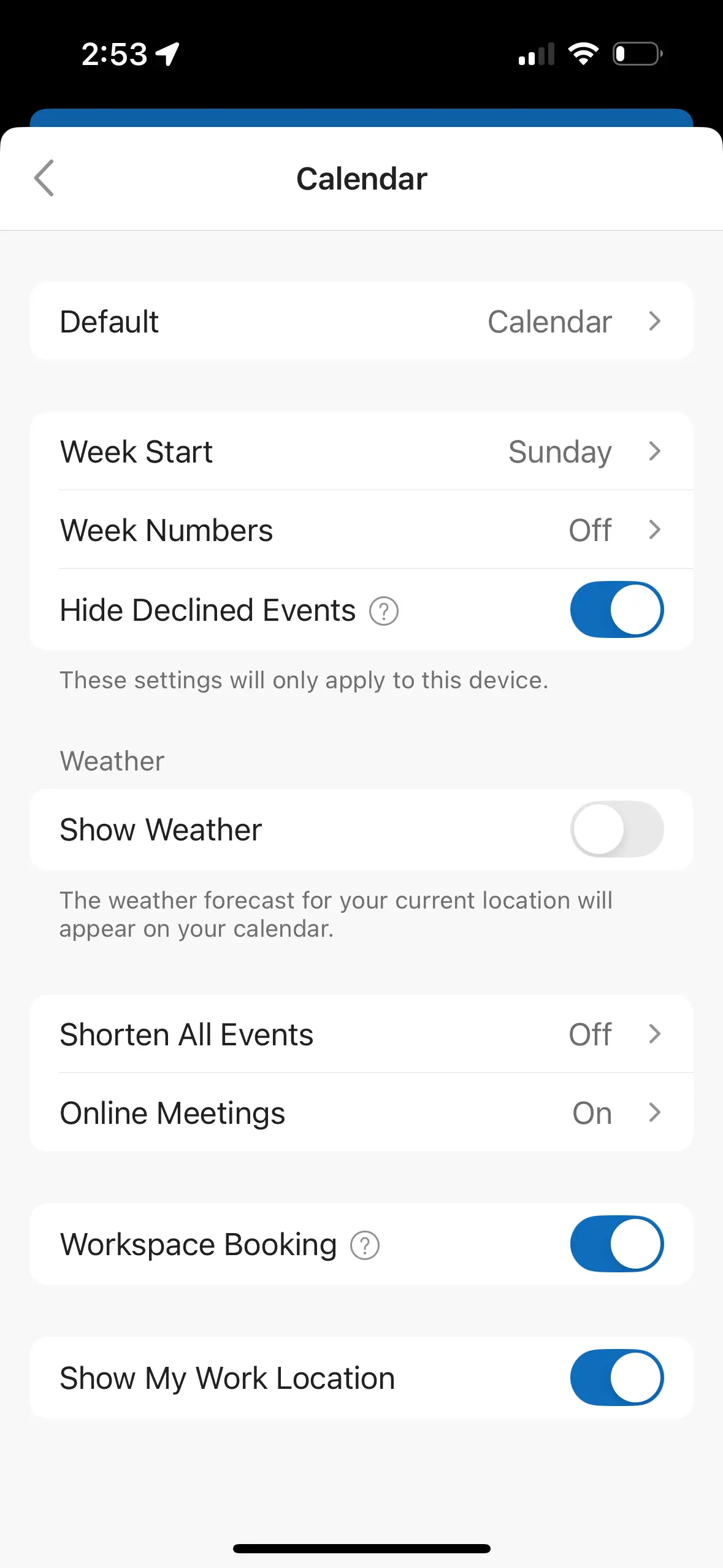
The mobile app will respect and sync any existing preferences that you’ve already set in the New Outlook or Outlook on the Web. If you hid declined messages on the desktop client, those changes will now transfer to your mobile device too.
This change brings a more consistent experience as the mobile, desktop, and web clients are all at parity in regards to this feature. Now, declined meetings hidden on those other platforms will disappear on mobile too instead of remaining visible. The change won’t require any administrator intervention or policy changes, giving full control to the end user.
Microsoft recommends updating internal helpdesk documentation and training materials to ensure staff can guide users toward the new setting once it is available in the mobile app. You can learn more about the rollout in the Microsoft 365 Admin Center under Message ID MC1187790.