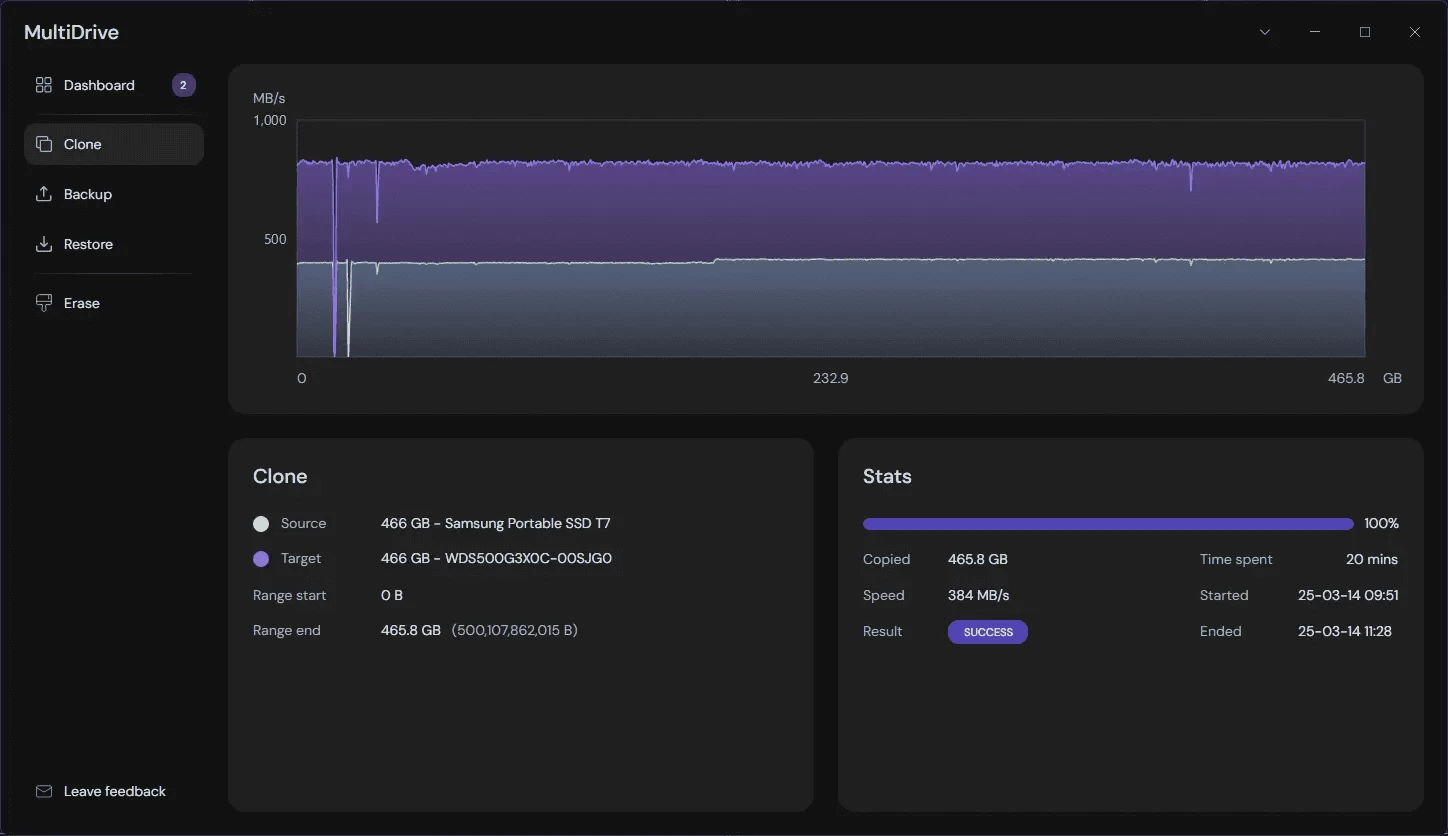
MultiDrive is a free, simple, fast, and reliable cloning software. It not only helps with cloning, but also backs up your important data. MultiDrive is a free and reliable disk duplication utility created by Atola Technology, a tech company with more than 20 years of experience in data recovery and storage device management.
It is free, simple, and easy to use, making it ideal for both personal and professional use. MultiDrive also functions as disk wipe software, designed to completely erase a hard drive in Windows 10 and Windows 11, You can download and install MultiDrive to perform OS migration, backup, cloning, or secure drive wiping, all backed by the expertise of Atola Technology.
Here are some of its benefits that you may like:
- Back up drives to standard ZIP or RAW files, and restores an image from a ZIP/RAW on the fly
- Wipe disks before recycling
- Clone drives or partitions
- Support for failing drives that have read errors
- Pause and Resume long tasks
- Split backups into smaller files
- Backup and clone specific disk ranges
- Run multiple parallel jobs, working offline
- Last but not least, there is a CLI app for automation and scripting.
Why it"s different:
- Actually free - no "premium features" locked away
- No ads, no nagging, no upselling
- Clean beautiful interface that doesn"t require a manual
- Works perfectly on Windows 11/10
MultiDrive 1.4 changelog:
New Features
- Backup / Restore: New ZST (ZStandard) compression format, which is 4-5x faster than ZIP format
- New option "Show serial numbers of drives" in Preferences: Allows you to distinguish drives of the same model.
- Improvements
- Backup / Restore: Support for password-protected network folders
- Clone / Restore: Clearer UX when the source drive is larger than the target
- CLI: Improved UX when writing to the target during Clone, Erase, and Restore
- More explicit indication of task completion
Bug Fixes
- Disk range selector in Options: Incorrect minimum value of the End handle when adjusting via the slider
Download: MultiDrive 1.4 | Portable | ~100.0 MB (Freeware)
Links: MultiDrive Website | Screenshot