Microsoft is now completing the global rollout of a new Teams feature that lets IT admins customize recording and transcription notifications. The feature allows organizations to replace or supplement standard system notices with tailored language that aligns with various legal, privacy, or corporate requirements.
The rollout, which began earlier this month, is due to reach full availability across all standard and GCC environments by the end of this month. When it’s active, the custom notifications will be visible to all meeting participants whenever recording or transcription services are enabled.
According to the Redmond giant, admins can now define custom text and provide specific privacy links through the Teams Admin Center by uploading a formatted CSV file. Custom strings have a 200 character limit per language and can be applied to implicit notification banners and explicit consent dialogs.
Admins will set these custom notifications at the meeting policy levels so that specific groups of users can be assigned different notifications based on their role or region. If a custom message isn’t provided for a specific language or scenario, then Teams will automatically fall back to the default Microsoft notification text.
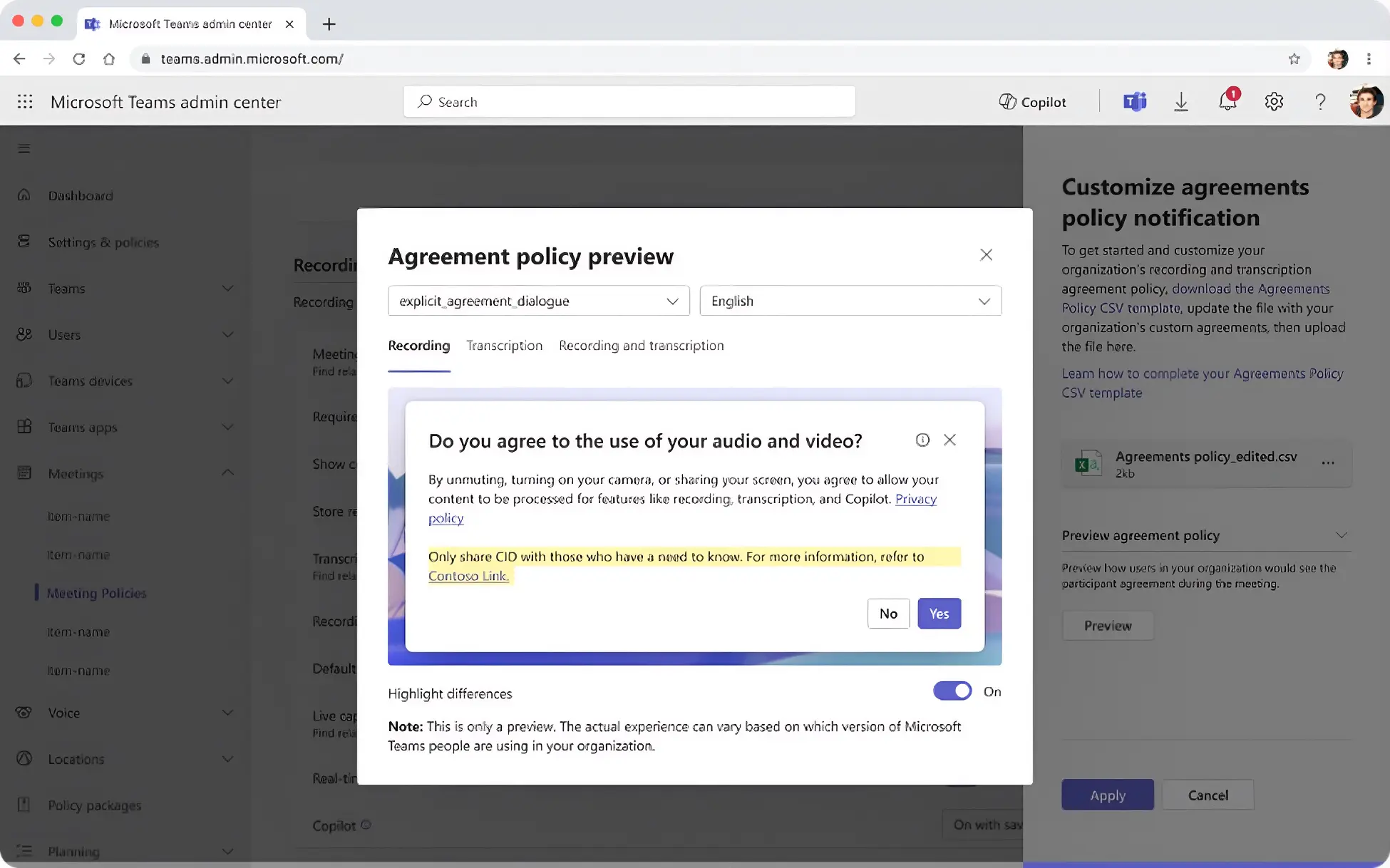
This change will be important for organizations operating in highly regulated regions or sectors where laws dictate that there must be particular consent language used. This will provide a more professional and transparent experience for external clients and partners who may need specific legal disclosures before a session can be recorded. The ability to add a privacy link is also key as it will allow participants to see how their data will be processed.
With the rollout completed, IT admins should review their existing meeting policies to decide where custom recording and transcription language is necessary. Importantly, while the core desktop and Mac rollout are finalized this month, support for mobile clients and Teams Calling is expected to follow in future updates.
You can find out more at the Microsoft 365 Admin Center under Message ID MC1194071.