It looks like Microsoft is not going to stop injecting AI into its operating system, regardless of whether you like it or not. Copilot is now coming to File Explorer, and AI promises to improve accessibility on all Windows systems. While the latter is a good example of improving Windows 11 with AI, there is still a lot of questionable and often irritating stuff. If you are tired of that, there is now a new tool that can de-slopify Windows 11 for you, aptly called Winslop.
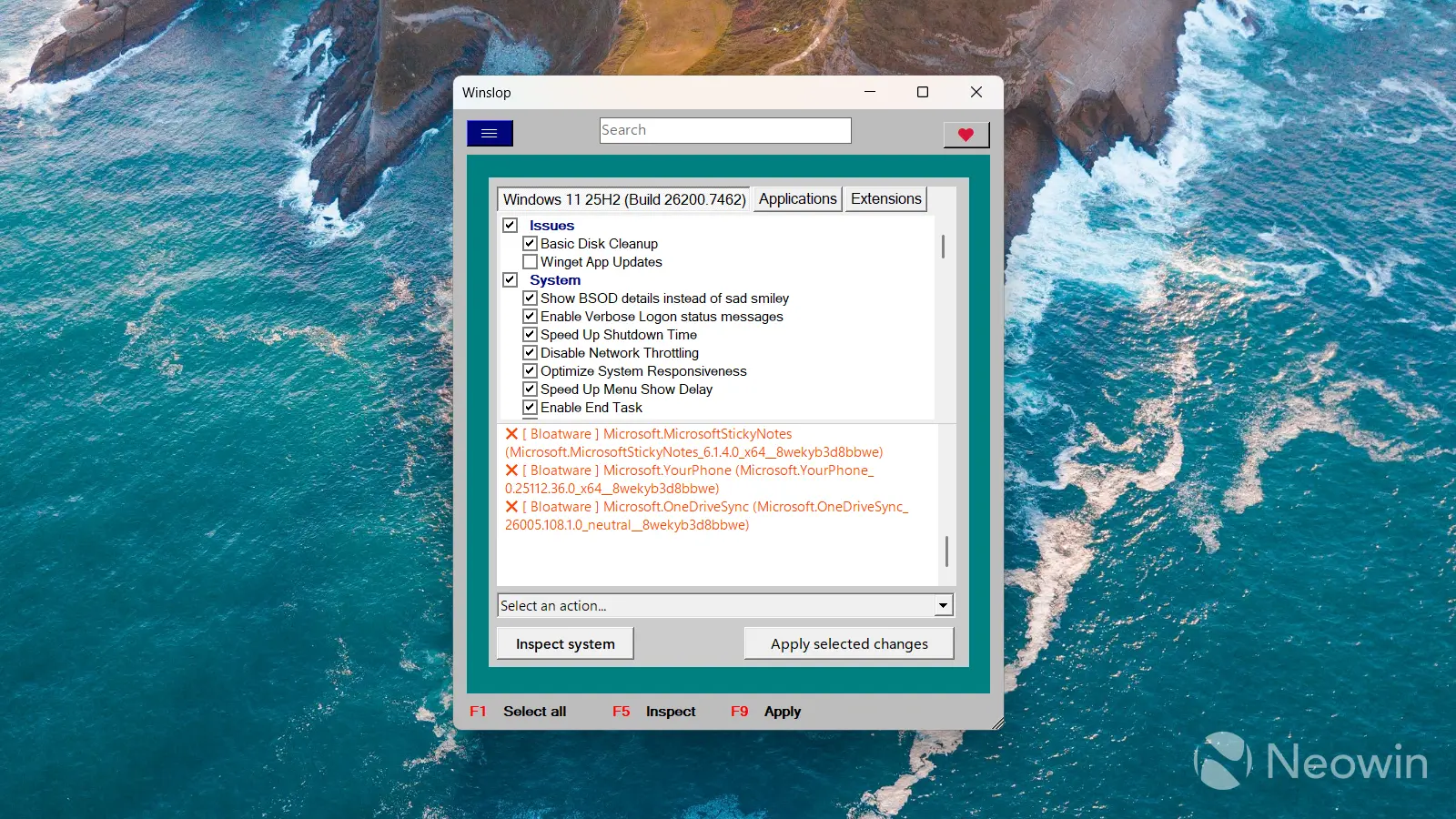
Winslop was made by the same developer behind FlyOOBE, a quite popular tool for customizing Windows 11. It is based on the recently released Remove Windows AI script, but it builds on it with a few extra features. It is a native app that not only removes AI features but also adjusts Windows behavior, apps, default settings, and policies. The maker says Winslop is "modular by design," and future updates will expand the app with additional capabilities.
Winslop"s UI is not what you would call a beautiful modern Windows app, but the list of options is quite extensive, and you can customize a lot of stuff, including AI, gaming, privacy, ads, Microsoft Edge, etc. There is also an option to revert changes, should you need to get things back to the original state. You can download Winslop from its GitHub repository.
It is very disappointing that Windows 11 users have to resort to such projects only to make the operating system less annoying. With Microsoft"s CEO now claiming people should stop saying "AI slop," it is clear that tools like Winslop will only be getting more relevant and important going forward until Microsoft decides to make its operating system more user-friendly. While Microsoft sometimes throws its users a bone, the general direction of where Windows 11 is heading is certainly concerning.