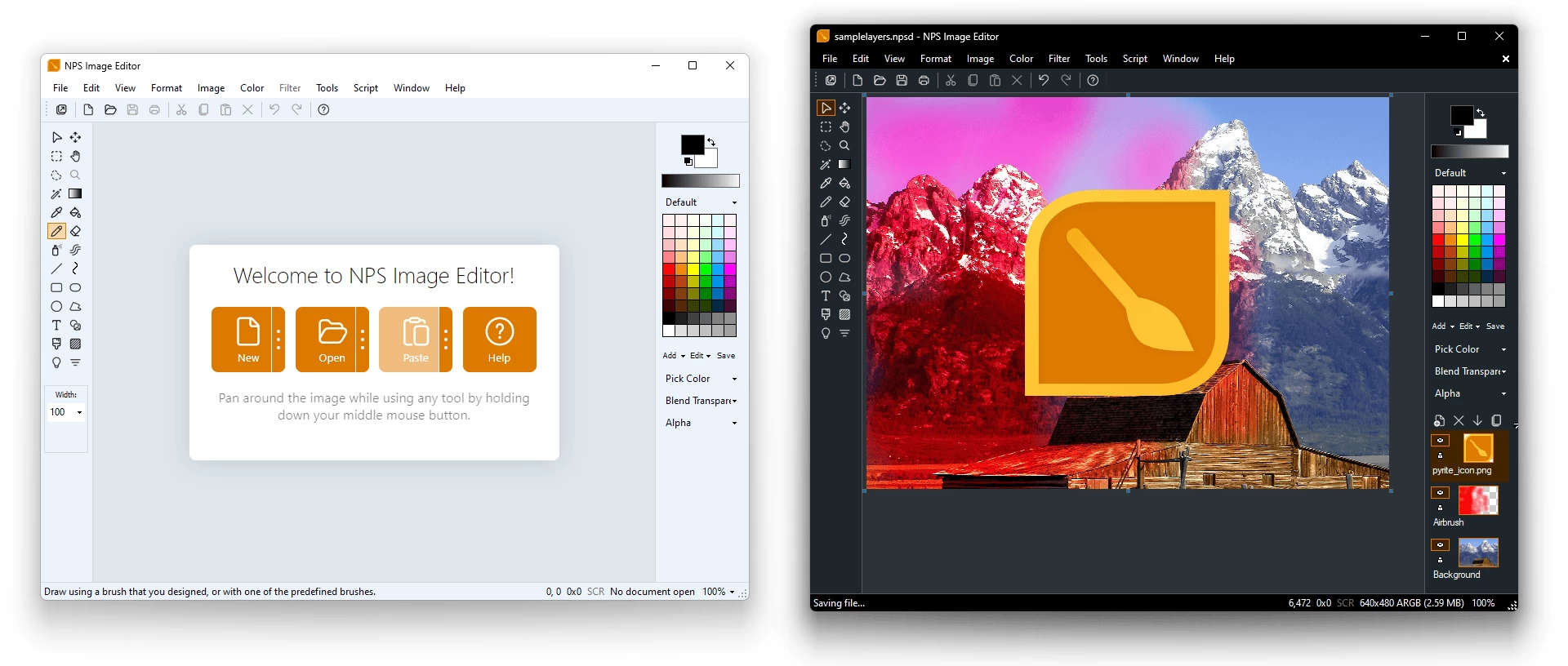
NPS Image Editor is a multi-layer image editing program for Windows that is perfect for pixel art, screenshots, drawing, and light photo editing. It also includes a standalone color picker tool for web development! NPS Image Editor and Color Picker is a unique image editing application that is perfect for pixel art and photo editing.
NPS Image Editor provides you with the familiar simplicity of Microsoft Paint while offering far more functionality, including support for transparency, filters, custom brush shapes, and more. It"s optimized for pixel art and simple image edits. The color picker can be used on its own to manipulate colors and easily copy/paste them into other programs.
NPS Image Editor requires Windows 10 or newer with .NET Desktop Runtime 8 and WebView2 Runtime, both installed automatically if missing. Version 4.1 adds native ARM64 support on Windows 11, while Windows 10 on ARM may still work but isn’t officially tested.
Why choose NPS Image Editor?
- Familiar yet powerful – classic Paint-like design with pro-level tools
- Layers & blending – full support for masks, transparency, and 33 blend modes
- Filters & effects – nearly 50 built-in options plus custom filter support
- Animation-ready – edit GIFs and spritesheets with frame control
- Pro color tools – advanced picker, multiple color spaces, and dynamic palettes
- Creative toolbox – shapes, gradients, clone stamp, brushes, text, and more
- Pixel & game art friendly – tiled editing, offset, ripple delete, and alpha control
- Customizable workspace – grids, zoom, palettes, and personalized workflow
NPS Image Editor – key features:
- Familiar, Paint-like interface with advanced editing power
- Multi-layer editing with blending modes and masks
- Nearly 50 built-in filters and effects, plus custom filters
- Animation support for GIFs with frame-by-frame control
- Spritesheet import/export for game development
- Screenshot and pixel-art friendly tools (tile, offset, ripple delete)
- Customizable workspace with grids, zoom, and swatches
- Full 8-bit alpha transparency and keyed transparency
- Advanced color picker (standalone, multi-monitor support)
- Multiple color spaces: RGB, HSV, HSL, HWB, Lab, HCL, XYZ, CMYK, YUV
- Saved color palettes and harmonies (triadic, grayscale, web-safe, etc.)
- Color Resolution Engine (CRE) with dynamic expressions and formats
- Selection tools (rectangular, freeform, magic wand, inversion, cropping)
- Fill tools (bucket, multi-fill, tolerance, color cycling)
- Shape tools with Béziers, borders, and fills
- Text tool with fonts, wrapping, alignment, rotation, and transparency
- Gradient tool with free-angle placement
- Clone stamp for retouching and object removal
- Wide range of brushes: standard, custom, animated, airbrush, spraypaint, textured
NPS Image Editor 4.3.4.6951 release highlights:
- Animation Tools – play, pause, repeat, frame navigation, full-frame generation, spin animations.
- Scripting Enhancements – run scripts at startup, new animation and utility commands.
- New Commands & Presets – set average color, export templates, quick white/black/transparent document presets.
- Improved Color & Image Support – JPEG orientation fixes, .PAL support, GIF loop handling, interpolation when zooming.
- UI & Workflow Updates – modern icons, touch-friendly toolbars, DPI and scaling improvements.
- Bug Fixes & Stability – memory leaks, crashes, undo reliability, layer locks, system warnings, and optional crash reporting. [full release notes]
Download: NPS Image Editor 4.3.4.6951 | 8.8 MB (Freeware)
Download: NPS Image Editor Portable | 12.9 MB
View: NPS Image Editor Website | Screenshot