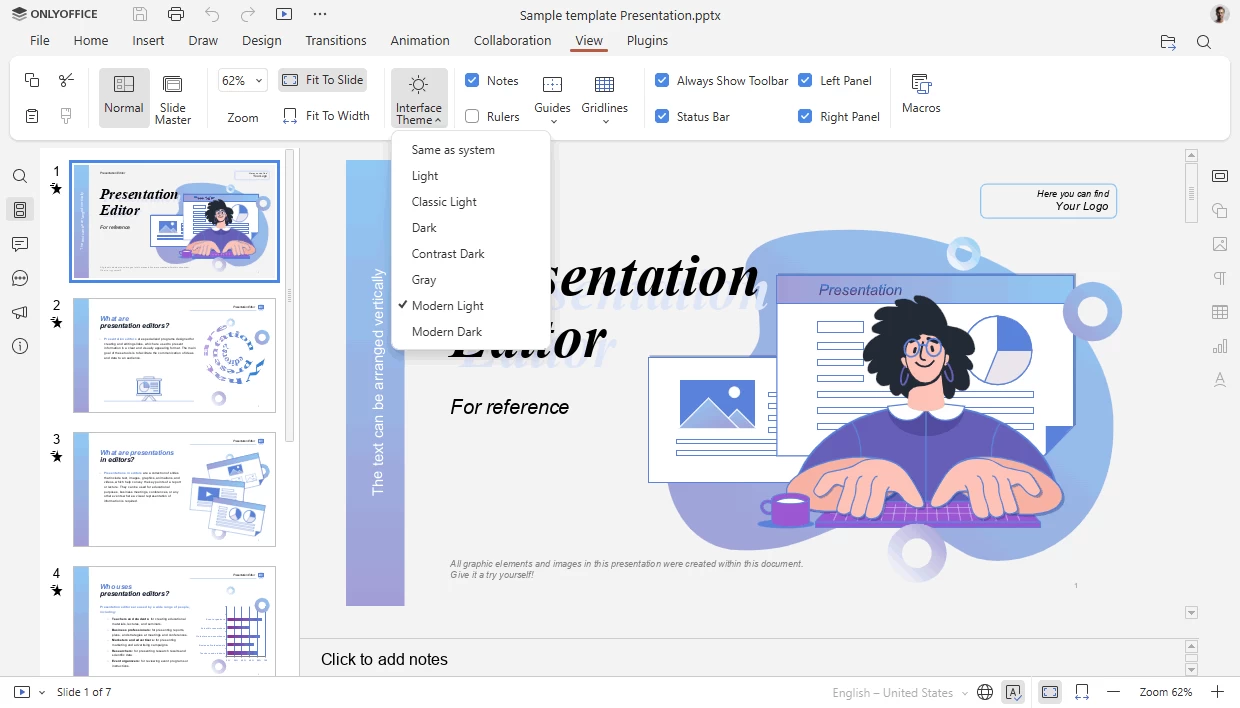
OnlyOffice Desktop Editors is an open-source office suite distributed under AGPL v.3 that combines text, spreadsheet and presentation editors allowing to create, view and edit documents stored on your computer. The application does not require constant connection to the Internet and allows youto create, edit, save and export text, spreadsheet and presentation documents. It is fully compatible with Office Open XML formats: .docx, .xlsx, .pptx.
One pack - five editors - multiple features
- Create, view and edit text documents, spreadsheets and presentations of any size and complexity. Work on documents of most popular formats: DOCX, ODT, XLSX, PDF, ODS, CSV, PPTX, ODP, etc. Deal with multiple files within one and the same window thanks to the tab-based user interface. Highest compatibility with Microsoft Office formats.
Real-time collaboration within your favorite cloud
- Connect ONLYOFFICE Desktop Editors to the cloud platform of your choice: ONLYOFFICE, Nextcloud or ownCloud to collaborate on documents with your team – co-edit in real time, review, comment and interact using chat.
Extending your editing capabilities
- Take the most of your editing with the collection of third-party plugins. Insert a YouTube video, add special symbols or a ClipArt object, automatically translate any word or sentence, highlight code, etc. Do even more! Create your own plugin using the API documentation and ready-to-use examples available on GitHub.
OnlyOffice key features:
- View, edit, and collaborate on docs, sheets, slides
- Build fillable PDF forms and fill them in online
- Read and edit PDFs, export/import to/from PDF
- Convert docs to Markdown and HTML
- Turn your textbooks into e-books
- Generate texts with the AI helper
OnlyOffice 9.4.0 changelog:
New features / All Editors
- Added Croatian language interface translation (hr-HR, Hrvatska)
- Moved chart settings from the right panel to a separate Chart design tab
- Added options for pasting from the clipboard for the Paste button on the top toolbar
Document Editor
- Implemented the ability to add a horizontal line
Spreadsheet Editor
- Added the Dark mode support for the sheet
Presentation Editor
- Added 25 new presentation design themes
- Added 20 new slide transitions, grouped by category
Forms
- The app saves the most recently added image in the Signature field so it can be automatically used when filling out the form again
- Added the "Send for signing" and "Filling status" panels
Security
- Fixed out-of-bounds read vulnerabilities when converting XLS to XLSX in the following functions: ChartSheetSubstream::recalc, TextPropsStream::readFields, MetroBlob::ReadComplexData, SUPBOOK::serialize_book and ATTACHEDLABEL::serialize_rPr
- Fixed a vulnerability in GUID generation that allowed an attacker to calculate GUIDs based on their creation time
- Fixed a vulnerability that allowed bypassing macro sandbox restrictions and accessing environment objects via sloppy-mode this and eval
Download 64-bit: OnlyOffice | Portable | ~500 MB (Open Source)
Download 32-bit: OnlyOffice | Portable
Download ARM64: OnlyOffice | Portable
View: OnlyOffice Website | Screenshot | Release Announcement