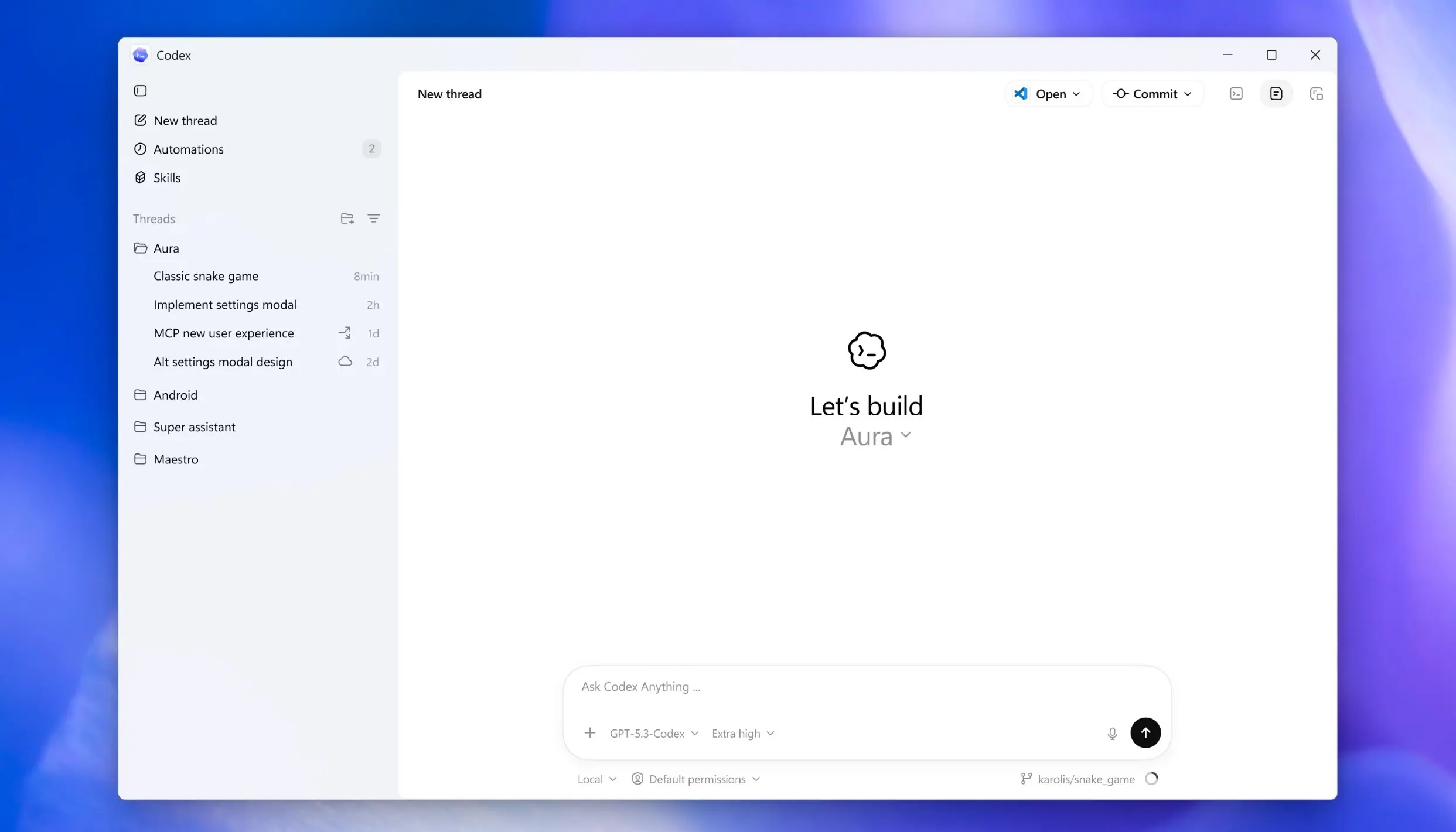
Last month, OpenAI released an official Codex app for macOS. The app introduced an easier way to manage multiple AI agents at once and collaborate with them on long-running tasks. Since the launch, developers have been asking for a native Codex app for Windows. However, enabling it on Windows has been more complicated because Codex needs to be restricted from accessing the rest of the file system. The Codex team has been working with Microsoft to address that.
Today, OpenAI announced the official launch of the Codex app for Windows. The Codex app is now available for download for developers from the Microsoft Store. This app comes with a native agent sandbox and support for Windows developer environments in PowerShell.
The Codex app is now on Windows.
— OpenAI Developers (@OpenAIDevs) March 4, 2026
Get the full Codex app experience on Windows with a native agent sandbox and support for Windows developer environments in PowerShell.https://t.co/Vw0pezFctG pic.twitter.com/gclqeLnFjr
To make this app possible, OpenAI built the first Windows-native agent sandbox. This sandbox uses OS-level controls like restricted tokens, filesystem ACLs, and dedicated sandbox isolation, enabling agents to run safely in Windows developer environments like PowerShell. OpenAI has also made the sandbox environment open source; you can check it out here. Thanks to the OSS implementation, we can expect other AI labs, including Anthropic and Google, to adopt this sandbox to deliver their respective AI apps for Windows.
Similar to the Codex app on macOS, Codex on Windows will allow you to run multiple coding tasks using agents in parallel. Since each task runs in its own worktree, the changes will remain conflict-free. After inspecting the diffs and proposed edits, you can merge the changes to the codebase.
This initial version of the Codex app for Windows will allow you to do the following:
- Multi-task with agents — Run multiple coding agents in parallel, organized by project and thread.
- Keep work isolated — Built-in worktrees and cloud environments let agents make changes simultaneously without conflicts.
- Review before you merge — Inspect diffs in the thread, leave comments, and open changes in your editor.
- Stay in flow — Seamlessly switch between tasks and projects without losing context.
- Use skills — Extend Codex with reusable workflows that bundle tools, scripts, and team conventions.
- Automate repeat work — Delegate routine tasks with scheduled or repeatable workflows.
- Bring your setup — Picks up your history and configuration from the Codex CLI and IDE extension.
To celebrate the launch of the Codex app, ChatGPT Free and Go customers can now try Codex. ChatGPT Plus, Pro, Business, Enterprise, and Edu customers will also get double the rate limit until April 2.