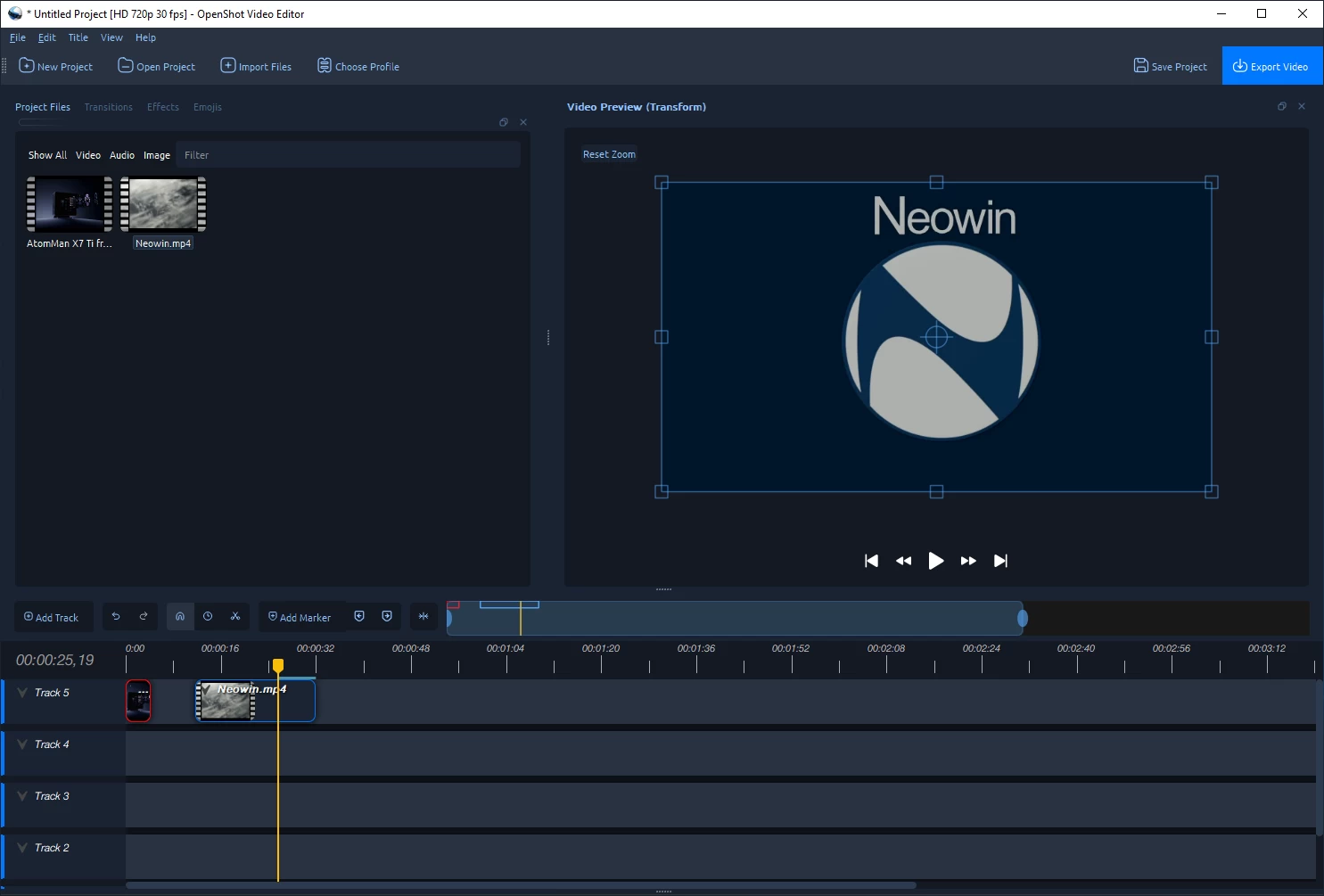
OpenShot Video Editor is a free, open-source video editor licensed under the GPL version 3.0. OpenShot can take your videos, photos, and music files and help you create the film you have always dreamed of. Easily add sub-titles, transitions, and effects, and then export your film to DVD, YouTube, Vimeo, Xbox 360, and many other common formats. What really sets OpenShot apart from other video editors is the easy-to-use user interface.
OpenShot has many great features, such as trimming and arranging videos, adjusting audio levels, transitions between videos, compositing multiple layers of video, chroma-key / green screen effect, and support of most formats and codecs.
OpenShot key features:
- Cross-platform (Supports Linux, OS X, and Windows)
- Support for many video, audio, and image formats (based on FFmpeg)
- Powerful curve-based Key Frame animations
- Desktop integration (drag and drop support)
- Unlimited tracks / layers
- Clip resizing, scaling, trimming, snapping, rotation, and cutting
- Video transitions with real-time previews
- Compositing, image overlays, watermarks
- Title templates, title creation, sub-titles
- 3D Animated Titles (and Effects)
- SVG friendly, to create and include vector titles and credits
- Scrolling motion picture credits
- Solid color clips (including alpha compositing)
- Support for Rotoscoping / Image sequences
- Advanced Timeline (including Drag & drop, scrolling, panning, zooming, and snapping)
- Frame stepping (key-mappings: J, K, and L keys)
- Video encoding (based on FFmpeg)
- Digital zooming of video clips
- Time-mapping and Speed changes on clips (slow/fast, forward/backward, etc...)
- Custom transition lumas and masks
- Audio mixing and editing
- Presets for key frame animations and layout
- Ken Burns effect (artistic panning over an image)
- Digital video effects, including brightness, gamma, hue, greyscale, chroma key (bluescreen / greenscreen) , and many more!
- OpenShot provides extensive editing and compositing features, and has been designed as a practical tool for working with high-definition video including HDV and AVCHD .
OpenShot 3.4.0 key highlights:
- New Crop workflow with interactive crop handles + crop context menu (keeps crop/transform behavior in sync)
- New Timing mode toggle for quick drag-to-retime editing (plus better real-time preview during retime)
- Draggable keyframes (timeline drag + improved keyframe panel) with better snapping/precision to the FPS grid
- Big upgrades to the Experimental QWidget Timeline (faster scrolling/zooming, improved snapping, markers, thumbnails, waveforms, fewer freezes)
- Multi-selection editing across clips/effects (property dock + transform handles + safer undo/redo)
- Faster exports with VideoCacheThread integration + smarter bitrate for “All Formats”
- New/expanded effects & creative tools: LUT Color Map, Lens Flare, Sharpen, Outline, Spherical/360 tools (plus updated docs/icons)
- Improved import/export interoperability (Final Cut Pro XML + EDL updates, better keyframe support, more standards-aligned timecode)
- AppImage + distro compatibility improvements (Ubuntu/Snap/Flatpak handling, Arch/Manjaro fixes, Blender 5.0 animated title compatibility)
- Updated translations & credits (many new/updated languages, refreshed supporters/donor lists, faster credits/about filtering). [full release notes]
Download: OpenShot Video Editor (64-bit) | 207.0 MB (Open Source)
Download: OpenShot Video Editor (32-bit)
Links: OpenShot Home Page | Other Operating Systems | Screenshot