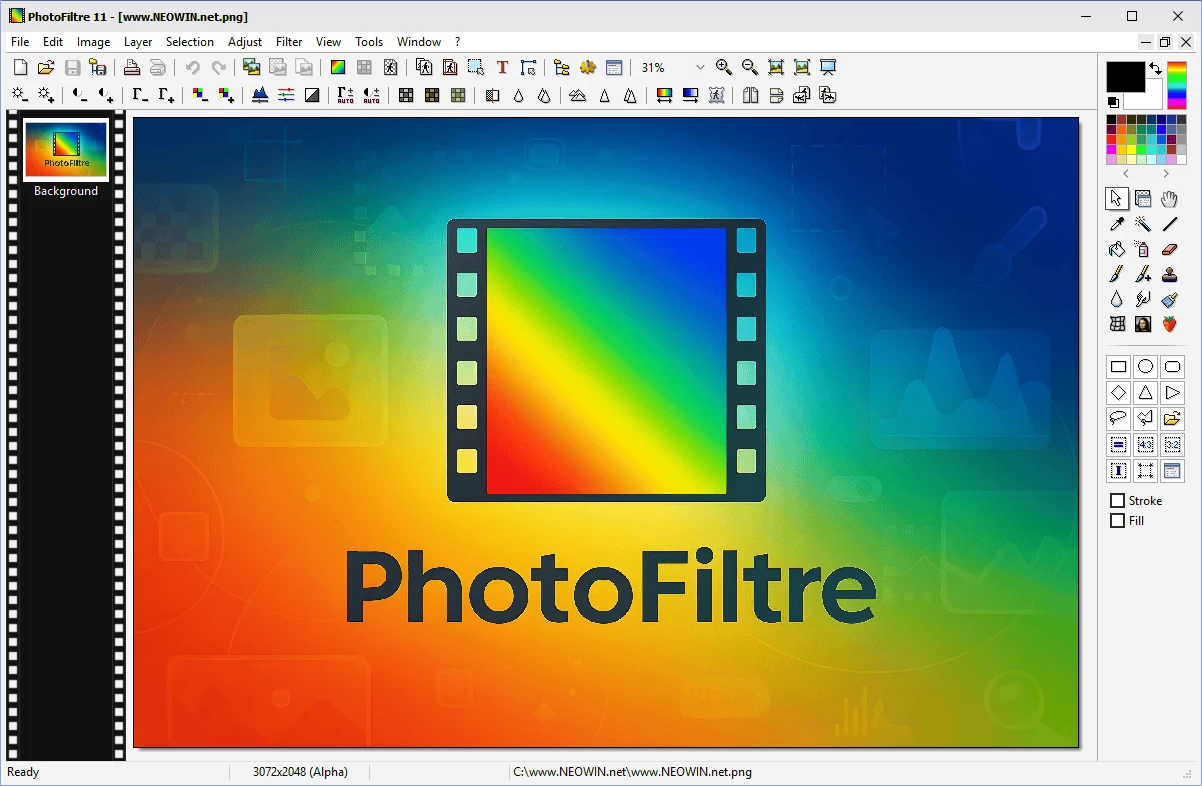
PhotoFiltre is a complete image retouching program. It allows you to do simple or advanced adjustments to an image and apply a vast range of filters on it. It is simple and intuitive to use, and has an easy learning curve. PhotoFiltre comes with modern, well designed interface and is well suited for everything from simple resizing to advanced photo editing. The toolbar, giving you access to the standard filters with just a few clicks, gives PhotoFiltre a robust look.
PhotoFiltre Studio is a major evolution of the PhotoFiltre software. A lot of new functionality are proposed like layers support (standard, texts, adjustments and color), masks, nozzles, drawing tools, red-eye correction, and 8BF filters support. PhotoFiltre includes more than 100 filters and effects and supports many image files formats (PNG, JPEG, TIFF, PSD, PSP, etc.)
PhotoFiltre offers all the standard editing features (selection, clone brush, paint brush etc.) as well as a large selection of image effects, photo masks, image adjustments, thumbnail browser and much more. The program also supports batch processing to apply filters, sizing, adjustments and transformations to a large number of images at once. PhotoFiltre also has layer manager (with Alpha channel), advanced brushes, nozzles (or tubes), red eye corrector, batch module and lot of other powerful tools.
PhotoFiltre key features:
- Comprehensive Image Retouching – Offers both simple and advanced editing tools and a vast filter collection.
- Wide Range of Filters – Includes standard adjustments (brightness, contrast, saturation, gamma) and artistic styles like watercolor, pastels, Indian ink, pointillism, and puzzle effects.
- Layer Manager with Alpha Channel – Supports bitmap, text, live adjustments, and color layers, plus thumbnail resizing and drop-shadow effects.
- Vector-Style Selections – Automatable shapes (rectangle, ellipse, triangle, rhombus, rounded rectangle) alongside freehand lasso and polygon tools; selections can be saved and reused.
- Versatile Brushes & Nozzles – Includes fixed and custom brushes (e.g. oblique shapes), plus gradient-rich “Rainbow” effects and 3D, pastel, or charcoal textures.
- Automatic Stroke & Fill – Allows automatic stroking or filling of vector shapes—great for diagram creation.
- Erase Tool – Functions like a brush but erases content, revealing transparency or lower layers in RGBA or multi-layer mode.
- Transparent Gradient Tool – Built into the alpha channel editing tools to simplify transparency and fade effects.
- Red-Eye Correction – Easily fix red-eye using the Retouch Tool with a simple selection.
- Animated GIF Generator – Create animations by treating layers as frames, setting delay and looping options.
- PhotoMasque Module – Apply advanced contouring and transparency effects via grayscale masks where white = transparent, black = opaque.
- Icon Export – Create and export icons in 32×32, 48×48, and 64×64 sizes across various color formats.
- Integrated File Explorer – Quick toolbar access to image-related folders like selections, masks, and patterns.
PhotoFiltre 11.7.0 changelog:
- New function [Selection > Vectorial Path (Transformation)] to quickly transform a selection rather than its contents.
- Accepts external converter plugins to support new opening and saving image formats (AVIF, HEIC, HEIF, PDF, CR3, ...).
- Fixed a bug in the Vectorial Path module when transforming polygonal shapes.
- The image browser no longer stores the automatic mode in the configuration file because new formats often take a long time to load. You must manually enable it each time you launch PF11 if needed (reminder: press Escape to cancel a long exploration or F5 to refresh).
- The WebP format uses a compression of 75 instead of 90 when saving (smaller file size while maintaining good quality).
- The configuration files for filter plugins must be named "MyFilter.ini" for naming consistency (for now, the old name "MyPlugin.ini" is still accepted until the switch occurs with the next update).
Download: PhotoFiltre 11.7.0 | 17.4 MB (Shareware)
Download: Portable PhotoFiltre | 16.2 MB
Links: PhotoFiltre Home Page | PhotoFiltre 7 (freeware) | Screenshot