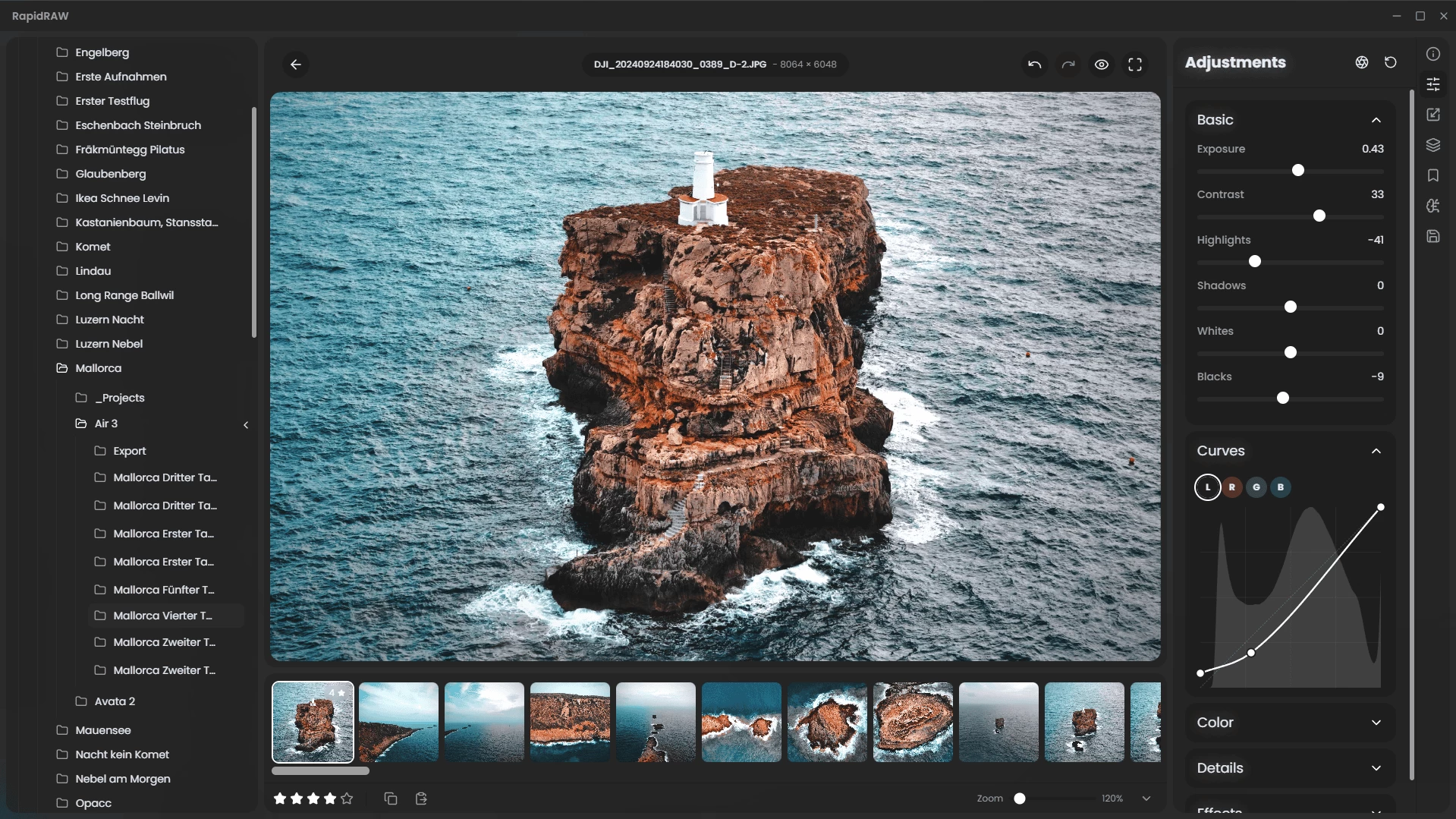
RapidRAW is a beautiful, non-destructive, GPU‑accelerated RAW image editor designed for speed and simplicity. It uses a lightweight (~30 MB), efficient code base built with Rust, React and Tauri. Ideal for Lightroom workflows, it offers rich editing tools—exposure, contrast, highlights, shadows, whites/blacks, tone curves, HSL mixer, dehaze, vignetting, film grain, sharpening, clarity and noise reduction—processed in real-time on the GPU.
Features include intuitive masking (brush, linear, radial, AI-powered subject and foreground detection), generative edit layers (via ComfyUI), 32‑bit precision, and full RAW format support through rawler. RapidRAW also provides library management (folder navigation, ratings, metadata, EXIF viewer), batch operations, export presets (JPEG/PNG/TIFF), sidecar editing (.rrdata), undo/redo history, customizable UI themes, smooth animations, resizable panels, and preset copy/paste.
A modern high-performance Lightroom alternative with polished UX and creative tools, RapidRAW brings powerful photo editing to photographers seeking speed, responsive GPU feedback, and streamlined workflows.
RapidRAW 1.4.3 changelog:
Pin Folders
- Navigating between folders across different drives or deep directories can be tedious. The new Pin Folders feature makes it simple — just right-click any folder to pin it. Pinned folders appear in a dedicated sidebar section for instant access, eliminating the need to constantly switch around.
Apply Presets to Masks
- Presets can now be applied directly to masks, dramatically speeding up editing workflows. For instance, a “Clarity Boost” preset can be applied to a subject mask with a quick right-click. Creating a dedicated folder for mask-specific presets is recommended to keep things organized.
Centré Adjustment
- The new Centré Adjustment slider provides an easy way to draw attention to the center of an image — no masks required. It works like an inverted vignette, subtly enhancing clarity, brightness, contrast, and vibrancy in the central area to add focus and impact.
Whole Image Mask Type
- A new Whole Image mask type has been added, serving as a foundation for more complex masking operations like subtracting or inverting other mask components. This addition also improves the underlying mask UI framework, paving the way for future mask types without introducing clutter.
Core Improvements:
- Library thumbnail updating is now much smoother.
- Rawler is now a submodule, thanks to @william-sy.
- Local contrast adjustments are now less sensitive.
- The logger has been improved to output the full traceback for better debugging.
Download: RapidRAW 1.4.3 | ARM64 | ~20.0 MB (Open Source)
View: RapidRAW Home Page | Screenshot | Other operating systems