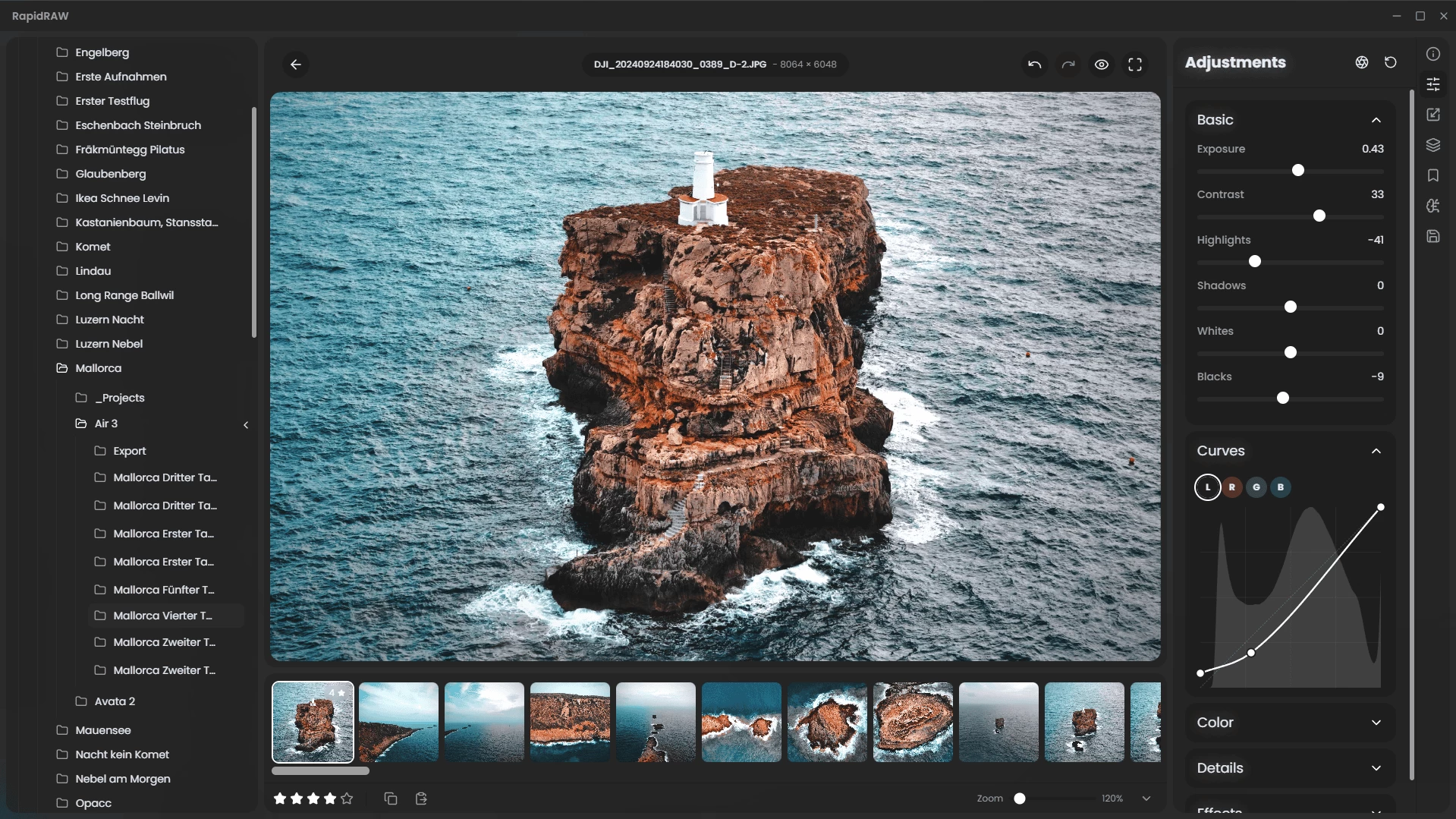
RapidRAW is a beautiful, non-destructive, GPU‑accelerated RAW image editor designed for speed and simplicity. It uses a lightweight (~30 MB), efficient code base built with Rust, React and Tauri. Ideal for Lightroom workflows, it offers rich editing tools—exposure, contrast, highlights, shadows, whites/blacks, tone curves, HSL mixer, dehaze, vignetting, film grain, sharpening, clarity and noise reduction—processed in real-time on the GPU.
Features include intuitive masking (brush, linear, radial, AI-powered subject and foreground detection), generative edit layers (via ComfyUI), 32‑bit precision, and full RAW format support through rawler. RapidRAW also provides library management (folder navigation, ratings, metadata, EXIF viewer), batch operations, export presets (JPEG/PNG/TIFF), sidecar editing (.rrdata), undo/redo history, customizable UI themes, smooth animations, resizable panels, and preset copy/paste.
A modern high-performance Lightroom alternative with polished UX and creative tools, RapidRAW brings powerful photo editing to photographers seeking speed, responsive GPU feedback, and streamlined workflows.
RapidRAW 1.5.0 changelog:
- This update focuses on streamlining workflow efficiency and improving core image-processing quality. It introduces automated tools for faster initial setup, upgrades to tonal rendering to preserve fine details, expanded AI-driven organization, full XMP metadata syncing, and a substantial set of stability fixes.
New Features
Automatic Negative Conversion
- A new one-click film-scan inversion tool has been added. It automatically analyzes the film base and converts negative scans into accurate positive images. This feature is powered by the NegPy implementation created by @marcinz606.
HDR Merge
- The application now supports merging multiple exposures into a single High Dynamic Range image. This enables photographers to combine bracketed shots and recover highlights and shadows beyond the range of a single RAW capture.
Detail-Aware Tonal Adjustments
- The tonal adjustment engine has been overhauled for significantly better detail retention.
- Previous versions tended to blur or flatten textures when pushing shadow recovery. The updated system uses newly integrated tonal-detail masks that more precisely target luminance levels while protecting local contrast and fine textures.
Custom AI Tagging
- Users can now define custom keyword sets for automated tagging. The AI analyzes each image and applies the most relevant tags from the user’s list, making it easier to organize large shoots—such as categorizing images by scene type (“day,” “night,” “indoor,” etc.).
XMP Metadata Read/Sync
- Full XMP sidecar synchronization is now supported. The app can read and write metadata including ratings, color labels, and tags, improving interoperability with other editors and digital asset managers. Sync behavior is configurable in settings.
Dropdown History
- Right-clicking Undo or Redo now reveals a full edit-history dropdown, allowing quick jumps to earlier states without cycling step-by-step through the history stack.
New Composition Guide Overlays
- The crop tool now includes a set of additional composition overlays—such as Golden Ratio and Diagonals—to assist with more precise framing.
Core Improvements
- Improved Image Canvas: Added single-click zoom, improved state memory (it remembers your previous zoom level), and implemented smoother exponential zooming.
- Performance: Faster, non-blocking fullscreen preview, improved image loading times and optimized live previews.
- Window State: The main window now remembers its size and position between sessions.
- Instant Metadata Loading: Metadata parsing is now significantly faster.
- Brush Tool: You can now draw straight mask lines by holding Shift + Click.
- Database: Enhanced Lensfun DB parsing and improved lens separation logic.
- Export: Added the ability to export masks as separate image files.
- LineaRAW: Exposed a setting for Linear RAW mode to fix pink casts and color artifacts.
- Bug Fixes: Fixed many, many, many bugs.
Download: RapidRAW 1.5.0 | ARM64 | ~20.0 MB (Open Source)
View: RapidRAW Home Page | Screenshot | Other operating systems