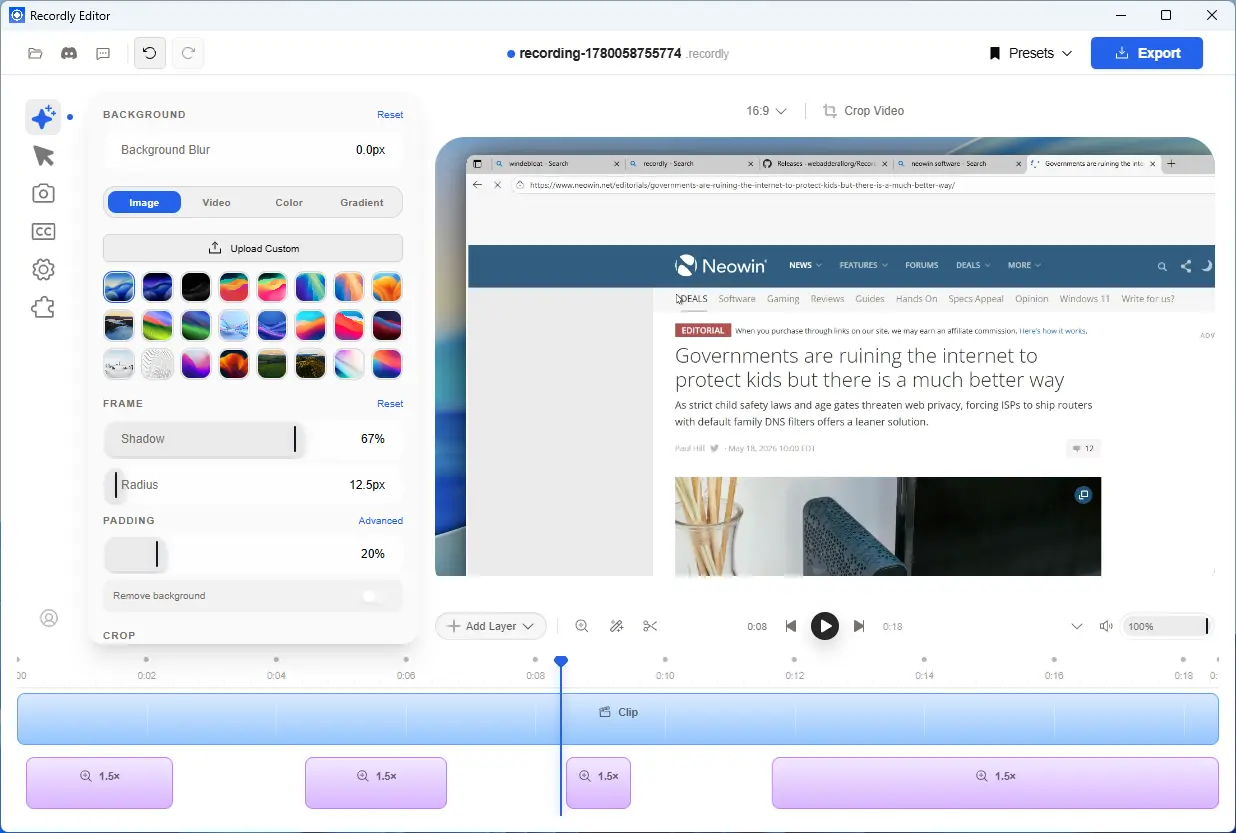
Recordly is a desktop screen recording and editing app designed for creators, developers, and educators who want polished videos without complex workflows. It combines recording, editing, and motion design tools in one place, including auto zoom suggestions, smooth cursor effects, and webcam overlay support.
Users can build professional demos with timeline editing, drag and drop controls, annotations, speed regions, and crop aware adjustments. It also supports cursor smoothing, click effects, motion blur, and loop modes for cleaner presentation recordings and tutorials. Recordly enables customizable frames, wallpapers, gradients, shadows, and export options for MP4 and GIF formats with high quality output.
Free & open-source Recordly is fully free and open‑source, with no paywalls or hidden limits. Transparent, community‑driven, and built for creators who value control.
Recordly key features:
- Record an entire display or a single app window
- Capture microphone audio and system audio
- Drag-and-drop timeline editing
- Add manual zoom regions
- Use automatic zoom suggestions based on cursor activity
- Add speed-up and slow-down regions
- Add text, image, and figure annotations
- Add extra audio regions on the timeline
- Crop the recorded frame
- macOS-style cursor assets for the rendered overlay
- Enable or disable webcam overlay footage
- Upload, replace, or remove webcam footage
- Frame Styling and Backgrounds
- Built-in wallpapers
- Runtime wallpaper discovery from the wallpapers directory
- Custom uploaded backgrounds / Solid color backgrounds / Gradient backgrounds
- Background blur, Drop shadows ...and more.
Recordly 1.33 changelog:
- Fixed HUD/webcam preview bounds so the floating webcam thumbnail no longer collapses during recording.
- Fixed HUD passthrough/clickability after hiding and showing webcam preview.
- Improved timeline clip dragging, reordering, timeline extension, and drag previews.
- Fixed Linux HUD fallback menu bounds and improved Linux X11 source routing.
- Fixed saved presets not restoring crop region settings.
- Kept fresh-recording clips visible while background analysis is running.
- fix(linux): route X11 capture through real sources by @meiiie in #613
- fix(presets): preserve crop region by @meiiie in #614
- fix(recording): preserve webcam preview HUD bounds by @meiiie in #611
- fix(linux): expand HUD fallback for menus by @meiiie in #612
- fix(timeline): keep clips visible during analysis by @meiiie in #615
- fix(editor): patch HUD passthrough and timeline clip drag by @meiiie in #616
- chore(release): prepare v1.3.3 by @meiiie in #617
Download: Recordly 1.33 | 208.0 MB (Open Source)
Links: Website | GitHub | Screenshot