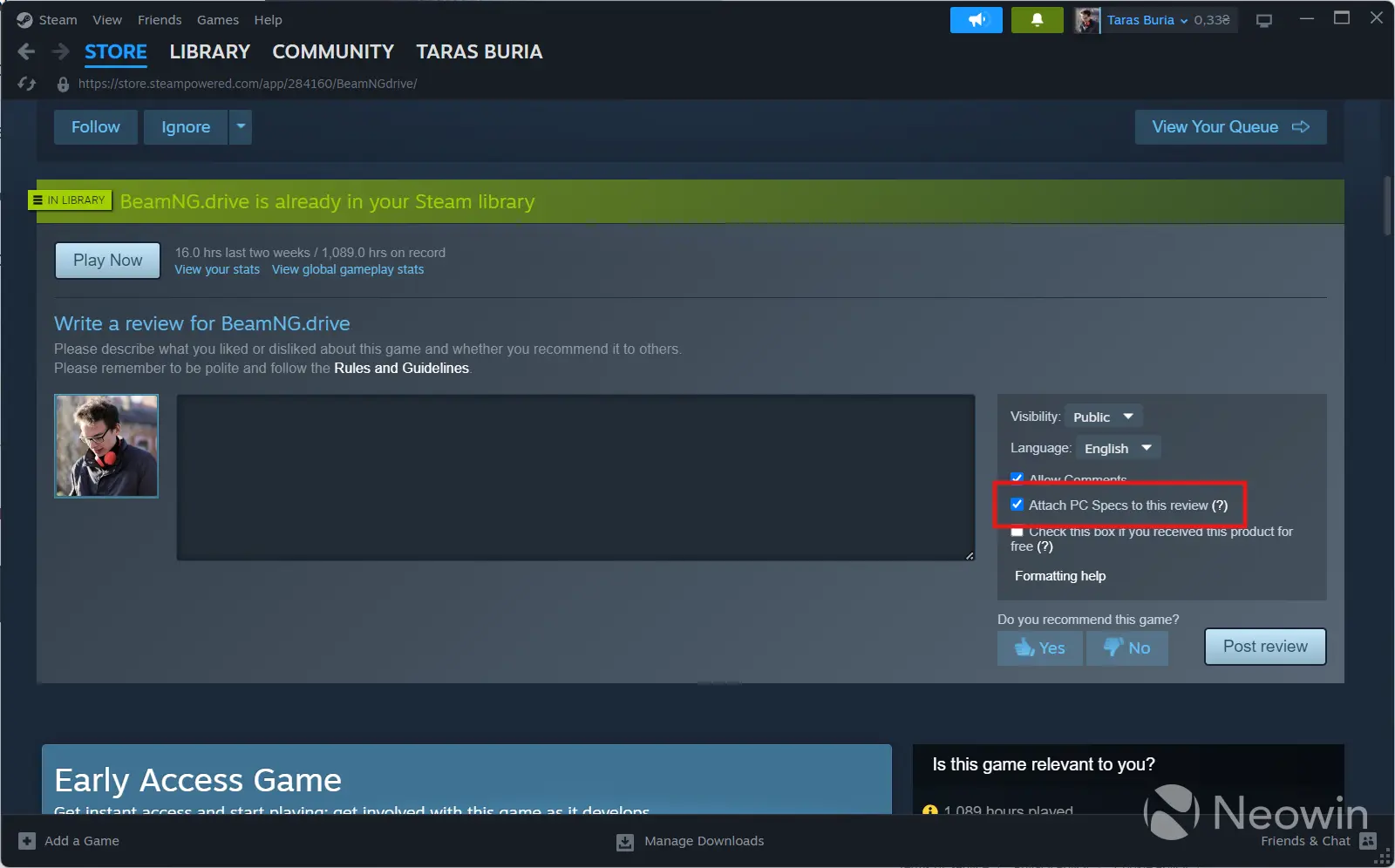
Valve has released a new beta update for the Steam client, which introduces several interesting changes to the platform. One of the key changes in the latest update is improved game reviews, where users can now attach their PC specs to each review, making it easier for others to see what hardware other people use to play certain games.
After installing the update, you will see a new toggle in the review section called "Attach PC specs to this review." Ticking it will open a new UI with your PC configuration, and if you have several PCs with Steam logged in, Steam will let you create several hardware specs and use the corresponding one. However, as of writing this article, the UI seems a little botched, but I still managed to save my PC"s specs for reviews.
For SteamOS, Valve released a new option that allows gamers to provide anonymized framerate data to help Valve figure out game compatibility. Additionally, Steam Deck users can now disagree with game verification for the console and provide an optional explanation.
Here is the rest of the changelog:
- Display the highest resolution capsule image available for the featured game in the Recent Games carousel when online.
- Fixed an issue that could make the currently selected element rapidly gain and lose focus, which could also result in gamepad inputs being ignored.
- Fixed an issue that made it impossible to install some games if you have a large game library.
- Fixed an issue that prevented your selected keyboard theme from applying while in offline mode.
- Fixed an issue that could cause the gaming mode footer to flicker or disappear.
- Improved setting layout and navigation on desktop, deck and mobile devices.
If you are curious about trying beta updates for Steam, go to Settings > Interface > Steam Beta Participation > Steam Beta Client. After a restart, Steam will get you to the latest preview release.