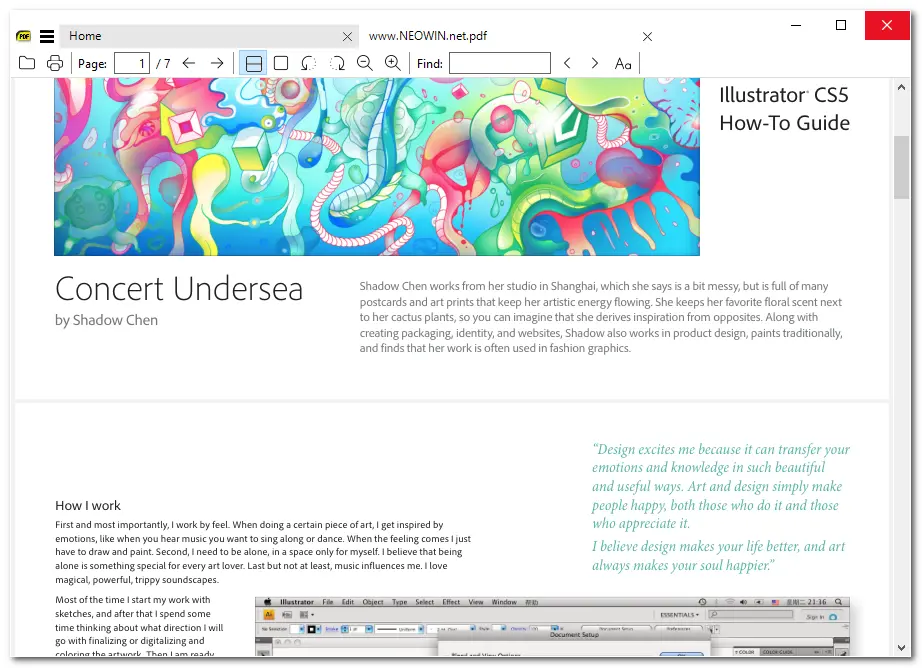
SumatraPDF is a lightweight, open-source PDF reader designed for users who want speed, simplicity, and efficiency without the bloat commonly found in larger document viewers. Available for Windows, it opens PDF files almost instantly and supports a wide range of additional formats, including ePub, MOBI, DjVu, XPS, CHM, and comic book files. Its minimalist interface keeps performance high while still providing essentials like quick search, bookmark support, and customizable keyboard shortcuts—making it an excellent option for productivity-focused users and low-resource systems.
It can be run as a portable application (no installation required) and is highly configurable through advanced options, including custom shortcuts and external viewer support. Its focus on a streamlined reading experience and broad format support has made it a popular alternative to heavier PDF viewers like Adobe Reader.
SumatraPDF 3.6 changelog highlights:
- New: Anti-alias toggle; annotation show/hide toggles; inverse search toggle
- New: More annotation args (bgcolor, opacity, textsize, borderWidth) + FreeTextBackgroundColor & FreeTextOpacity settings
- New: Brotli-compressed PDF support
- New: Manual included (F1)
- New: LazyLoading (default ON) for faster session restore
- New: Command Palette improvements (":" shows all; Delete removes history entries)
- New: Many new commands incl. Close All Tabs, Close Tabs Left, Delete File, Toggle Frequently Read, Toggle Links, Smart Tab Switch, Move Tab Left/Right, Duplicate In New Tab
- New: Commands accept arguments in Shortcuts (annotation colors, scroll/page amounts, inverse search, etc.)
- New: UIFontSize, ShowLinks, ExternalViewers Key, SelectionHandlers Key
- New: Register as .webp handler
- Improved: Zoom (pinch/ctrl+wheel), smooth scrolling, middle-click drag scrolling, theming
- Improved: Touch & wheel scrolling; non-US keyboard shortcut compatibility
- Improved: Home page thumbnails (now 30) + new default sort by recent (opt-out via HomePageSortByFrequentlyRead)
- Improved: Tabs behave like Chrome when closing tab
- Improved: Don’t exit fullscreen on double-click (only upper-right corner)
- Improved: Ctrl-double-click always opens in new tab
- Improved: Settings file now opens in default text editor
- Fixes: Annotation deletion via Del key; tree view full-row select; various stability tweaks
- Changes: Ctrl+Tab / Ctrl+Shift+Tab now Smart Tab Switch (old behavior rebindable)
- Changes: CmdCreateAnnotHighlight etc. no longer copy selection by default (use copytoclipboard)
- Changes: Command Palette no longer combines tabs/history/commands; mode args (@, #, >) supported
- Added: Custom themes support in advanced settings [full release notes]
SumatraPDF 3.6.1 changes:
- bugfixes
Download: Sumatra PDF 64-bit | Portable | ~10.0 MB (Open Source)
Download: Sumatra PDF 32-bit | Portable
Download: Sumatra PDF ARM64 | Portable
View: Sumatra PDF Homepage | Screenshot