A couple of days ago, Microsoft rolled out Patch Tuesday updates (KB5079473) for Windows 11. They contained improvements for Secure Boot, File Explorer, Windows Defender Application Control (WDAC), and more. Apart from this, the release also included features from February"s non-security update, the highlight of which was the new Internet Speed Test utility baked into the Windows 11 taskbar.
On paper, this sounds like an excellent tool to have at your disposal, but unfortunately, the reality is kind of disappointing. You would hope that if you open the baked-in speed test utility on your operating system, you"ll likely see a native interface for an app that quickly tells you what your internet speed is. However, this is not really the case.
If you right-click the internet icon on your Taskbar and click Perform speed test, it will quickly launch a new browser window and open a speed test utility in Bing. You"ll then have to click the Start button in this interface to actually trigger an internet speed test:
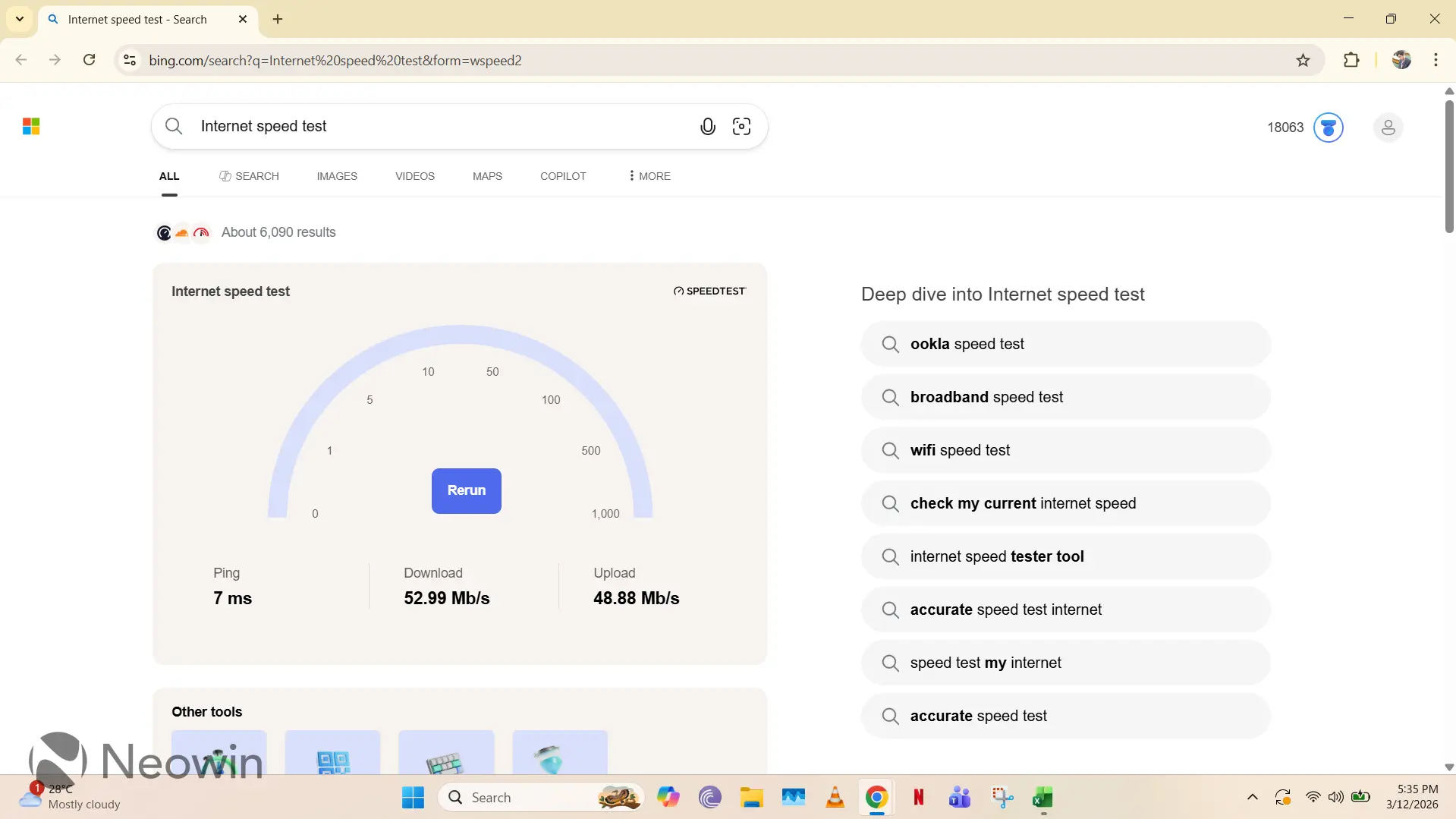
So, basically, the Internet Speed Test utility in Windows 11 is just a glorified shortcut to this URL in Bing.com. The speed test itself is powered by Ookla, which also means that you can even open the vendor"s site to run the same test, if you want.
It feels like a very bare-bones implementation, and its primary purpose seems like getting those Bing usage metrics up. You would expect a trillion-dollar company to put some more effort into a supposedly native utility that is being touted in an operating system used by over a billion people, but instead, it just feels like someone ticked a box.
To be fair, this implementation could have been a lot worse. Even though it does not respect your search engine preferences, it does respect your browser preferences, surprisingly. It will force-launch the speed test via Bing, but it won"t forcefully open Microsoft Edge. This is a bit uncharacteristic looking at Microsoft"s history, but we"ll take all the wins that we can get. Who knows, Microsoft may launch this utility in Edge with its next Windows update, so enjoy it while you can.