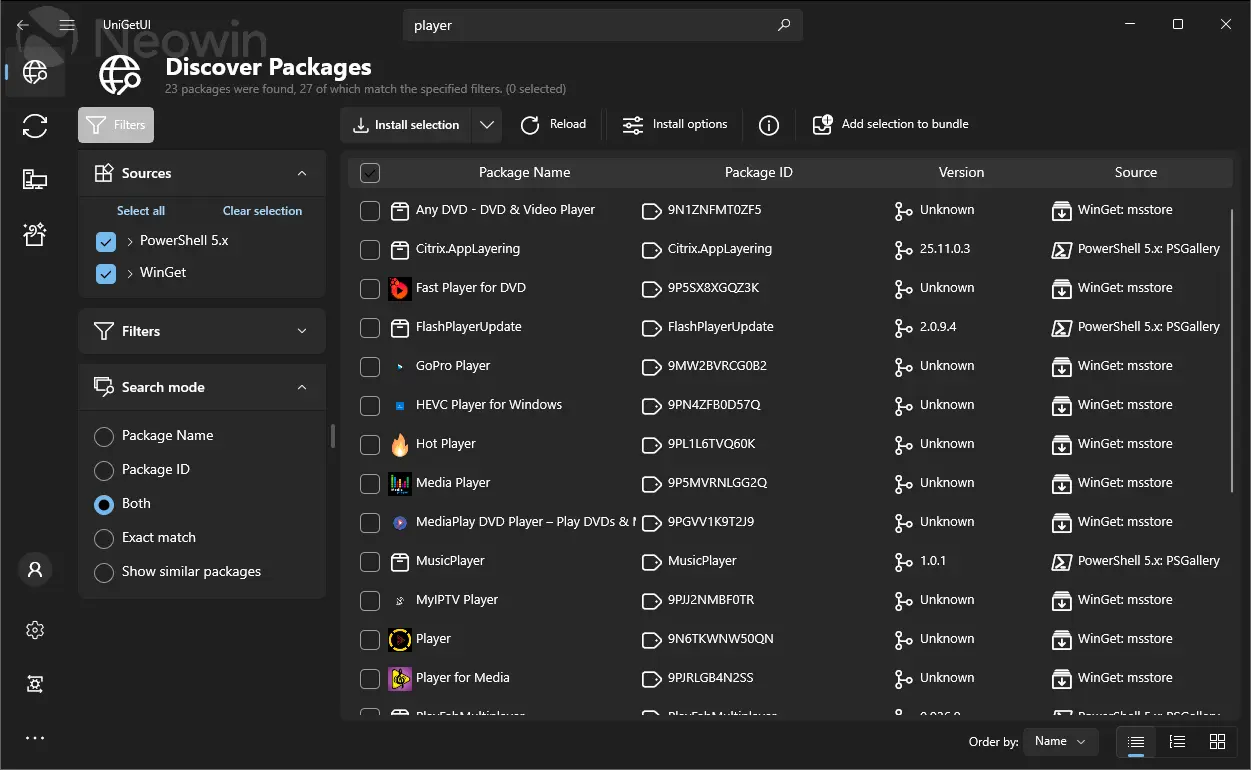
UniGetUI is an application whose main goal is to create an intuitive GUI for the most common CLI package managers for Windows 10 and Windows 11, such as Winget, Scoop and Chocolatey. With UniGetUI, you"ll be able to download, install, update and uninstall any software that"s published on the supported package managers — and so much more.
UniGetUI features
- Install, update and remove software from your system easily at one click: UniGetUI combines the packages from the most used package managers for windows: WinGet, Chocolatey, Scoop, Pip, Npm and .NET Tool.
- Discover new packages and filter them to easily find the package you want.
- View detailed metadata about any package before installing it. Get the direct download URL or the name of the publisher, as well as the size of the download.
- Easily bulk-install, update or uninstall multiple packages at once selecting multiple packages before performing an operation
- Automatically update packages, or be notified when updates become available. Skip versions or completely ignore updates in a per-package basis.
- Manage your available updates at the touch of a button from the Widgets pane or from Dev Home pane with UniGetUI Widgets.
- The system tray icon will also show the available updates and installed package, to efficiently update a program or remove a package from your system.
- Easily customize how and where packages are installed. Select different installation options and switches for each package. Install an older version or force to install a 32bit architecture. [But don"t worry, those options will be saved for future updates for this package]
- Share packages with your friends to show them off that program you found. Here is an example: Hey @friend, Check out this program!
- Export custom lists of packages to then import them to another machine and install those packages with previously-specified, custom installation parameters. Setting up machines or configuring a specific software setup has never been easier.
- Backup your packages to a local file to easily recover your setup in a matter of seconds when migrating to a new machine
Devolutions UniGetUI 2026.1.9 changelog:
This release is focused on important bug fixes and improvements for all platforms, providing a more stable experience.
Highlights
- macOS Code Signing Improvements. All macOS build artifacts are now properly code signed. This resolves trust/security prompts on recent macOS versions.
Fixes
-
Fix color issues for operation output and theme switching
-
Fix Pinget detection and Avalonia WinGet settings
-
Fix for Portable package being deleted when updating
-
Avalonia: Updated packages now auto-remove from the updates list
-
Avalonia: fix Windows elevator not working
-
Avalonia: Fix application crash with webview
Download: UniGetUI 64-bit | Portable | ~200.0 MB (Open Source)
Download: UniGetUI ARM64 | Portable
Links: UniGetUI Home Page | GitHub | Screenshot