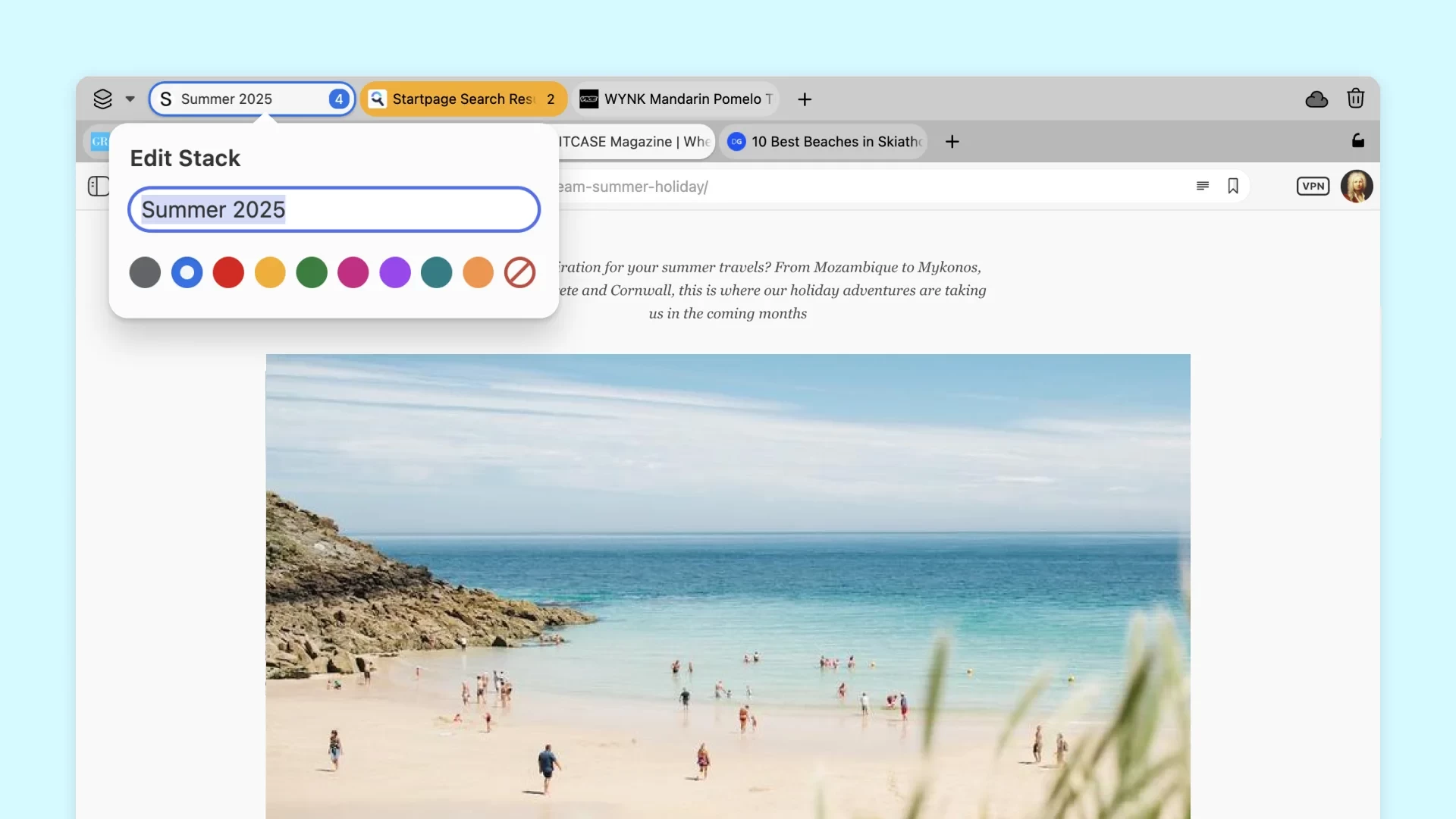
Vivaldi Technologies has released a new feature update for the Vivaldi browser. Version 7.5 is now available with some much-requested features by the community, privacy improvements, bug fixes, and other changes. The release is not the biggest one, but it still packs useful changes, such as colorful tab stacks, a reworked tab context menu, and multiple improvements under the hood:
This update brings both refinement and power. It’s a release shaped by your feedback and driven by our commitment to putting you in full control of your browser. With long-requested colored Tab Stacks, enhanced privacy through DNS over HTTPS, and a host of meaningful improvements across the board, it’s about delivering the thoughtful upgrades that make a real difference in how you browse every day.
Vivaldi now supports colorful Tab Stacks. This feature groups related tabs and helps you keep everything well-organized. Now, besides giving your stacks names, you can assign colors, which makes it easier to find the stack you need. Developers also added a new dialog: right-click a stack, click "Edit Stack," and give it a new name or choose a color.
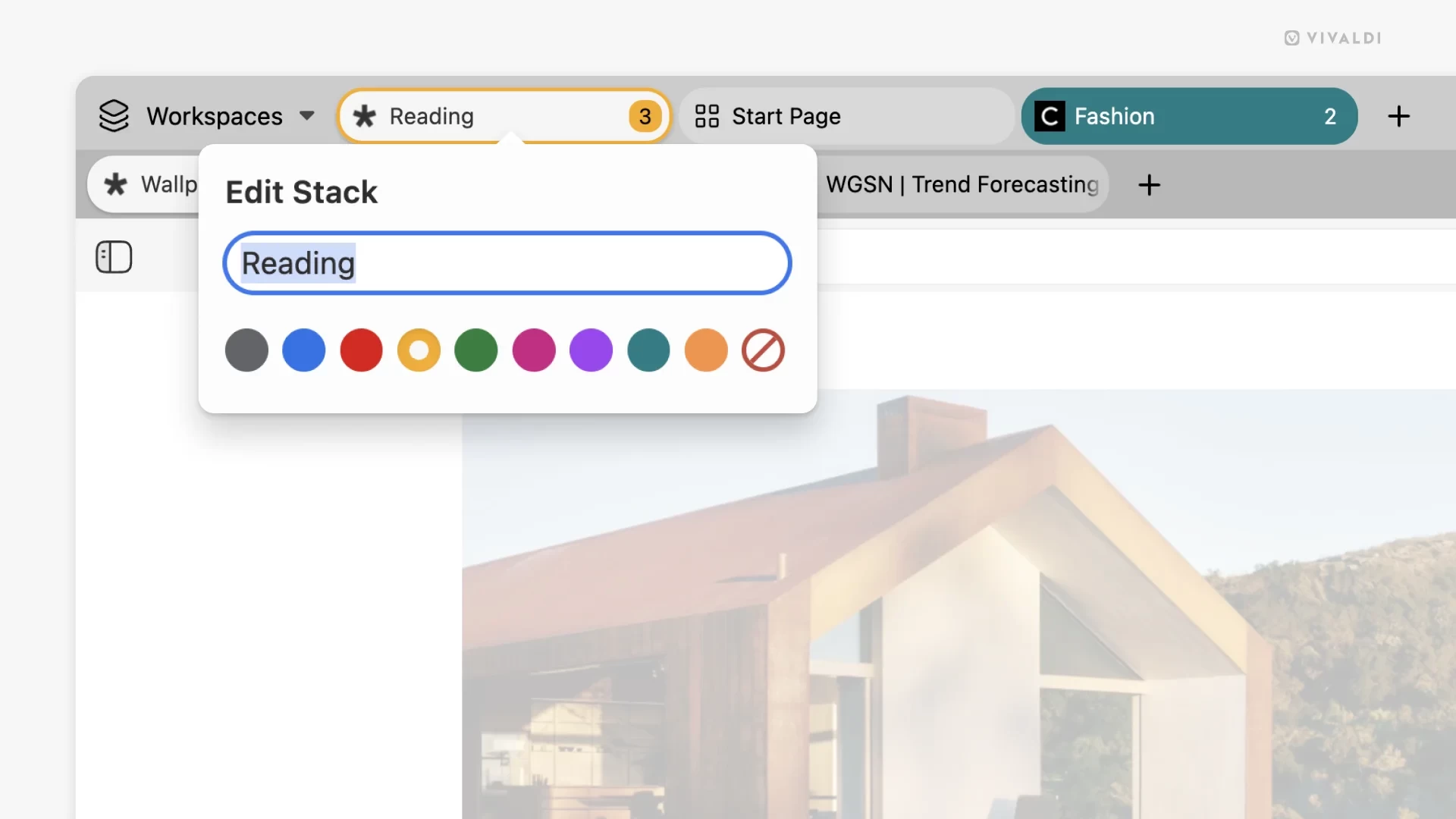
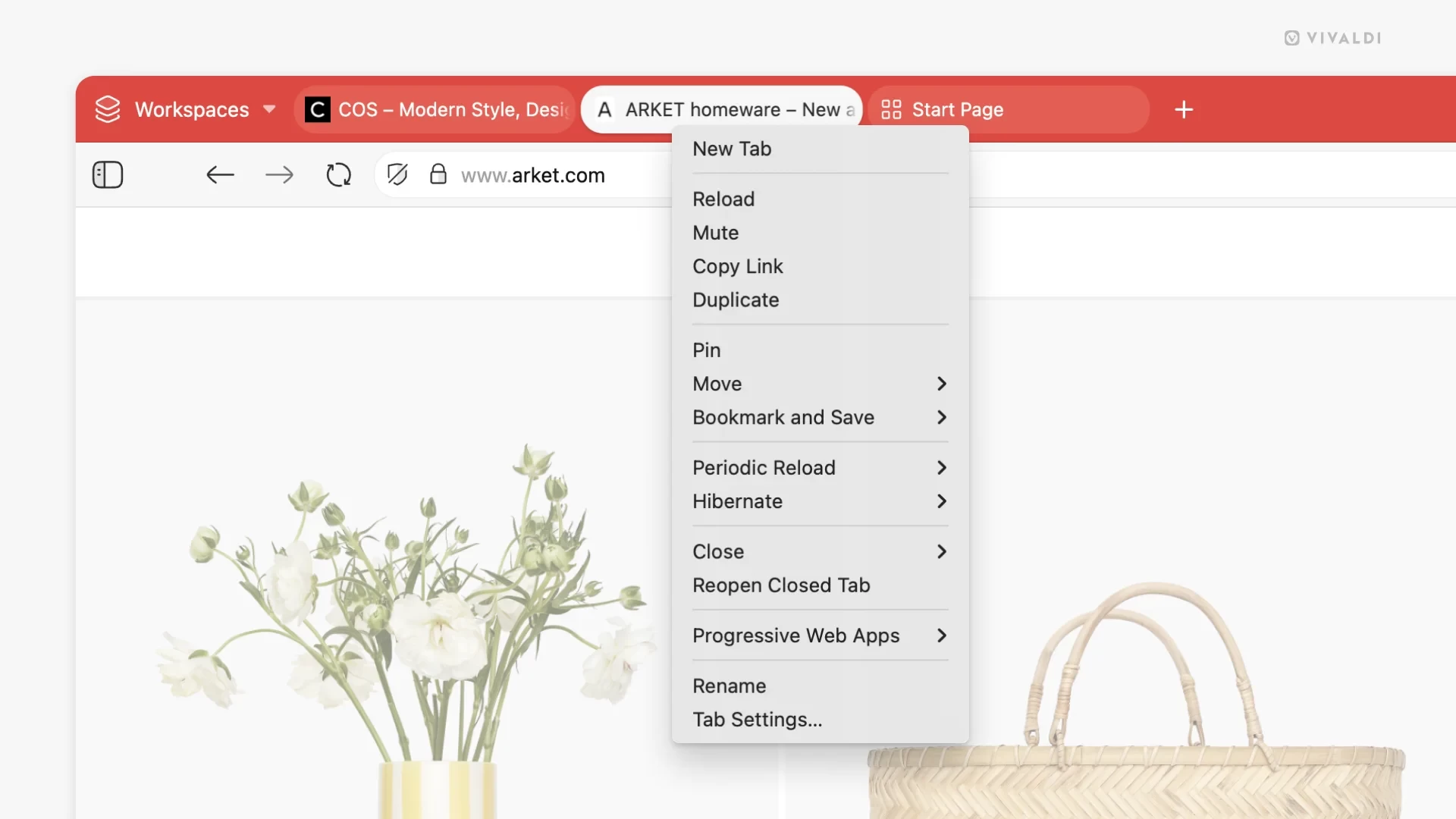
The browser also received a cleaner and better-organized tab context menu. Vivaldi says the new version is more intuitive and easier to use. Another important change is the ability to define a custom DNS provider with support for DNS over HTTPS.
Finally, here are some of the under-the-hood improvements in Vivaldi 7.5:
- Address Bar: Fixed focus weirdness, suggestion hiccups, and dropdown quirks
- Ad Blocker: Now supports badfilter, strict3p, and strict1p rules
- Bookmarks & Notes: Better drag-and-drop, with clearer visual feedback
- Mail & Calendar: Smarter threading, invite handling, and polish throughout
- Dashboard & Widgets: Layout tweaks, transparency improvements, drag-and-drop goodness
- Quick Commands: Now shows synced tabs and handles errors more gracefully
- Settings: UI improvements across the board, from DNS input to workspace rules visibility
You can find the complete changelog for Vivaldi 7.5 in a blog post on the official website. If you want to try this highly customizable browser, download it using this link.