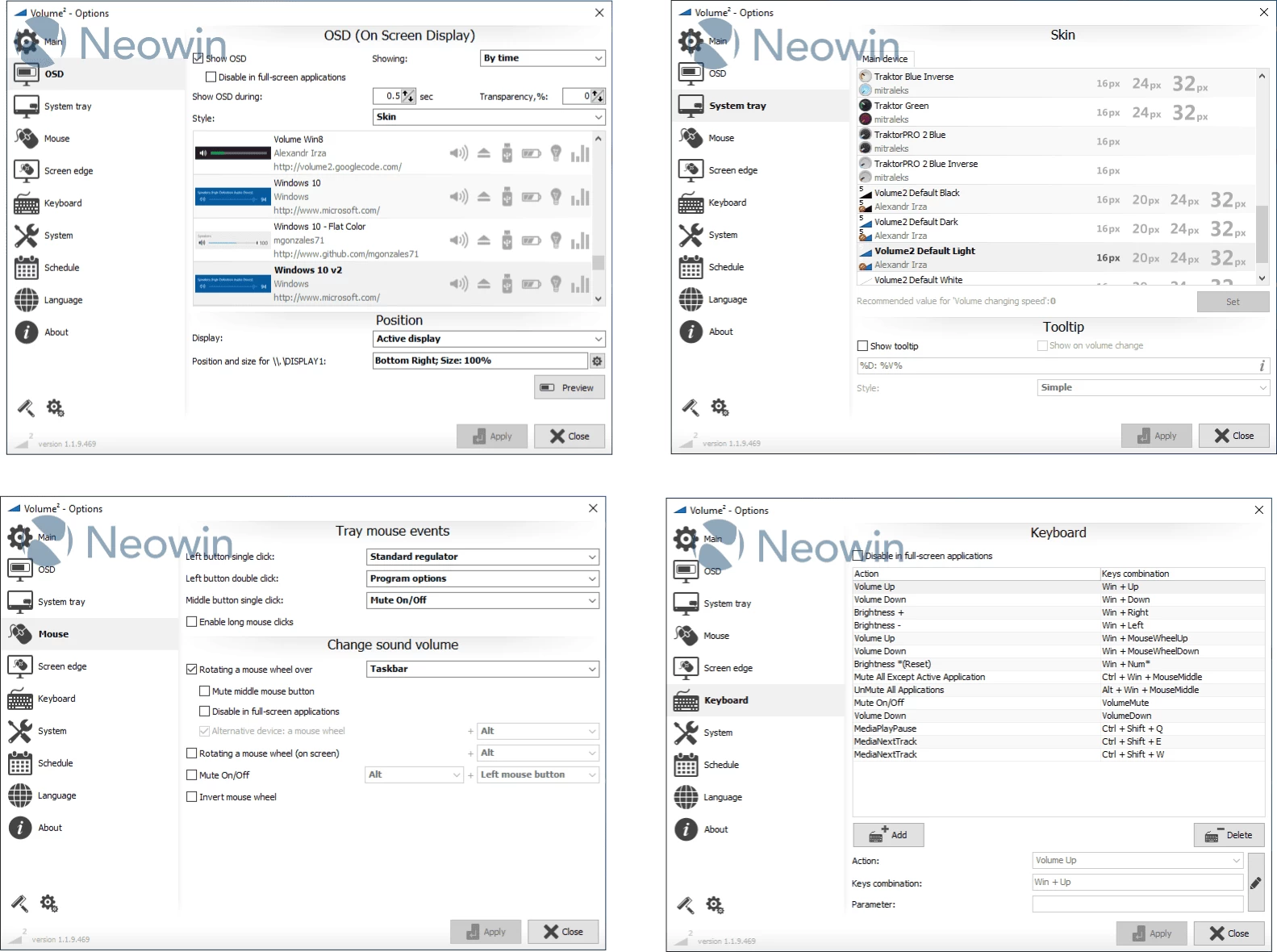
Volume² is a powerful audio management tool for Windows, designed to replace the default volume control with a much more flexible solution. It features an advanced audio mixer, detailed volume adjustment options, scheduling capabilities, on-screen volume indicators, command-line support, and the ability to save or switch between unlimited presets using a single mouse click or global hotkeys. The program also offers a multilingual interface, with translations available in over 20 languages including English, Russian, German, Spanish, Chinese, French, Italian, Romanian, Japanese, Korean, and many more.
Supported operating systems: Windows XP, Windows Vista, Windows 7, Windows 8/8.1, Windows 10, Windows 11.
Volume² features:
- Volume Notification, Mute Notification, Control from Hotkeys.
- Brightness Control using Hotkeys.
- Balance channel Control using Hotkeys.
- Screen edges, can be used, such that sliding your mouse up and down the side of the screen will toggle volume up/down
- Support events to set Volume value
- Support command line
- Plays sound on every Notification.
- CD/DVD Drive Ejection using Hotkeys.
- System tray Volume Status/Mute Icon showing current Volume.
- Safely remove USB drive
- Control volume by channels with mouse wheel (for 5.1 or 7.1 audio system)
- Show OSD on monitor where is active application
Volume² v1.1.9.469 changelog:
- Volume² will be provided only in 64 bit
- Fixed: Wrong tray icon was shown after changing DPI (#369)
- Possible fix for refresh devices after connecting BT headphones (#342)
- Added "Active Applications" item for Change Volume for : Applicatio List (#340)
- Added support for dBFS value (tooltip and OSD text) (#362)
- Fixed: Off mute did not work for logarithmic method (#366)
- Fixed: Command line was broken and did not support case sensitive keys (#348)
- Fixed: balance was changed when you do not expect this (#360)
- Added possibility to set default audio device from scheduler (#337)
- Added support system variables for running application (#339)
- Fixed command line keys /MUTE ALTDEVICE (#338)
- Device may get missing after wake from hibernation(#201)
- Added ability to add devices to the favorite list. This list is used for tray context menu and Set Next/Prev Default Device function (#311)
- Added support for horizontal mouse scroll (#309)
- Clicking on tray icon again while mixer is open (if left button single click set to volume mixer) should close the mixer (#298)
Download: Volume² v1.1.9.469 | 10.8 MB (Freeware)
Download: Portable Volume² v1.1.9.469 | 10.6 MB
View: Volume² Home Page | Github | Screenshot