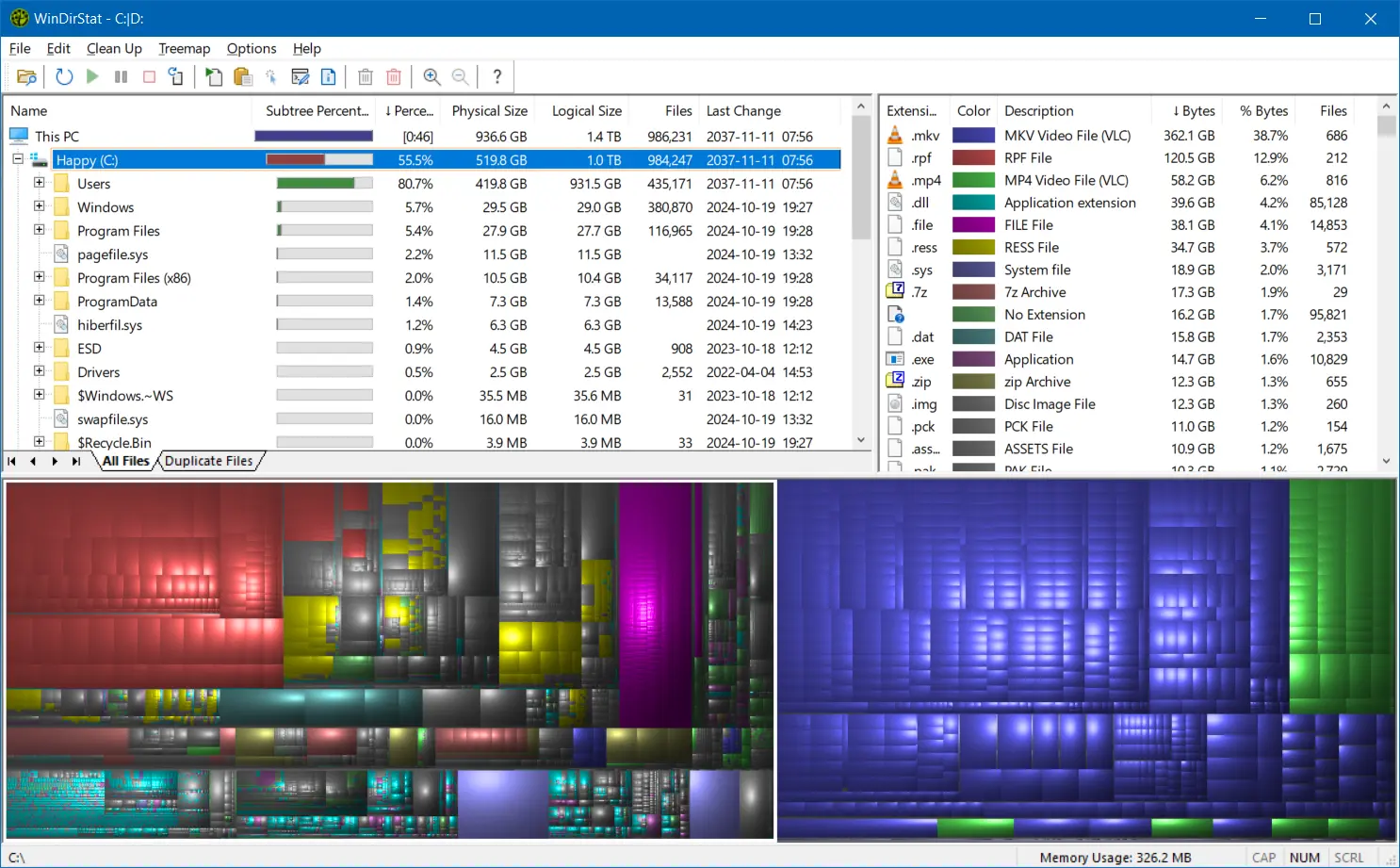
WinDirStat is a free, open-source disk usage analyzer for Windows that helps users understand how storage space is being used across drives and folders. It scans local drives, selected drives, individual folders, and command-line targets, then shows where storage is being used through a sortable directory tree, an extension/type breakdown, and an interactive treemap where larger files and folders take up larger areas.
Alongside the visual overview, WinDirStat helps you investigate and act on disk usage. You can find large files, search and filter results, detect duplicates by hash, inspect logical versus physical size, watch file-system changes, save or reload scans, and launch cleanup or Windows maintenance actions directly from the interface.
WinDirStat 2.x is tested on Windows 7, 8, 8.1, 10, and 11, plus Windows Server 2008 R2 through 2025. It may run on other versions too, but only these are officially supported.
Major features
- Flexible scanning for local drives, selected drives, folders, and command-line targets, with refresh, suspend, resume, stop, fast NTFS scanning, multithreading, and elevated privilege support
- All Files, Largest Files, Duplicate Files, Search Results, File Watcher, Extension, and Treemap views
- Interactive treemap navigation with zooming, parent/child reselection, extension labels, logical or physical sizing, and configurable KDirStat or SequoiaView styling
- Sortable file details including logical/physical size, percentages, item counts, attributes, owner, modified time, free/unknown space, hardlinks, and hash prefixes
- Search, duplicate detection, and filtering with regular expressions, configurable hash algorithms, cloud-file safeguards, hardlink deduplication, path/name filters, size filters, and reparse-point exclusions
- File watching and reporting with created/deleted/modified/renamed events, CSV scan import/export, duplicate CSV export, and command-line CSV workflows
- Built-in actions for opening items, copying paths, selecting in Explorer, invoking the Explorer context menu, opening Command Prompt or PowerShell, moving files, showing properties, deleting files, and emptying folders or the Recycle Bin
- Windows cleanup and maintenance shortcuts for Disk Cleanup, Programs and Features, DISM, shadow copies, defrag, CHKDSK, VHDX optimization, hibernate files, user profiles, Mark-of-the-Web tags, sparse files, and NTFS compression
- User-defined cleanup actions plus dark mode, portable settings, Explorer context-menu integration, localization, locale-aware formatting, configurable columns, larger toolbar icons, and high-DPI aware UI behavior
WinDirStat 2.7.0 changelog:
Enhancements
- Added Storage Analytics and cost optimization view
- Added permissions scanning and export capabilities
- Added window layout chooser for the main panes
- Added tools to remove empty folders and change folder dates to last change
- Added folder frames option to treemap visualization
- Added multilingual support for MSI installer
- Added file deletion warning before profile deletions
- Added profile deletion progress tracking
- Added xxHash (XXH3) as a selectable file hashing algorithm
- Added option to group unregistered file extensions
- Added shortcut to launch Microsoft Storage Settings
- Added extension search on double-click in extension list (thanks @harryytm)
- Added selected items count and statistics to status bar (thanks @harryytm)
- Added UTF-8 BOM support for CSV/JSON files
- Improved column width autosizing performance in list and tree views
- Improved progress control rendering and layout behavior
- Improved multi-file operations and multi-selection properties dialog
- Improved CSV/JSON loading performance using buffered reads
- Improved tab spacing in light mode
- Improved Italian translation (thanks @bovirus)
Bug Fixes
- Corrected accelerated scanning on Linux-created NTFS file systems
- Corrected potential crash when scanning root network shares
- Corrected potential shutdown hang or delay after a scan completes
- Corrected potential scan cancellation hang when worker thread is blocked
- Corrected progress bar behavior dropping from 100% back to 99% at scan completion
- Corrected layout alignment and spacing in setting dialogs
- Corrected localization language fallback logic regression (thanks @harryytm)
- Corrected various other minor issues
Miscellaneous
- Added MSIX bundle publishing support in WinGet
- Updated build script to default to the beta configuration after a short delay
Download: WinDirStat 64-bit | WinDirStat 32-bit | Portable (Open Source)
Download: WinDirStat ARM64 | 2.7 MB
View: WinDirStat Website | GitHub | Screenshot