
It is a new build time for Windows Insiders who are testing Canary Builds. Microsoft has just released build 27924, finally bringing to the Canary Channel some of the AI features that are already available to the general public, including Recall, Click to Do, Improved Windows Search, Live captions with real-time translation, and the Settings app agent.
Additionally, the Settings app in Canary builds now has the new Advanced page that replaces the old For Developers section. It allows you to access additional features, such as enabling long paths, virtual workspaces, and File Explorer with version control.
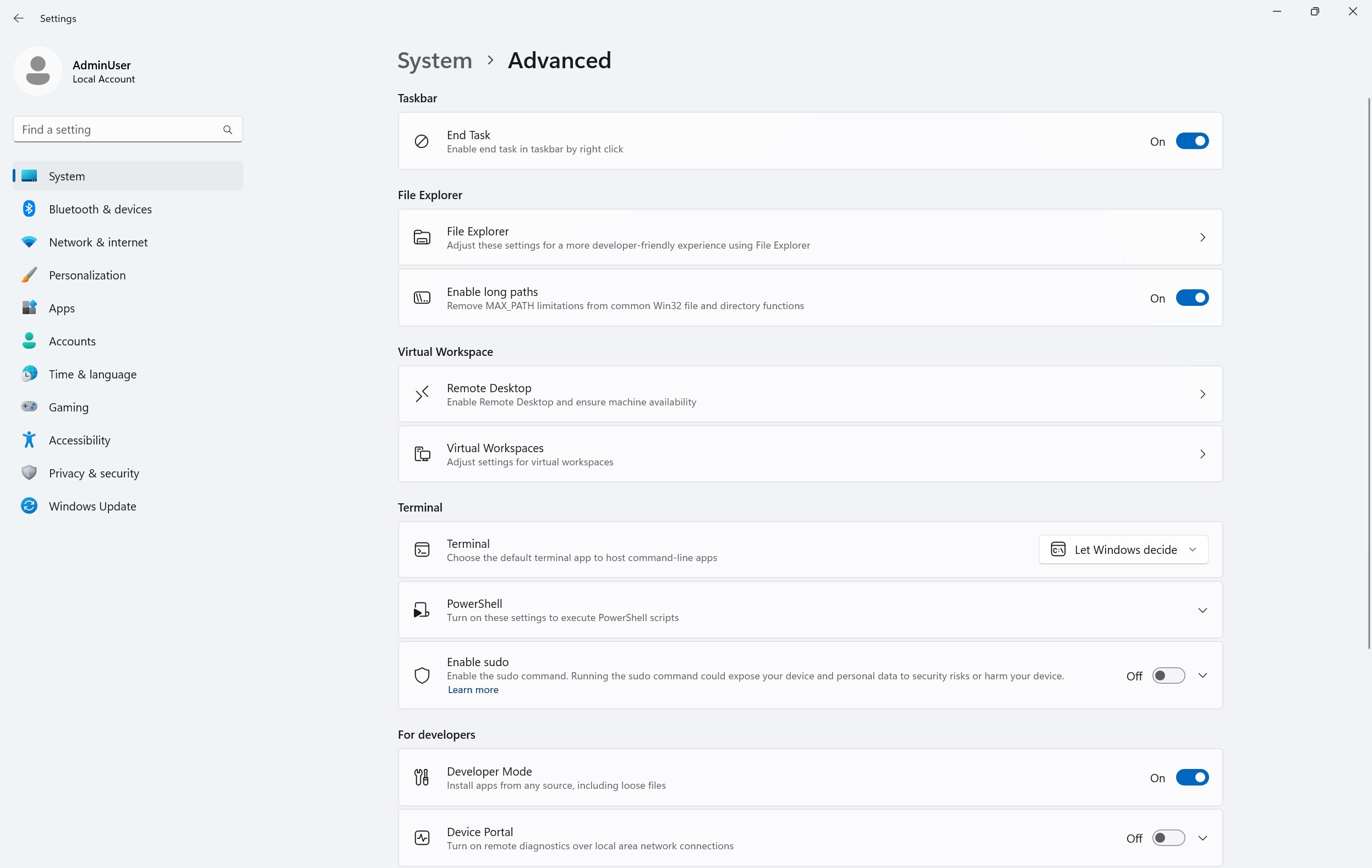
Here is the rest of the changelog:
- [Input]
- Adjusted the pointer indicator to be a little more transparent, so it’s easier to see what’s under the crosshairs when it’s enabled.
- For the time being we have changed the keyboard shortcut for the new pointer indicator from CTRL + WIN + X to CTRL + WIN + ALT + X, to help reduce accidental invocations.
- [Windows MIDI Services]
- The inbox preview MIDI Service and API has a feedback-driven breaking change to optionally allow for waiting for messages to be completely sent before returning from function calls. Any apps written against previous versions of the Windows MIDI Services MIDI 2.0 SDK will need to update to the latest preview available at https://aka.ms/midireleasesand be recompiled to continue working properly.
- [General]
- Fixed an issue where the progress wheel might show as a rectangle glyph instead of rendering correctly when upgrading to the latest builds.
- [Widgets]
- Fixed an issue causing widgets to disappear or not work for some Insiders after the previous flight.
- [Remote desktop]
- Fixed an issue in the latest flights where remote desktop only used your primary monitor even if it was configured to use multiple monitors.
- [Other]
- Fixed an underlying webauth.dll crash in the previous flight which may have impacted the ability to use passkeys.
Here is the list of known issues:
- [General] [IMPORTANT NOTE FOR COPILOT+ PCs] If you are joining the Canary Channel on a new Copilot+ PC from the Dev Channel, Release Preview Channel or retail, you will lose Windows Hello pin and biometrics to sign into your PC with error 0xd0000225 and error message “Something went wrong, and your PIN isn’t available”. You should be able to re-create your PIN by clicking “Set up my PIN”.
- You may see multiple error pop ups about unexpected elements when opening Group Policy Editor.
- There’s an underlying issue with dao360.dll in this build which may result in some apps crashing.
- [Click to Do (Preview)] The following known issues will be fixed in future updates to Windows Insiders:
- [NEW] Text and image actions in Click to Do may not work and Click to Do may crash. This issue will be fixed in the next flight.
You can find the announcement blog post here.