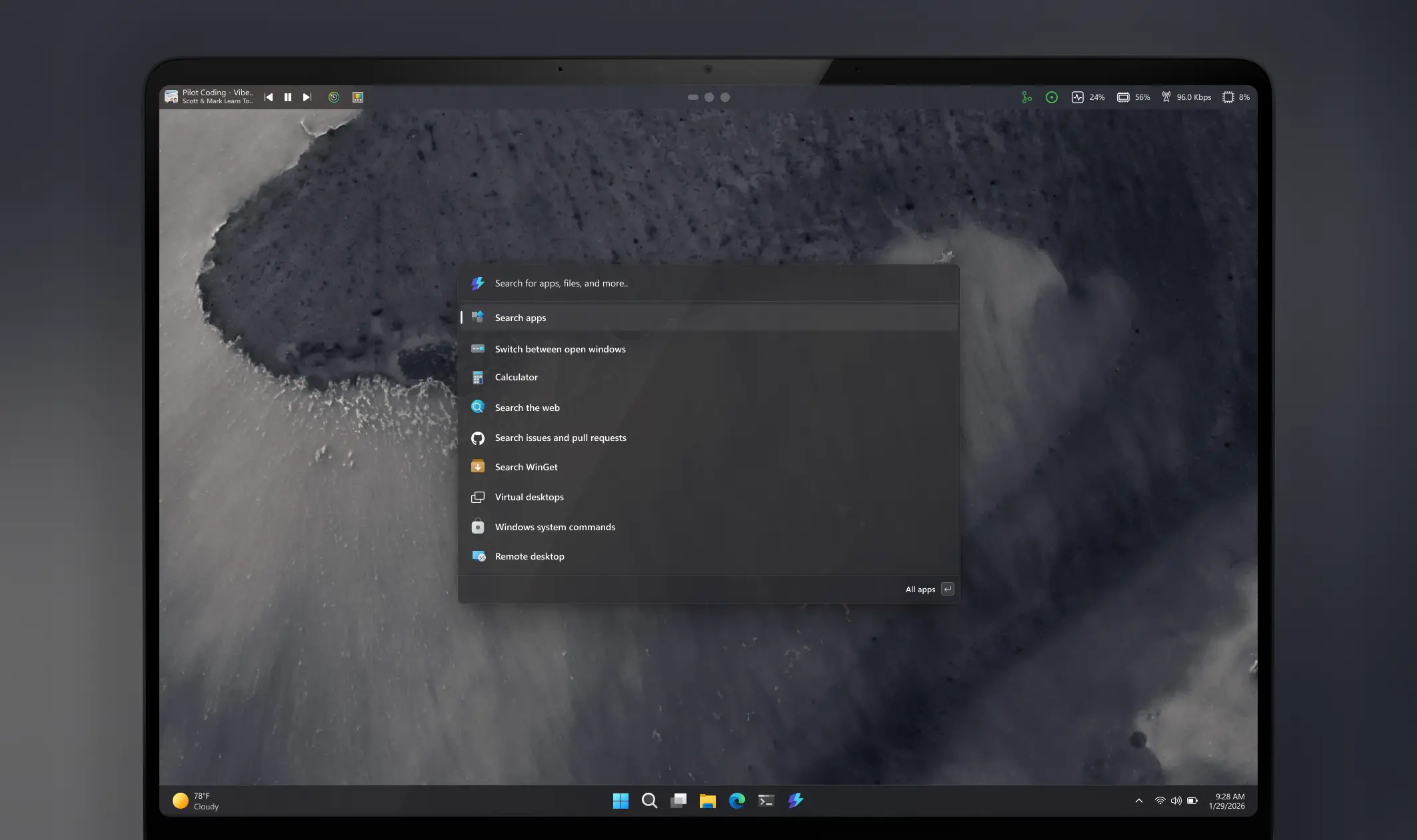
PowerToys already has a multitude of various tools to supercharge the stock Windows experience, and Microsoft now wants to crank it all the way to 11 by introducing an extra taskbar for quick access to various extensions and features.
The proposed Command Palette Dock was posted on PowerToys" GitHub repository with a detailed explanation and concept images. Microsoft wants to make the dock movable to any side of the screen (kind of ironic, given that we still cannot move the stock taskbar) and let you pin your favorite extensions for quick access.
This will allow you access the features you need without opening the Command Palette. Besides quick access, Command Palette Dock could offer useful information at a glance. For example, you can have resource monitoring widgets.
The Command Palette Dock is a new optional UI surface that provides persistent, quick access to selected Command Palette extensions. The dock can be enabled from Command Palette settings and pinned to any edge of the screen.
You’d be able to pin your favorite extensions to the dock for instant access, without opening Command Palette or interrupting their workflow. The goal is quick awareness for the things you want awareness for, below is one of the team’s favorite, active resource monitoring.
Command Palette Dock is quite a stark contrast to the default taskbar with its minimal customization. Microsoft wants not only to let you move the dock to any side of the screen, but it also wants to let you personalize its looks, adjust the background and its opacity, specify where to pin extensions, move them across, and more. It looks like something straight from a Windows 12 concept video, and it is great that Microsoft considers such radical upgrades to the stock experience.
For now, Command Palette Dock is just a proposal, something that developers think about implementing. Microsoft wants your feedback on whether you find it useful, what extensions you would like to pin, and in what scenarios the dock would be useful.
You can learn more about Command Palette Dock on GitHub. Meanwhile, if you want a similar experience, you can try WindowSill, a useful third-party app from a Microsoft engineer that implements a very similar experience.