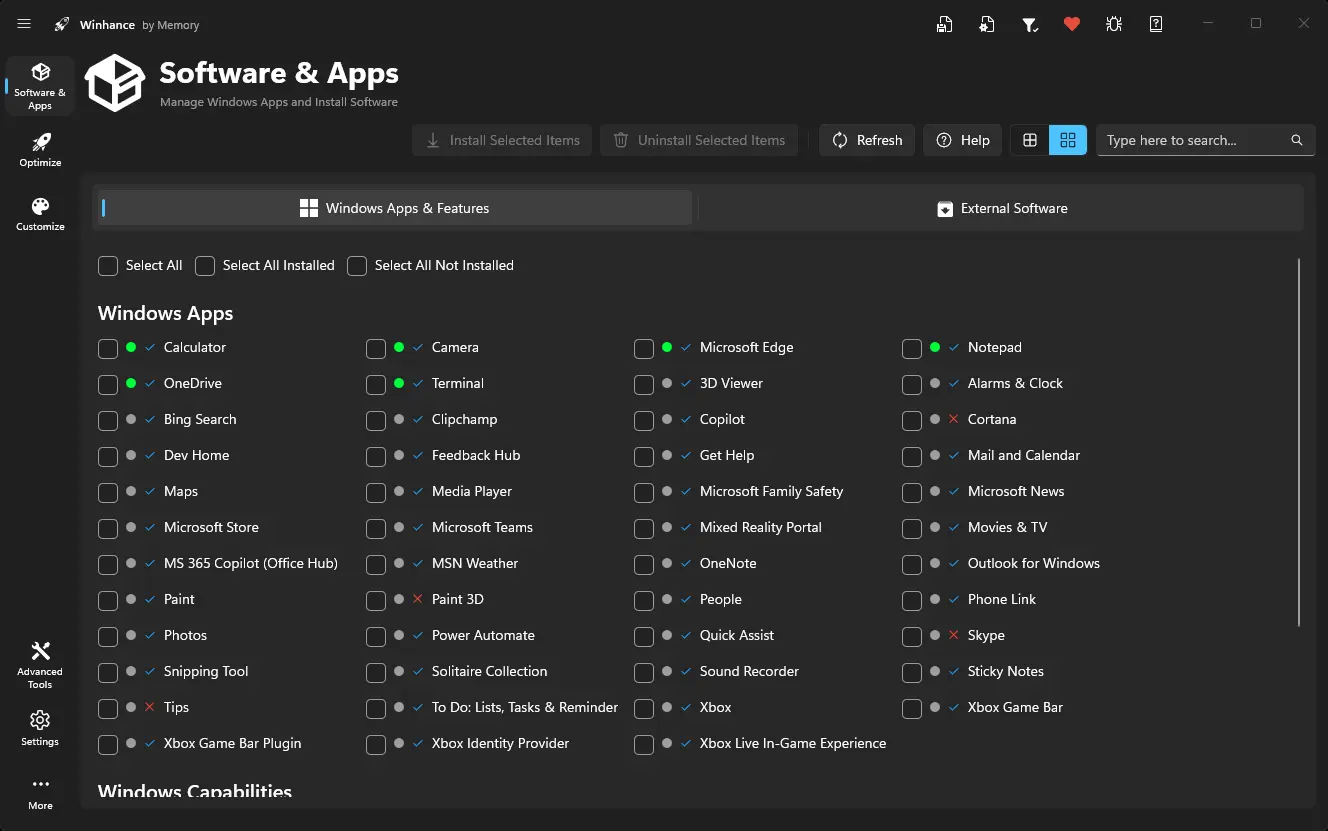
Winhance is an open-source Windows enhancement utility designed to help users debloat, optimize, and customize Windows 10 and 11. It provides a user-friendly interface for removing unwanted apps, legacy components, and optional features safely, giving you more control over your system. With Winhance, you can improve performance, reduce clutter, and enhance privacy without the need for a clean install.
Beyond basic debloating, Winhance offers extensive optimization tools. Users can tweak power plans, adjust gaming and performance settings, control notifications, and manage Windows Update behavior. Privacy-focused settings allow you to limit telemetry and data collection, while system customization options let you personalize the taskbar, Start menu, Explorer, and Windows themes. Winhance also supports installing or removing software efficiently, including external apps via WinGet integration, streamlining both new setups and daily maintenance.
For advanced users and IT professionals, Winhance integrates WIMUtil, a tool for creating custom Windows installation ISOs with automated configuration. You can generate autounattend.xml files, inject drivers, and apply your chosen Winhance settings automatically during installation. Most changes are non-destructive and reversible, with clear explanations in the GUI. Whether you’re optimizing a single PC or managing multiple systems, Winhance delivers a faster, cleaner, and highly personalized Windows experience.
Winhance supports both Windows 10 and Windows 11 64-bit versions. It"s regularly updated to ensure compatibility with the latest Windows updates and features.
Winhance key features:
- Debloat Windows – Safely remove unwanted apps, features, and legacy components.
- Optimize Performance – Tune system settings for speed, responsiveness, and gaming.
- Privacy Enhancements – Control telemetry, data collection, and notifications.
- Power Management – Configure power plans and advanced energy settings.
- Windows Update Control – Adjust update behavior for stability and convenience.
- Theme Customization – Switch between light/dark mode and adjust system colors.
- Taskbar & Start Menu Tweaks – Modify layout, icons, and behavior.
- Explorer Customization – Adjust file explorer appearance and functionality.
- Software Management – Install/remove Windows apps and optional features.
- External Apps Installation – Deploy essential apps via WinGet integration.
- Configuration Management – Save, export, and import Winhance settings easily.
- Automation with WIMUtil – Create custom Windows ISOs with integrated settings.
- Autounattend.xml Generator – Automate Windows installations with preconfigured options.
- Driver Integration – Include current system drivers in custom ISOs.
- Non-Destructive Changes – Reversible settings with clear explanations in the GUI.
Download: Winhance 26.03.12 | 57.5 MB (Open Source)
Links: Winhance Website | Github | Screenshot