Dash cams are like insurance: you do not want to end up in cases for which they were designed. However, should something bad happen, a good dash cam, like good insurance, can help resolve sticky situations and avoid unnecessary headaches. 70mai reached out to me and offered to check out the 4K Omni 360, a high-end dash cam system with some impressive features, stellar video recording quality, and well-designed features. Here is my review.
Disclaimer: 70mai provided the review sample. No review drafts were sent to 70mai for pre-approvals or editorial inputs before publishing this review.
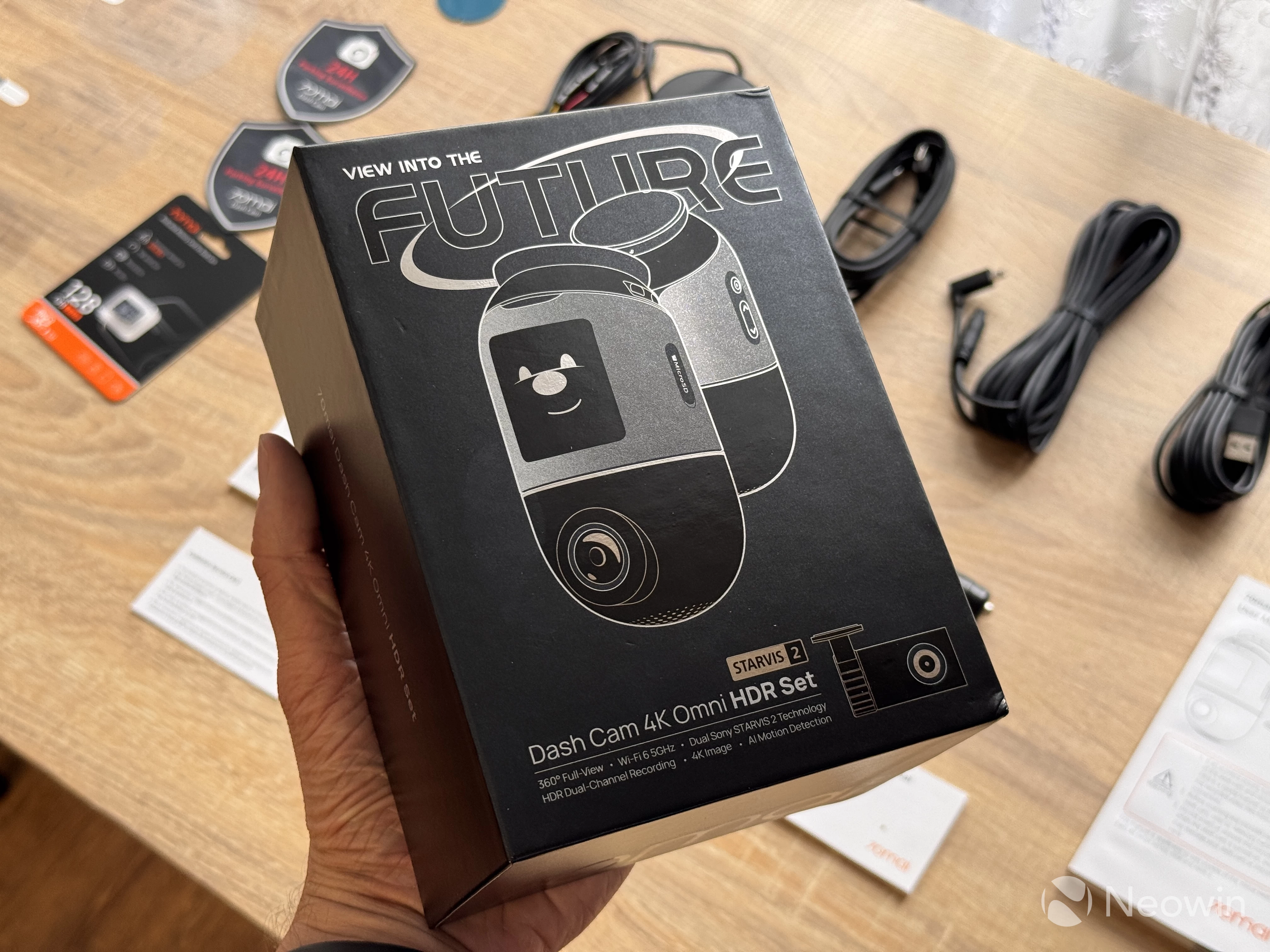
My review sample arrived with a nearly complete package. By default, the dash cam comes as a single unit with a front-facing 360-degree camera. You can spec it with a rear-facing camera, additional hardware kit, a 70mai-branded microSD card, an optional CPL filter, and a battery pack. I received everything but the latter.
In the box
The 4K Omni 360 arrived in a high-quality black box of thick cardboard. Everything was neatly and safely packaged, ensuring a safe travel across the globe. In the box, you will find the following:
- The 4K Omni 360 dash cam
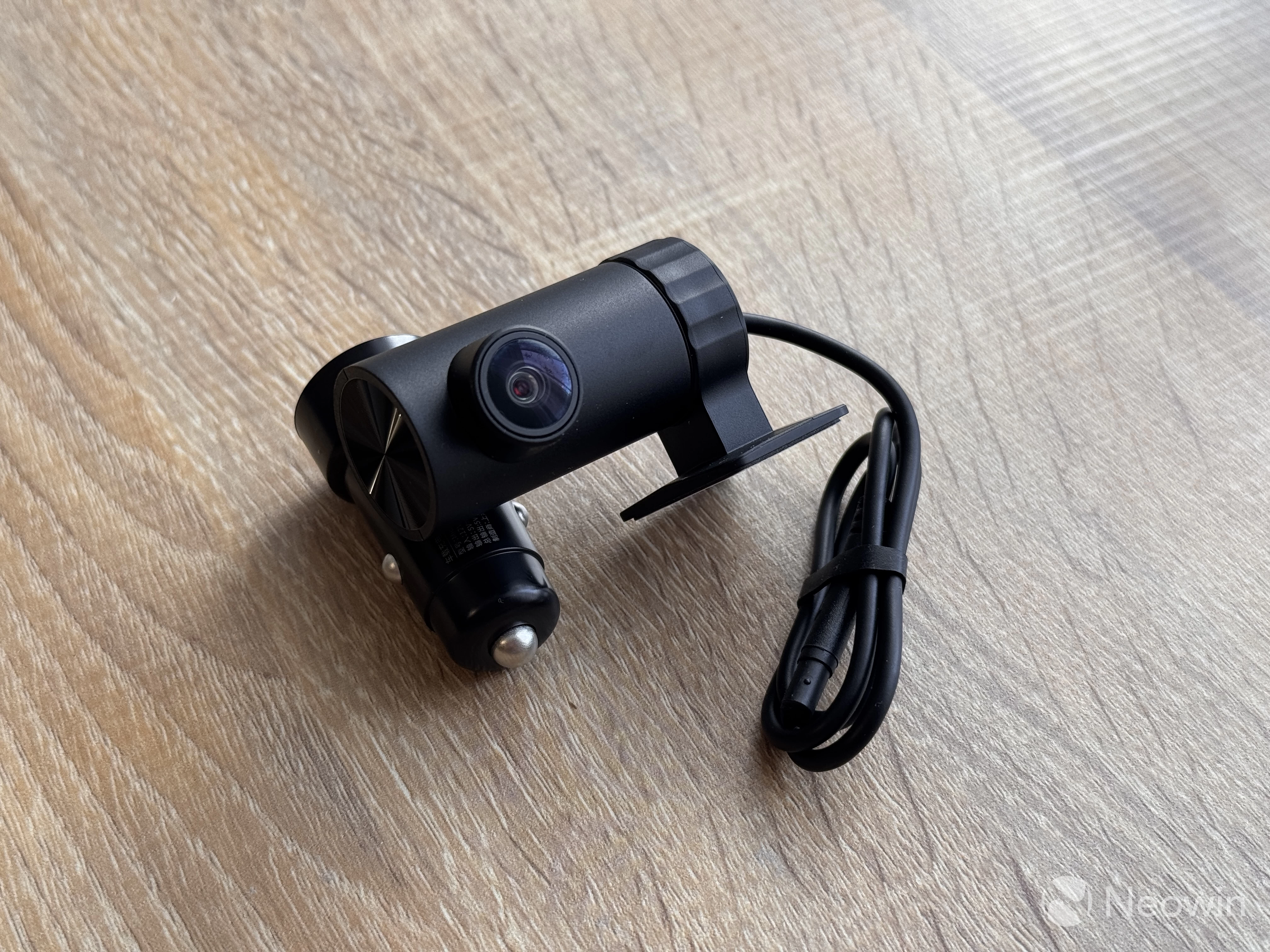
- A rear-facing camera
- A 12V charger with two USB-A ports
- A very long Type-C to Type-A cable
- A very long cable for the rear-facing camera
- Two electrostatic stickers for the front camera
- Two electrostatic stickers for the rear camera
- An extra set of mounts (some heavy-duty double-sided tape)
- Two "24H Parking Surveillance" stickers
- A tool for cable management
- A 128GB microSD card
- User manuals
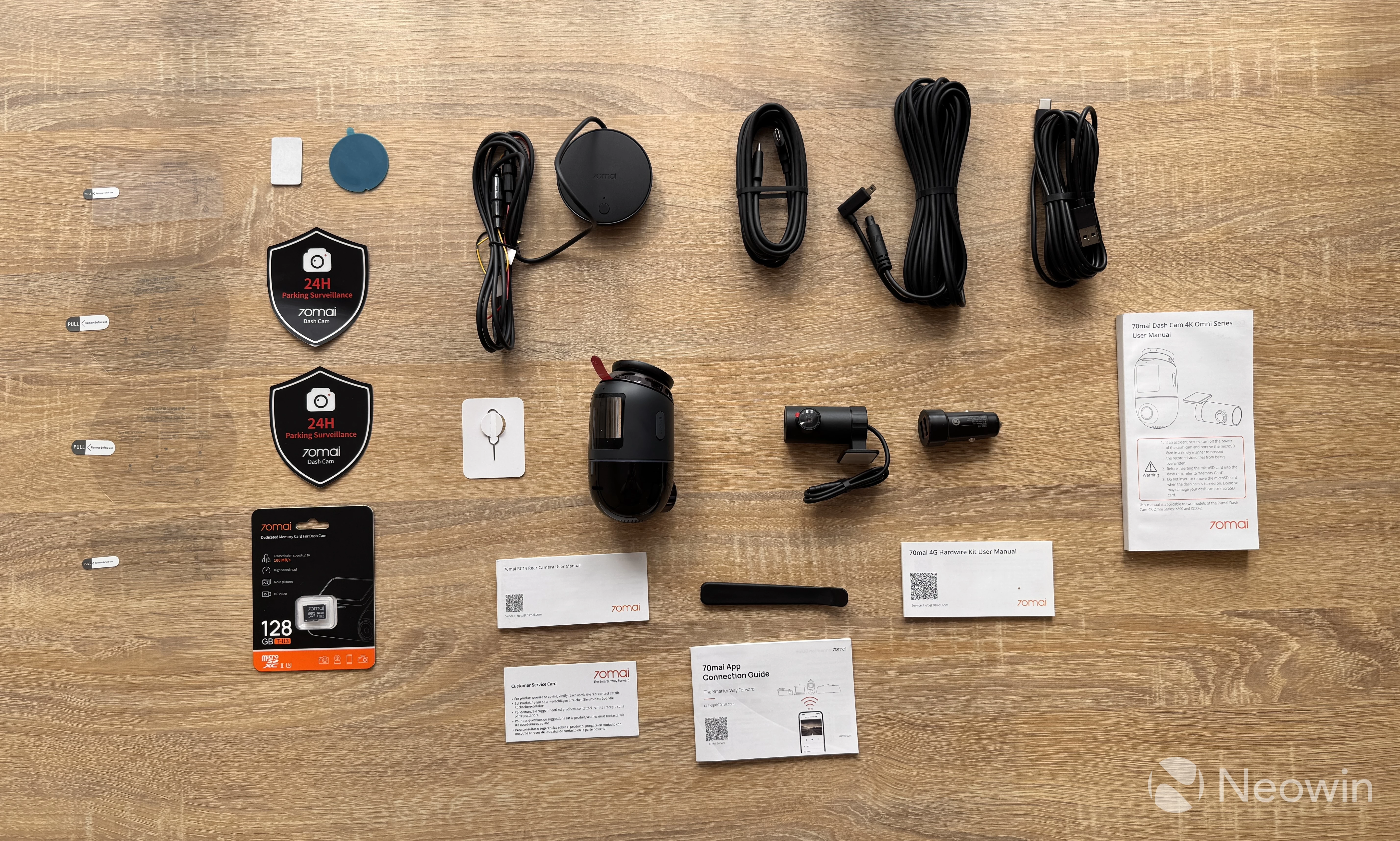
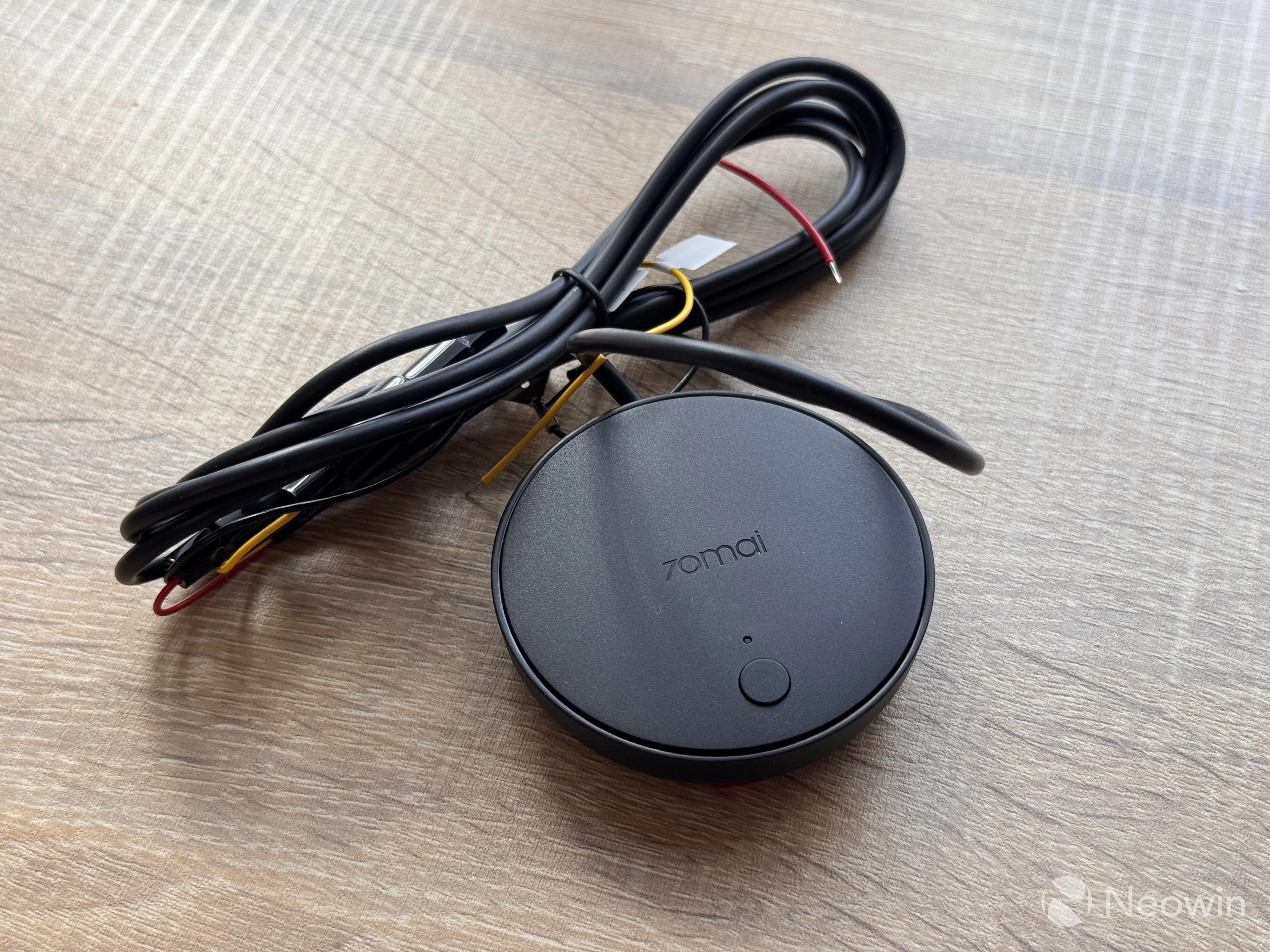
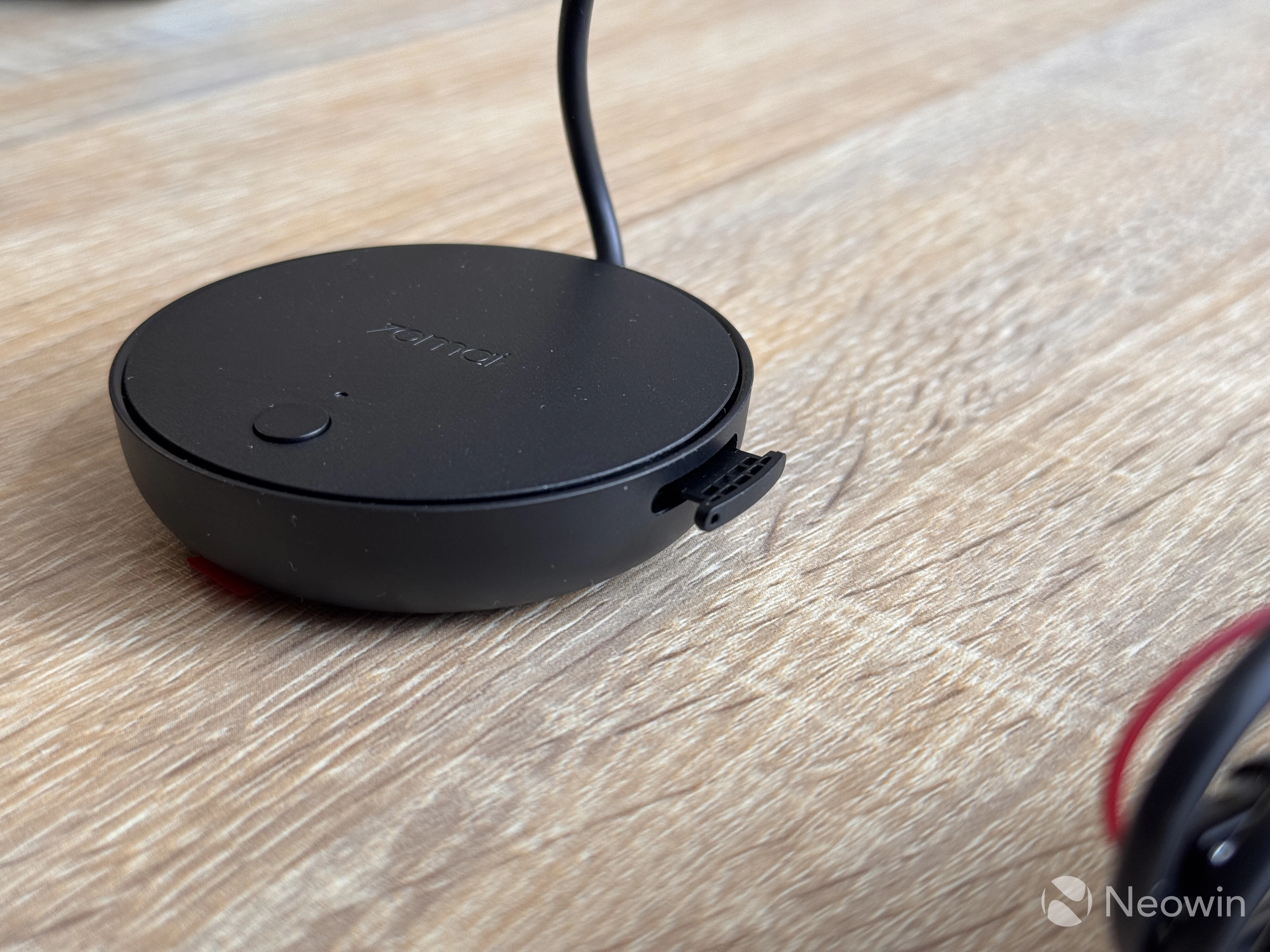
If you purchase the 4K Omni 360 with an extra hardware kit, you will also get a small puck for 4G connectivity, remote controls, and additional features (more on that later). The kit comes with the following:
- The surveillance module
- A long Type-C to Type-C (angled) cable
- A SIM ejector
- User manual
As you can see, 70mai gives plenty of accessories, and I like the fact that you get spare stickers and mounts, which is useful if you decide to change your car and keep the dash cam. Also, the bundled cables are plenty long, even for vehicles that here in Europe would qualify as aircraft carriers. Americans call them compact SUVs, but I digress.
I drive a VW Golf MK4, and the cables were long enough to make a round inside it.
Here is also a spec table:
| Processor | 4-core NT98530 12nm |
|---|---|
| Image Sensor | Front: Sony STARVIS 2 IMX 678 Rear: Sony STARVIS 2 IMX 662 |
| Lens | Front: 360-degree, F/1.7 Rear: 130-degree, F/1.7 |
| Video Resolution | Front: 3,840 x 2,160 pixels (4K) Rear: 1,920 x 1,080 pixels (1080p) |
| Frame Rate | Single-channel: 4K 60 FPS Dual-channel: 4K 30 FPS + 1080p 30 FPS |
| Display | 1.4-inch IPS |
| Connectivity | Wi-Fi 6, 5GHz + 2.4GHz Bluetooth LE |
| Storage | Up to 512GB microSD |
| Operating temperature | -10 C to 60 C 14 F to 140 F |
| Price | 4K Omni-only: $279.99 Right now, the 4K Omni with a rear camera and a 128GB memory card is available on Amazon for $279.99. |
4K Omni 360
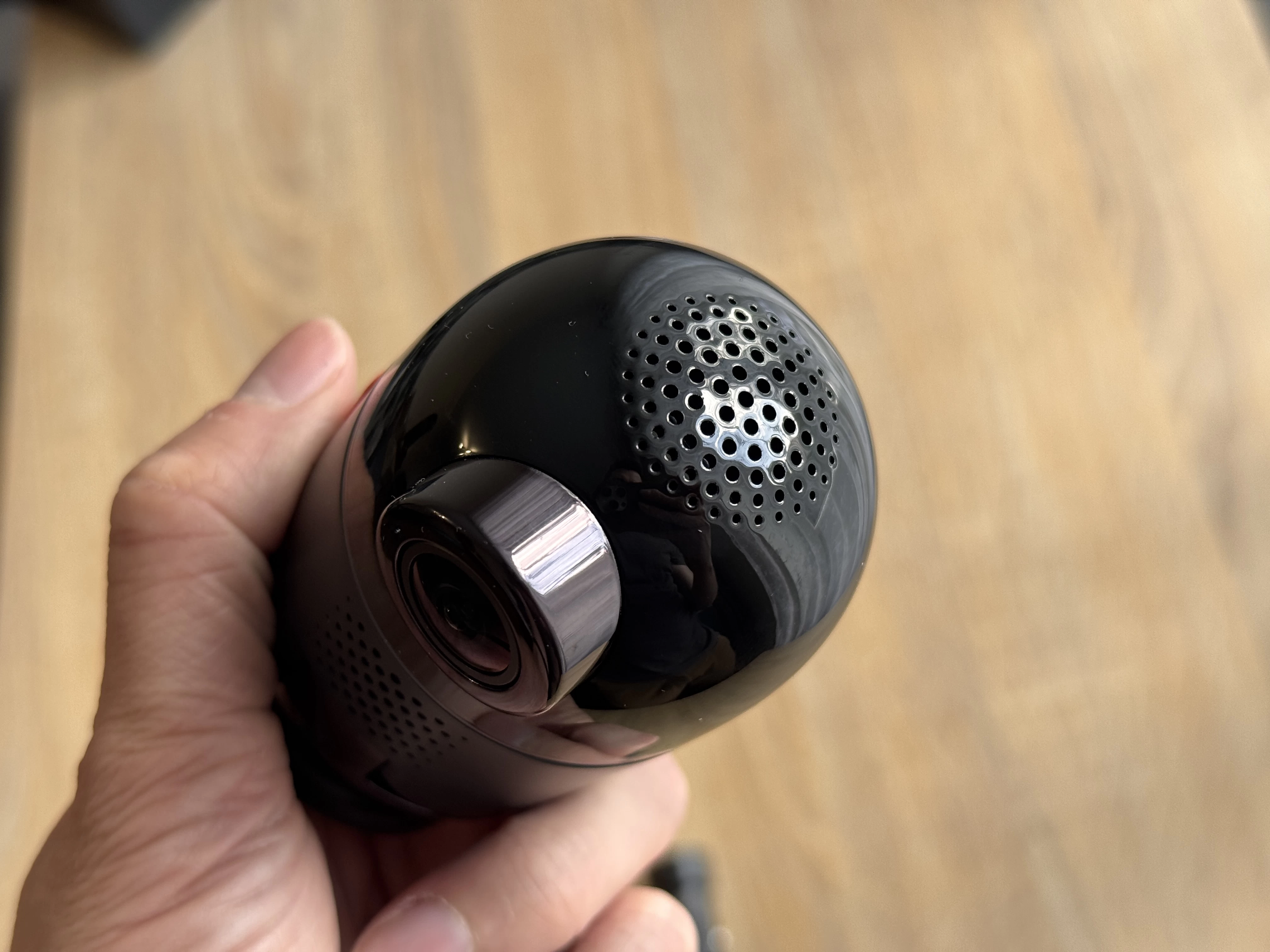
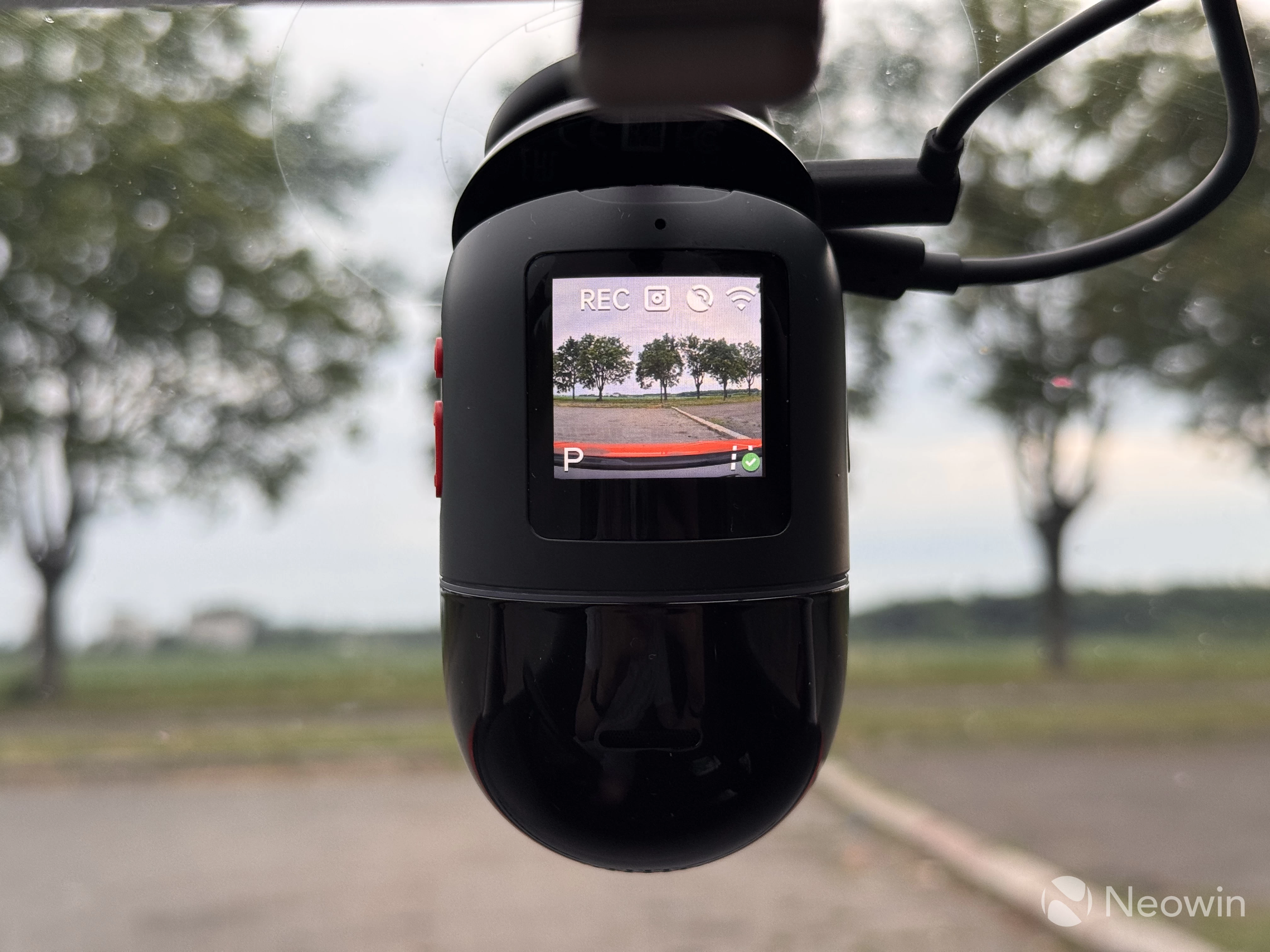
The 4K Omni is pill-shaped to accommodate a 360-degree rotating main camera with a Sony 4K STARVIS 2 sensor. It is made of good plastic and feels well-built and high-quality. Of course, it is not a smartphone—you are not going to hold it in your hands. Still, material quality is important because you do not want your car to reek of cheap plastic in the hot summer. I was testing the 4K Omni during a hot Ukrainian summer, and I am pleased to report that it managed to withstand long parking under scorching heat without any issues. 70mai claims the camera"s operating temperature is -10C to 60C or 14F to 140F.
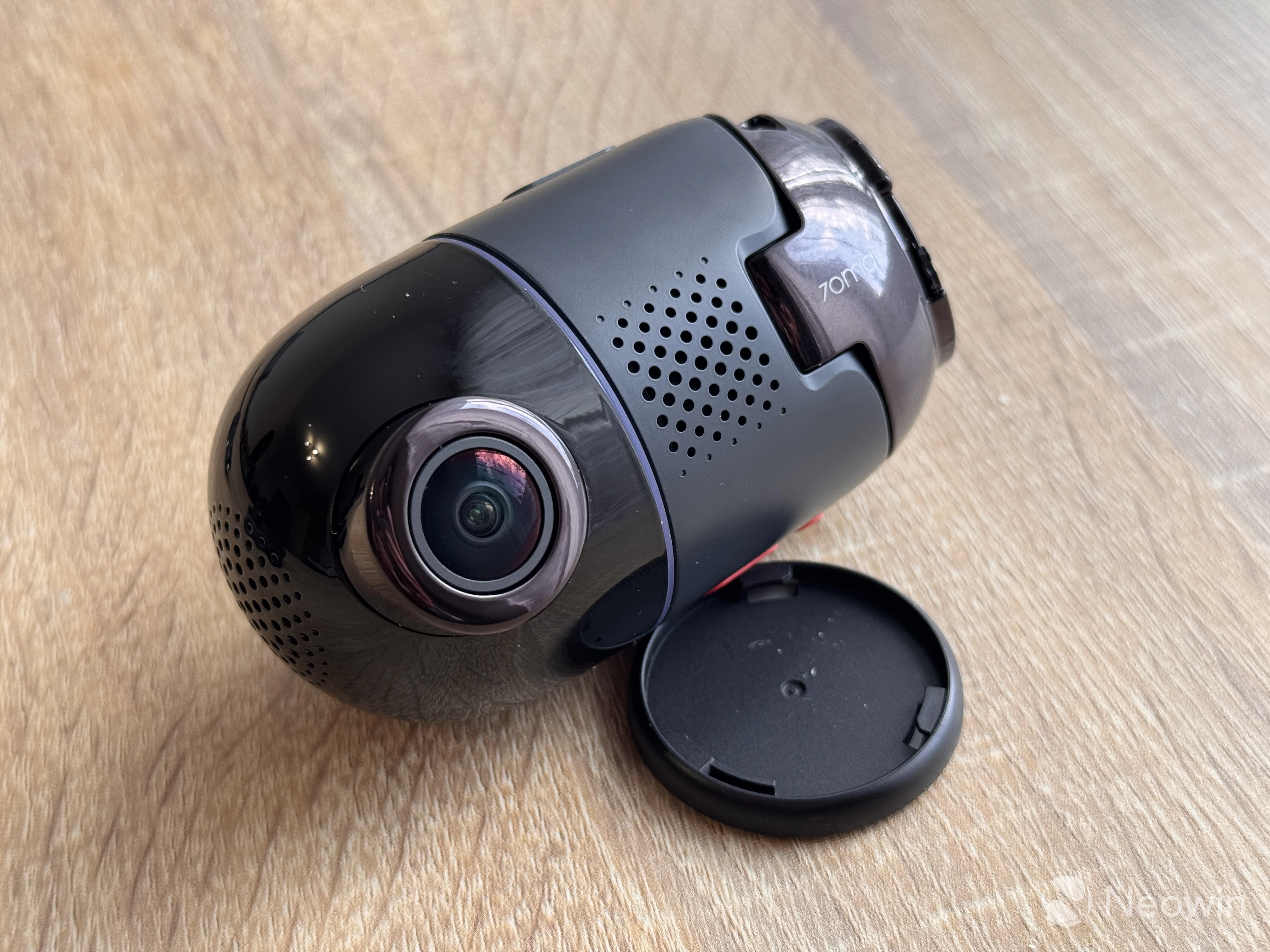
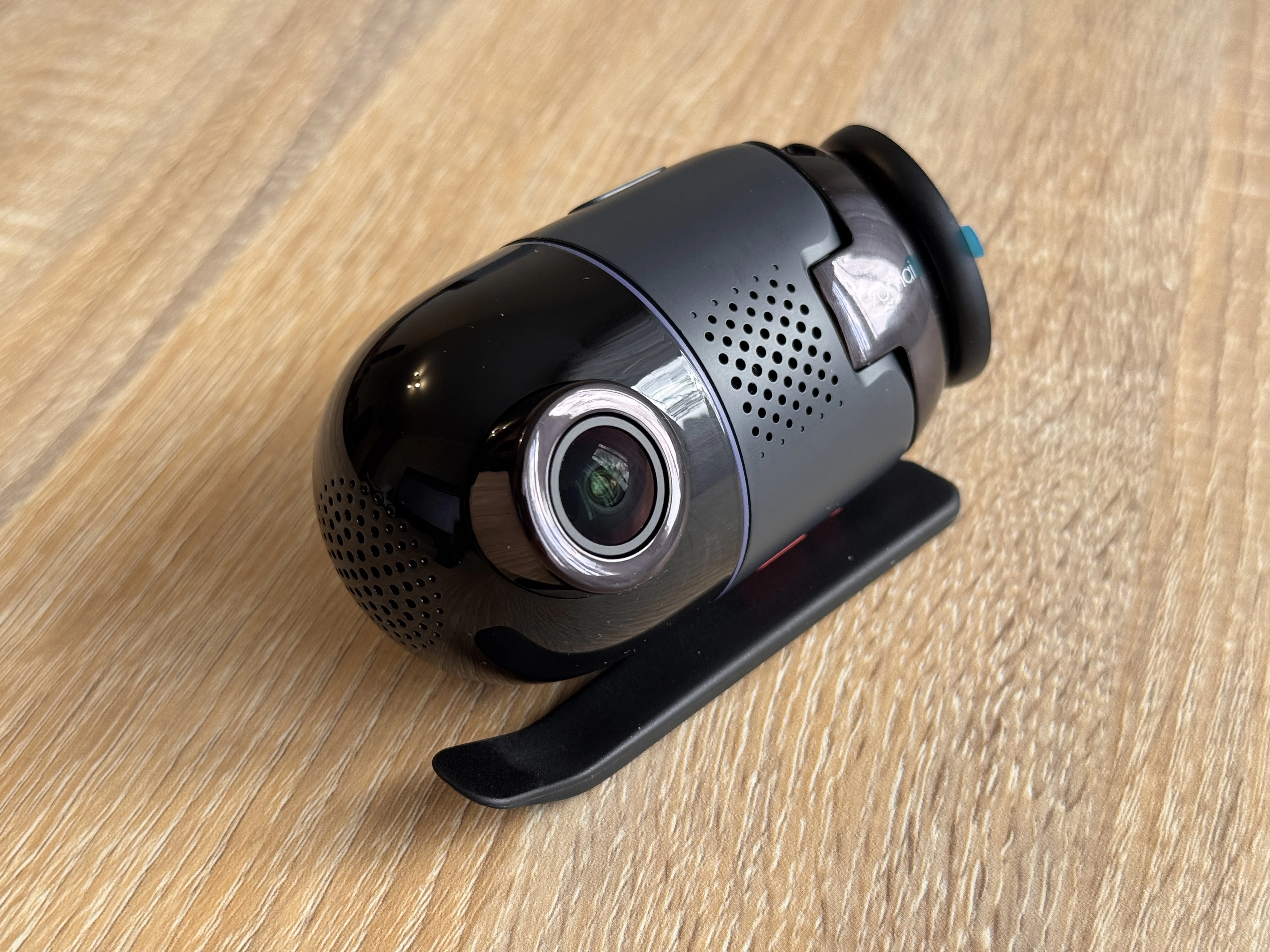
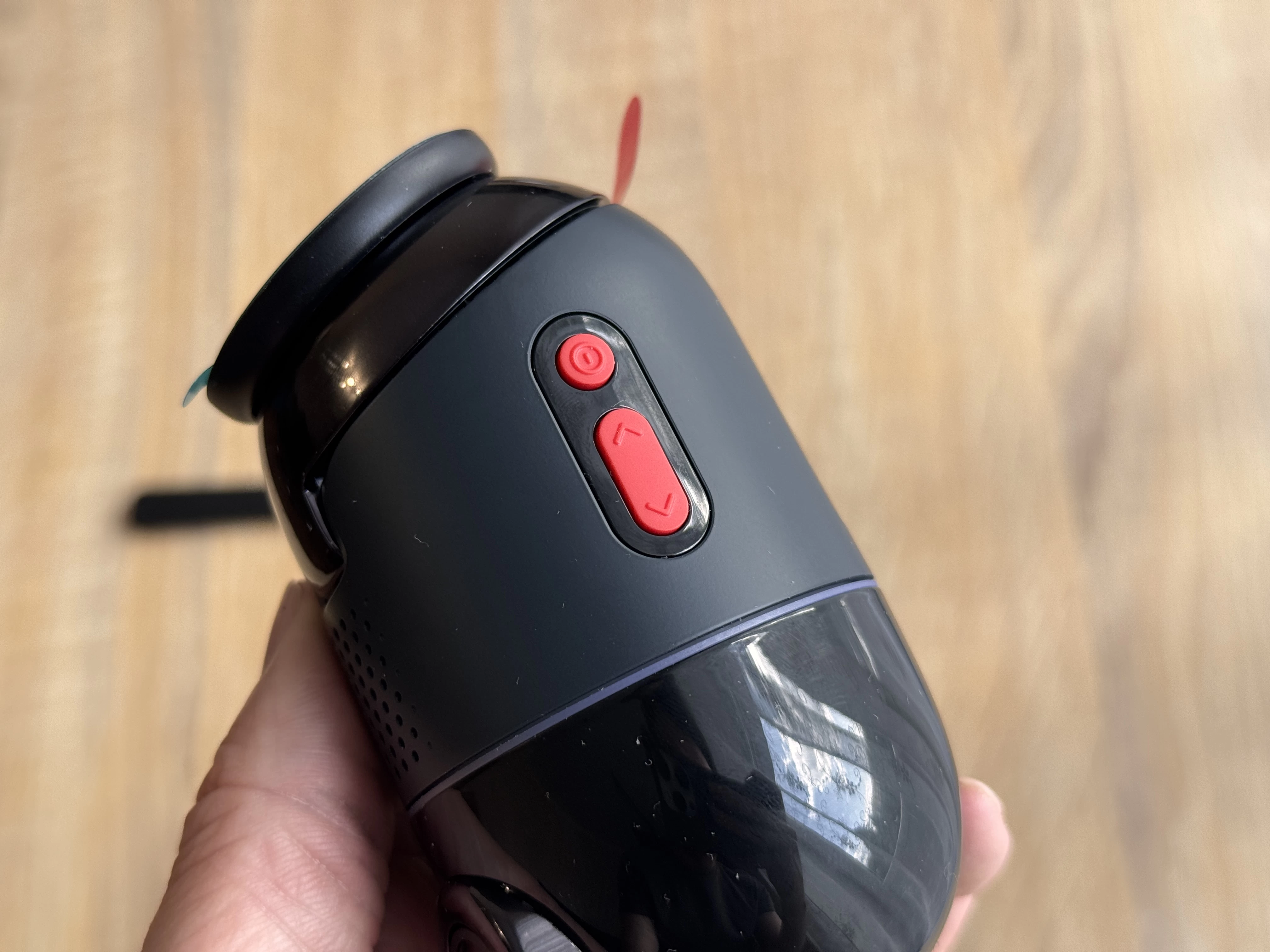
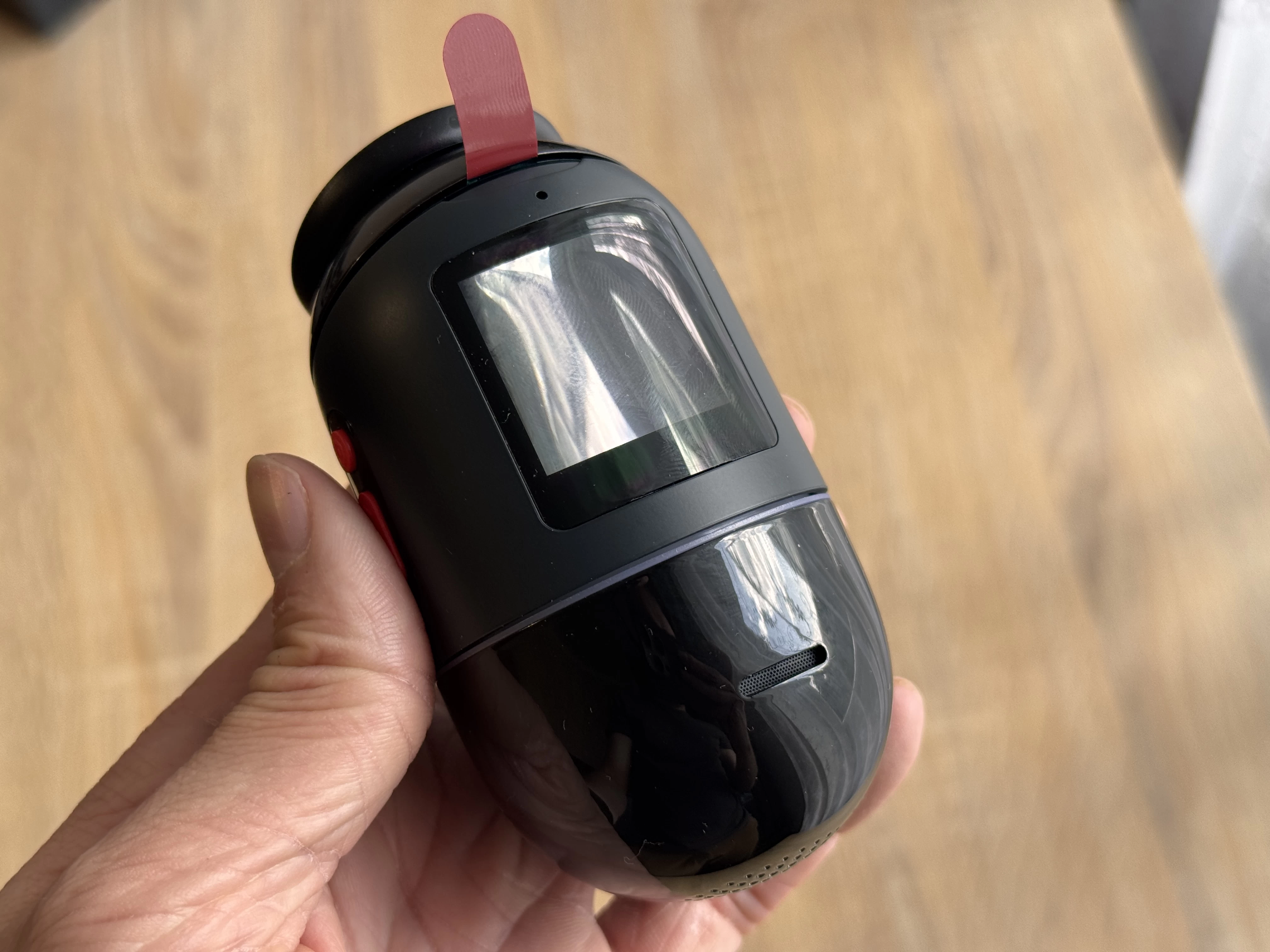
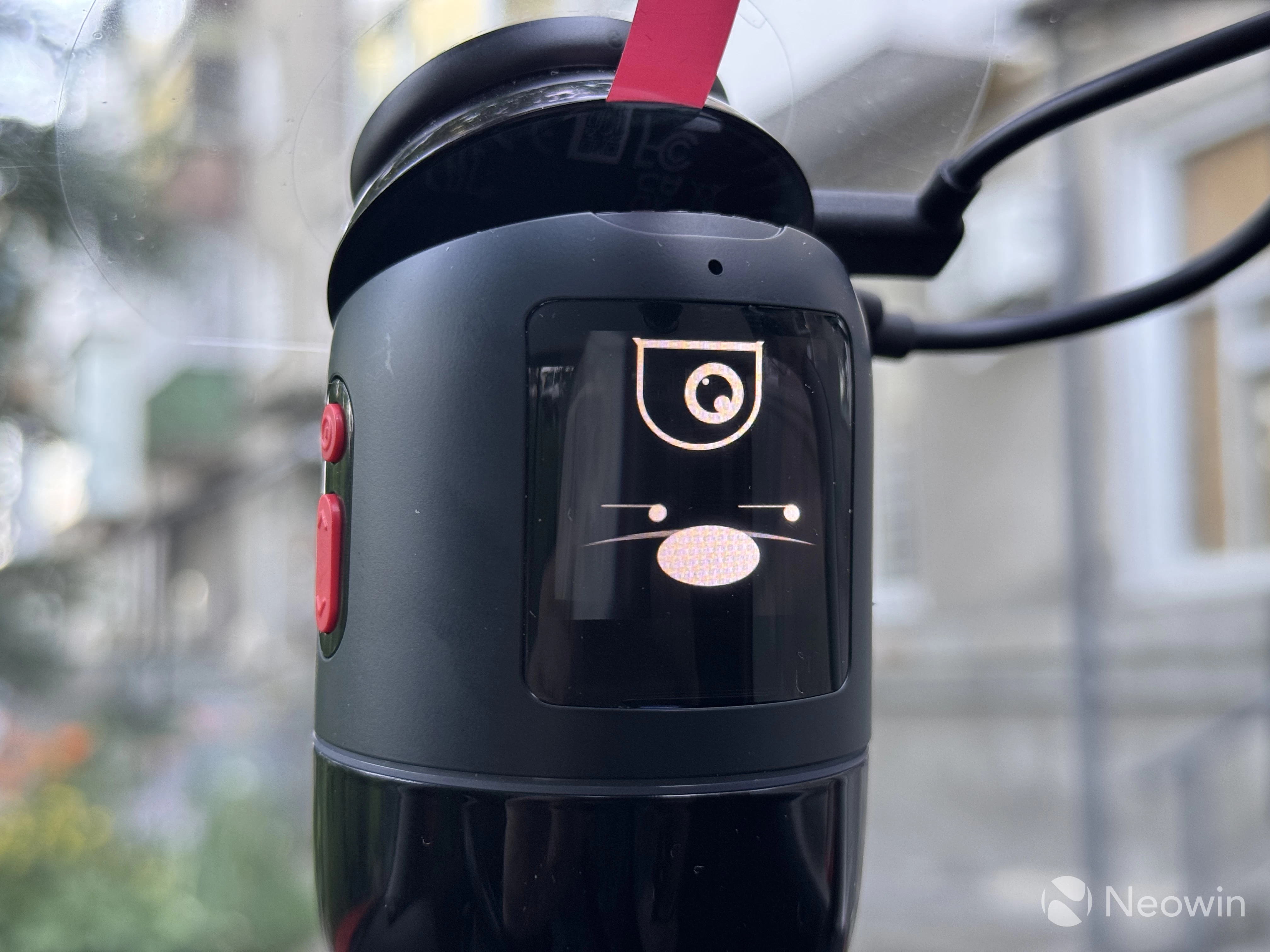
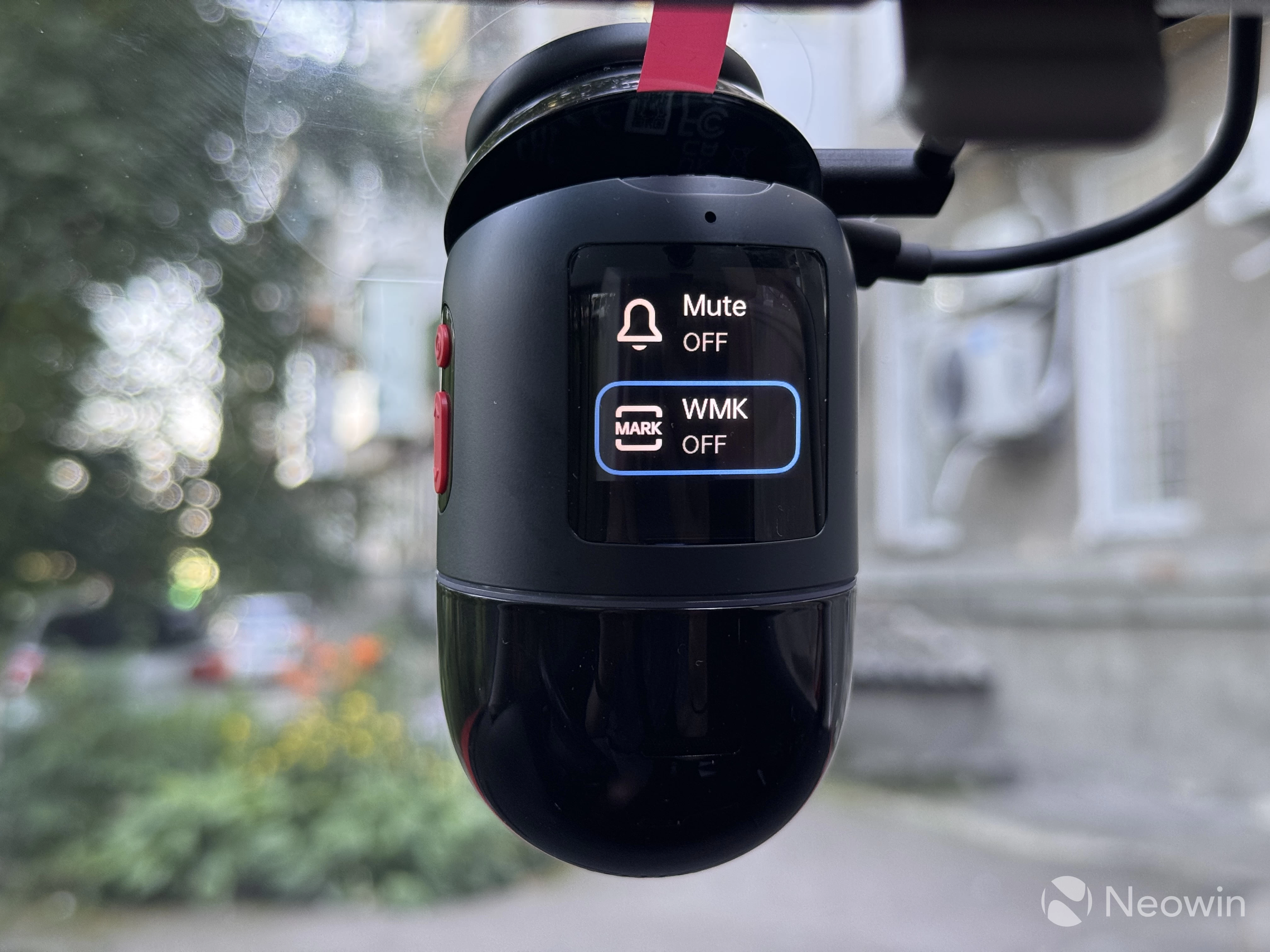
The 4K Omni has a hinged mount that allows you to tilt the camera forward or backward for the best viewing angle. On the side, you have three buttons: power/ok, up, and down. They are for turning the camera on/off and navigating its menu. There is also a built-in colorful display, which is plenty bright and of high quality. It can display your current camera feed or one of several screen savers: MaiX mascot, clock, or speed. I found the latter the most useful because it shows accurate speed data based on GPS, which is very handy. Sadly, it cannot display the rear camera feed when reversing.
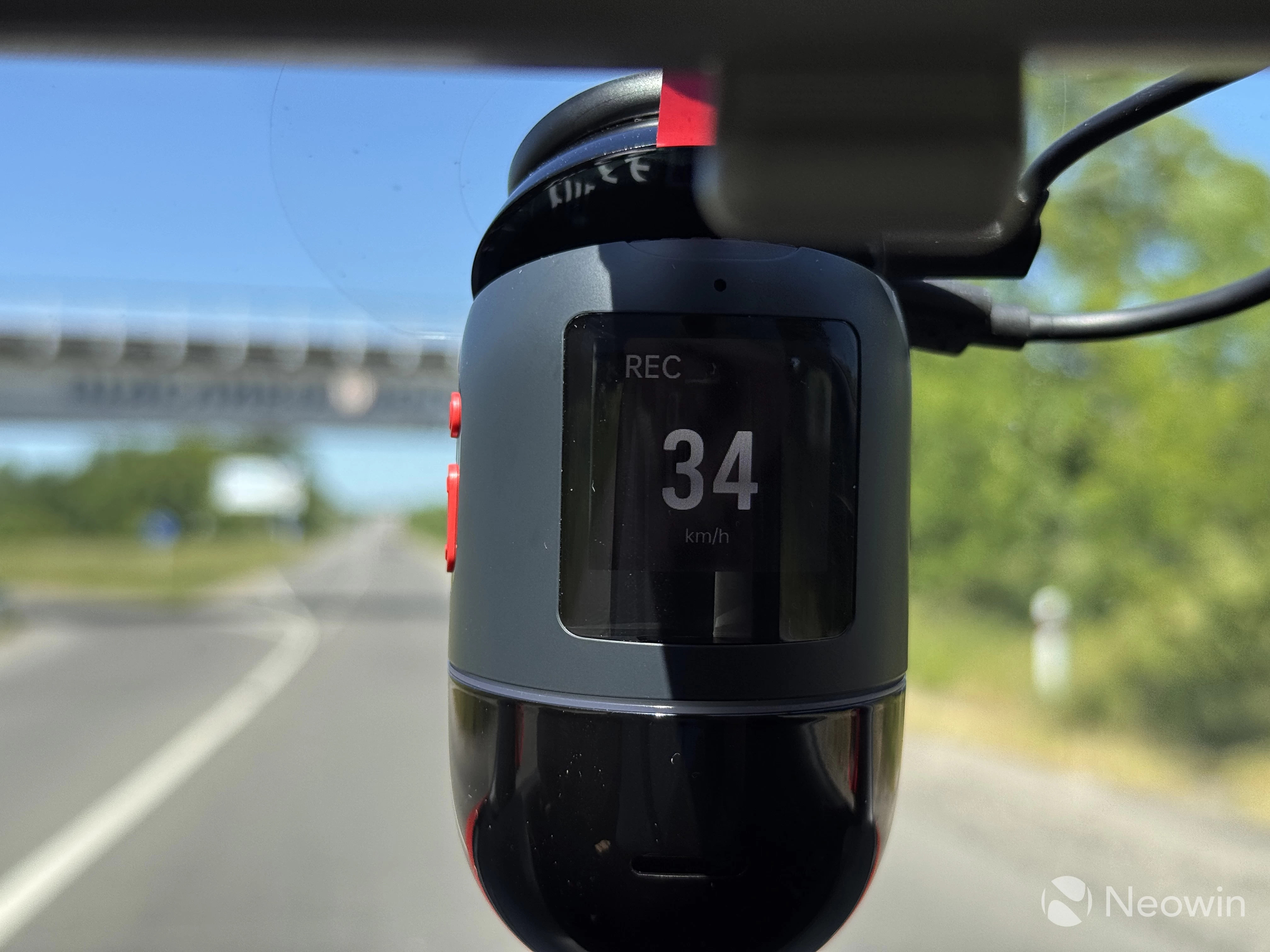
The 4K Omni has a speaker for audio cues and a bunch of mics that record what is happening in the car and listen to voice commands. It was nice to discover that voice commands are super-accurate and fast. Not a single command was missed or misunderstood. However, I should note that I speak Ukrainian, and the camera listens to commands in English. There are no trigger words, like "Hey camera," or something. I can imagine some miscommunication between you, your passengers, and the camera. You can tell the camera to capture what is happening left/right/inside the car, take a photo in front, take a selfie, and more.
Here is a video of me talking to the camera:
My only nitpick about the 4K Omni 360 is probably its size and shape. It is pretty big and takes away a notable chunk of your view. It took some time to train my brain to ignore a big pill under my rear-view mirror.
Installation
Installing the 4K Omni 360 and its accessories is easy and pretty straightforward. Prepare the surface, place an electrostatic sticker on your windshield, stick a mount on it, and then install the camera by twisting it counter-clockwise. The same goes for the rear-facing camera.
Next, route the cables under the headliner of your car and connect a single USB Type-A cable to the 12V charger. The main module powers the rear-facing camera, so only one USB cable is required to power the entire system.
The process is a bit different if you have the hardware kit. In this case, you have to connect the kit to your fuse box using three cables: one for ignition so that the camera can turn on when you start your car and shut down when you turn it off, one for 12V power, and one for ground. I am as far from being a mechanic as it is even possible, but even I could figure it out. Also, bundled user manuals are very clear and have everything explained in multiple languages.
All I had to do was locate the necessary fuses and stick the connectors under them (ground could be mounted to any screw that touches the frame of a car). However, for my safety, I installed it under the supervision of my mechanic just to double-check everything. Better safe than sorry.
Once the kit is connected to power, one USB-C cable goes to the main camera to power the entire system. Then, insert your SIM into the module and pair it with the camera in the 70mai app. Done.
Video Quality
The front-facing camera records in 4K HDR at 60 FPS without a rear camera and 30 FPS with a rear camera. The latter is only 1080p 30 FPS. The video quality is, without exaggeration, great. It is sharp, well-detailed, and the dynamic range is fantastic. I took a few drives in the evening with the setting sun shining directly into my face, and the footage still shows plenty of details in shadows, with license plates of incoming cars clearly visible. However, the rear-facing camera is significantly inferior in every aspect. To be fair, my rear window is tinted, which probably also contributed to a lower video quality.
I am not going to write a lot about the video quality; I will let video samples speak for themselves. I will also upload original recordings to the cloud so that you can view them without YouTube compression.
On a side note, when watching the following videos, beware of my squeaky clutch pedal. I am too lazy to dismantle the interior to lube it, so consider it a microphone test. Passengers in my car are a rare occasion, and I do not talk to myself when driving, unless some moron cuts me off.
Now, here is some daytime and evening driving on the streets of Volodymyr, one of the oldest cities in Ukraine, founded as a stronghold and first mentioned in records in the year 988:
And here is some nighttime footage. Note: Lens flare is caused by the original 25-year-old windshield of my MK4 Golf.
And this is what the rear view camera managed to capture:
For video quality, the most important part of any dash cam, the 4K Omni gets a big thumbs up.
Advanced Driver Assistance System (ADAS)
The 4K Omni 360 has a bunch of assistive technology to aid your driving and help you stay focused. These include the following:
- Pedestrian warning
- Cyclist warning
- Lane departure warning
- Front collision warning
- Forward car start warning
- Emergency detection
- Driver fatigue warning
I was a bit skeptical about ADAS at first, but it managed to surprise me in both ways. ADAS is turned off by default, and it requires a quick setup that involves positioning the camera to match a guideline on the screen and then driving at 40 km/h or 25 mph on a straight road with good markings. The process does not take long, and I managed to calibrate it on the first try in just a few minutes.
Starting with the positives. Lane departure works great. If you drive on roads with good markings, ADAS will reliably alert when your car starts to drift outside its lane. Unlike modern vehicles with lane departure warning, he camera does not understand overtakes or intentional lane changing (not sure why, with modern AI and image recognition tech, it should not be too hard to implement), so you will hear some false positives. Also, lane departure only works when the car moves at a speed of 55 km/h or 35 mph and higher.
Cyclists" warning is good, the camera draws attention to riders when they appear in the viewfinder, telling me to pay "attention to riders." Forward car movement detection is fine, I guess. I only triggered it once by deliberately not moving at a traffic light. Hover, by the time I received a chime from the camera, the driver behind me had already honked two times. You know, he is something of an ADAS himself.
Emergency detection works well. While I could not perform a crash test for obvious reasons, I managed to trigger emergency detection in some scenarios, like hard braking or hitting a pothole on a bad road. There are several sensitivity levels, so after activating it on a railroad crossing several times, I had to tone it down a notch. When an emergency is detected, the camera notifies you with a chime and a cute animation on the screen, indicating that it records and saves a dedicated video into a separate folder, which is pretty neat.
Here I should also point out that chimes are very nice and not annoying. The announcer"s voice is pleasant to hear, and on-screen animations are friendly and cute.
The rest of the alerts were hit-or-miss in my testing. The camera would warn me at a crossing, mostly when pedestrians are finishing their crossing. "Attention to pedestrians," it would say. Thank you, thingy, I see, they are already on a sidewalk. It would also ask me to pay attention if someone is walking near the car, say when I am leaving my driveway.
To be fair, I should add that pedestrian warning is probably much more alert at higher speeds, but I am not going to risk anybody"s life to test it out. The same goes for front collision warning. I only received it once, and there was no emergency or crash risk whatsoever. I am a very careful driver, and in my review, I only share my observations during my normal driving routine. I will also add that you should always pay attention and stay alert when driving and not overly rely on assistive technologies. However, it is still nice to have an extra safety reminder from the robo lady.
Personally, I prefer having these features to not having them, but if you feel like you are getting too many false positives or you do not want to use it, the 70mai app lets you turn off each warning separately, which is nice.
Monitoring and the hardware kit
Now, let"s talk about the hardware kit and what you get for paying a bit more. With the kit, the 4K Omni becomes a 24-hour surveillance system that can detect parking accidents and suspicious activity around your car. It also gives you remote controls and monitoring with precise car tracking using GPS.
The hardware kit keeps an eye on the situation around your car, and when something is detected, it powers up both cameras. The LED circle around the main unit turns red, and the 4K Omni starts slowly rotating to capture everything around your car. If it detects a suspicious person, the camera locks on it and tracks its movement.
The accuracy is spot-on, but you will have to tweak its sensitivity. Park in a crowded area, and the app will flood you with notifications. Medium sensitivity was just enough to ignore passing by pedestrians but activate when someone is standing in front of my car or walks around it.
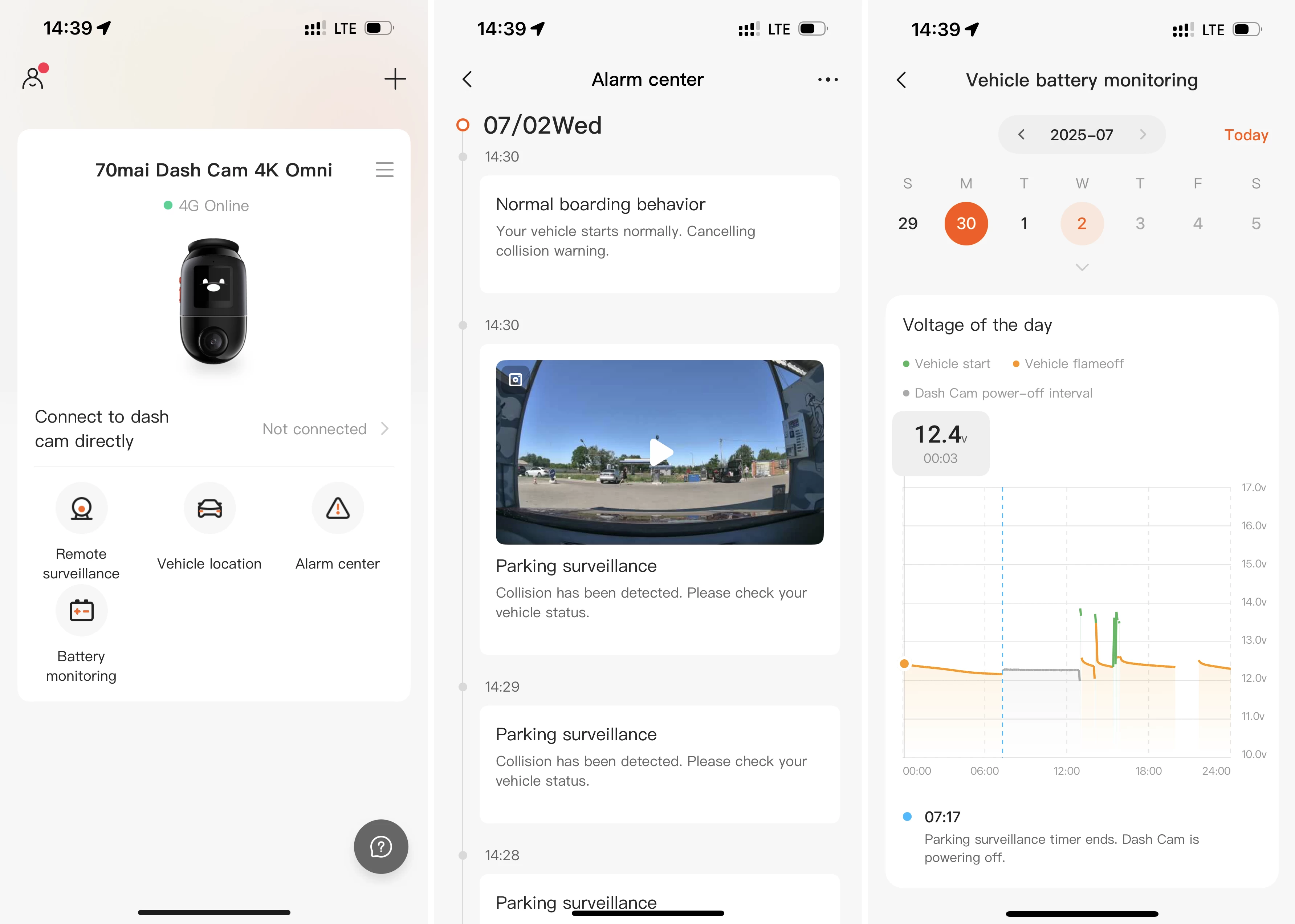
What I like about the hardware kit is its ability to monitor your car"s battery voltage. It needs some juice to stay connected and alert, and it will surely drain your battery if left for a long period. To prevent this unfortunate event, the 70mai app lets you set a certain voltage threshold, after which all the hardware will shut down, keeping enough juice in the battery to start the car. You can also set a specific period, after which monitoring turns off regardless of the battery status. If you want uninterrupted monitoring, purchasing a battery pack is required (it also connects to the fuse box and powers the camera when your car is turned off).
Out of the box, the monitoring system requires a bit of tweaking to prevent false alarms. The app lets you set a delay so that you have enough time to get out of the car without triggering it. However, it was always angry about me getting into the car, thinking I was an intruder, which is probably because my three-door Golf has massive doors that, when shut, upset the camera even at low sensitivity.
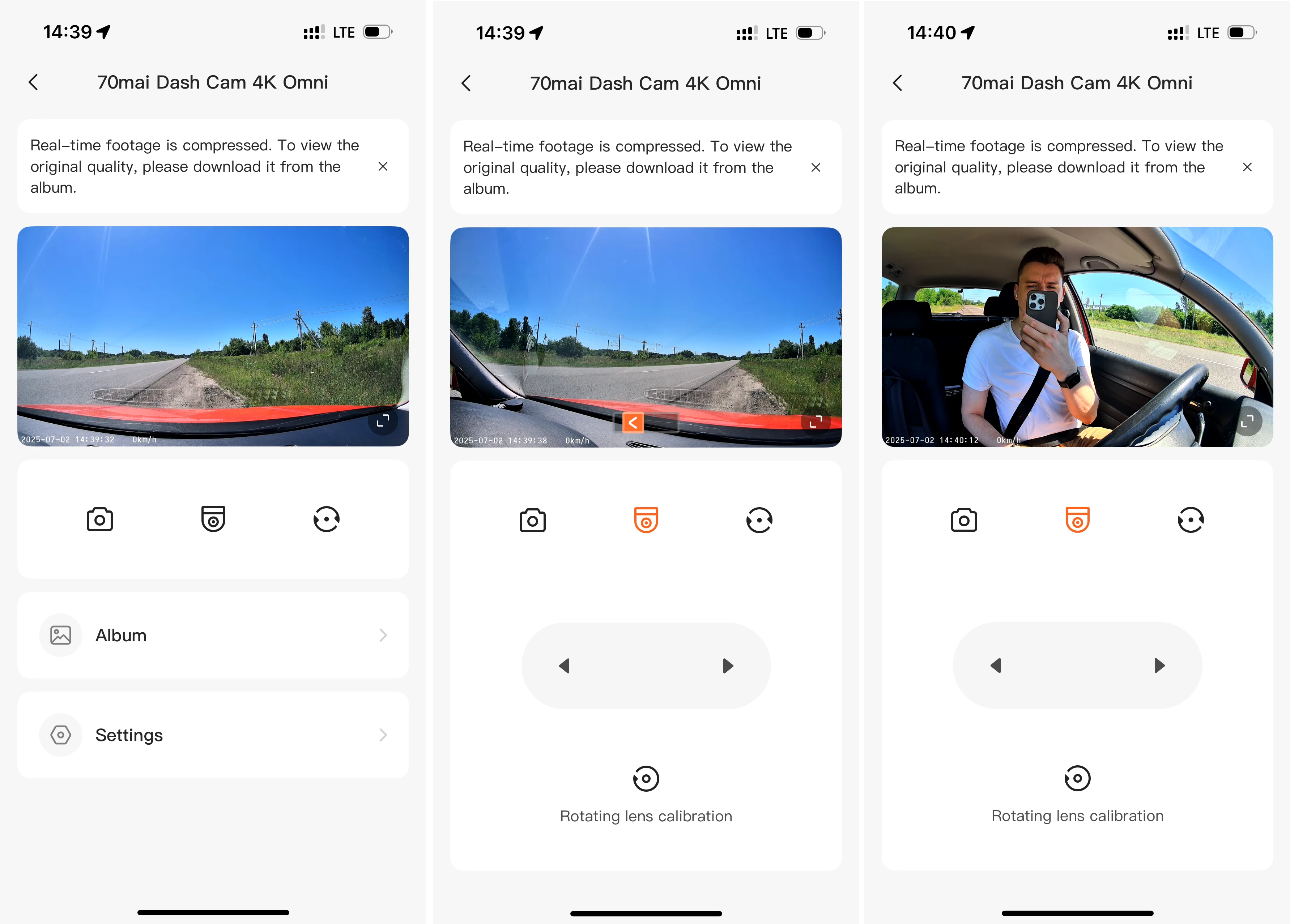
Another great feature the hardware kit unlocks is remote surveillance. You can open the 70mai app, connect to the camera remotely and watch what is going on near your car. It also lets you pan the camera to see what"s inside the vehicle or to its sides. In case of emergency, the 4K Omni with the hardware kit uploads footage to the cloud, so that you can still have it if the intruder decides to steal the car, the camera or its memory card.
Since there are two different hardware kits for the 4K Omni, here is an overview of everything you get:
| 4K Omni only | UP03 | UP05 4G | |
|---|---|---|---|
| Live View | No | No | Yes |
| Remote Control | No | No | Yes |
| Real-time alerts | No | No | Yes |
| Cloud storage | No | No | Yes |
| Car location | No | No | Yes |
| Route tracking | Yes | Yes | Yes |
| Battery voltage monitor | No | No | Yes |
| 70mai Lumi Vision | No | Yes | Yes |
| AI motion detection | No | Yes | Yes |
| Time-lapse recording | No | Yes | Yes |
App features
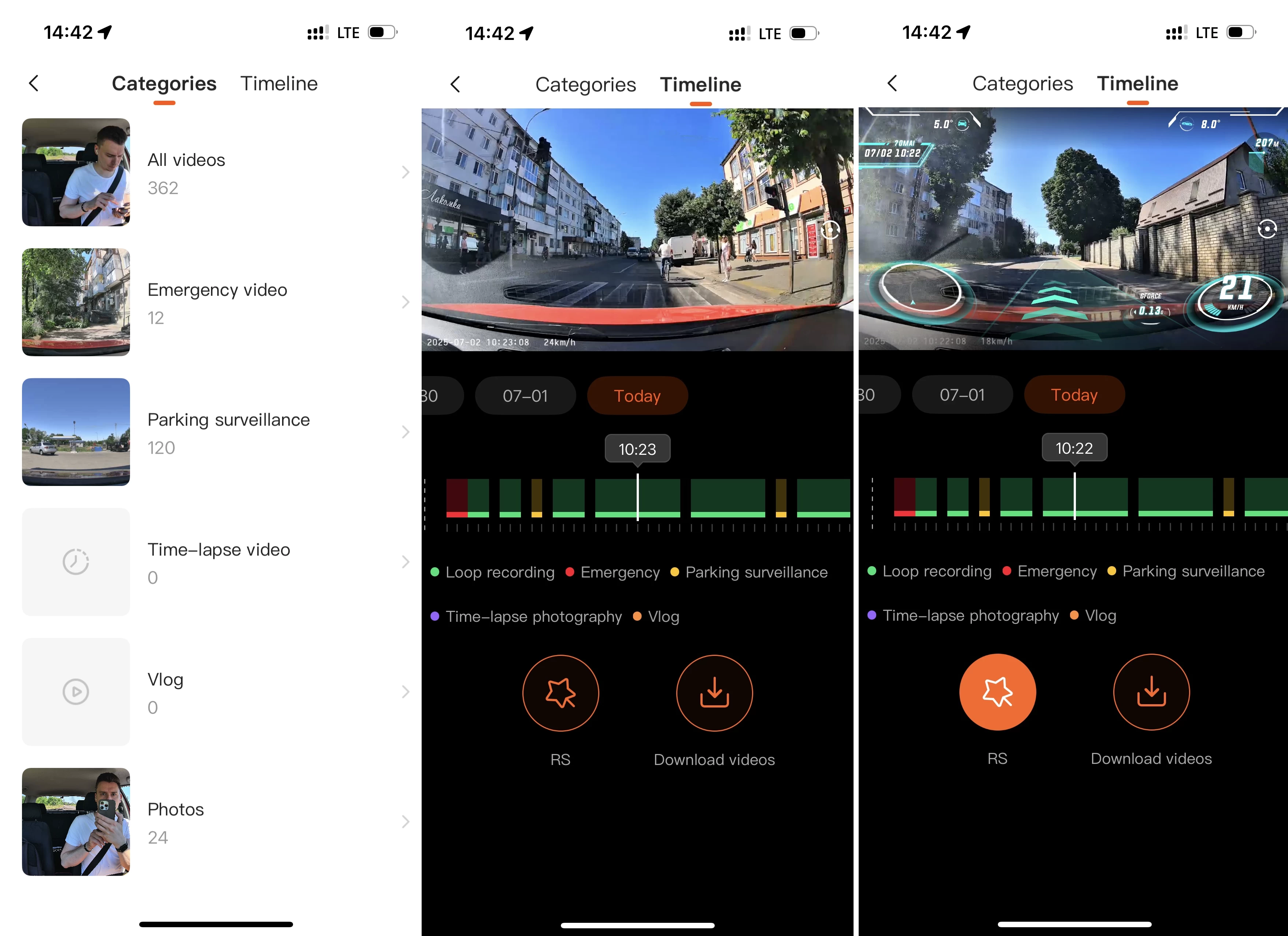
The 70mai app is packed with various settings and features, plenty of which are accessible on the camera"s screen. Here is a quick overview:
- Alarm Center: Shows a timeline of events and emergencies with timestamps and recorded videos.
- Battery Monitoring: A dedicated section with a calendar and precise battery graphs.
- Remote Monitoring: Connect to your camera remotely (if you have the hardware kit), watch what is going on, take pictures, and even pan the camera around. It also lets you switch to the rear-facing camera.
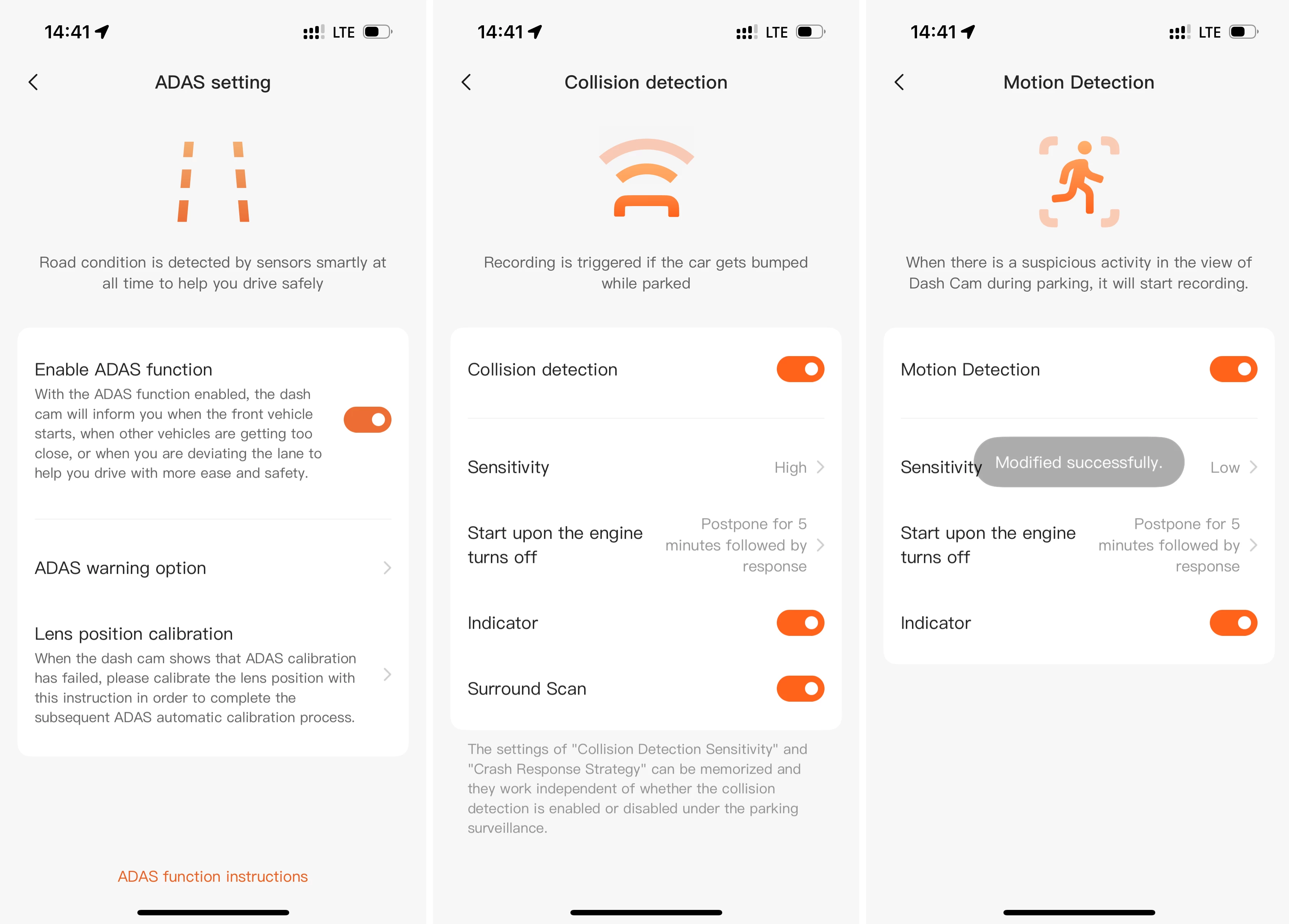
- Device Settings: You can change video encoding format, video resolution, recording duration, speed/coordinates/70mai logo watermarks, anti-flicker settings, video mirroring and rotation, adjust collision and motion sensitivity, adjust the speaker volume, disable certain chimes, and turn off audio recording.
- It can also update firmware, change system settings (data, driving units, etc), and more.
- ADAS: Configure or toggle on/off each assistive tech, calibrate lens position, and more.
- Gallery: You can access all of your recordings from the gallery, which auto-categorizes videos into folders and displays them on a single timeline. The latter also lets you enable a "road-story filter," which places an overlay with all the driving information that the camera gathers, including speed, driving direction, driving distance, date and time, a g-meter, and even your vehicle"s pitch and roll.
You can get footage off the camera by removing the memory card or by connecting to the camera using Wi-Fi. The 4K Omni has a Wi-Fi 6 module, and downloading a three-minute 4K HDR video in hotspot mode takes about one minute, which is plenty fast.
Overall, the app is well-made with plenty of attention to detail and features.
Conclusion
The 70mai 4K Omni 360 is a fantastic dash cam. It is pretty expensive at $279.99 just for the 4K Omni, but you get a load of well-designed features and assistance. Most importantly, video quality is exceptional, minus the rear-facing camera, which is meh. The 70mai 4K Omni 360 stays in my car until the next review unit arrives, so look out for another one very soon.
By the time this review is published, you can purchase the 4K Omni with the rear-facing camera and a 128GB microSD card for $279.
As an Amazon Associate, we earn from qualifying purchases.