When I was reviewing the 70mai 4K Omni, a great dash cam with some very interesting features, the company asked how I liked the device. After hearing my discontent about the so-so rear camera (only 1080p with quite mediocre image quality), 70mai offered me the opportunity to review the T800 4K, its brand-new, more advanced dash cam with a better rear camera, and even a third interior camera. Sign me up!
Disclaimer: 70mai provided the review sample without any editorial input or pre-approval.
In the box
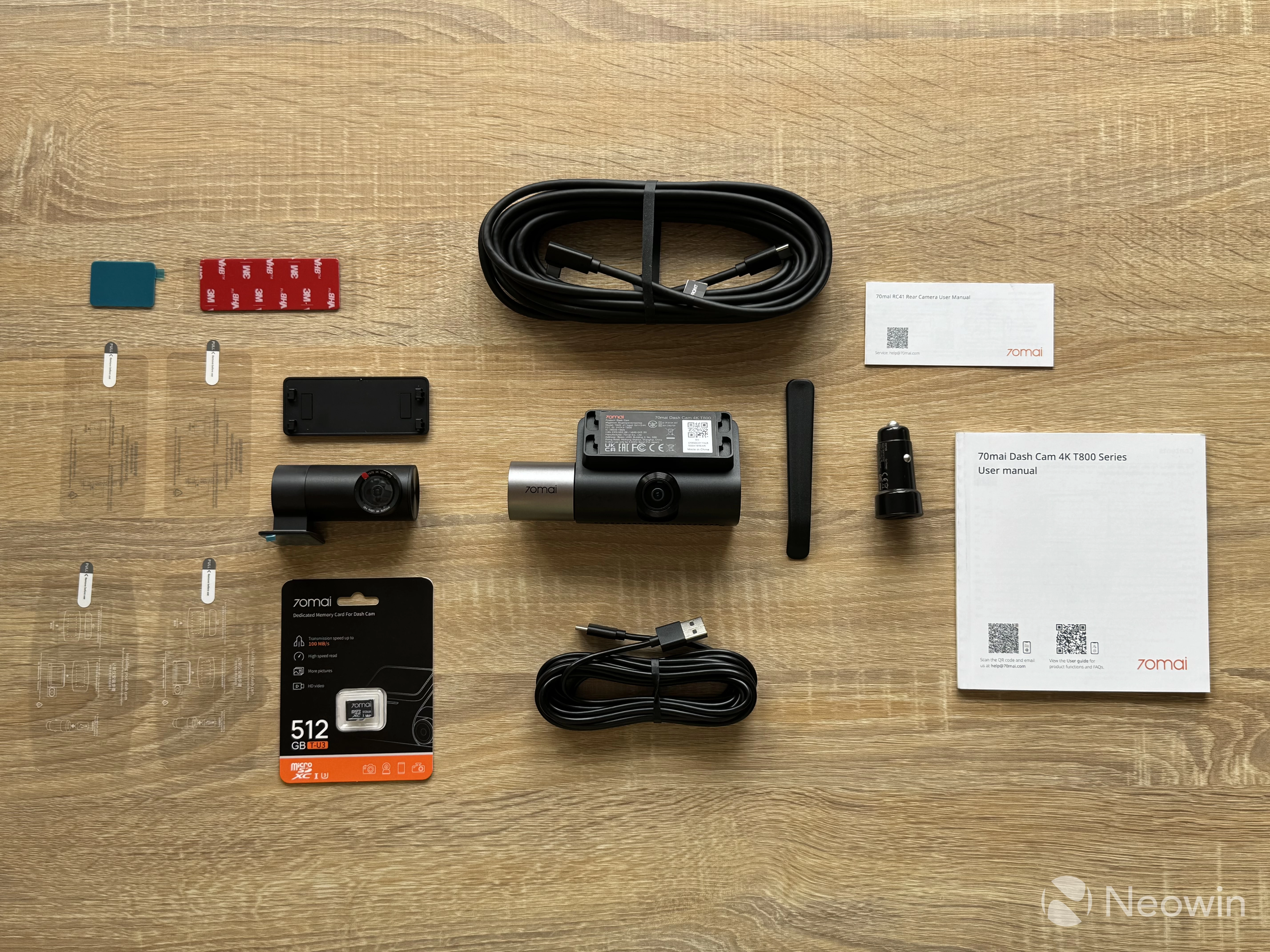
The T800 is neatly packed in a high-quality box of thick cardboard. Inside, you find the following:
- The T800 dash cam
- A rear-facing 4K camera
- A 12V charger with two USB-A ports
- A very long Type-C to Type-A cable
- A very long Type-C cable for the rear camera
- Two electrostatic stickers for the front camera
- Two electrostatic stickers for the rear camera
- An extra set of double-sided tape for mounts
- A tool for cable management
- A 512GB microSD card
- User manuals
Like with the 4K Omni, the T800 can be bundled with an optional hardware kit that unlocks additional features, such as 24-hour monitoring, remote controls, cloud storage, etc. My review unit came with the same module as the one I had with the 4K Omni and the following accessories:
- The surveillance module
- A long Type-C to Type-C (angled) cable
- A SIM ejector
- User manual
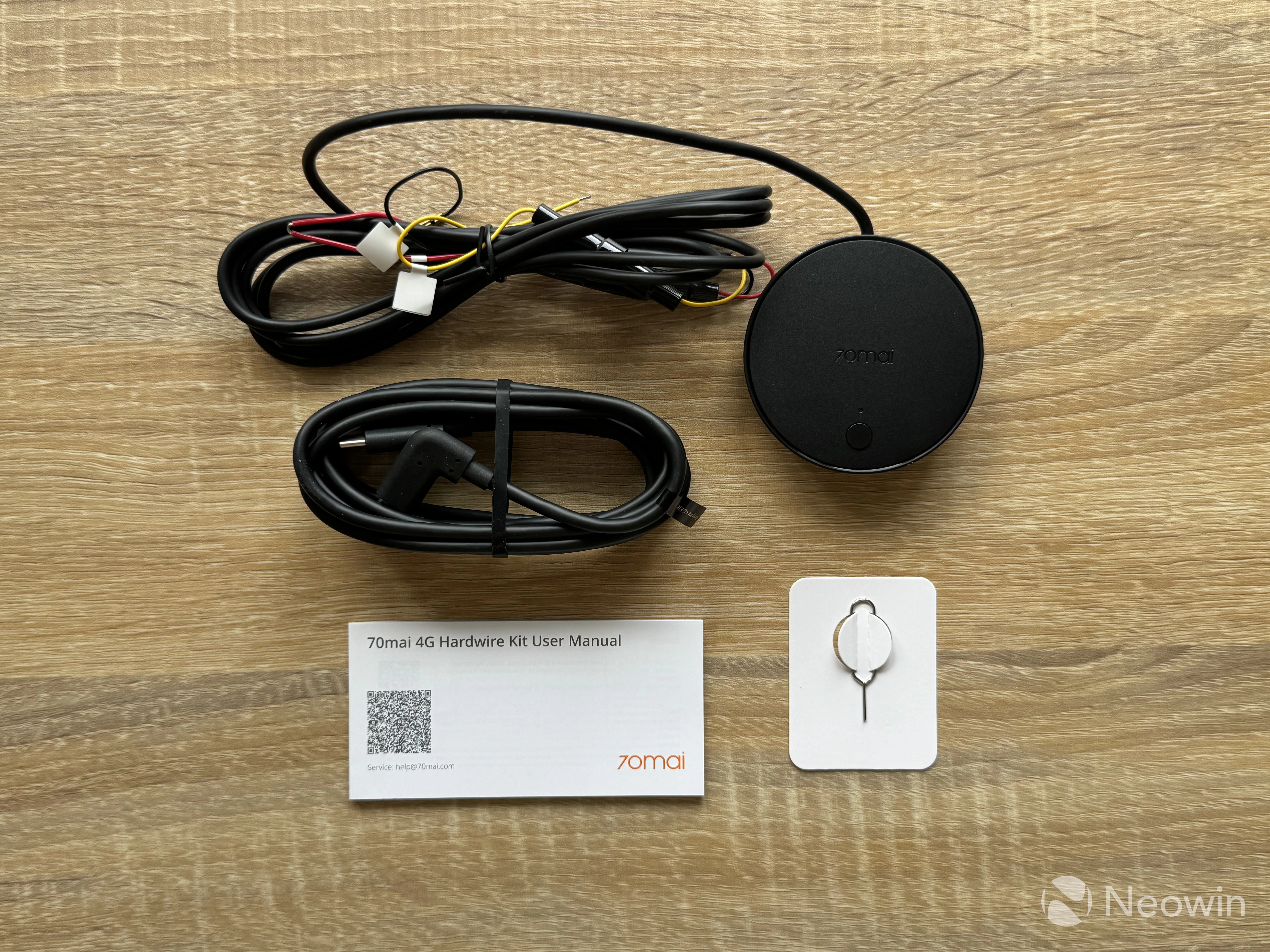
It is good to see plenty of accessories with the camera and a bunch of extra stickers and mounts, which will come in handy should you change your car and keep the camera. Also, USB cables are very long to fit in all sorts of vehicle sizes. For my small MK4 Golf, those cables are excessively long, but I am not complaining.
Here is a spec table:
| Processor | 4-core NT98530 12nm |
|---|---|
| Image Sensor |
Front: Sony STARVIS 2 IMX 678 |
| Lens | Front: 146-degree, F/1.7 Rear: 146-degree, F/1.7 Interior: 147-degree, F/1.7 |
| Video Resolution |
Front: 3,840 x 2,160 pixels (4K) |
| Frame Rate | Single-channel: 4K 60 FPS Dual-channel: 4K 30 FPS + 4K 30 FPS or 4K 60 FPS + 1080p 30 FPS (RC24 FullHD rear camera) Three-channel: 4K 30 FPS + 4K 30 FPS + 1080p 30 FPS or 4K 60 FPS + 1080p 30 FPS + 1080p 20 FPS |
| Display | 3-inch IPS, 360 x 640 pixels |
| Connectivity | Wi-Fi 6, 5GHz + 2.4GHz Bluetooth LE |
| Storage | Up to 512GB microSD |
| Operating temperature |
-10 °C to 60 °C or 14 °F to 140 °F |
| Price |
Main unit + Rear 4K Camera + 512GB microSD: $399 By the time of publishing this review, the 4K T800 is available on Amazon with the following prices: Main unit + Rear 4K Camera + 512GB microSD card: $399 | $339 for Prime memebers |
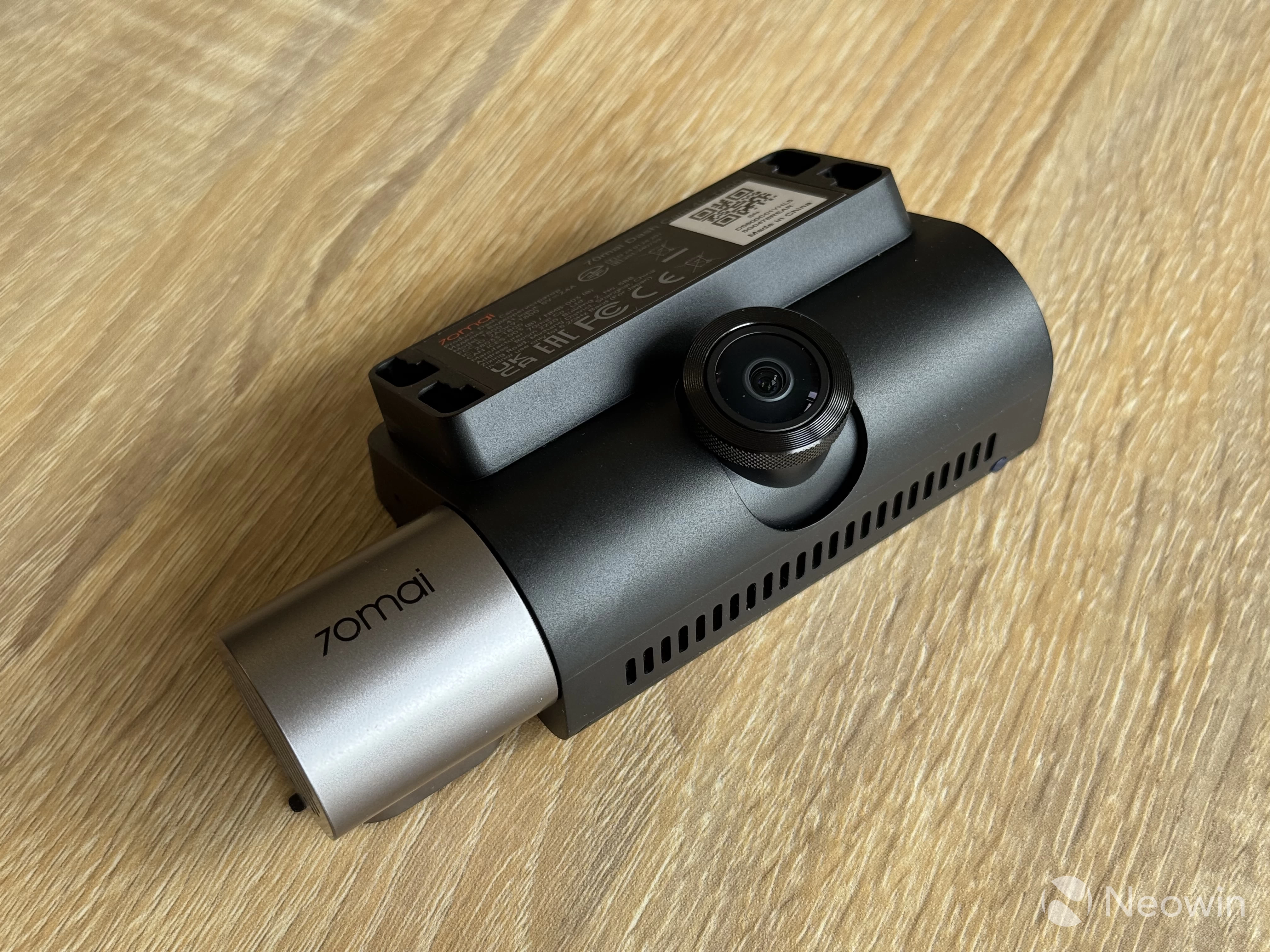
The T800
70mai claims that the T800 is the world's first three-channel dash camera. Three-channel means the system has three cameras that record video simultaneously: one records what is in front of your car, one what is behind, and one for the interior. Front and rear cameras are 4K, while the interior camera is only 1080p.
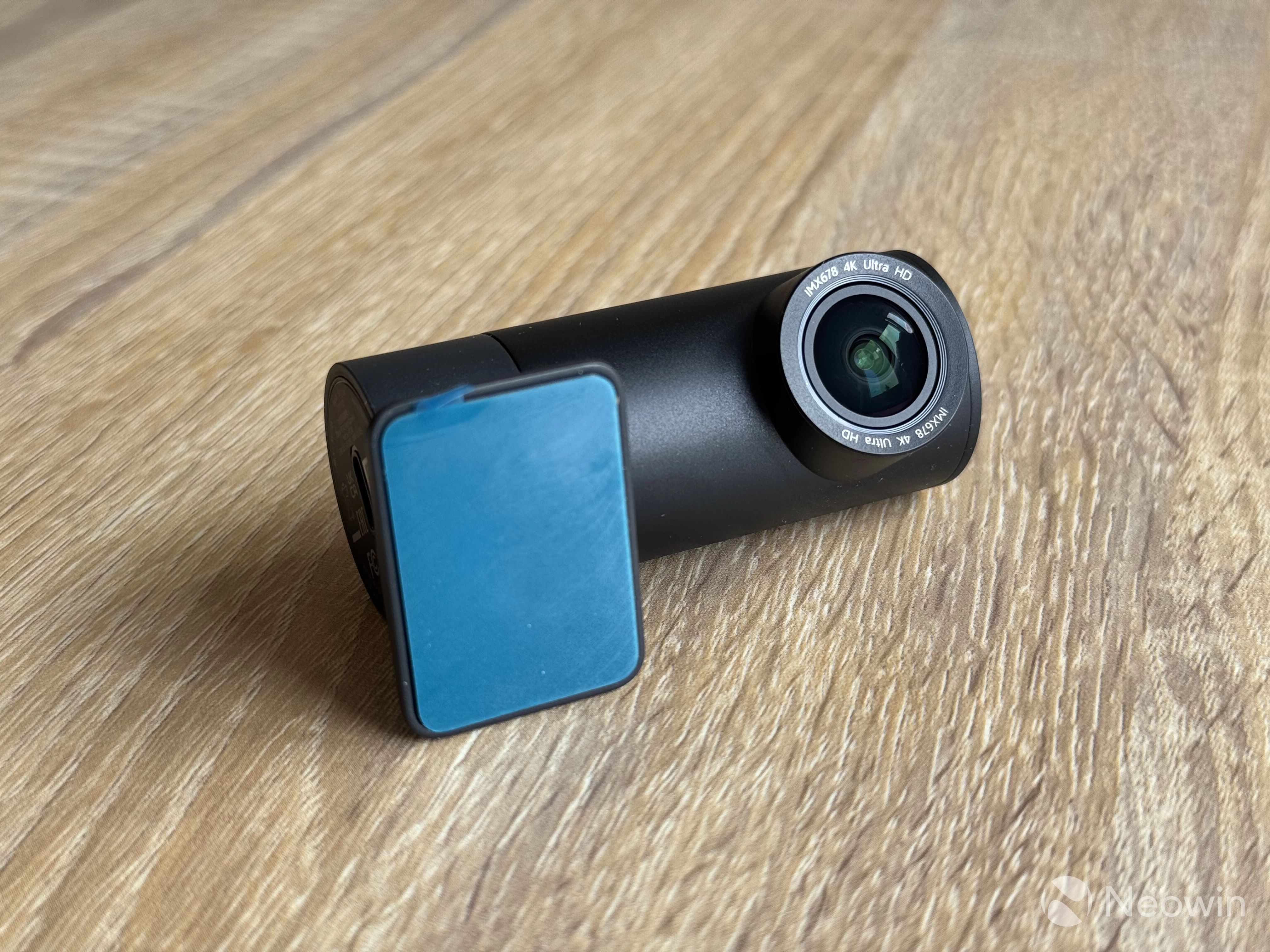
I like that the T800 is shaped like a traditional dash cam. Because of this, it takes less vertical space on the windshield, reducing the blind spot under the rear-view mirror. The front camera is mounted on a stiff hinge in the middle, while the interior camera with a speaker sticks from the right side of the system. It is also hinged (quite stiffly), allowing you to set the correct angle for the best interior view.
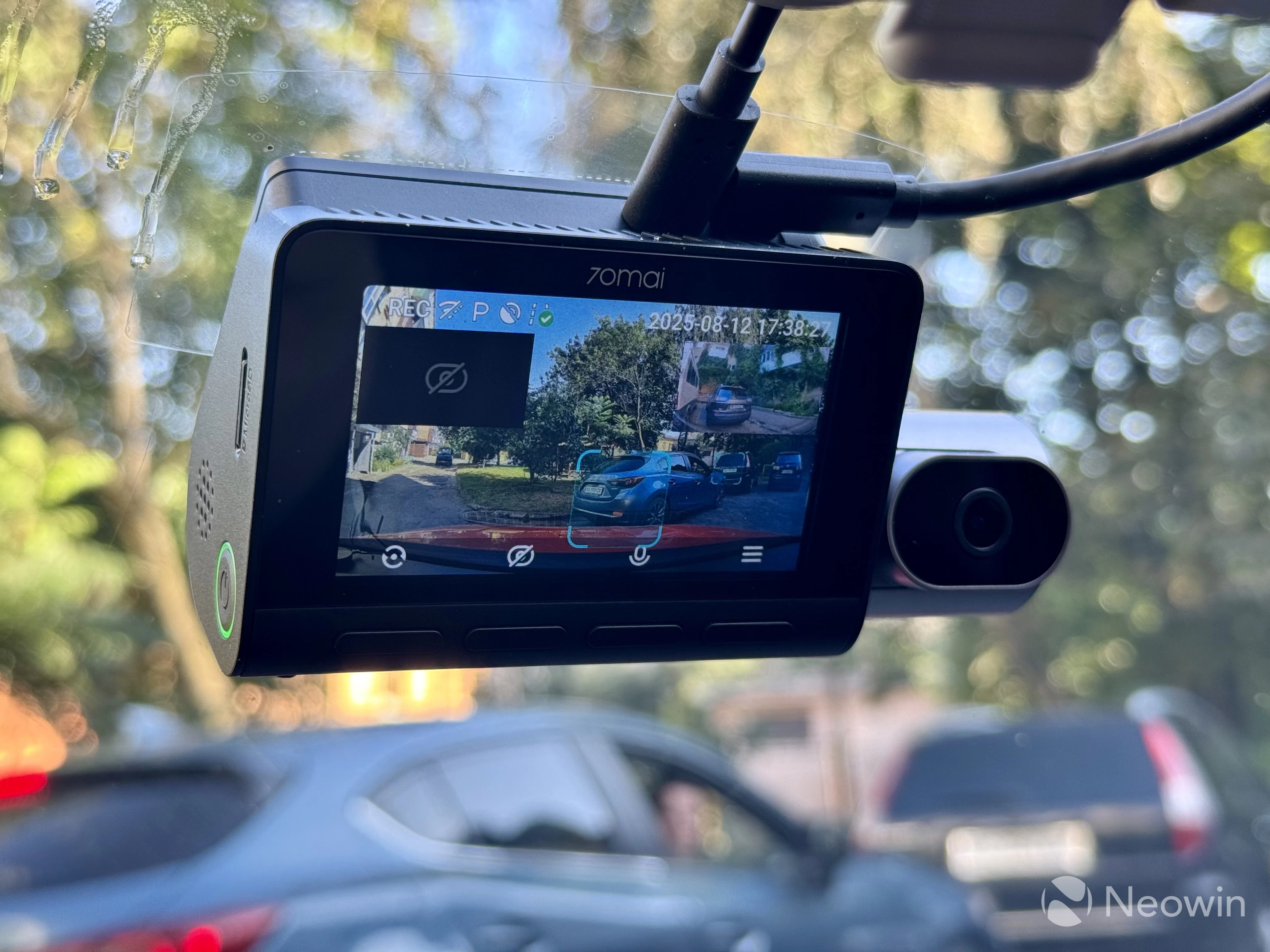
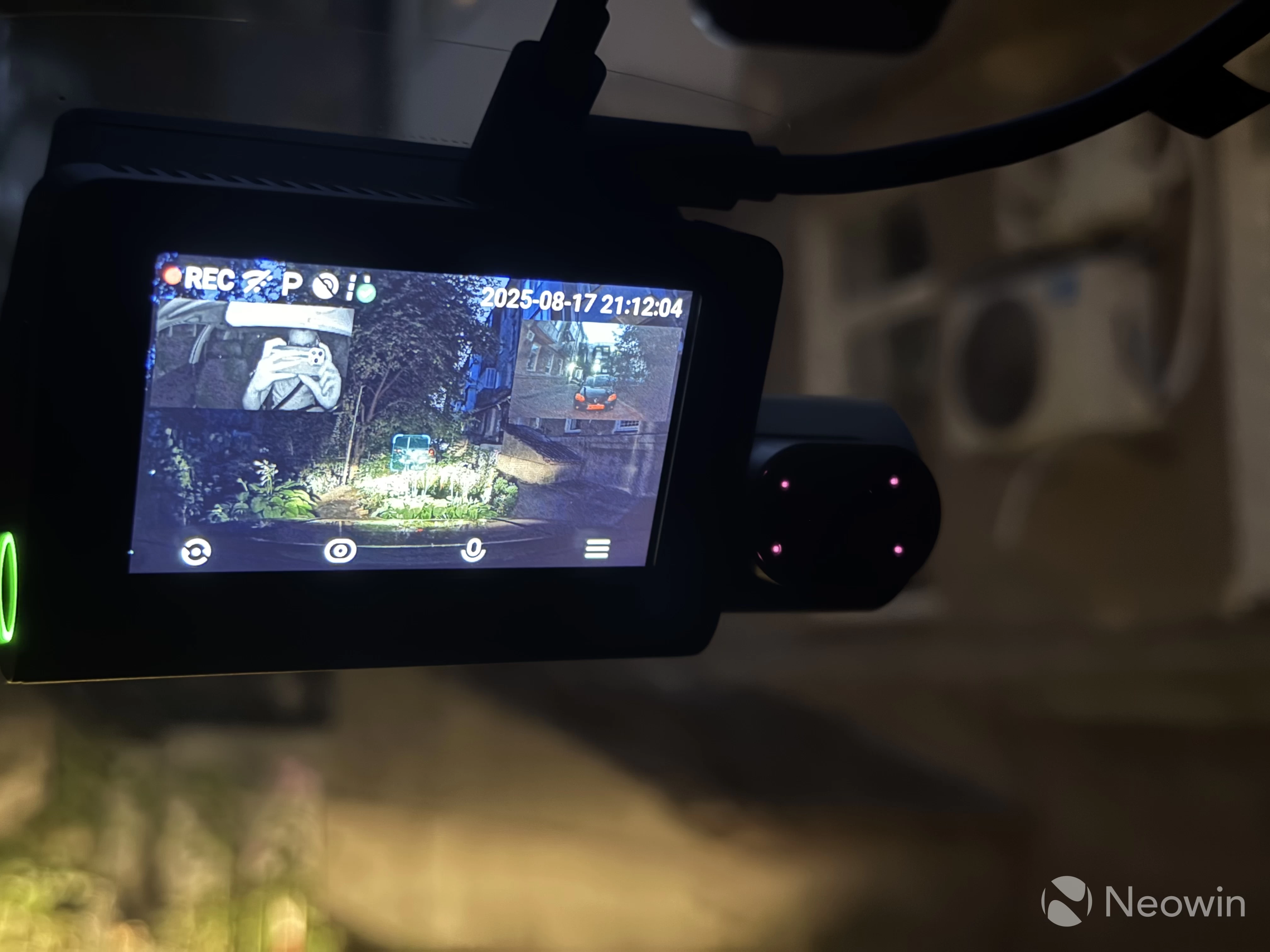
The T800 has a pretty large display that serves several purposes. By default, it shows the front camera feed with three additional cameras in picture-in-picture mode, which you can turn on or off to see better what is currently on the screen. A quick button press lets you swap cameras—a handy feature when you reverse, for example (assuming your car has no backup camera). However, the rear view camera is by no means a parking assistant—there are no parking lines, so I recommend not relying on it when reversing. The camera is also quite wide, and objects in it are actually much closer than they appear. Still, it is a good aid for basic cars with no other assistance.
The three-inch display is not of the highest quality. It is pretty dim with so-so viewing angles and a slightly washed-out image, especially under bright sun. Of course, at this price point, I would like to see a much better display, but it is also fair to say that you are not going to watch movies on it or use it for navigation.
The T800's display works in several modes: off after a few seconds, always on, and screensaver. The latter can only show the current time. For some reason, it does not display your speed, but I assume this feature will arrive later. The 4K Omni also had no such feature at launch—it was delivered later with a firmware update.
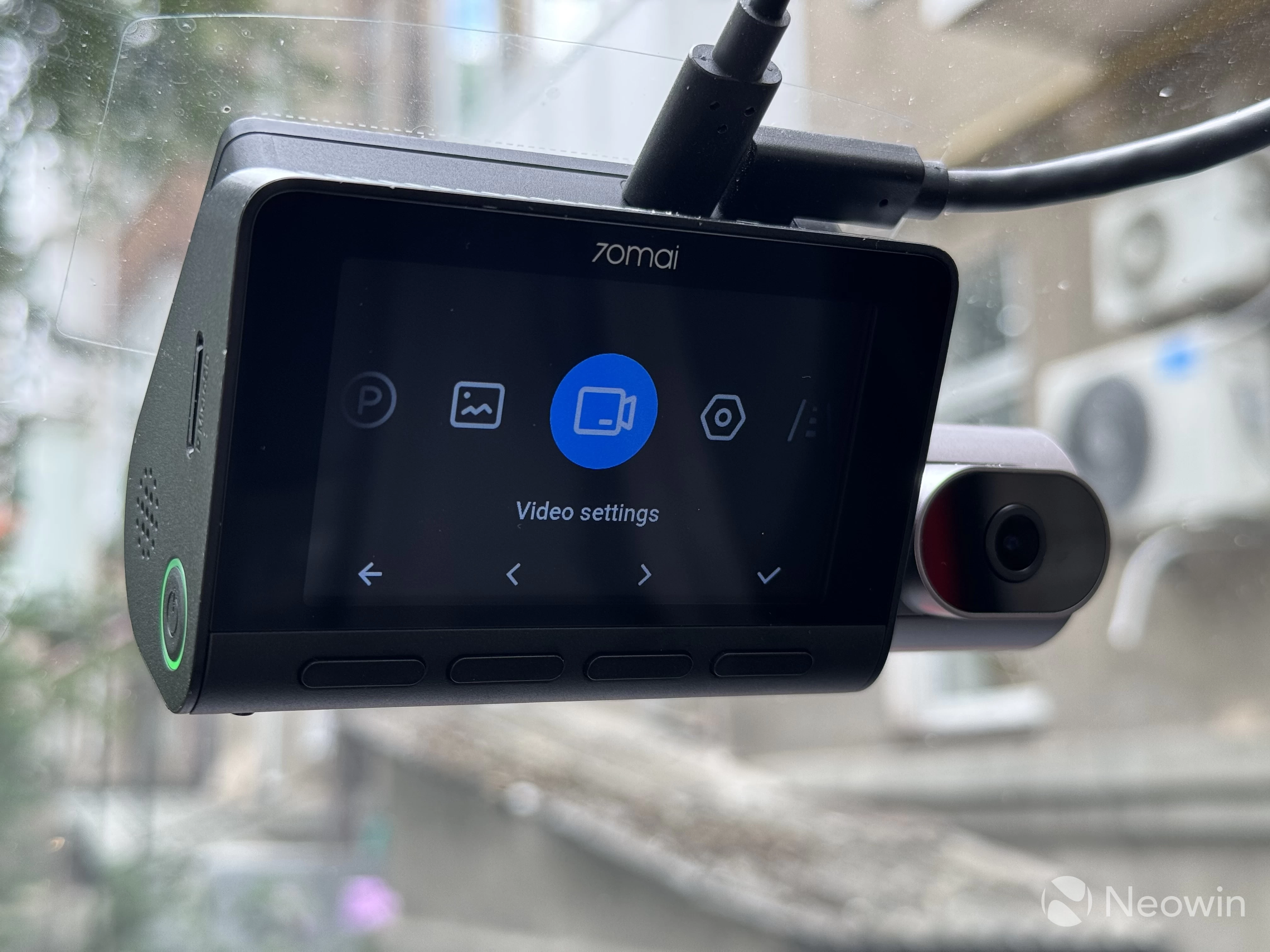
The dash cam has four buttons under the display. The first one toggles between cameras, the second turns off the interior camera (for privacy), the third one turns off the microphone (again, for privacy), and the fourth is for accessing the menu. The latter lets you customize a lot of features without using the app, which is very handy. The menu has good layouts, and everything is easy to navigate and understand. There is also a side-mounted power button with an LED indicator that lets you manually turn the camera on or off.
Additionally, the camera supports voice commands, such as "take photo," "record video," or "record audio." Voice commands work well, and the camera is very accurate at detecting them.
The rear camera connects with a removable USB-C cable. To my surprise, I discovered that the hinge is pretty loose, and the thick USB cable can easily change the camera's position angle when opening and closing the tailgate. Unfortunately, there is no apparent way to stiffen the hinge, and I had to give the cable a bit more slack.
Installation
The installation process depends on whether you have the extra hardware kit or just the cameras. If you only have the cameras, all you need to do is prepare the surface, place a sticker, mount the camera, and route the cables across your car with the help of the bundled tool. After that, connect the camera to a USB-A port, and you are good to go.
I noticed an odd quirk with the camera connected to a 12V charger: I could not turn it on with the power button once the camera shut itself down. Only unplugging and plugging back the USB cable would bring the T800 back to life, and the same thing I observed when testing the 4K Omni.
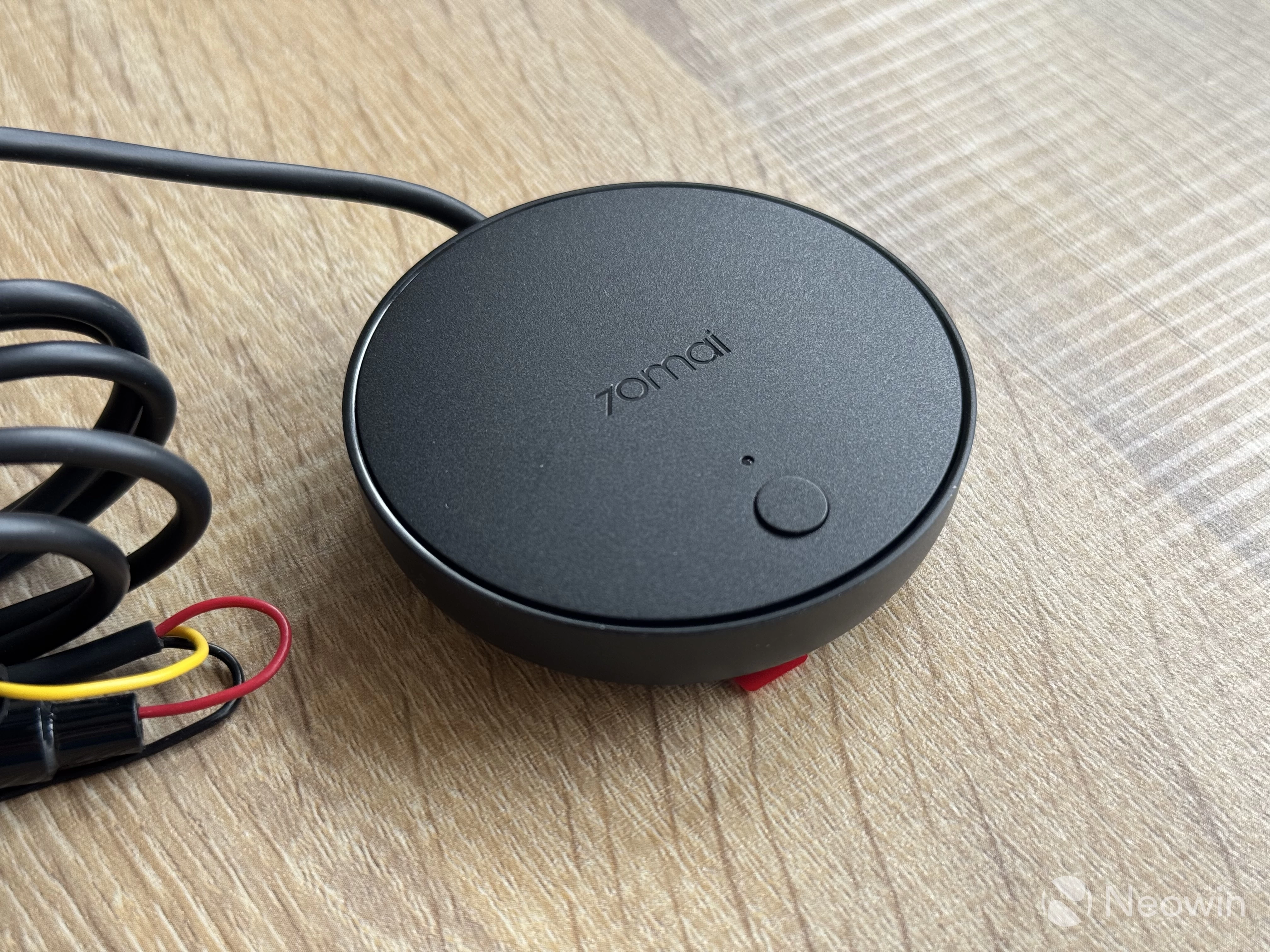
However, if you have the hardware kit, setting up the T800 is a slightly more complex process. The kit connects to your car's fuse box, and then it powers the entire system with a single USB-C cable. The surveillance module connects with three wires. One connects to the ignition fuse so that the camera can detect when the car is on or off and can turn on or shut down automatically. The second cable connects to any fuse that supplies 12V power, even when the vehicle is off. A simple multi-tester and a fuse box scheme will help you figure everything out. For example, in my Volkswagen Golf, I connected the camera to the cigarette lighter's fuse. Finally, the third cable is for ground.
70mai gets additional points for giving each cable a fuse for extra safety.
Once everything is connected, insert a SIM card into the module and connect it to the dash cam with a USB-C cable. After that, pair the module to the camera in the 70mai app. If all is set correctly, the LED indicator on the module will turn green. Now, you do not need to bother enabling or disabling the camera, as it will start itself with your vehicle and turn off after you shut the engine down. Much better than plugging a USB cable every time I get to drive my car.
User manuals for the T800 have everything properly explained for everyone to set up the camera without issues. However, if you are not comfortable tinkering with fuses in your car, I suggest asking a mechanic for help.
Video Quality
The image quality is great. Front and rear cameras record at 4K 30 FPS HDR. The rear camera records in 4K 30 FPS with HDR, and you will see the recordings speak for themselves.
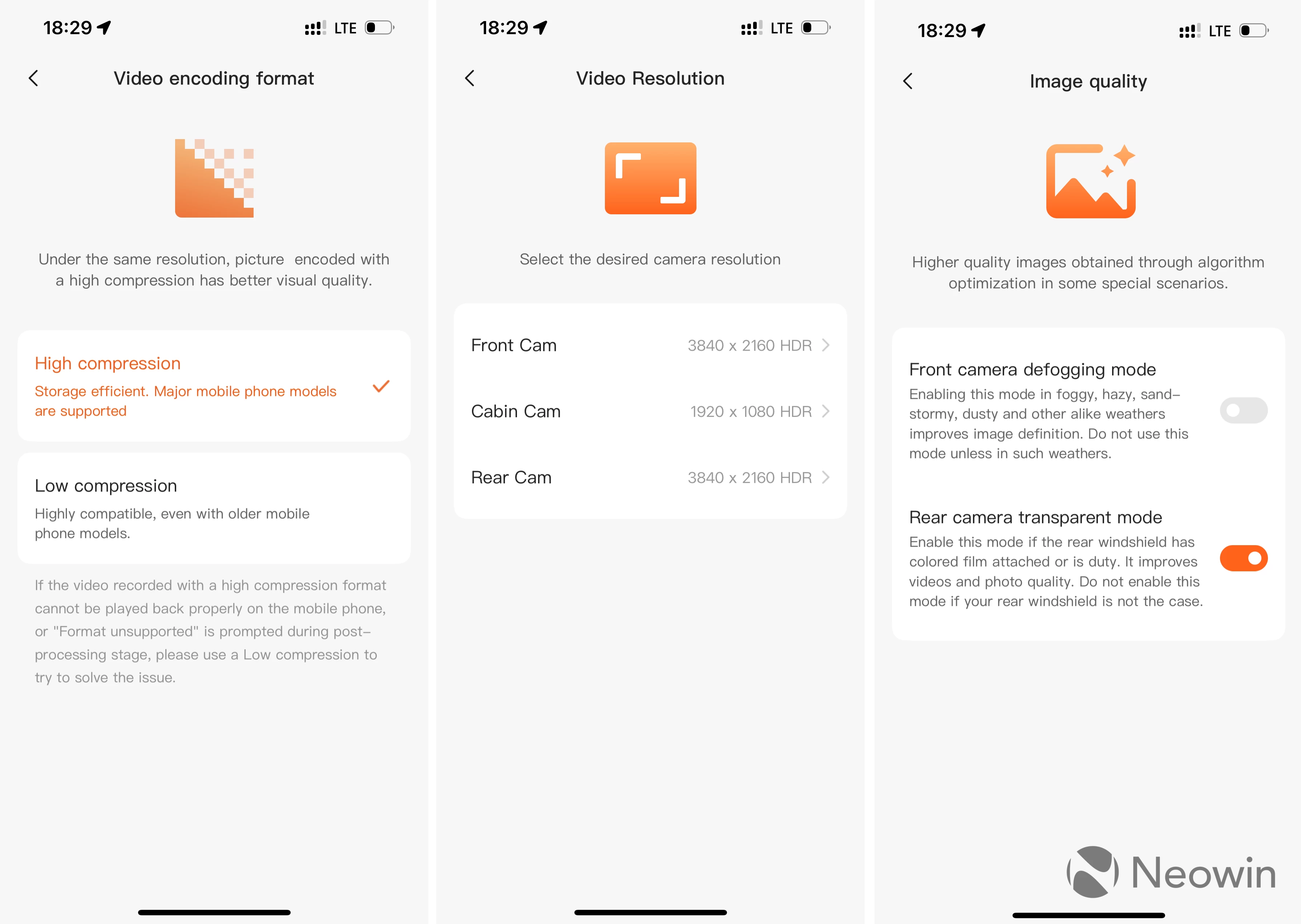
I was pleased to find a few additional features that promise to improve image quality when windows are dirty, tinted or foggy.
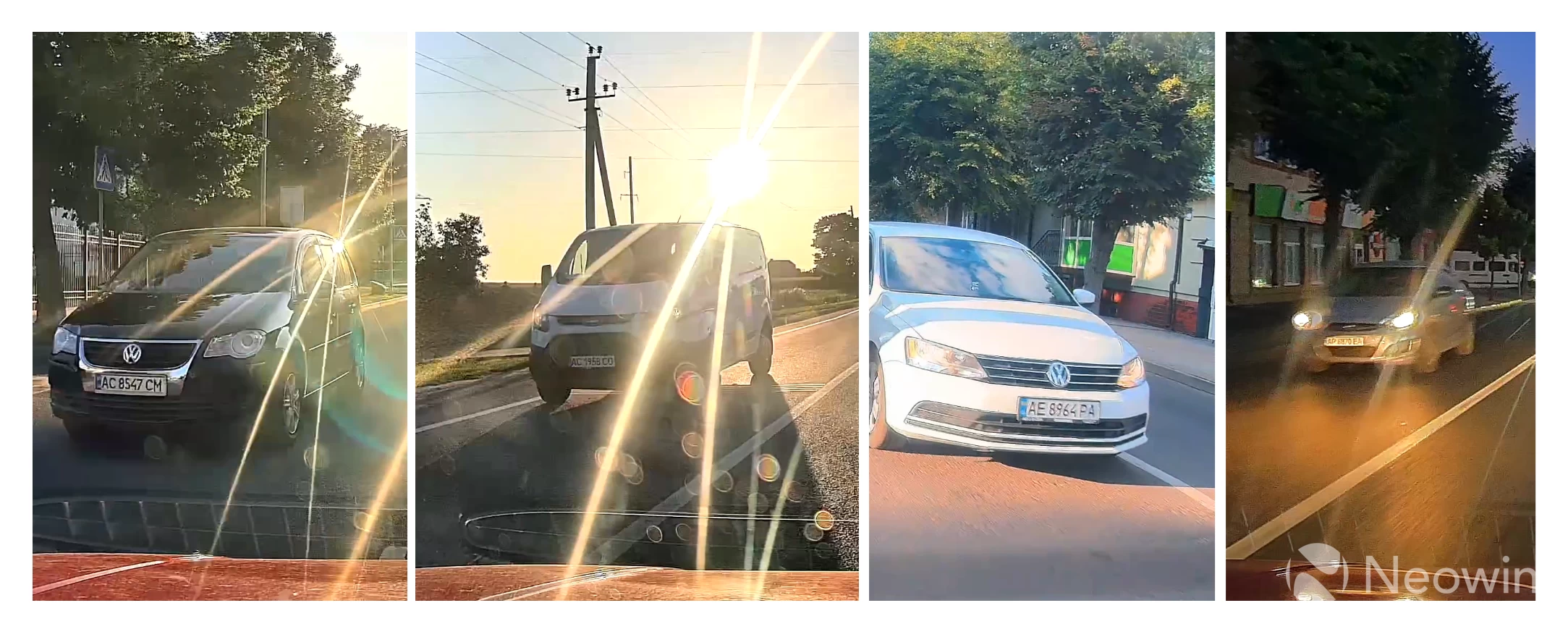
Both front and rear cameras record fantastic video in daylight, and when conditions worsen, say a direct evening sunlight or nighttime, they still manage to record well-detailed videos with plenty of pixels to detect number plates, road signs, pedestrians, etc:
The interior camera is only 1080p, but I have no complaints about its quality. More importantly, the camera has four IR lights for night vision, so you can still see what is happening in the interior during night driving. Thumbs up for that.
With all rumblings done, here are some videos taken by the T800 and its three cameras:
ADAS
If you read my 4K Omni review, very few things in this section will be new for you. However, I should still describe everything for those reading my dash cam reviews for the first time.
The T800 has several assistants to help you drive safely and stay focused on the road. They include pedestrian warning, cyclist/bikers warning, lane departure warning, front collision warning, forward car start warning, emergency detection, and driver fatigue warning.
The advanced driver assistance system is turned off by default. To make it work, you need to adjust the front camera according to a guideline on the screen and then drive on a good road with good markings for about 5-10 minutes at 25 mph or 40 km/h or higher. The lady in the camera will notify you once the system is calibrated and ready for work.
The T800 has quite a big display for a dash cam, and it displays various visual cues as you drive. For example, it places two lines on the road to mark your lane. If the car drifts away, the camera triggers a lane departure warning, and the corresponding lane turns from blue to orange. This system works very well at speeds above 35 mph or 55 km/h, even though it does not detect things like overtakes. It is not as good as lane departure systems in modern cars, but for old timers like my MK4 Golf, it works fantastically. Just do not let it distract you from driving.
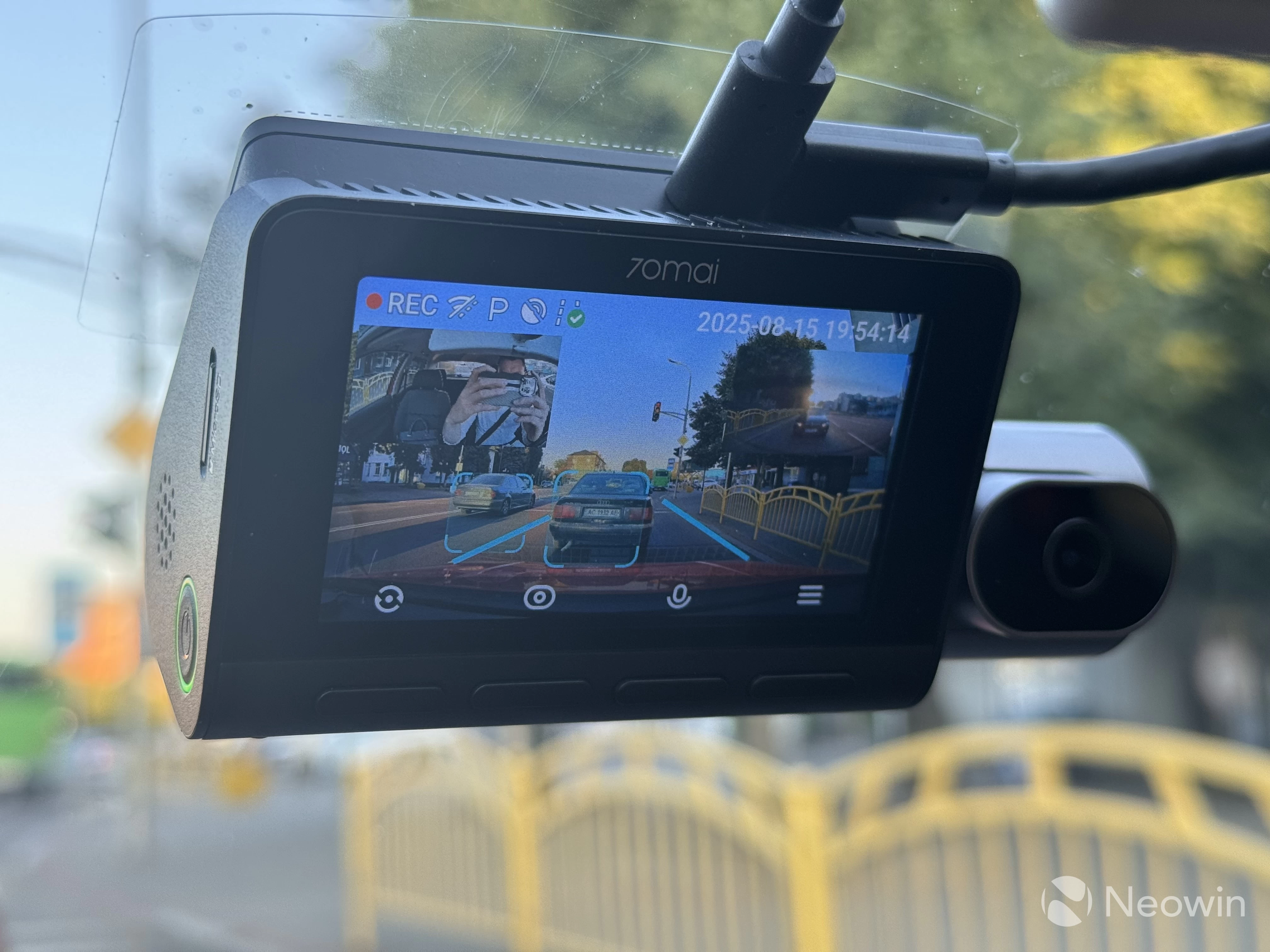
The T800 also highlights cars in front of you and displays a "Go" message when the car ahead starts moving. However, in my testing, I found the delay a bit too long. Drivers behind you would begin to honk long before the camera notifies you.
Cyclist/biker detection is alright for a random encounter with a cyclist or biker. However, if a biker in front of you moves along with the traffic, the camera will keep yelling, "Attention to riders" every few seconds, which is quite annoying. I yelled at it to be quiet, but it did not listen, unfortunately.
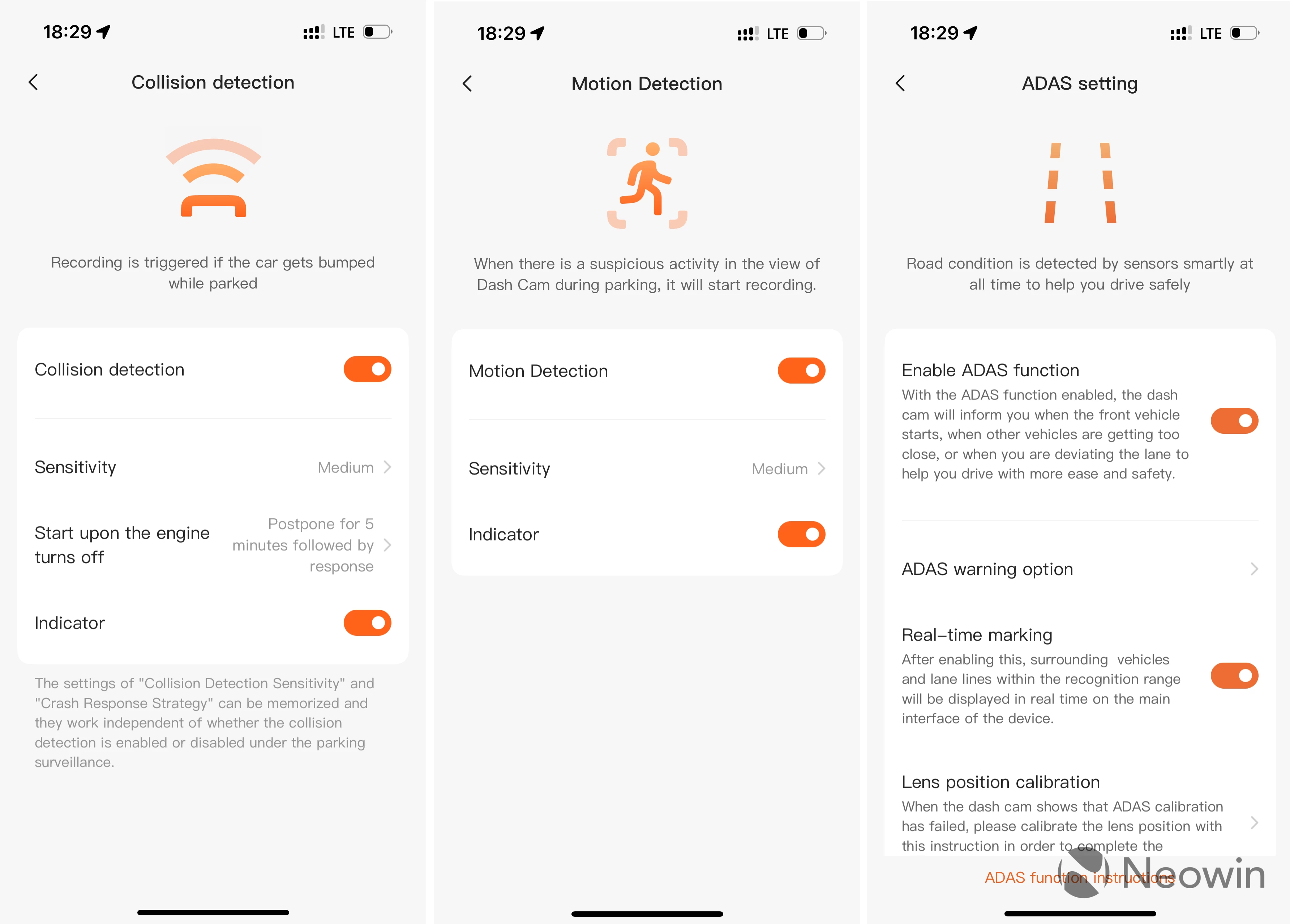
Emergency detection works well. Although I had no incidents during testing, I managed to trigger emergency detection in some scenarios. The T800 has sensitive accelerometers, and hard braking or hitting a pothole on a bad road will make the camera think an incident occurred. There are several sensitivity levels, so you will have to experiment with various settings depending on your road conditions.
When an emergency is detected, the camera notifies you with a chime and saves a few seconds before and after it. Here I should also point out that chimes are very nice and not annoying. The announcer's voice is pleasant to hear.
Like the 4K Omni, the T800 warns about pedestrians mostly after they have safely finished their crossing. The same goes for front collision warning. I only received it once, and there was no emergency or crash risk whatsoever. I am a very careful driver, and in my review, I only share my observations during my normal driving routine. I will also add that you should always pay attention and stay alert when driving and not overly rely on assistive technologies.
Another important thing that is worth mentioning is that in the dark, ADAS is nearly useless. No pedestrian warnings, no rider warnings, nothing. I tried mitigating that by increasing sensitivity to the max, but still, I barely got any notifications. Again, these systems are nice to have as a bonus. Honestly speaking, I would gladly trade them for a lower price.
The good thing is that if you feel like you are getting too many false positives or you do not want to use it, you can turn off ADAS or parts of it in the dash cam or the 70mai app.
Remote controls and monitoring
The hardware kit enables several additional features in the T800. Without it, the camera cannot monitor its surroundings when your vehicle is parked, and it automatically shuts down after a brief period.
When you turn off your car, all three cameras go to sleep. Only the kit remains alive to monitor what is going on. If something suspicious happens, the plastic puck wakes up all three cameras, starts recording, and sends you a notification. After that, the recorded video gets sent to the cloud, and you can download it without having physical access to the car.
Like ADAS, the parking monitor has several sensitivity levels. If you park your car in crowded areas, I suggest keeping it at a medium level. This will ensure you do not get a swarm of false alarms due to pedestrians just passing by your wheels. However, it is sensitive enough to detect a person peeking into your car or standing right next to it. The other day I received a warning about suspicious activity just to discover a cat on my hood and an old lady in front of the car waiting for somebody.
Although all cameras go to sleep when parked, the hardware kit still sips some energy from your 12V battery to be aware of the surroundings. If left for too long, it will surely drain the battery. Therefore, 70mai implemented a voltage monitoring system that shuts down the kit once the voltage drops below a certain level, which you can customize in settings. Additionally, you can set a specific period, after which the kit shuts down regardless of the battery voltage. For example, 8, 12, or 24 hours.
70mai offers a dedicated battery pack for uninterrupted monitoring. It also connects to the fuse box, and when the vehicle is off, it powers the system, giving you hours of monitoring without touching your vehicle's 12V battery. However, the battery costs a whopping $169. Tough sell if you ask me.
The hardware kit also enables additional features such as the 70mai Lumi Vision (enhances nighttime recordings), time-lapse (camera takes a photo every few seconds), car location, route tracking, real-time alerts, and more. Here is a time-lapse the camera recorded while I was shopping:
App features
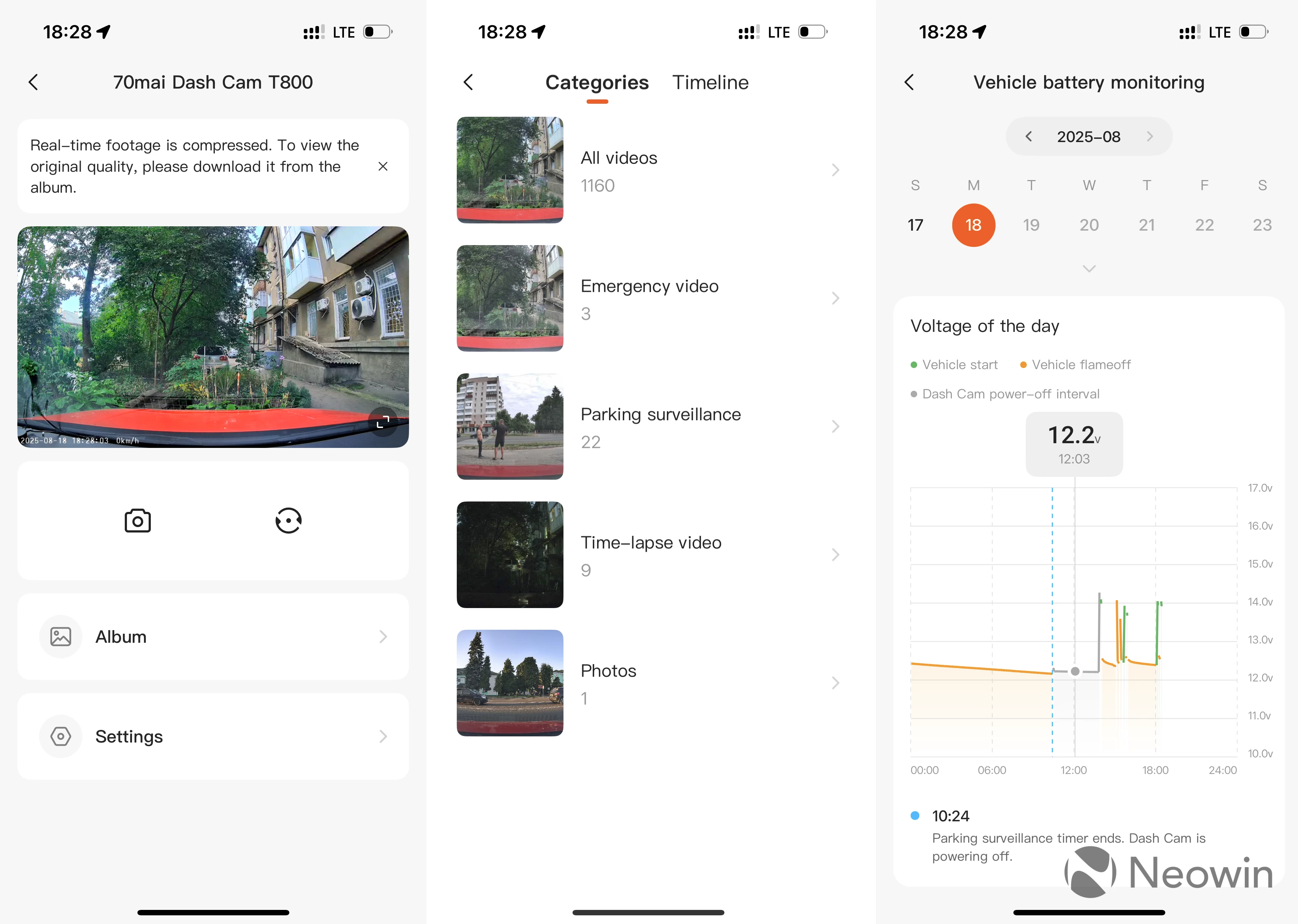
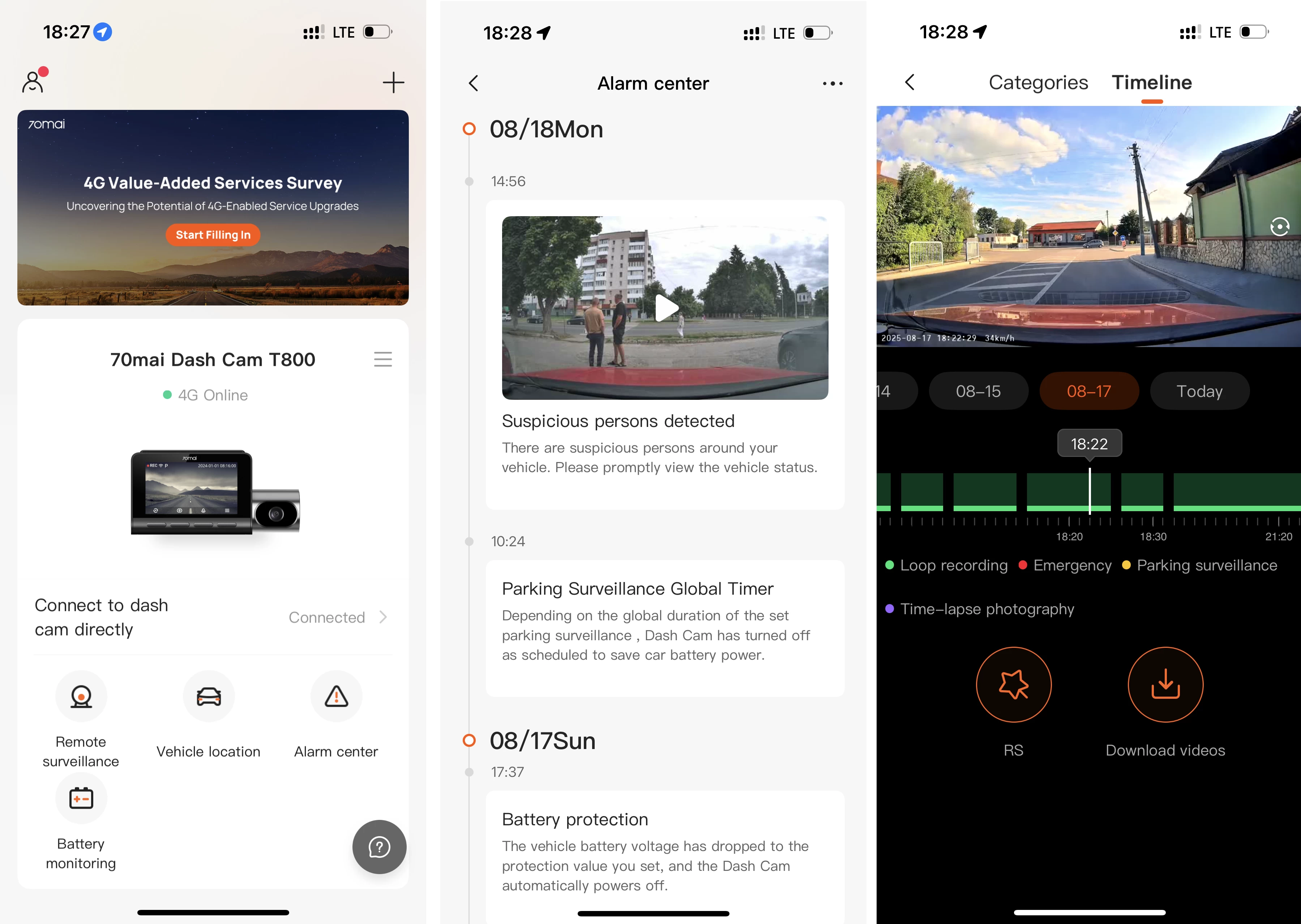
The 70mai app is packed with various settings and features. Here is a quick overview:
- Alarm Center: Shows a timeline of events and emergencies with timestamps and recorded videos.
- Battery Monitoring: A dedicated section with a calendar and precise battery graphs.
- Remote Monitoring: Connect to your camera remotely (if you have the hardware kit), watch what is going on, take pictures, and switch between cameras
- Device Settings: You can change video encoding format, video resolution, recording duration, speed/coordinates/70mai logo watermarks, anti-flicker settings, video mirroring and rotation, adjust collision and motion sensitivity, adjust the speaker volume, disable certain chimes, and turn off audio recording. It can also update firmware, change system settings (data, driving units, etc), and more.
- ADAS: Configure or toggle on/off each assistive tech, calibrate lens position, and more.
- Gallery: You can access all of your recordings from the gallery, which auto-categorizes videos into folders and displays them on a single timeline. The latter also lets you enable a "road-story filter," which places an overlay with all the driving information that the camera gathers, including speed, driving direction, driving distance, date and time, a g-meter, and even your vehicle's pitch and roll.
The app connects to the camera using a Wi-Fi 6 hotspot. Getting footage off the T800 is quick, and a one-minute video downloads in just a few seconds. You can also remove the memory card and access videos from your computer. Everything on the memory card is neatly stored in different folders so that you can quickly find footage from the exact camera you need. Events and emergencies are also stored in a separate folder, which makes it easier to find them without digging through hundreds of uneventful videos.
Gallery: 70mai 4K T800 app
Conclusion
Overall, the 70mai T800 4K is a great high-end dash cam system. It records quality videos from three cameras, ensuring nothing is left out of sight, regardless of the time of day. Remote monitoring and parking surveillance are useful and reliable, even though ADAS is often hit or miss. The $499 price tag is probably the only hard-to-swallow pill (you can get it now with a discount on Amazon). But if you want a reliable, well-designed, high-end monitoring system for your car, the T800 4K should definitely be in your dash cam shortlist. This thing has no dealbreakers, except for the price, of course, which, in my case, is 1/6 of what my car costs.
As an Amazon Associate, we earn from qualifying purchases.









4 Comments
Load the comments and join the conversation!
Read the comments, ask the editors questions, show respect and join the conversation.