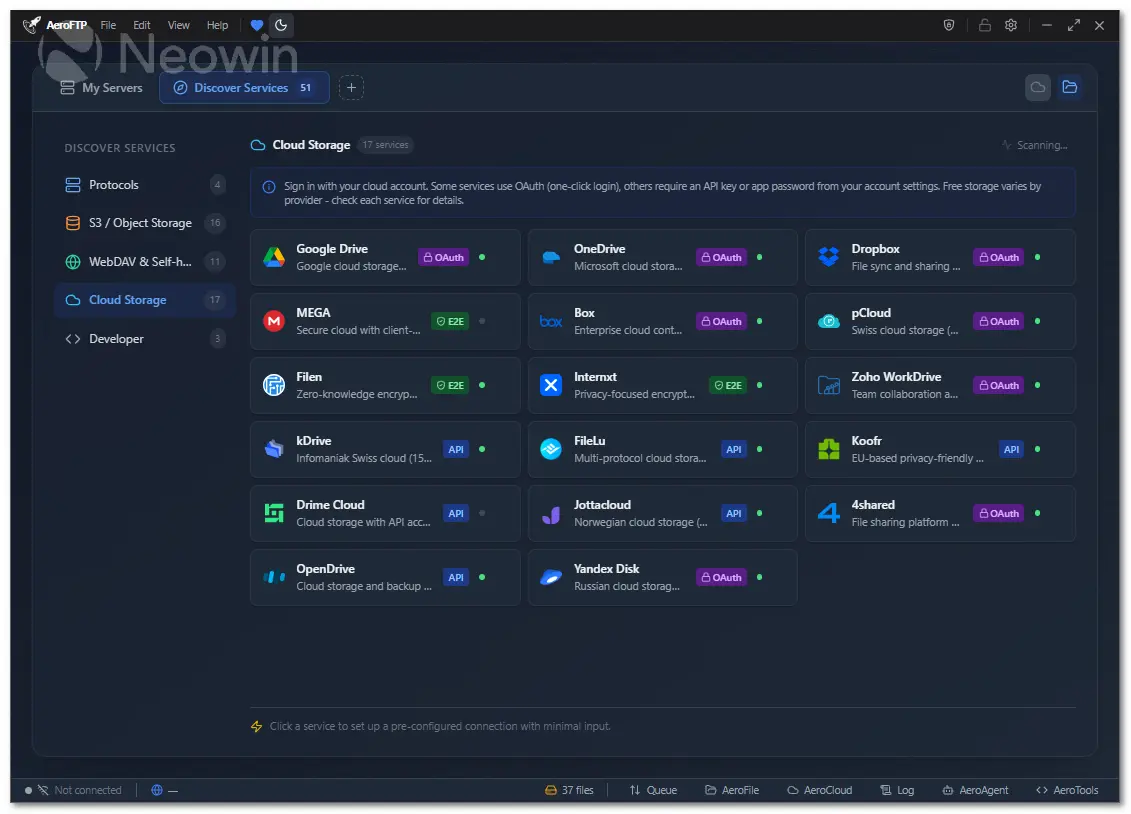
AeroFTP is a fast, modern, and easy-to-use file transfer app designed to help you manage files across servers and cloud services from one simple interface. Built for Windows, macOS, and Linux, it lets you connect to FTP, SFTP, WebDAV, S3 storage, GitHub, and popular cloud providers without hassle.
With AeroFTP, you can turn almost any server into your own personal cloud and keep your files organized, synced, and always accessible. It supports reliable two-way sync, background syncing, file versioning, and selective folders, making it ideal for both personal use and small businesses.
Whether you"re backing up important documents or managing multiple online accounts, AeroFTP helps you stay organized and in control.
AeroFTP includes a clean dual-pane layout for simple drag-and-drop transfers, quick previews, tabs for multiple connections, and smart search tools to find files instantly. Its six built-in modules — AeroCloud, AeroFile, AeroSync, AeroVault, AeroTools, and AeroPlayer — make it more than just a file transfer client. You can manage cloud storage, automate file tasks, sync folders in real time, protect sensitive documents, edit files, and even preview media.
With support for 51 cloud and developer platforms, AeroFTP offers step-by-step setup guides and recommended settings so you can connect everything effortlessly.
AeroFTP key features:
- 25 protocols (FTP, FTPS, SFTP, WebDAV, S3, Google Drive, Dropbox, OneDrive, MEGA, and more)
- AeroVault v2 encrypted containers (AES-256-GCM-SIV, Argon2id)
- Cryptomator vault support (format 8)
- AeroAgent AI assistant with 19 providers and 47 tools
- Monaco code editor (VS Code engine) for remote file editing
- Integrated terminal with theme sync
- AeroCloud bidirectional sync with background service
- Dual-pane file browser with drag-and-drop
- Archive browser (ZIP, 7z, TAR, RAR) with selective extraction
- CLI with 30 subcommands and batch scripting
- 47 languages supported
- 4 themes (Light, Dark, Tokyo Night, Cyber)
- Zero telemetry - all credentials stored locally
- Cross-platform (Linux, Windows, macOS)
AeroFTP 3.8.4 release notes:
Unified Transfer DAG, Staging Queue and AeroFile Sync
- v3.8.4 is a big release: the slow work of the last cycle was converging every transfer surface (GUI, CLI, AeroSync, cross-profile) onto one shared execution engine, building a staging queue on top of it, shipping a CLI dispatcher set, unifying three disconnected sync dialogs, and acting on the v3.8.3 community feedback.
AeroFTP v3.8.4 — Highlights
- The command-line tool is now much easier to use and almost as capable as the main app.
- You can now use a short, simple command (aero) to run AeroFTP tools.
- Installing and running AeroFTP on Windows or Linux works more smoothly now.
- Syncing files is clearer thanks to a redesigned “Compare / Plan / Sync” window.
- The local sync feature (AeroRsync) is now easier to find directly in the toolbar.
- The app behaves more consistently — what you see in the GUI now matches what you get in the CLI.
- Navigation inside the app feels cleaner with some UI polish and menu improvements.
- File operations like listing, syncing, and transferring are more reliable behind the scenes.
- Scripts and automated tasks using AeroFTP run more smoothly with improved command handling.
- Fewer platform-specific hiccups when installing or updating.
- Several minor bugs from the previous versions have been fixed.
- All operating systems now have updated installers ready to go.
- Performance is generally smoother thanks to internal cleanup.
- The syncing experience is more intuitive and requires fewer steps.
- Overall, this is the most stable and user-friendly AeroFTP version yet. [full release notes]
Download: AeroFTP 3.8.5 | Portable ~30.0 MB (Open Source)
Links: AeroFTP Home page | Documentation | Screenshot