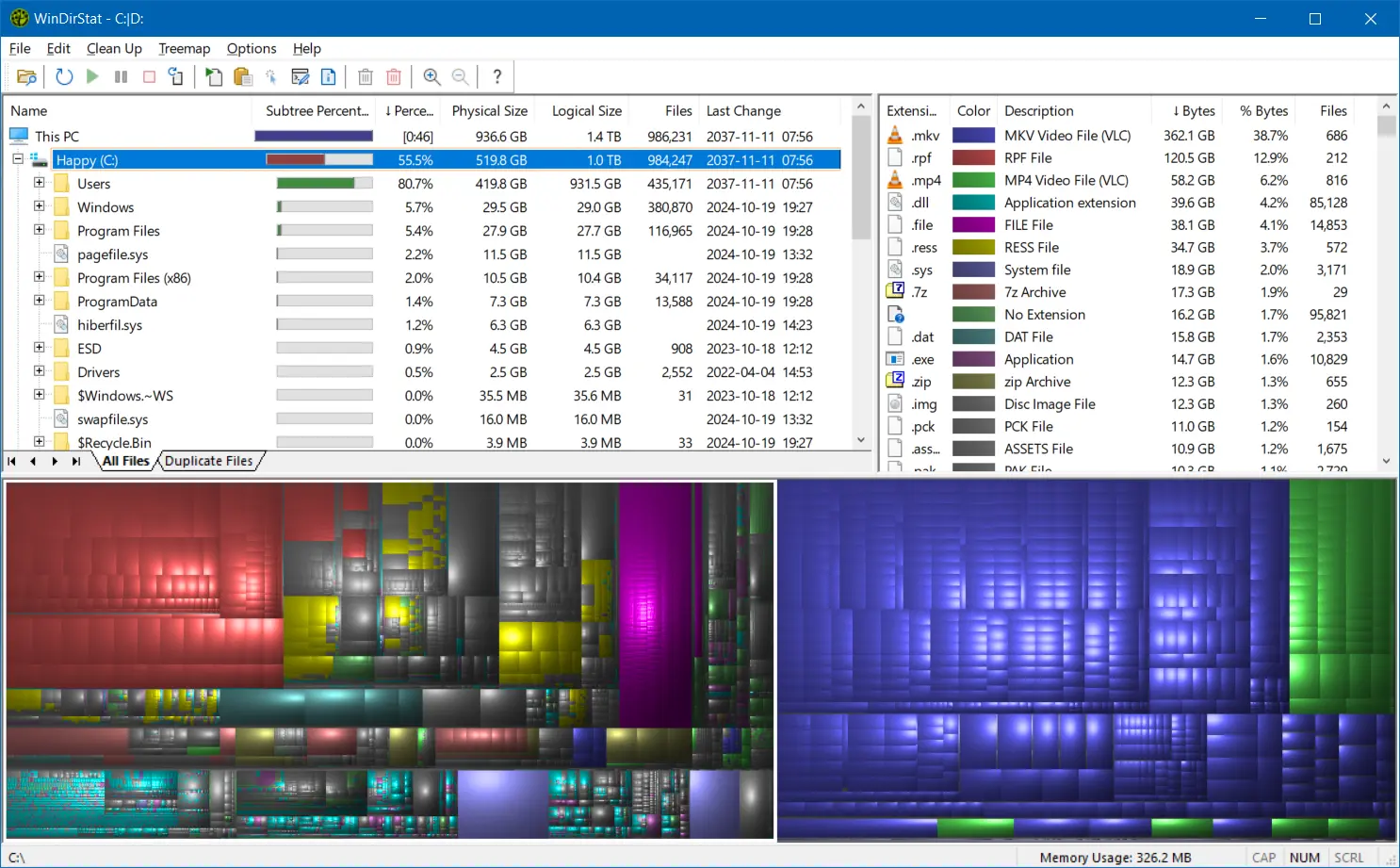
WinDirStat is a free, open-source disk usage analyzer for Windows that helps users understand how storage space is being used across drives and folders. It scans local drives, selected drives, individual folders, and command-line targets, then shows where storage is being used through a sortable directory tree, an extension/type breakdown, and an interactive treemap where larger files and folders take up larger areas.
Alongside the visual overview, WinDirStat helps you investigate and act on disk usage. You can find large files, search and filter results, detect duplicates by hash, inspect logical versus physical size, watch file-system changes, save or reload scans, and launch cleanup or Windows maintenance actions directly from the interface.
WinDirStat 2.x is tested on Windows 7, 8, 8.1, 10, and 11, plus Windows Server 2008 R2 through 2025. It may run on other versions too, but only these are officially supported.
Major features
- Flexible scanning for local drives, selected drives, folders, and command-line targets, with refresh, suspend, resume, stop, fast NTFS scanning, multithreading, and elevated privilege support
- All Files, Largest Files, Duplicate Files, Search Results, File Watcher, Extension, and Treemap views
- Interactive treemap navigation with zooming, parent/child reselection, extension labels, logical or physical sizing, and configurable KDirStat or SequoiaView styling
- Sortable file details including logical/physical size, percentages, item counts, attributes, owner, modified time, free/unknown space, hardlinks, and hash prefixes
- Search, duplicate detection, and filtering with regular expressions, configurable hash algorithms, cloud-file safeguards, hardlink deduplication, path/name filters, size filters, and reparse-point exclusions
- File watching and reporting with created/deleted/modified/renamed events, CSV scan import/export, duplicate CSV export, and command-line CSV workflows
- Built-in actions for opening items, copying paths, selecting in Explorer, invoking the Explorer context menu, opening Command Prompt or PowerShell, moving files, showing properties, deleting files, and emptying folders or the Recycle Bin
- Windows cleanup and maintenance shortcuts for Disk Cleanup, Programs and Features, DISM, shadow copies, defrag, CHKDSK, VHDX optimization, hibernate files, user profiles, Mark-of-the-Web tags, sparse files, and NTFS compression
- User-defined cleanup actions plus dark mode, portable settings, Explorer context-menu integration, localization, locale-aware formatting, configurable columns, larger toolbar icons, and high-DPI aware UI behavior
WinDirStat 2.6.1 changelog:
- Improved gear, pause, filter, and refresh icon rendering
- Improved icons lookups on latent networks
- Improved treemap rendering performance
Bug Fixes
- Corrected some glyphs not rendering on Windows 7
- Corrected potential compressed size detection issue
- Corrected potential reparse point enumeration issues
- Corrected file-based exclusions context menu option
- Corrected potential race condition during icon rendering
- Corrected minor handle leak in drive selection dialog
- Corrected potential crash when excluding reserved files
- Corrected Windows Store manifest generation issues
- Addressed folders not appearing in search results
Download: WinDirStat 64-bit | WinDirStat 32-bit | Portable (Open Source)
Download: WinDirStat ARM64 | 2.3 MB
View: WinDirStat Website | GitHub | Screenshot