Who doesn"t like to keep older hardware alive longer? I know I do. On many older or low-end machines, the constant operating system releases make hardware seem slower over time. The laptop in question, which launched around 2018, features an Intel Celeron N4000 @ 2x 2.6GHz, Mesa Intel(R) UHD Graphics 600, 4GB RAM, and it"s relying on a 2.5 SATA hard drive, rather than a faster SSD.
In my case, I have been running Fedora Silverblue on my underpowered laptop since 2024, with the latest install taking place around July.
To put it mildly, the experience of running Silverblue was frustrating. As soon as the laptop booted, Fedora would be trying to install the latest updates, which take much longer on the atomic versions of Fedora, making programs lag extra hard.
Even after the computer had spent half an hour "warming up", programs would still routinely throw an error message asking if I"d like to force quit the app or continue to wait until the program unfroze. After about five months of trying to put up with this (it got worse over time), I decided to try Fedora Kinoite, the KDE atomic version.
I could easily rebase to Kinoite from Silverblue, without having to worry about backing up and restoring files. The switch went OK, but my experience with KDE was even worse. KDE has been improved in recent versions, but it still felt like Silverblue - sluggish!
After just a day or two, I"d had enough. I was going to try a lightweight Linux distribution. I like the Fedora base, so I thought I"d give Fedora Xfce a go. Sure, I lose the atomic features, but I gain a lighter desktop and a bit more freedom when it comes to installing programs - I recently tried installing Google Antigravity, but had no luck on Silverblue; I now have it on Xfce.
For those not familiar with the atomic versions of Fedora, they bring numerous benefits. When they get updates, they get them in one go and install after a reboot. If anything goes wrong with updates, they won"t be applied, keeping your system stable.
Additionally, there is always an old version to roll back to if the latest version is buggy somehow. Lastly, they don"t allow apps to be installed that can interact with the read-only system files. Instead, it forces you to use Flatpaks and RPM Layering.
The rocky road to Xfce: The immutable experiment
Fedora Silverblue has been my primary driver since early 2024. I like the modern immutable OS philosophy where applications are kept separate from the underlying system, helping to boost security. It is also very reliable thanks to its rollback capabilities.
Aside from the superior security, Fedora (across all of its versions) delivers cutting-edge software updates, such as the newest Linux kernels, soon after their release. Its semi-rolling releases also mean that it is quite stable.
While Fedora Silverblue is a good choice for many desktop computers, the laptop I use now couldn"t handle it. Applications could be slow to load, there was noticeable UI lag, long boot times, and frequent popups asking to close the current window. Sometimes things would work nicely, but if I pushed my luck, the system would soon start misbehaving.
The decision to try Kinoite was a last-ditch attempt not to back up and restore my files. I was hoping recent improvements to KDE were enough to have it running quickly on my laptop; unfortunately, it was still too slow, so I grabbed my external hard drive and started backing up.
In some ways, the performance on Kinoite was even worse than on GNOME; the main thing I noticed is that when the system started to lock up, even the mouse would freeze. This is something that doesn"t happen in GNOME. Generally, though, it felt just as slow as Silverblue.
The installation pivot: A surprisingly smooth experience
One of the main reasons I love Fedora is because of the Fedora Media Installer. You just plug in a USB stick, tell it which Fedora version you want, then it downloads it, verifies it, installs it, and then verifies the media. When I tried to do this with Fedora Xfce, though, I encountered an error message that forced me to download the ISO image myself and verify the integrity of the download.
While frustrating and a bit more advanced, I"ve done this process lots of times before, so the issue was quickly overcome.
Once I had backed up my files, it was time to install Fedora Xfce. Was it possible to (easily) install Fedora Xfce in place of Kinoite, without wiping my Windows installation? Or would I be reinstalling that too?
Well, the good news is that the modern Anaconda Web UI installer was made the default in all Fedora versions recently, and after using GParted to clear space, the new installer made it really easy to install Fedora in the freed-up space. After rebooting, both Fedora and Windows were accessible without issues.
Personally, I have never known an installer this easy to use. Many allow you to do advanced installations like this, but they usually have complex options attached to them, which just confused me and drove me away to do simpler full hard drive wipes and installs.
Booting into Fedora Xfce was noticeably faster than the atomic version. After boot, I immediately went to add a second user account. Weirdly, Xfce doesn"t have a graphical way to add new users, at least not on a default Fedora install.
I quickly went over to Google Gemini and asked for instructions on how to add a user account, and it gave me a bunch of commands to run in the terminal. And that was that, a new user added. I most likely never need to touch user accounts again.
The other big issue I"ve had with Fedora Xfce is dnfdragora, the graphical package manager. When I open it, it just says that it"s caching packages, then sticks like that forever. Maybe it will work someday, but for the time being, I"ve reverted to using the terminal.
Updates are easy with a simple "sudo dnf upgrade" and program installs are simple too with "sudo dnf install stellarium" or whatever package you want. I understand some people hate the terminal, but I don"t. I like it and for the speed boost I"ve got, switching to Xfce is easily worth the "downsides".
The performance revelation and daily use
The core improvement of Fedora Xfce is the speed. This underwhelming laptop now feels like any computer that has decent enough specs to run an operating system without stuttering. Sure, it"s not as good as a top-range PC, but it easily feels as fast as my previous tower PC, which had a quad-core processor and 8GB RAM - for comparison, this laptop has a dual dual-core CPU (Intel N4000) and has 4GB RAM.
When I booted Fedora Xfce into a live session before installing it and saw the speed difference, I was excited but wondered if installing it to the hard drive would slow it down again, like everything else I"ve tried. Thankfully, the Linux on low-end machine experience is running very fast, even on the computer"s hardware.
In terms of concrete speed improvements I have noticed in Xfce, I can definitely say that they are not isolated; they are right across the board. Boot and shutdown are faster, opening apps is faster, using apps is faster, and never have I had apps crashing on me, even Firefox when opening lots of tabs - doing this used to make Silverblue very angry.
Doing updates also feels faster. In Silverblue, I"d have to open GNOME Software, wait for it to load the list of updates, then wait for rpm-ostree (a dnf alternative) to update, which was almost always slower than dnf. On top of that, all updates required a restart to be applied.
With dnf and the terminal, updates are fast, and the new packages are applied without needing to reboot. Sure, it might not seem as straightforward as a GUI, but it is much less of a headache in terms of speed and responsiveness.
Xfce lies in a strange area on the spectrum of Linux desktop environments. It generally offers a full desktop environment, without some of the flashy effects offered by other environments like GNOME and KDE.
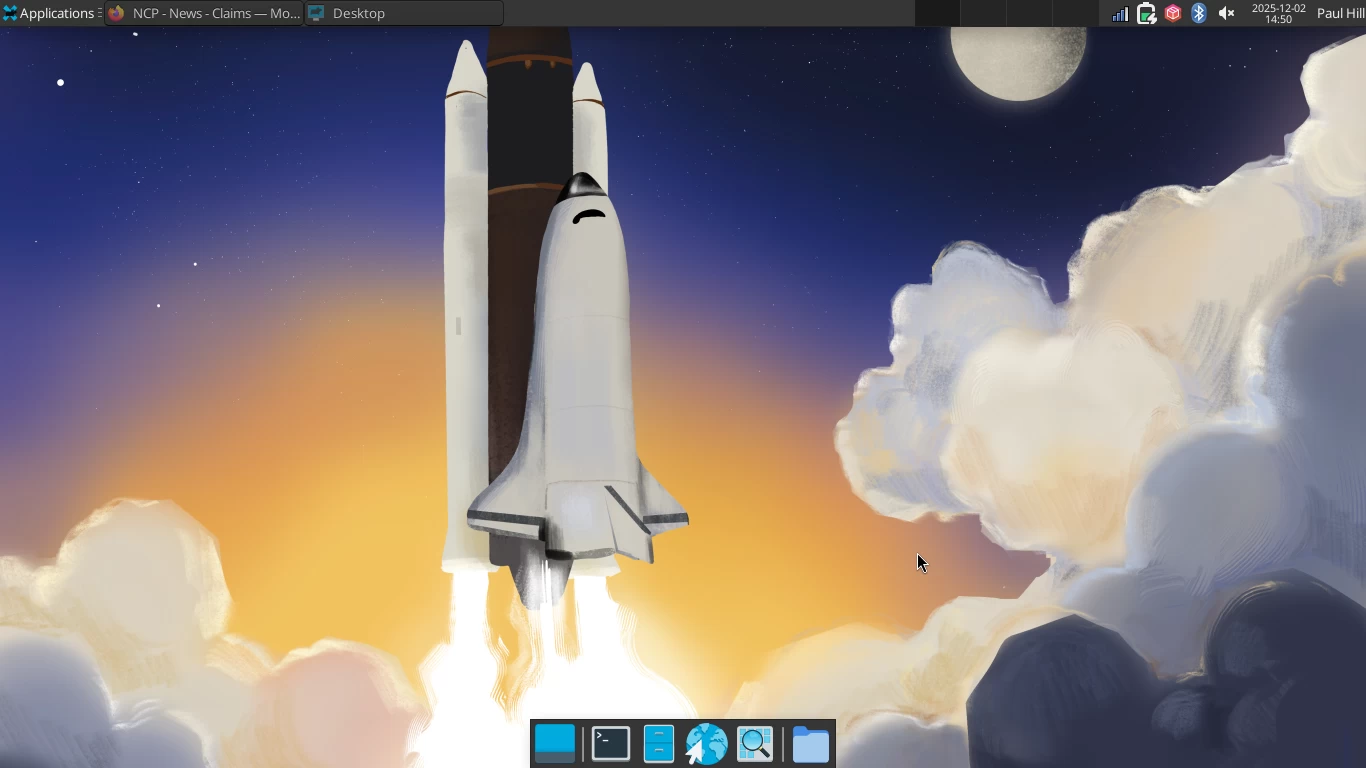
Xfce also changes appearance based on which distribution you use; some distros choose to use the Whisker Menu while others choose the Applications Menu. Fedora has gone with the latter and parked it at the top left, with widgets at the top right. Between these on the top bar are your open applications, which you can click to minimize or reopen.
At the bottom of the screen is a dock that auto-hides when you maximize a window. If you"ve tried Xfce before but don"t remember a dock, that"s because it"s one of the components commonly dropped by various Linux distributions. Fedora wants to keep things stock, so it maintains the dock.
The applications are fairly full-featured and lightweight, but they are nowhere near as pretty as the GNOME and KDE alternatives. Despite not looking super modern, they are still easy and straightforward to use, and most importantly, they are very fast.
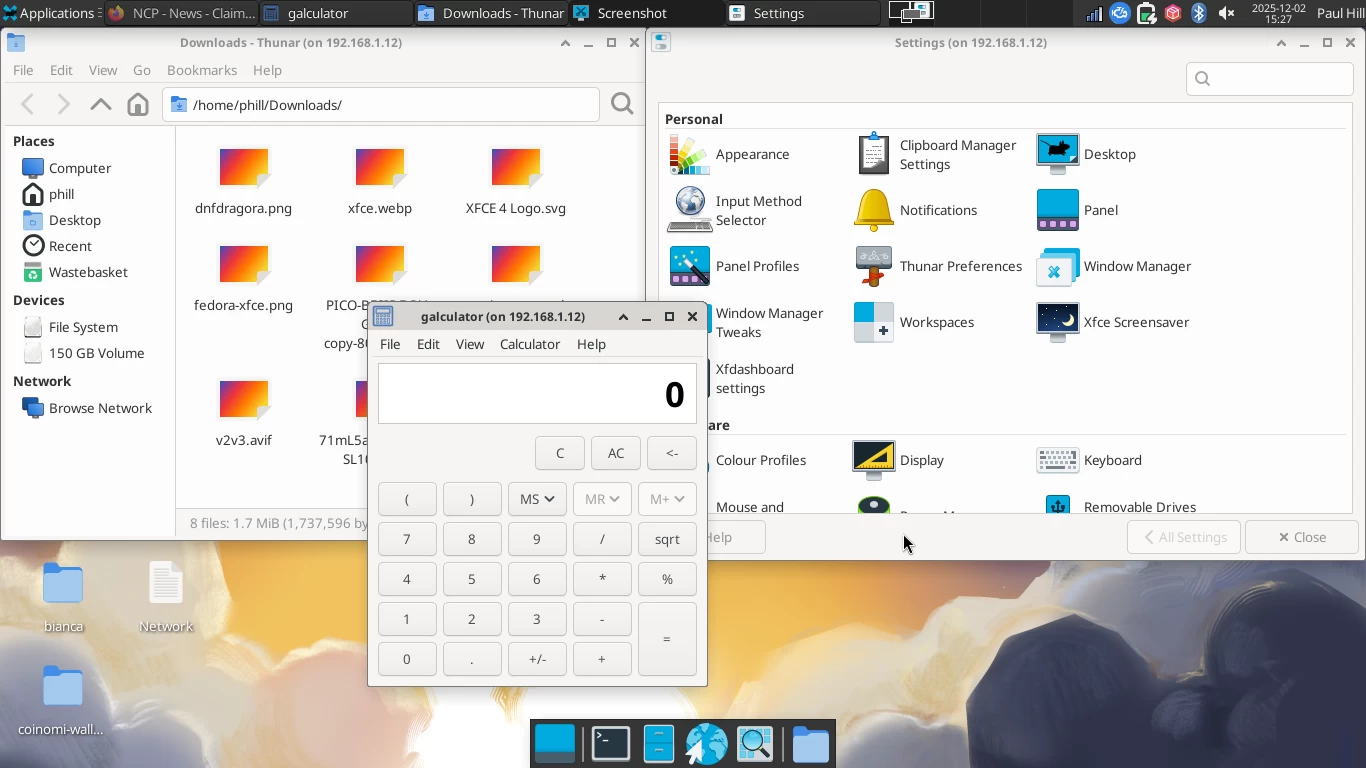
On the hardware side, everything seems to work out of the box. This was expected as everything worked just fine on other Fedora spins. The key to adjust the brightness also worked well, but the volume controls didn"t work until I added the volume widget to the upper-right panel.
This was easy, I just right-clicked on the top panel, then went to Panel > Add New Items > PulseAudio Plugin. It got inserted on the far-right of the panel, so I right-clicked it and pressed move, then dragged it where I preferred it.
One peculiar quirk of Xfce is that the Wi-Fi gets disabled whenever the laptop lid is closed. Additionally, when I unplugged the power and left the lid closed, the battery runs out after a couple of hours, so I"m not too sure what"s happening there. The settings say suspend is selected, but the computer still drains the battery after one or two hours; with Silverblue, I"ve managed to leave the lid closed all night without the power going off.
Conclusion and final thoughts
Concluding, while I remain a huge fan of Fedora atomic versions, and would run them on capable hardware, for my particular case, where I"m trying to make a weak laptop run well, Fedora Xfce has knocked the ball out of the park. It really is excellent.
If you have an older computer that seems to struggle even with Linux, give an Xfce-based distro a whirl to see if it improves things for you. It is slightly less user-friendly, but the speed difference is highly noticeable and is definitely worth the trade-off.
If you have an aging computer that you"d like to keep alive with Fedora Xfce, you can download it from the Fedora website.
If you are finding yourself struggling with aging hardware, rather than opting for the fancier operating systems, sometimes something solid and tested, like Xfce, can be a top choice to optimize Linux for performance.