Today, I have another dash cam at my review desk, this time from Baseus. While this company is known for producing a lot of various tech, it is not the first brand that comes to mind when thinking of a dash cam. The VD1 Pro is currently the only dash cam from this company, so let"s take a look at what this camera has to offer at $169.99 or $109.99 by the time of publishing this review.
Disclaimer: Baseus provided the review sample without any editorial input on pre-approvals.
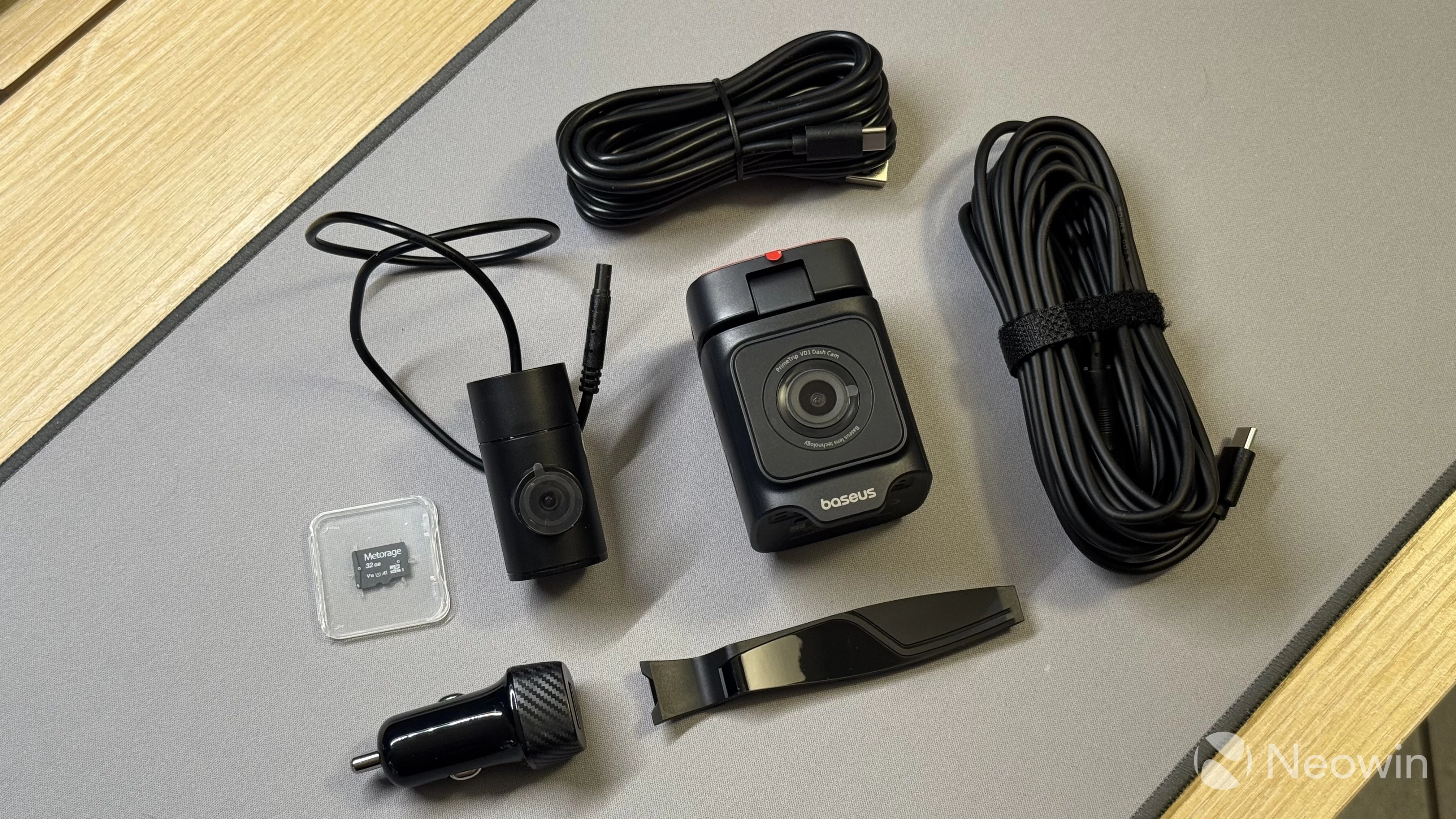
In the box:
The Baseus VD1 Pro comes with everything you need for a complete setup:
- The main VD1 Pro unit
- The rear 1080p camera
- USB cables
- 12V single USB Type-A charger
- Stickers, including spare ones
- 32GB microSD memory card
- A tool for cable management
- Some stickers and user manuals
What I like about the VD1 Pro is that there is no extra kit required to purchase in order to unlock everything the camera has to offer. The bundled 32GB memory card feels a bit stingy, but given that the camera overwrites old recordings when it fills up and you do not have to buy a card separately, I am not going to complain about this a lot. The most important part is that you have everything you need, no extra purchases required.
Perhaps the only reasonable complaint is the 12V charger, which only has one USB port. If you drive an older car without USB ports, you will not be able to charge your phone while the camera is operating. Baseus has plenty of cool 12V chargers, and I am a bit disappointed that they included one with a single Type-A port.
The VD1 Pro
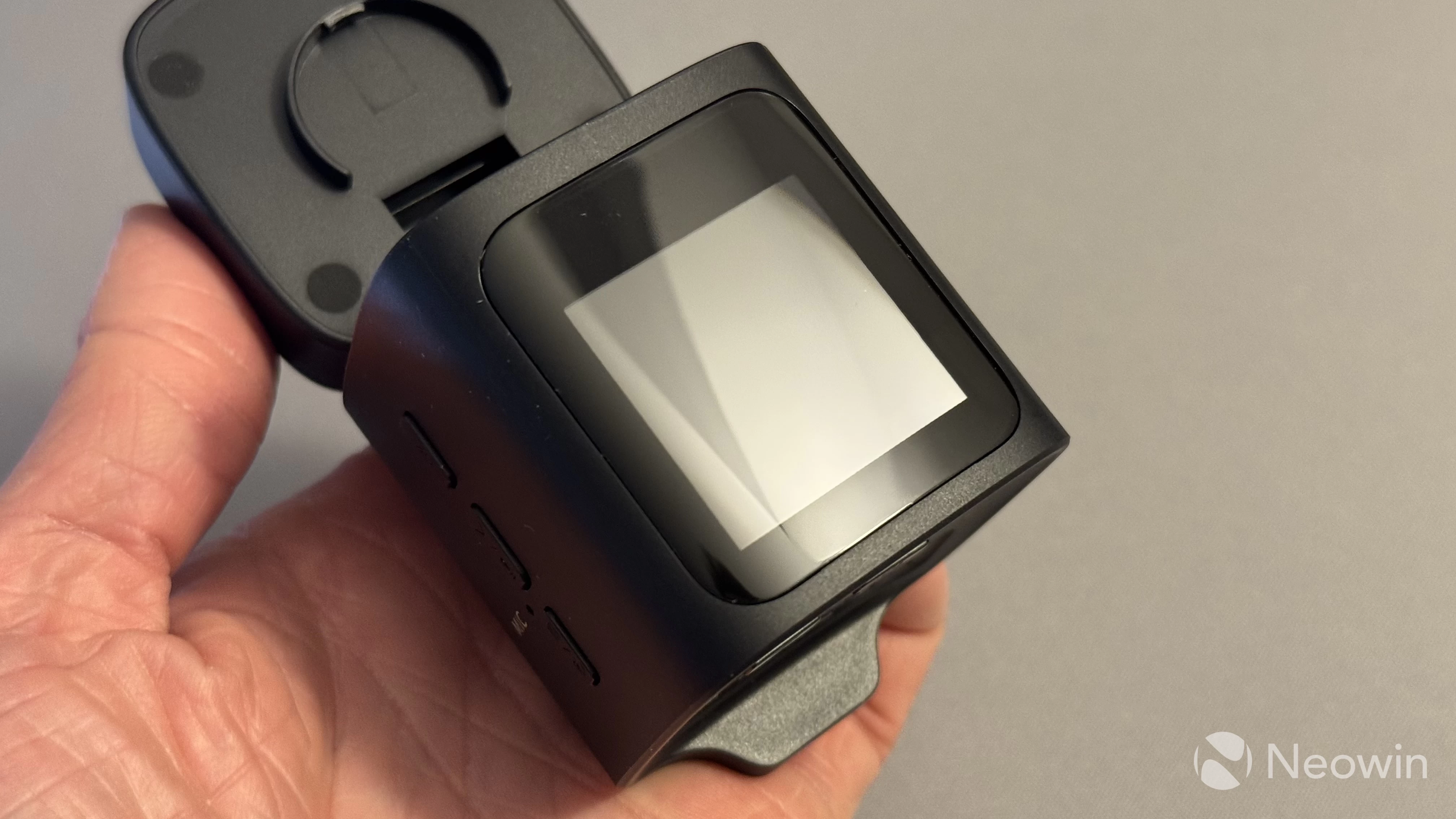
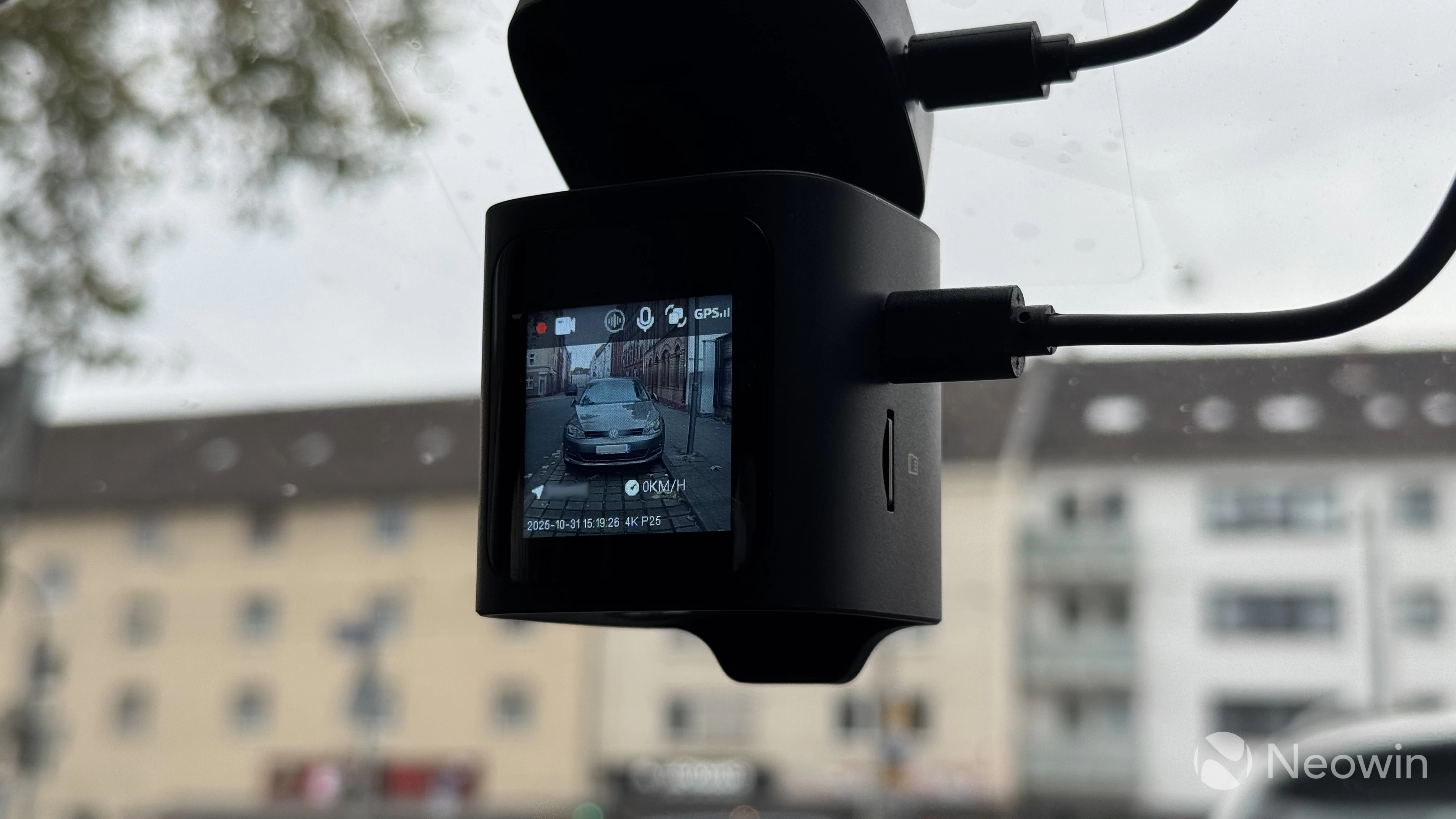
The Baseus VD1 Pro instantly grabs your attention with its compact size. This camera feels like a very dense brick made of hard, but quality plastic. The front is occupied by a big camera lens, while the 1.54-inch display covers most of the rear. Thanks to its compact size, the camera takes up very little space on your windshield, and it is not distracting at all (depending on how you mount it, of course). You can adjust the camera position and its angle by tilting it forward and backward or turning left or right. As a person who wants to minimize distraction as much as possible, I appreciate dash cams with small footprints.
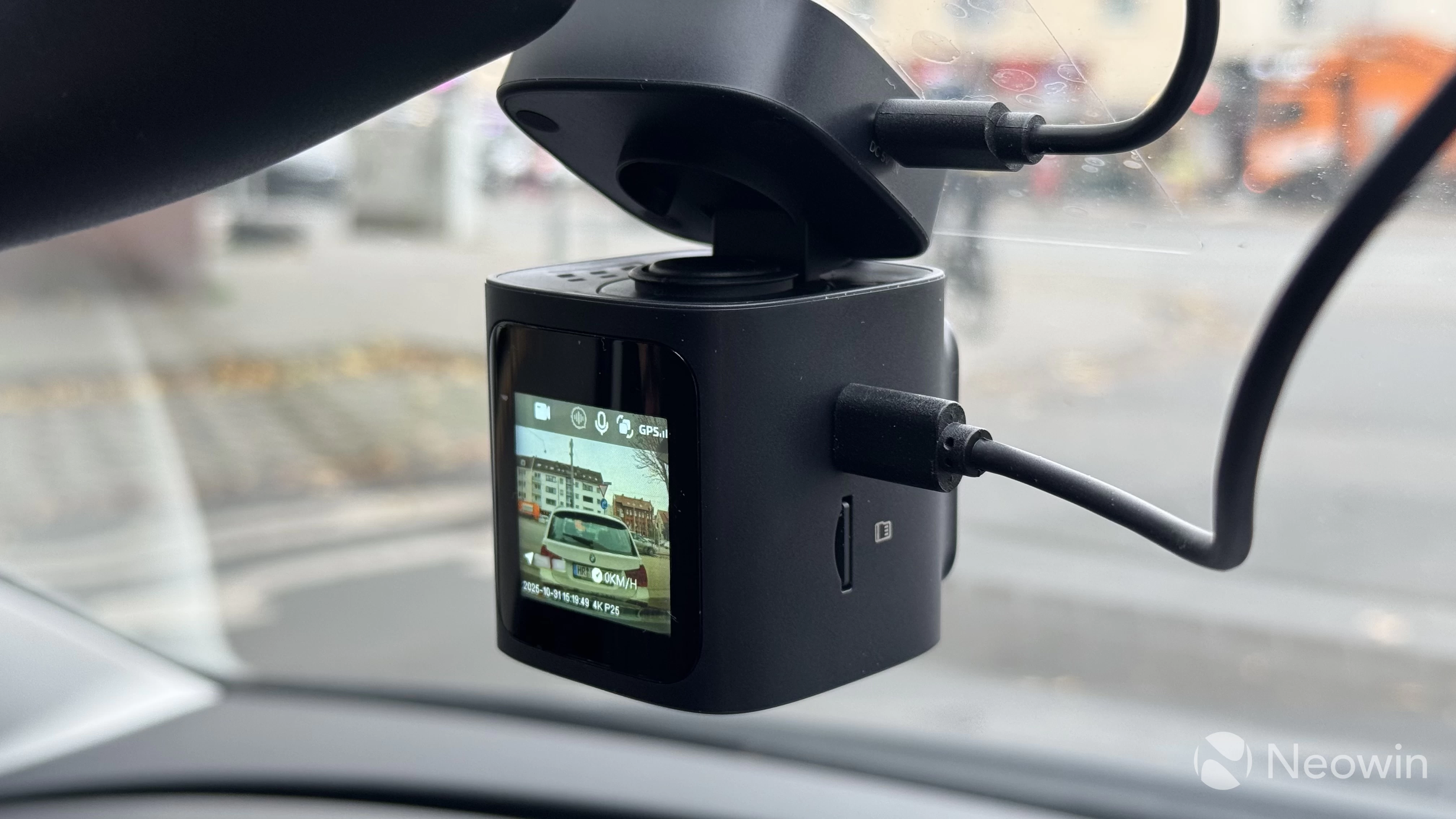
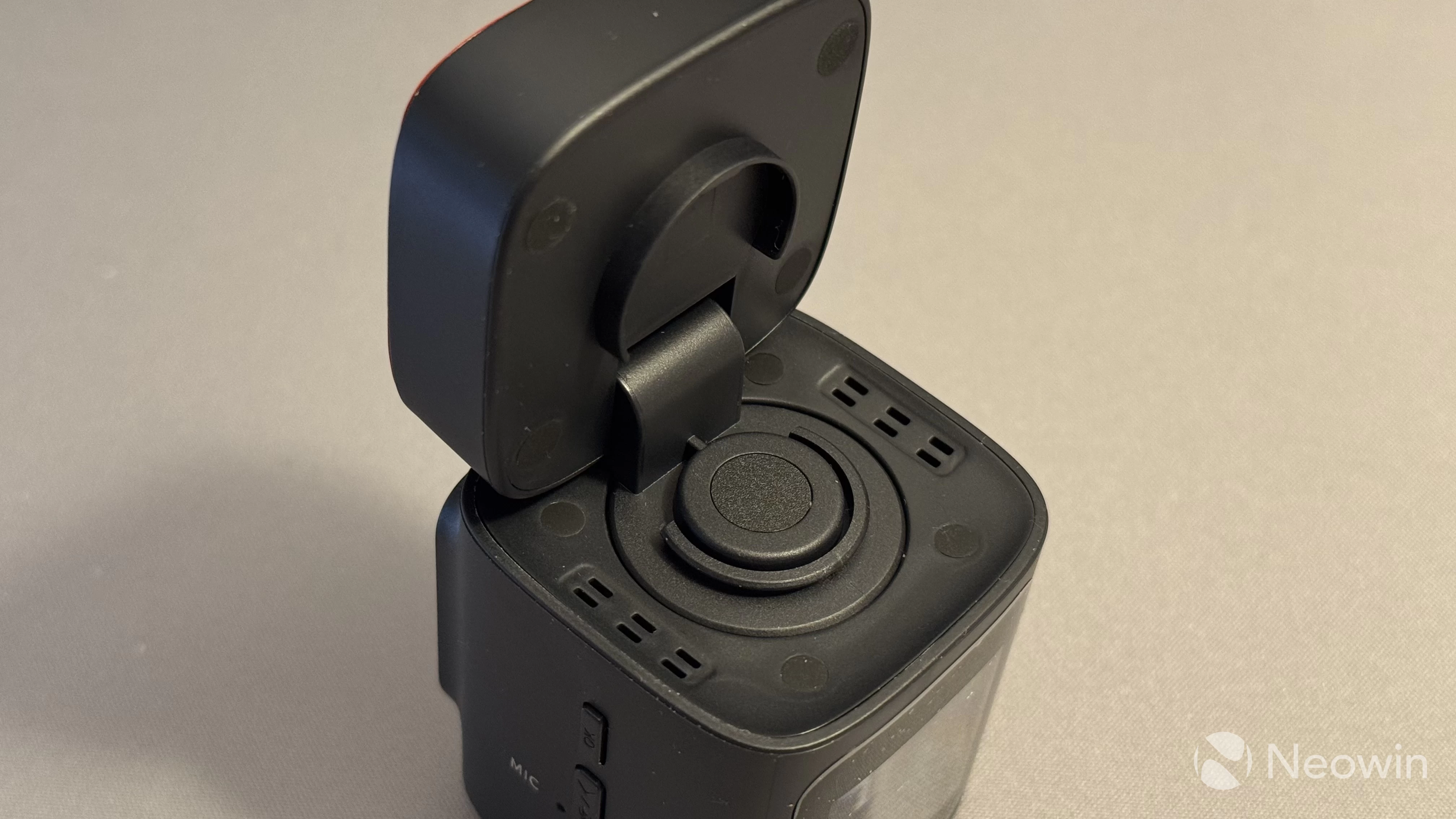
On the hinge, you can see a special window, which houses a solar panel. Don"t get fooled, this is by no means a wireless camera. You still need to plug it into your 12V socket, and the main purpose of the solar panel is to give the internal battery enough juice for parking monitoring and recording 30-second videos in case of emergency.
The solar panel is the main quirk of the VD1 Pro. The built-in battery is rated for 380 mAh, and Baseus promises up to 14 days of monitoring and 20 emergency recordings using both front and rear cameras. I"d say it is a very clever design, and it is nice to see these features in such a small camera. Sadly, I could not verify these claims by leaving my car stationary for 14 days. If you drive every day or every few days, the built-in battery should never run out of juice to miss something important.
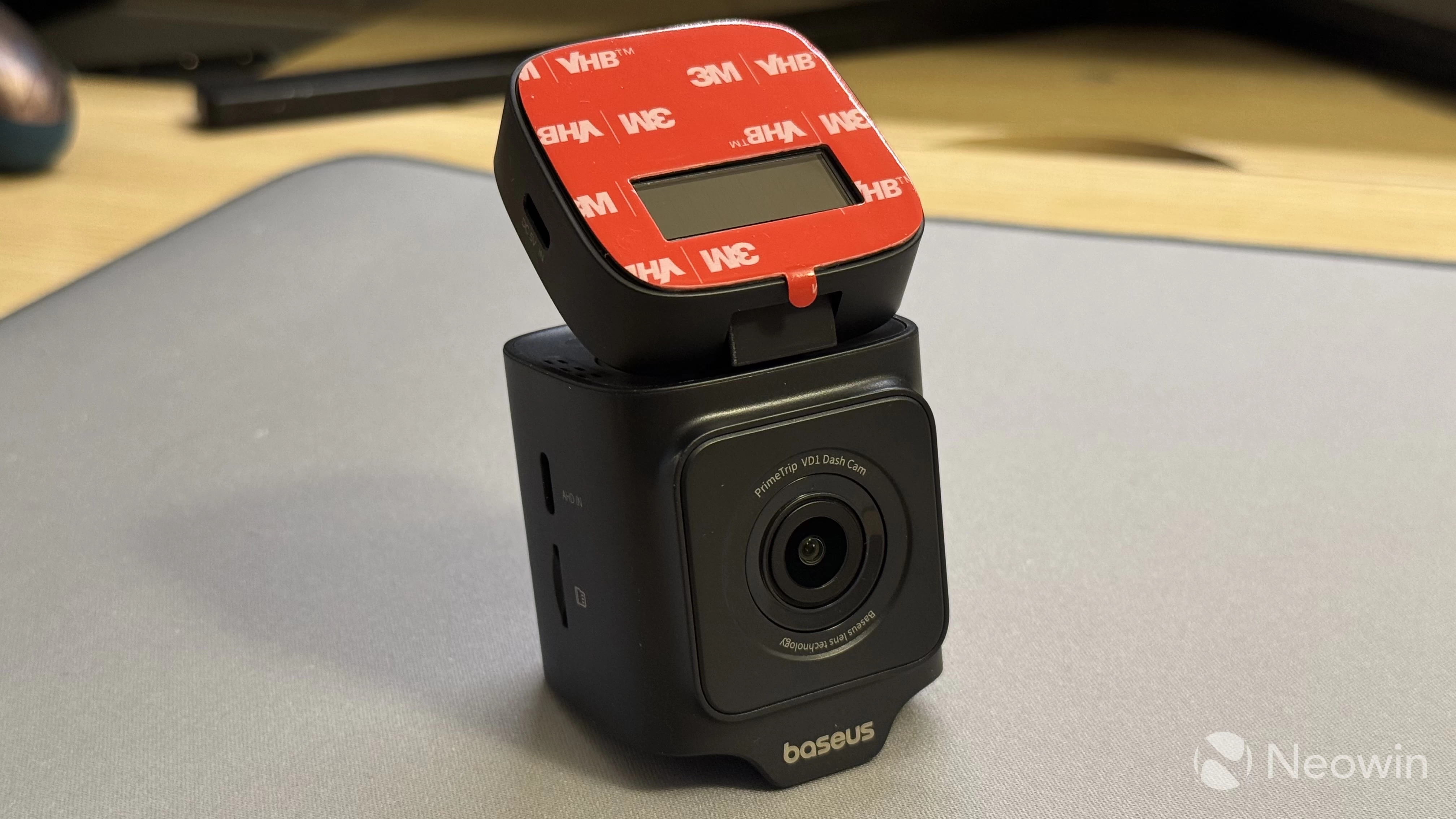
Having a Li-ion battery attached to your windshield could be a bit concerning, but Baseus claims that the camera has all the necessary protections and temperature sensors, and it can shut everything down if overheating is detected. Since I was testing the camera in Autumn, I could not check how it behaves during hot days, so you will have to take their word for it. Another important thing to note is that the plastic is not smelly, so it should not emit toxic fumes during hot weather.
Of course, given the small size, you cannot have a very large display. As such, text on this 1.54-inch screen is quite small and not the easiest to read. Still, menus are simple, and they are not something you will have to navigate very often. The VD1 Pro also makes up for that with its app, so if you do not want to deal with the small display and tiny text, you can set everything up from your smartphone.
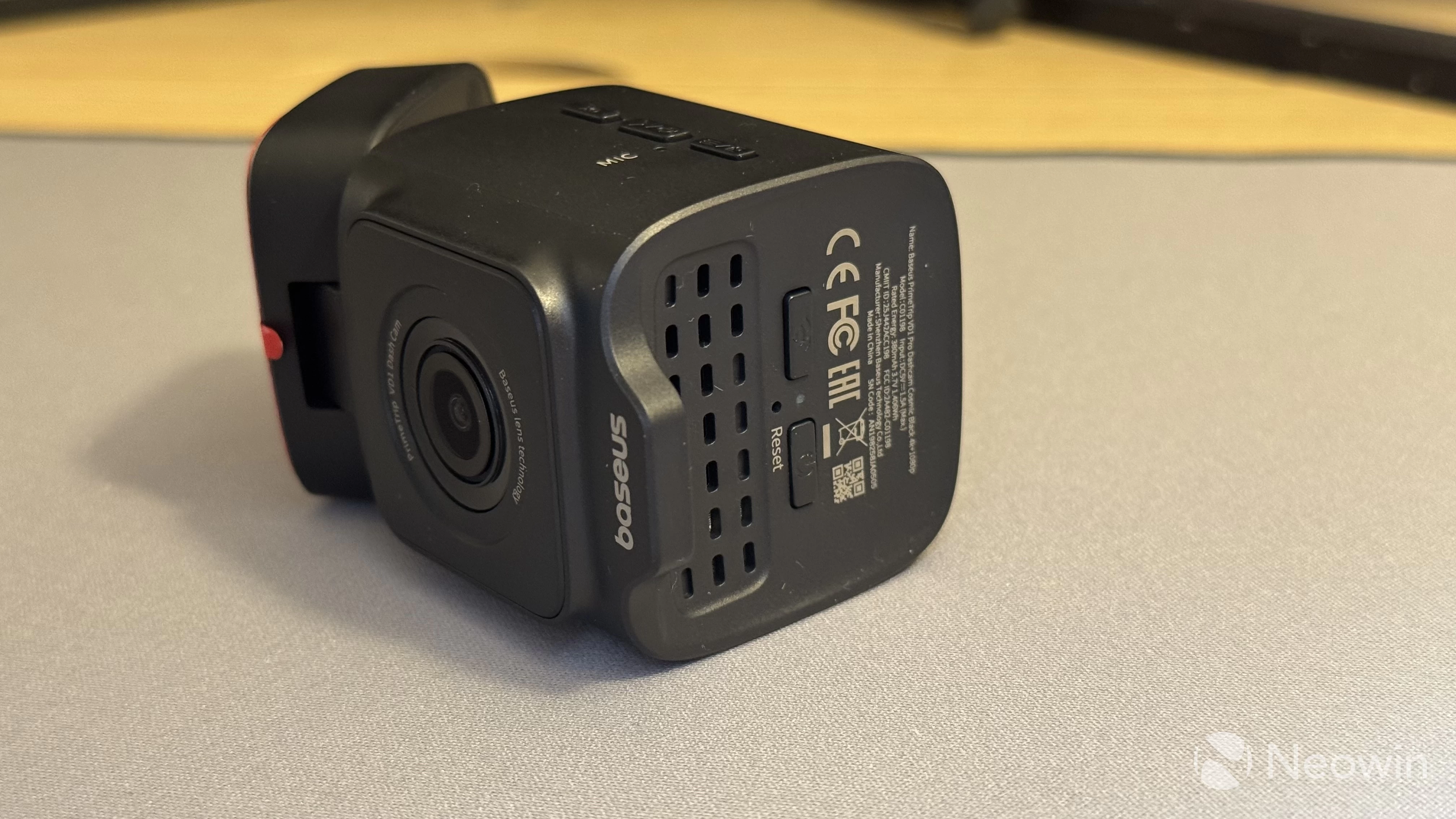
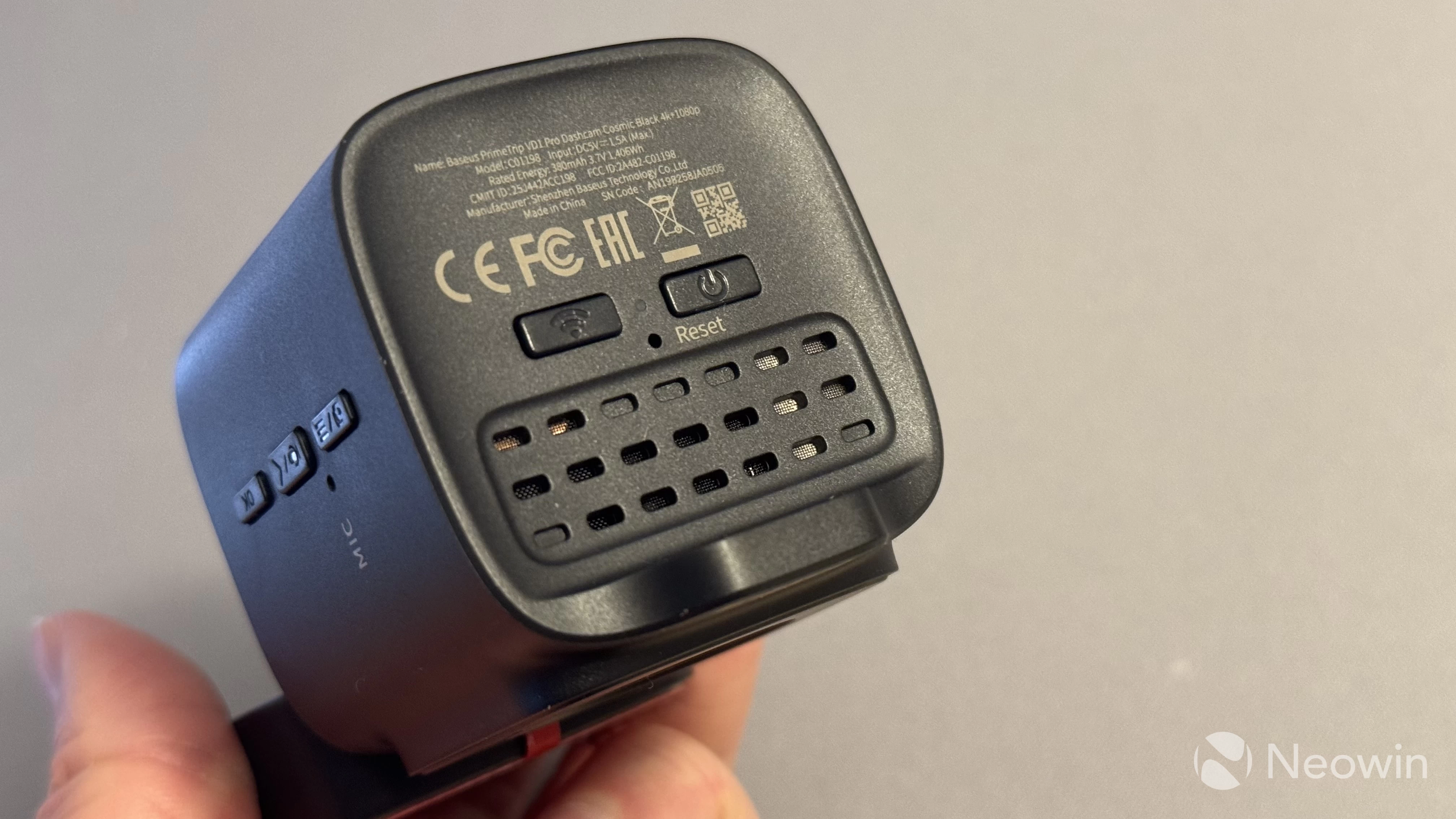
The camera has five physical buttons: three on one side and two on the bottom of the camera. The side buttons are for menu navigating, switching cameras on the screen (you can use it as a rear-view camera, but do not rely on it for parking), and muting the microphone. The latter is extra welcome, as you can quickly turn off the microphone if you have a sensitive conversation that you would like not to be recorded.
Speaking of microphones, besides recording what is going on inside your vehicle, the camera supports voice commands, such as "take a picture," "turn off display," etc. Voice commands work very well, and the camera managed to understand my heavy Eastern European accent without issues.
The bottom buttons serve two purposes: one turns on/off Wi-Fi access, and the other shuts down the camera in case you need it. The camera automatically turns off when you turn off the engine. However, keep in mind that this only happens if your car cuts off 12V power when accessories are off. If no, you will have to shut the camera down manually; otherwise, it will continue sipping your car"s battery juice.
|
| ||
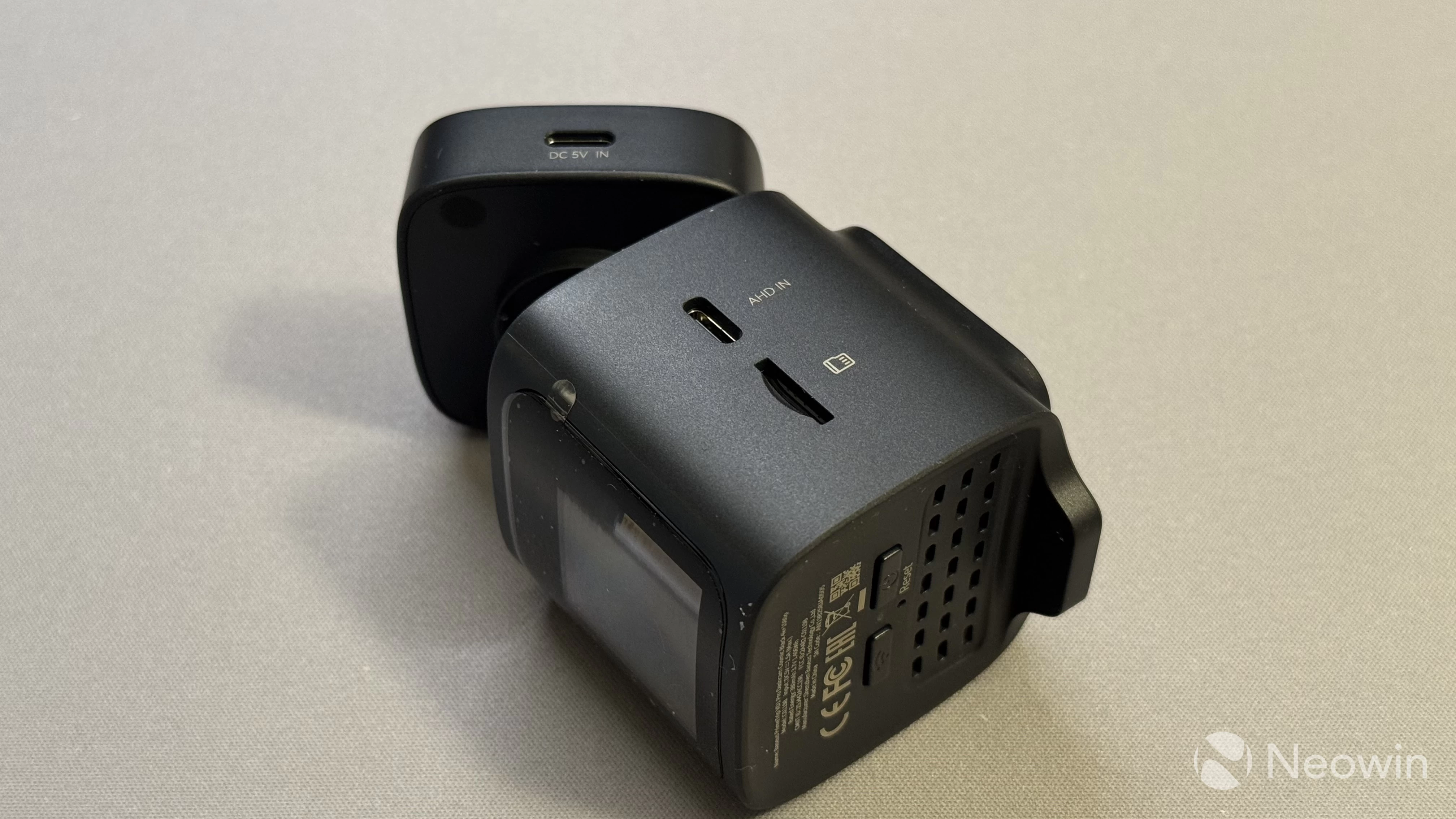
USB ports for connecting power and the rear-view camera are mounted to the right. Sadly, cables are not angled, so it will take some effort to wire everything neatly and tidily.
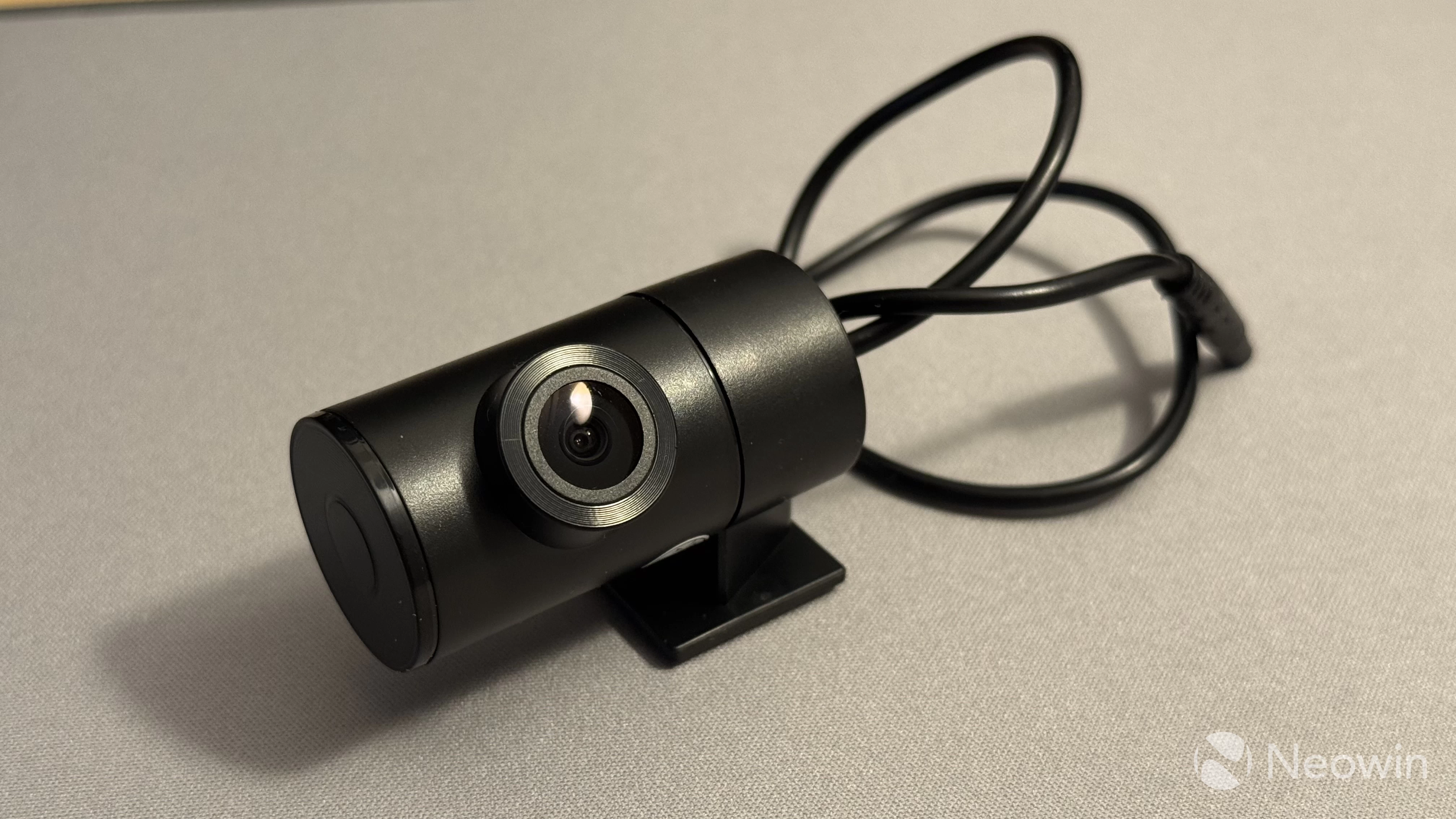
As for the rear-view camera, it features the standard camera design for dashcams like this. However, Baseus gets extra points for making a stiff hinge, which is important for cars with tailgates, such as SUVs, station wagons, or hatchbacks. Unfortunately, the rear camera is only 1080p, but it is acceptable, considering the price.
Installation
The Baseus VD1 Pro is very easy to install. All you have to do is place a sticker on your windshield (do not forget to prepare and clean the surface) and stick the camera using the pre-applied double-sided adhesive pad. In the box, you will find a spare one, should you need to move the camera from one car to another (sadly, there are no extra stickers). Next, route the cable under the headliner to the 12V socket. The bundled trim tool helps with that, but your mileage will vary depending on what car you have.
Connecting the rear-view camera is a bit harder, since you have to route the cable through the entire interior, but it is no rocket science, just be patient and careful. The rear camera has a removable cable, which makes routing the cable easier.
The only thing I did not like about setting up the VD1 Pro was the fact that the USB connectors were not angled. Having two angled USB cables would have made everything much tidier and good-looking.
Video quality
The front camera recording is good. I will not talk a lot about it and let the video samples speak for themselves. I can say that the 170-degree lens is plenty good for recording everything, and the sensor captures enough light during nighttime to capture license plates, pedestrians, and everything that is going on in front of your car.
The rear 1080p camera is notably inferior. The resolution is lower, colors are much more muted, and at night, the image essentially falls apart due to the lack of light. However, you are not going to record vlogs on this one. Its goal is to capture an accident and key details, such as license plates. With these tasks, the camera deals just alright. Again, keep in mind its price.
Here are some of the videos I recorded when testing the VD1 Pro:
App and features
The Baseus app is pretty simple to use, and there are not that many features to report about. Here is a quick overview:
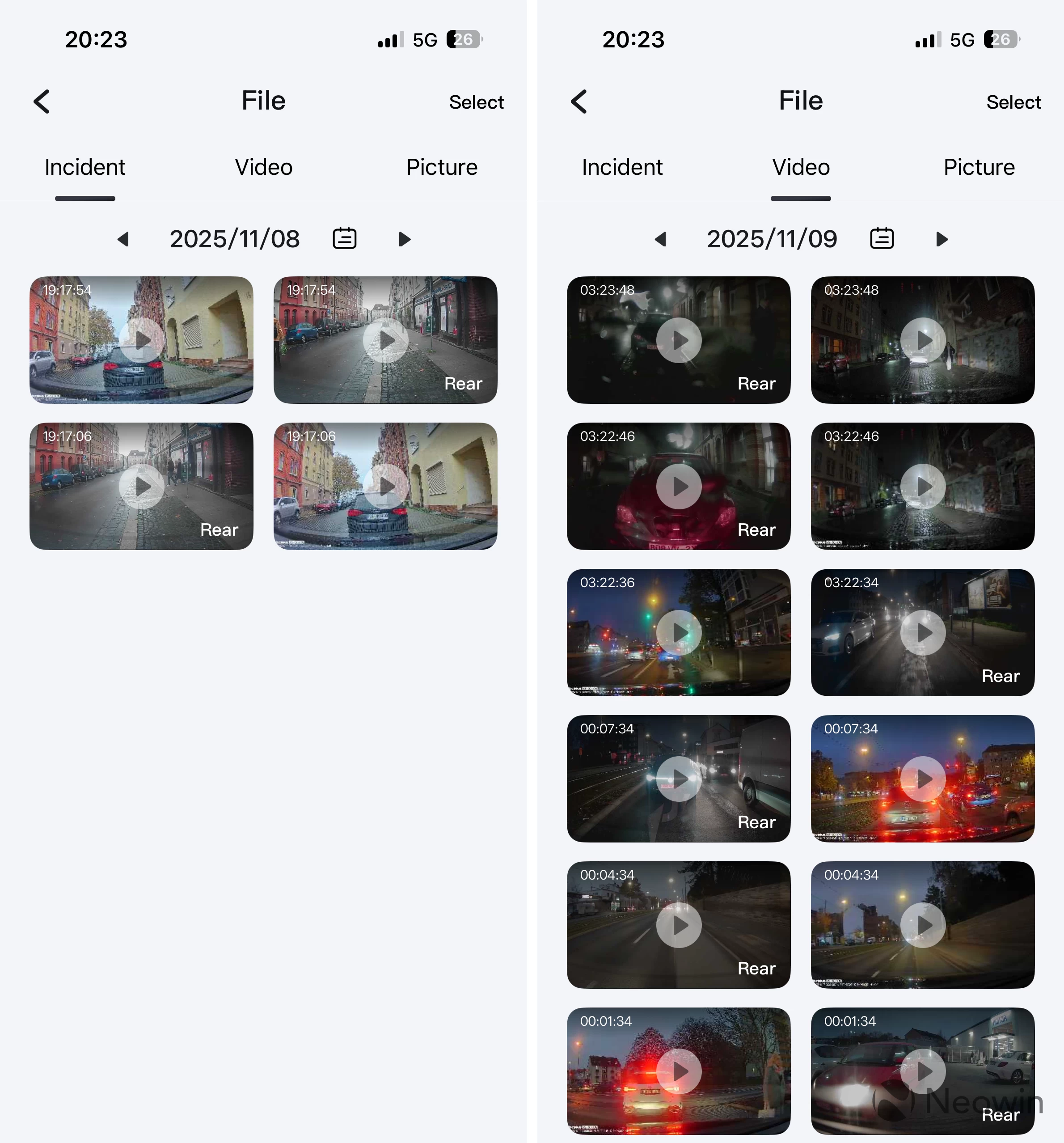
- Files: View and download videos and photos from any specific day. The gallery is split into three tabs: incidents, videos, and pictures. You can quickly jump to any date you want, which makes finding the right recording quick and easy.
- Live view: You can see what the camera sees and records right on the screen of your phone. When you connect the app, the main display on the camera turns off, but the camera continues recording. However, accessing certain features stops recording, and the VD1 Pro will warn you about it.
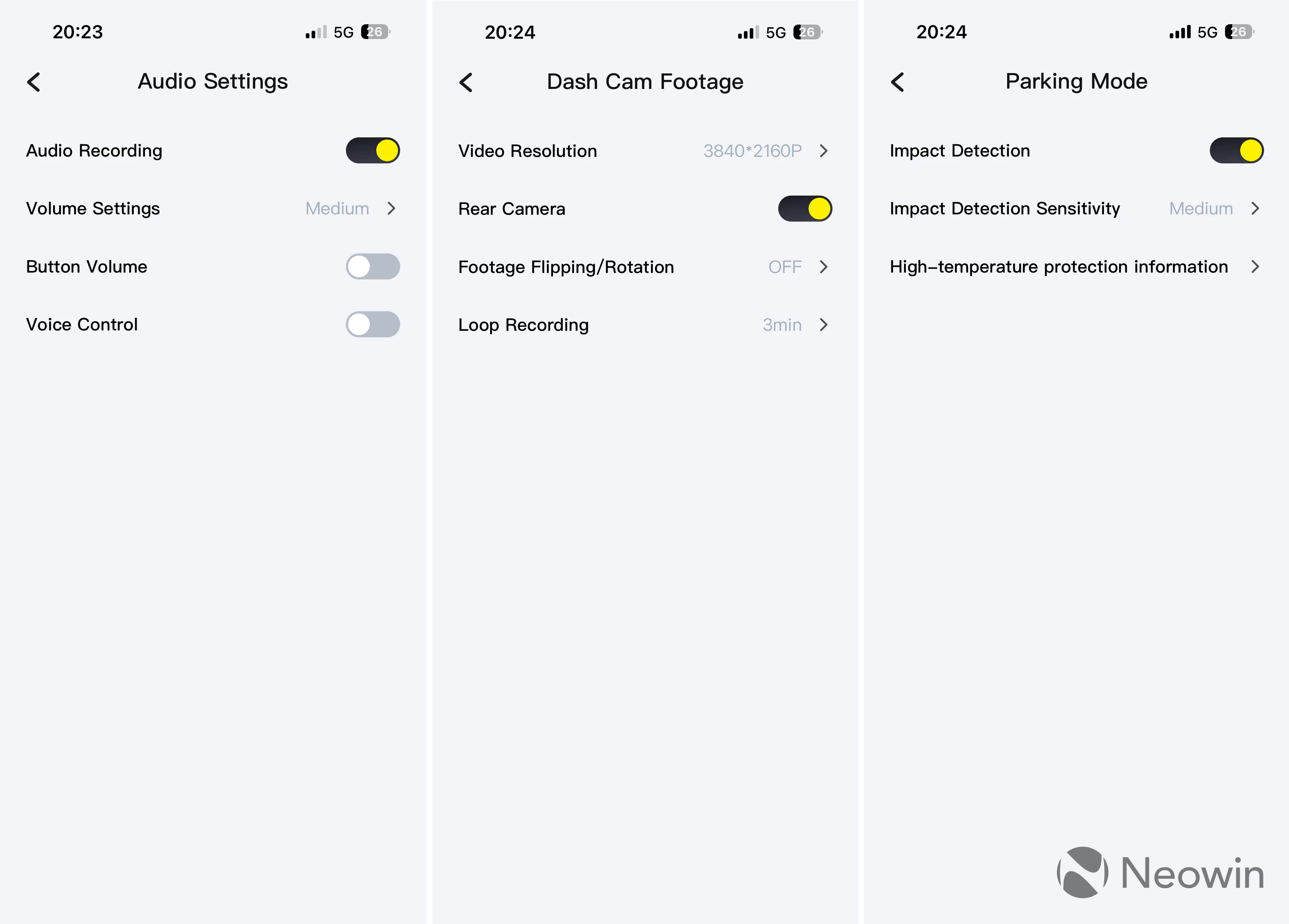
- Camera settings: The app lets you change the video resolution, enable or disable the rear camera, flip or rotate the footage, and select the duration of each clip (3 minutes is the default).
- Parking settings: Here, you can enable or disable impact detection in parking mode or change its sensitivity.
- Audio settings: You can turn audio recording on or off, adjust the microphone level, and toggle voice commands.
- Other settings: Language, Wi-Fi access point settings, screen timeout (you can keep it always on or set a timeout), speed units, firmware updates, etc.
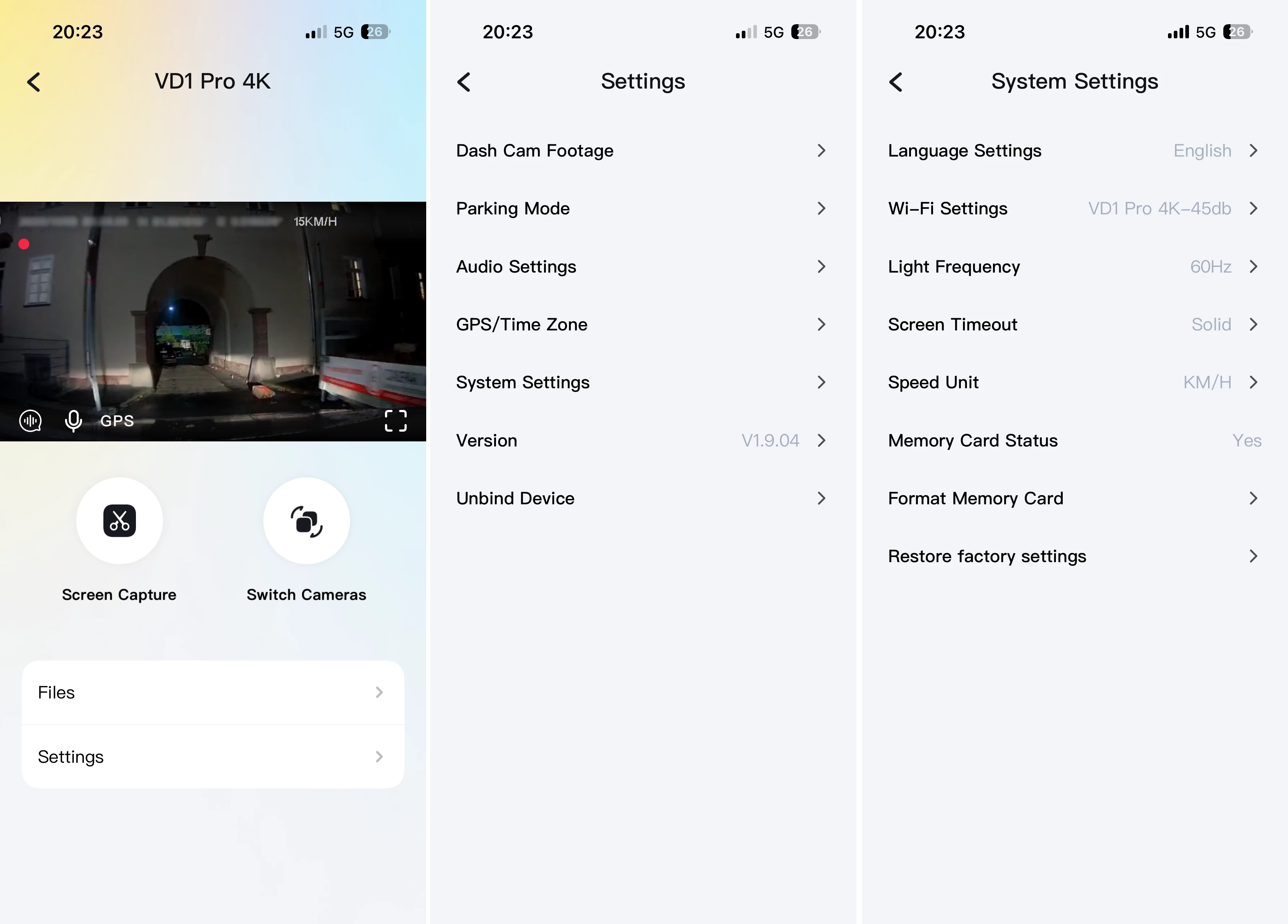
The Baseus VD1 Pro connects to the app via Wi-Fi 6, and I was pleasantly surprised that you can use it in guest mode without creating an account. Also, transferring videos from the camera to your phone is quick, and the connection is reliable.
My only nitpick is that the camera does not separate front-facing camera recordings from rear-facing camera recordings. Everything is dumped into one giant folder, with only incident recordings in a separate directory.
Conclusion
The VD1 Pro is a good and easy-to-recommend dash cam. While being affordable, it records high-resolution video, comes with a rear-facing camera, and offers a unique feature for parking monitoring. Yes, the rear-facing camera is not of the highest quality, and the bundled charger is lackluster. Still, those are no dealbreakers by any means, especially when you factor in Black Friday deals that brought this camera to merely $109.99. At that price, the VD1 Pro is totally worth it.
As an Amazon Associate, we earn from qualifying purchases.