In addition to a new Windows 11 Canary build that Microsoft released today, the company pushed a fresh update for the Copilot app. With version 1.25082.132.0, the Copilot app on Windows received semantic file search on Copilot+ PCs, which allows finding your stuff using natural language. Additionally, the app now has a reworked home page.
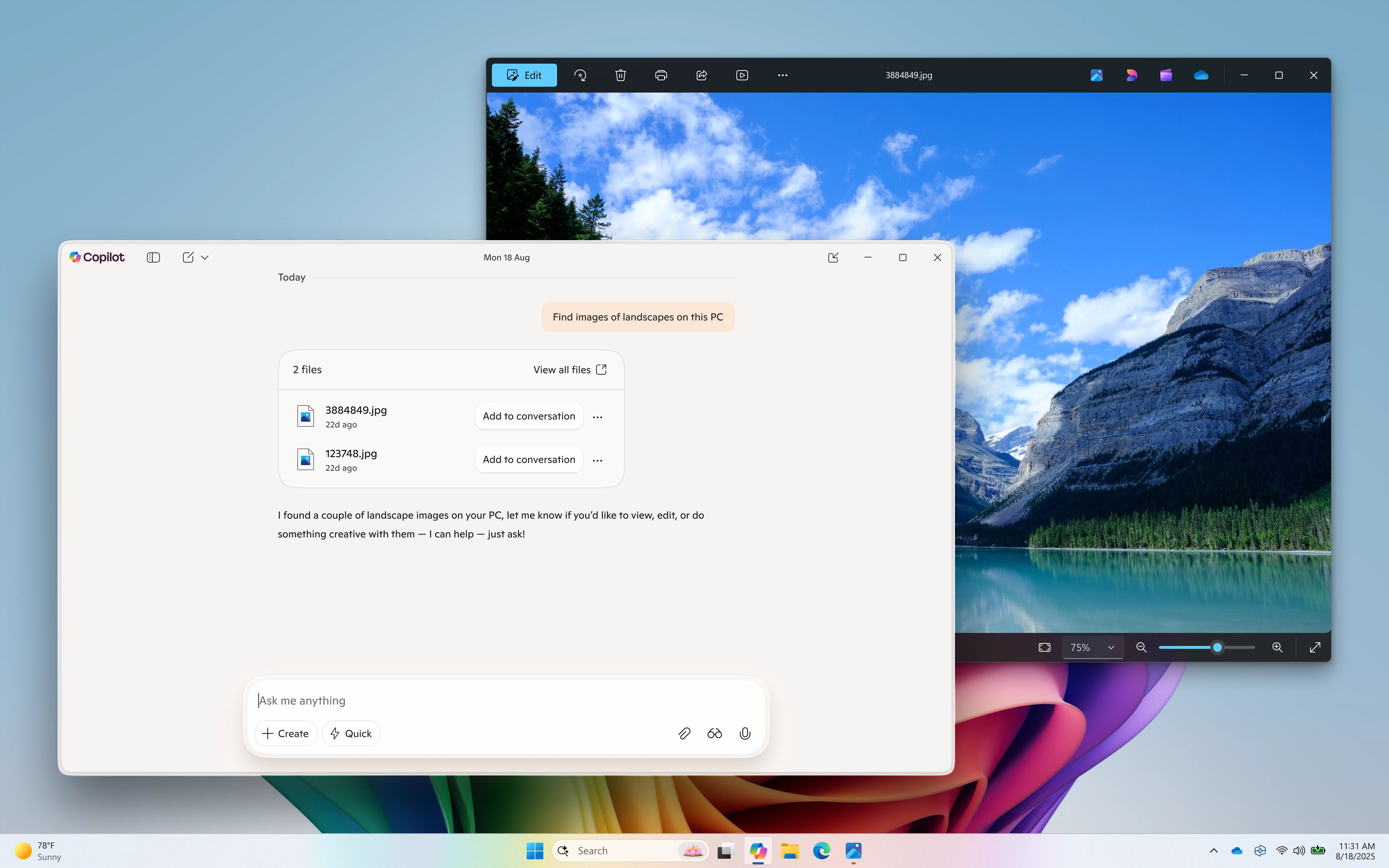
Starting with search, users with Copilot+ PCs can find files by simply describing them in simple words without knowing the exact file names. For example, you can ask Copilot to "find my CV," "find pictures with red cars," or "find that file with chicken tostada recipe." Not all users will be comfortable with giving Copilot access to files, so Microsoft allows adjusting permission for what Copilot can access, read, or retrieve in Settings > Permissions.
Next is a redesigned homepage. The new variant showcases your recent conversations with Copilot, apps, and files. This lets you quickly start a Vision session with one of your recent apps so that it can help you do something you are not familiar with. Also, you can click a recent file to upload it to Copilot and perform actions with it, such as summarize a document, identify an object in a photo, or just ask something about the file.
For now, file upload to Copilot supports the following file types: .png, .jpeg, .svg, .pdf, .docx, .xlsx, .csv, .json, and .txt. Incompatible apps will not appear in the recent files pane.
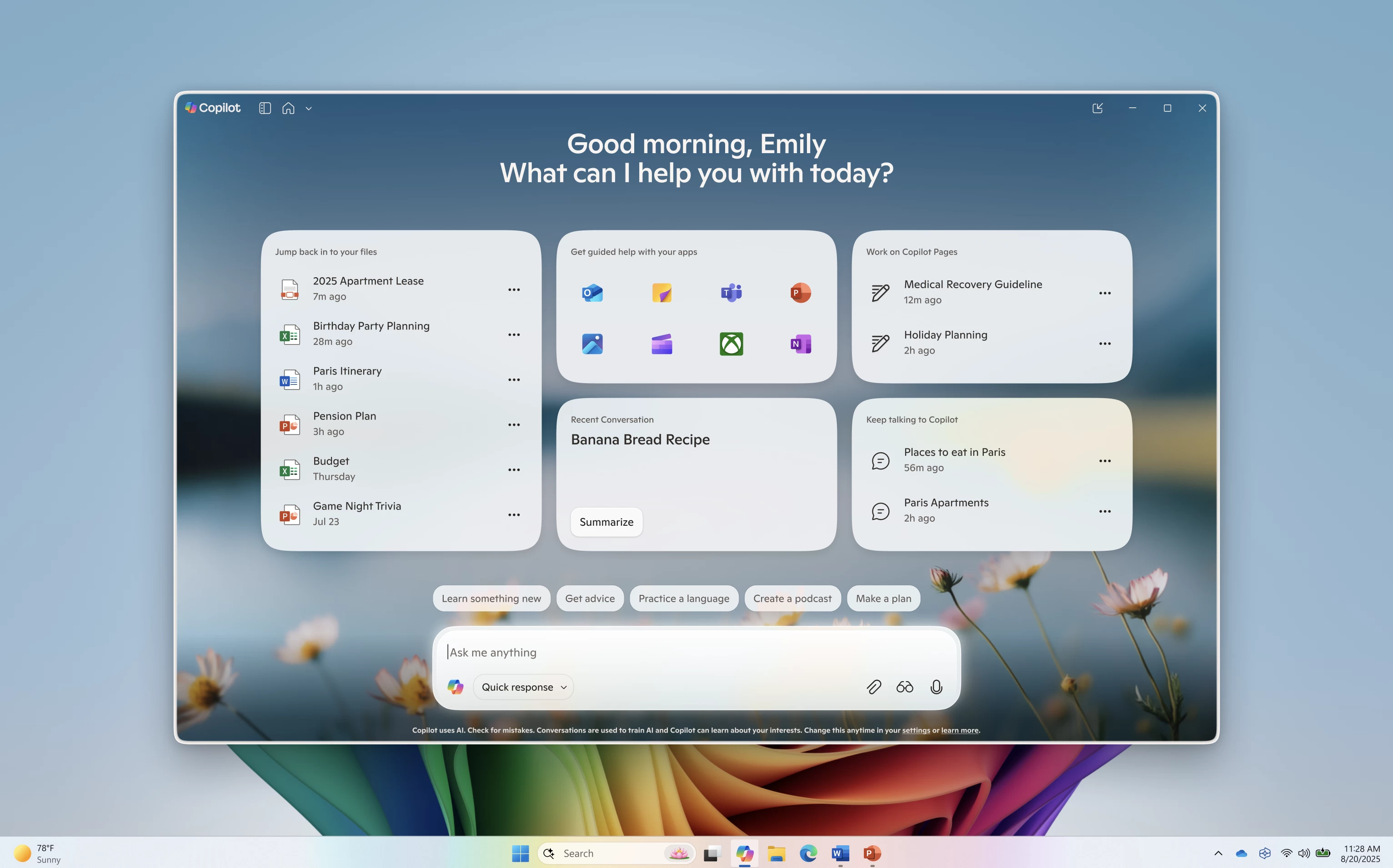
As for privacy, Microsoft adds that Copilot pulls your recent files from the standard "Recent" folder in Windows, which also lets you access recent files in apps like Word or Excel. The app does not upload your recent files to Microsoft, and all the processing happens on your device locally.
The new Copilot features are now rolling out to Windows Insiders in all channels. The rollout is gradual, which means these features may show up on your device a little later.